登录/注册

jQuery响应式图片画廊插件S Gallery
分类:代码 日期:

jQuery响应式图片画廊插件S Gallery

演 示 下 载

 jQuery响应式图片画廊插件S Gallery_iffont

jQuery响应式图片画廊插件S Gallery

分类:代码 日期:

jQuery响应式图片画廊插件S Gallery

演 示 下 载

 jQuery响应式图片画廊插件S Gallery_iffont

jQuery响应式图片画廊插件S Gallery

分类:代码 日期:

jQuery响应式图片画廊插件S Gallery

演 示 下 载

 jQuery响应式图片画廊插件S Gallery_iffont

jQuery响应式图片画廊插件S Gallery

分类:代码 日期:

jQuery响应式图片画廊插件S Gallery

演 示 下 载

 jQuery响应式图片画廊插件S Gallery_iffont

jQuery响应式图片画廊插件S Gallery

分类:代码 日期:

jQuery响应式图片画廊插件S Gallery

演 示 下 载

 jQuery响应式图片画廊插件S Gallery_iffont

jQuery响应式图片画廊插件S Gallery

分类:代码 日期:

jQuery响应式图片画廊插件S Gallery

演 示 下 载

 jQuery响应式图片画廊插件S Gallery_iffont

jQuery响应式图片画廊插件S Gallery

分类:代码 日期:

jQuery响应式图片画廊插件S Gallery

演 示 下 载

 jQuery响应式图片画廊插件S Gallery_iffont

jQuery响应式图片画廊插件S Gallery

分类:代码 日期:

jQuery响应式图片画廊插件S Gallery

演 示 下 载

 jQuery响应式图片画廊插件S Gallery_iffont

jQuery响应式图片画廊插件S Gallery

分类:代码 日期:

jQuery响应式图片画廊插件S Gallery

演 示 下 载

 jQuery响应式图片画廊插件S Gallery_iffont

jQuery响应式图片画廊插件S Gallery

分类:代码 日期:

jQuery响应式图片画廊插件S Gallery

演 示 下 载

 jQuery响应式图片画廊插件S Gallery_iffont

jQuery响应式图片画廊插件S Gallery

分类:代码 日期:

jQuery响应式图片画廊插件S Gallery

演 示 下 载

 jQuery响应式图片画廊插件S Gallery_iffont

jQuery响应式图片画廊插件S Gallery

分类:代码 日期:

jQuery响应式图片画廊插件S Gallery

演 示 下 载

 jQuery响应式图片画廊插件S Gallery_iffont

jQuery响应式图片画廊插件S Gallery

分类:代码 日期:

jQuery响应式图片画廊插件S Gallery

演 示 下 载

 jQuery响应式图片画廊插件S Gallery_iffont

jQuery响应式图片画廊插件S Gallery

分类:代码 日期:

jQuery响应式图片画廊插件S Gallery

演 示 下 载

 jQuery响应式图片画廊插件S Gallery_iffont

jQuery响应式图片画廊插件S Gallery

分类:代码 日期:

jQuery响应式图片画廊插件S Gallery

演 示 下 载

 jQuery响应式图片画廊插件S Gallery_iffont

jQuery响应式图片画廊插件S Gallery

分类:代码 日期:

jQuery响应式图片画廊插件S Gallery

演 示 下 载

 jQuery响应式图片画廊插件S Gallery_iffont

jQuery响应式图片画廊插件S Gallery

分类:代码 日期:

jQuery响应式图片画廊插件S Gallery

演 示 下 载

 jQuery响应式图片画廊插件S Gallery_iffont

jQuery响应式图片画廊插件S Gallery

分类:代码 日期:

jQuery响应式图片画廊插件S Gallery

演 示 下 载

 jQuery响应式图片画廊插件S Gallery_iffont

jQuery响应式图片画廊插件S Gallery

分类:代码 日期:

jQuery响应式图片画廊插件S Gallery

演 示 下 载

 jQuery响应式图片画廊插件S Gallery_iffont

jQuery响应式图片画廊插件S Gallery

分类:代码 日期:

jQuery响应式图片画廊插件S Gallery

演 示 下 载

 jQuery响应式图片画廊插件S Gallery_iffont

jQuery响应式图片画廊插件S Gallery

分类:代码 日期:

jQuery响应式图片画廊插件S Gallery

演 示 下 载

 jQuery响应式图片画廊插件S Gallery_iffont

jQuery响应式图片画廊插件S Gallery

分类:代码 日期:

jQuery响应式图片画廊插件S Gallery

演 示 下 载

 jQuery响应式图片画廊插件S Gallery_iffont

jQuery响应式图片画廊插件S Gallery

分类:代码 日期:

jQuery响应式图片画廊插件S Gallery

演 示 下 载

 jQuery响应式图片画廊插件S Gallery_iffont

jQuery响应式图片画廊插件S Gallery

分类:代码 日期:

jQuery响应式图片画廊插件S Gallery

演 示 下 载

 jQuery响应式图片画廊插件S Gallery_iffont

jQuery响应式图片画廊插件S Gallery

分类:代码 日期:

jQuery响应式图片画廊插件S Gallery

演 示 下 载

 jQuery响应式图片画廊插件S Gallery_iffont

jQuery响应式图片画廊插件S Gallery

分类:代码 日期:

jQuery响应式图片画廊插件S Gallery

演 示 下 载

 jQuery响应式图片画廊插件S Gallery_iffont

jQuery响应式图片画廊插件S Gallery

分类:代码 日期:

jQuery响应式图片画廊插件S Gallery

演 示 下 载

 jQuery响应式图片画廊插件S Gallery_iffont

jQuery响应式图片画廊插件S Gallery

分类:代码 日期:

jQuery响应式图片画廊插件S Gallery

演 示 下 载

 jQuery响应式图片画廊插件S Gallery_iffont

jQuery响应式图片画廊插件S Gallery

分类:代码 日期:

jQuery响应式图片画廊插件S Gallery

演 示 下 载

 jQuery响应式图片画廊插件S Gallery_iffont

jQuery响应式图片画廊插件S Gallery

分类:代码 日期:

jQuery响应式图片画廊插件S Gallery

演 示 下 载

 jQuery响应式图片画廊插件S Gallery_iffont

jQuery响应式图片画廊插件S Gallery

分类:代码 日期:

jQuery响应式图片画廊插件S Gallery

演 示 下 载

 jQuery响应式图片画廊插件S Gallery_iffont

jQuery响应式图片画廊插件S Gallery

分类:代码 日期:

jQuery响应式图片画廊插件S Gallery

演 示 下 载

 jQuery响应式图片画廊插件S Gallery_iffont

jQuery响应式图片画廊插件S Gallery

分类:代码 日期:

jQuery响应式图片画廊插件S Gallery

演 示 下 载

 jQuery响应式图片画廊插件S Gallery_iffont

jQuery响应式图片画廊插件S Gallery

分类:代码 日期:

jQuery响应式图片画廊插件S Gallery

演 示 下 载

 jQuery响应式图片画廊插件S Gallery_iffont

jQuery响应式图片画廊插件S Gallery

分类:代码 日期:

jQuery响应式图片画廊插件S Gallery

演 示 下 载

 jQuery响应式图片画廊插件S Gallery_iffont

jQuery响应式图片画廊插件S Gallery

分类:代码 日期:

jQuery响应式图片画廊插件S Gallery

演 示 下 载

 jQuery响应式图片画廊插件S Gallery_iffont

jQuery响应式图片画廊插件S Gallery

分类:代码 日期:

jQuery响应式图片画廊插件S Gallery

演 示 下 载

 jQuery响应式图片画廊插件S Gallery_iffont

jQuery响应式图片画廊插件S Gallery

分类:代码 日期:

jQuery响应式图片画廊插件S Gallery

演 示 下 载

 jQuery响应式图片画廊插件S Gallery_iffont

jQuery响应式图片画廊插件S Gallery

分类:代码 日期:

jQuery响应式图片画廊插件S Gallery

演 示 下 载

 jQuery响应式图片画廊插件S Gallery_iffont

jQuery响应式图片画廊插件S Gallery

分类:代码 日期:

jQuery响应式图片画廊插件S Gallery

演 示 下 载

 jQuery响应式图片画廊插件S Gallery_iffont

jQuery响应式图片画廊插件S Gallery

分类:代码 日期:

jQuery响应式图片画廊插件S Gallery

演 示 下 载

 jQuery响应式图片画廊插件S Gallery_iffont

jQuery响应式图片画廊插件S Gallery

分类:代码 日期:

jQuery响应式图片画廊插件S Gallery

演 示 下 载

 jQuery响应式图片画廊插件S Gallery_iffont

jQuery响应式图片画廊插件S Gallery

分类:代码 日期:

jQuery响应式图片画廊插件S Gallery

演 示 下 载

 jQuery响应式图片画廊插件S Gallery_iffont

jQuery响应式图片画廊插件S Gallery

分类:代码 日期:

jQuery响应式图片画廊插件S Gallery

演 示 下 载

 jQuery响应式图片画廊插件S Gallery_iffont

jQuery响应式图片画廊插件S Gallery

分类:代码 日期:

jQuery响应式图片画廊插件S Gallery

演 示 下 载

 jQuery响应式图片画廊插件S Gallery_iffont

jQuery响应式图片画廊插件S Gallery

分类:代码 日期:

jQuery响应式图片画廊插件S Gallery

演 示 下 载

 jQuery响应式图片画廊插件S Gallery_iffont

jQuery响应式图片画廊插件S Gallery

分类:代码 日期:

jQuery响应式图片画廊插件S Gallery

演 示 下 载

 jQuery响应式图片画廊插件S Gallery_iffont

jQuery响应式图片画廊插件S Gallery

分类:代码 日期:

jQuery响应式图片画廊插件S Gallery

演 示 下 载

 jQuery响应式图片画廊插件S Gallery_iffont

jQuery响应式图片画廊插件S Gallery

分类:代码 日期:

jQuery响应式图片画廊插件S Gallery

演 示 下 载

 jQuery响应式图片画廊插件S Gallery_iffont

jQuery响应式图片画廊插件S Gallery

分类:代码 日期:

jQuery响应式图片画廊插件S Gallery

演 示 下 载

 jQuery响应式图片画廊插件S Gallery_iffont

jQuery响应式图片画廊插件S Gallery

分类:代码 日期:

jQuery响应式图片画廊插件S Gallery

演 示 下 载

 jQuery响应式图片画廊插件S Gallery_iffont

jQuery响应式图片画廊插件S Gallery

分类:代码 日期:

jQuery响应式图片画廊插件S Gallery

演 示 下 载

简介

S Gallery 是一款使用了 CSS3 动画效果的 jQuery 响应式片画廊插件,插件的灵感来自于SONY(索尼)的一个产品展示页,原本是由 Flash 制作的,而作者则用 HTML、CSS3 和 JavaScript 创建了这样的效果。

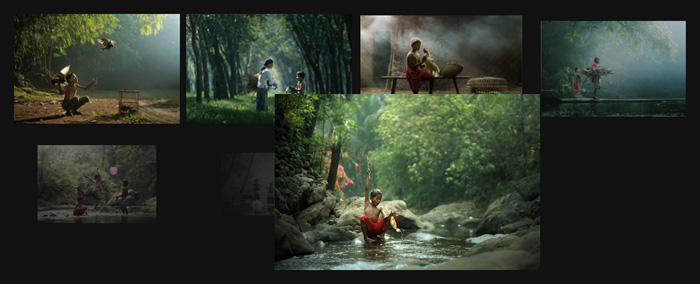
S Gallery 有一个很棒的功能:当退出幻灯片模式返回到网格视图模式时,当前查看的图片会以很明显的动画方式“返回”到网格视图中的位置,从而让你知道你是从哪个位置停下的,可以从哪里继续浏览。

兼容性

由于 S Gallery 使用了 CSS3 动画效果,所以它不兼容 IE6 – IE9。

使用方法

1、引入文件

<link rel="stylesheet" href="css/styles.css">
<script src="js/jquery.min.js"></script>
<script src="js/plugins.js"></script>
<script src="js/scripts.js"></script>

为了优化、丰富 S Gallery,作者加入了一个 plugins.js 文件,该文件包含了 Hammer.js 和 Screenfull.js 两个 JavaScript 文件。Hammer.js 是一个专门用于多点触摸及手势的 JavaScript 库;Screenfull.js 则是一个跨浏览器全屏的 JavaScript。所以 S Gallery 的功能是非常丰富的:支持触控、支持键盘方向键控制、支持全屏(HTML5 API)等。

当然,如果你不需要那么功能,去掉 plugins.js 这个文件,S Gallery 也是完全可以正常使用的。

2、HTML

<div id="gallery-container">
    <ul class="items--small">
        <li class="item"><a href="#"><img src="images/small-1.png" alt="" /></a></li>
        <li class="item"><a href="#"><img src="images/small-2.png" alt="" /></a></li>
        <li class="item"><a href="#"><img src="images/small-3.png" alt="" /></a></li>
        ...
    </ul>
    <ul class="items--big">
        <li class="item--big"> <a href="#">
            <figure> <img src="images/big-1.jpg" alt="" />
                <figcaption class="img-caption"> Caption </figcaption>
            </figure>
            </a></li>
        <li class="item--big"> <a href="#">
            <figure> <img src="images/big-2.jpg" alt="" />
                <figcaption class="img-caption"> Caption </figcaption>
            </figure>
            </a> </li>
        <li class="item--big"> <a href="#">
            <figure> <img src="images/big-3.jpg" alt="" />
                <figcaption class="img-caption"> Caption </figcaption>
            </figure>
            </a> </li>
        ...
    </ul>
    <div class="controls">
        <span class="control icon-arrow-left" data-direction="previous"></span>
        <span class="control icon-arrow-right" data-direction="next"></span>
        <span class="grid icon-grid"></span>
        <span class="fs-toggle icon-fullscreen"></span>
    </div>
</div>

3、JavaScript

$(function(){
    $('#gallery-container').sGallery({
        fullScreenEnabled: true
    });
});

参数

S Gallery 只有一个参数,就是全屏参数 fullScreenEnabled:

参数 说明 默认值
fullScreenEnabled 是否显示全屏按钮 false

演 示 下 载

查看演示

下载本素材需消耗 50 积分

无法下载?立即反馈

简介

S Gallery 是一款使用了 CSS3 动画效果的 jQuery 响应式片画廊插件,插件的灵感来自于SONY(索尼)的一个产品展示页,原本是由 Flash 制作的,而作者则用 HTML、CSS3 和 JavaScript 创建了这样的效果。

S Gallery 有一个很棒的功能:当退出幻灯片模式返回到网格视图模式时,当前查看的图片会以很明显的动画方式“返回”到网格视图中的位置,从而让你知道你是从哪个位置停下的,可以从哪里继续浏览。

兼容性

由于 S Gallery 使用了 CSS3 动画效果,所以它不兼容 IE6 – IE9。

使用方法

1、引入文件

<link rel="stylesheet" href="css/styles.css">
<script src="js/jquery.min.js"></script>
<script src="js/plugins.js"></script>
<script src="js/scripts.js"></script>

为了优化、丰富 S Gallery,作者加入了一个 plugins.js 文件,该文件包含了 Hammer.js 和 Screenfull.js 两个 JavaScript 文件。Hammer.js 是一个专门用于多点触摸及手势的 JavaScript 库;Screenfull.js 则是一个跨浏览器全屏的 JavaScript。所以 S Gallery 的功能是非常丰富的:支持触控、支持键盘方向键控制、支持全屏(HTML5 API)等。

当然,如果你不需要那么功能,去掉 plugins.js 这个文件,S Gallery 也是完全可以正常使用的。

2、HTML

<div id="gallery-container">
    <ul class="items--small">
        <li class="item"><a href="#"><img src="images/small-1.png" alt="" /></a></li>
        <li class="item"><a href="#"><img src="images/small-2.png" alt="" /></a></li>
        <li class="item"><a href="#"><img src="images/small-3.png" alt="" /></a></li>
        ...
    </ul>
    <ul class="items--big">
        <li class="item--big"> <a href="#">
            <figure> <img src="images/big-1.jpg" alt="" />
                <figcaption class="img-caption"> Caption </figcaption>
            </figure>
            </a></li>
        <li class="item--big"> <a href="#">
            <figure> <img src="images/big-2.jpg" alt="" />
                <figcaption class="img-caption"> Caption </figcaption>
            </figure>
            </a> </li>
        <li class="item--big"> <a href="#">
            <figure> <img src="images/big-3.jpg" alt="" />
                <figcaption class="img-caption"> Caption </figcaption>
            </figure>
            </a> </li>
        ...
    </ul>
    <div class="controls">
        <span class="control icon-arrow-left" data-direction="previous"></span>
        <span class="control icon-arrow-right" data-direction="next"></span>
        <span class="grid icon-grid"></span>
        <span class="fs-toggle icon-fullscreen"></span>
    </div>
</div>

3、JavaScript

$(function(){
    $('#gallery-container').sGallery({
        fullScreenEnabled: true
    });
});

参数

S Gallery 只有一个参数,就是全屏参数 fullScreenEnabled:

参数 说明 默认值
fullScreenEnabled 是否显示全屏按钮 false

演 示 下 载

 jQuery响应式图片画廊插件S Gallery_iffont

jQuery响应式图片画廊插件S Gallery

分类:代码 日期:

jQuery响应式图片画廊插件S Gallery

演 示 下 载

简介

S Gallery 是一款使用了 CSS3 动画效果的 jQuery 响应式片画廊插件,插件的灵感来自于SONY(索尼)的一个产品展示页,原本是由 Flash 制作的,而作者则用 HTML、CSS3 和 JavaScript 创建了这样的效果。

S Gallery 有一个很棒的功能:当退出幻灯片模式返回到网格视图模式时,当前查看的图片会以很明显的动画方式“返回”到网格视图中的位置,从而让你知道你是从哪个位置停下的,可以从哪里继续浏览。

兼容性

由于 S Gallery 使用了 CSS3 动画效果,所以它不兼容 IE6 – IE9。

使用方法

1、引入文件

<link rel="stylesheet" href="css/styles.css">
<script src="js/jquery.min.js"></script>
<script src="js/plugins.js"></script>
<script src="js/scripts.js"></script>

为了优化、丰富 S Gallery,作者加入了一个 plugins.js 文件,该文件包含了 Hammer.js 和 Screenfull.js 两个 JavaScript 文件。Hammer.js 是一个专门用于多点触摸及手势的 JavaScript 库;Screenfull.js 则是一个跨浏览器全屏的 JavaScript。所以 S Gallery 的功能是非常丰富的:支持触控、支持键盘方向键控制、支持全屏(HTML5 API)等。

当然,如果你不需要那么功能,去掉 plugins.js 这个文件,S Gallery 也是完全可以正常使用的。

2、HTML

<div id="gallery-container">
    <ul class="items--small">
        <li class="item"><a href="#"><img src="images/small-1.png" alt="" /></a></li>
        <li class="item"><a href="#"><img src="images/small-2.png" alt="" /></a></li>
        <li class="item"><a href="#"><img src="images/small-3.png" alt="" /></a></li>
        ...
    </ul>
    <ul class="items--big">
        <li class="item--big"> <a href="#">
            <figure> <img src="images/big-1.jpg" alt="" />
                <figcaption class="img-caption"> Caption </figcaption>
            </figure>
            </a></li>
        <li class="item--big"> <a href="#">
            <figure> <img src="images/big-2.jpg" alt="" />
                <figcaption class="img-caption"> Caption </figcaption>
            </figure>
            </a> </li>
        <li class="item--big"> <a href="#">
            <figure> <img src="images/big-3.jpg" alt="" />
                <figcaption class="img-caption"> Caption </figcaption>
            </figure>
            </a> </li>
        ...
    </ul>
    <div class="controls">
        <span class="control icon-arrow-left" data-direction="previous"></span>
        <span class="control icon-arrow-right" data-direction="next"></span>
        <span class="grid icon-grid"></span>
        <span class="fs-toggle icon-fullscreen"></span>
    </div>
</div>

3、JavaScript

$(function(){
    $('#gallery-container').sGallery({
        fullScreenEnabled: true
    });
});

参数

S Gallery 只有一个参数,就是全屏参数 fullScreenEnabled:

参数 说明 默认值
fullScreenEnabled 是否显示全屏按钮 false

演 示 下 载

查看演示

下载本素材需消耗 50 积分

无法下载?立即反馈

查看演示

下载本素材需消耗 50 积分

无法下载?立即反馈

简介

S Gallery 是一款使用了 CSS3 动画效果的 jQuery 响应式片画廊插件,插件的灵感来自于SONY(索尼)的一个产品展示页,原本是由 Flash 制作的,而作者则用 HTML、CSS3 和 JavaScript 创建了这样的效果。

S Gallery 有一个很棒的功能:当退出幻灯片模式返回到网格视图模式时,当前查看的图片会以很明显的动画方式“返回”到网格视图中的位置,从而让你知道你是从哪个位置停下的,可以从哪里继续浏览。

兼容性

由于 S Gallery 使用了 CSS3 动画效果,所以它不兼容 IE6 – IE9。

使用方法

1、引入文件

<link rel="stylesheet" href="css/styles.css">
<script src="js/jquery.min.js"></script>
<script src="js/plugins.js"></script>
<script src="js/scripts.js"></script>

为了优化、丰富 S Gallery,作者加入了一个 plugins.js 文件,该文件包含了 Hammer.js 和 Screenfull.js 两个 JavaScript 文件。Hammer.js 是一个专门用于多点触摸及手势的 JavaScript 库;Screenfull.js 则是一个跨浏览器全屏的 JavaScript。所以 S Gallery 的功能是非常丰富的:支持触控、支持键盘方向键控制、支持全屏(HTML5 API)等。

当然,如果你不需要那么功能,去掉 plugins.js 这个文件,S Gallery 也是完全可以正常使用的。

2、HTML

<div id="gallery-container">
    <ul class="items--small">
        <li class="item"><a href="#"><img src="images/small-1.png" alt="" /></a></li>
        <li class="item"><a href="#"><img src="images/small-2.png" alt="" /></a></li>
        <li class="item"><a href="#"><img src="images/small-3.png" alt="" /></a></li>
        ...
    </ul>
    <ul class="items--big">
        <li class="item--big"> <a href="#">
            <figure> <img src="images/big-1.jpg" alt="" />
                <figcaption class="img-caption"> Caption </figcaption>
            </figure>
            </a></li>
        <li class="item--big"> <a href="#">
            <figure> <img src="images/big-2.jpg" alt="" />
                <figcaption class="img-caption"> Caption </figcaption>
            </figure>
            </a> </li>
        <li class="item--big"> <a href="#">
            <figure> <img src="images/big-3.jpg" alt="" />
                <figcaption class="img-caption"> Caption </figcaption>
            </figure>
            </a> </li>
        ...
    </ul>
    <div class="controls">
        <span class="control icon-arrow-left" data-direction="previous"></span>
        <span class="control icon-arrow-right" data-direction="next"></span>
        <span class="grid icon-grid"></span>
        <span class="fs-toggle icon-fullscreen"></span>
    </div>
</div>

3、JavaScript

$(function(){
    $('#gallery-container').sGallery({
        fullScreenEnabled: true
    });
});

参数

S Gallery 只有一个参数,就是全屏参数 fullScreenEnabled:

参数 说明 默认值
fullScreenEnabled 是否显示全屏按钮 false

演 示 下 载

 jQuery响应式图片画廊插件S Gallery_iffont

jQuery响应式图片画廊插件S Gallery

分类:代码 日期:

jQuery响应式图片画廊插件S Gallery

演 示 下 载

 jQuery响应式图片画廊插件S Gallery_iffont

jQuery响应式图片画廊插件S Gallery

分类:代码 日期:

jQuery响应式图片画廊插件S Gallery

演 示 下 载

简介

S Gallery 是一款使用了 CSS3 动画效果的 jQuery 响应式片画廊插件,插件的灵感来自于SONY(索尼)的一个产品展示页,原本是由 Flash 制作的,而作者则用 HTML、CSS3 和 JavaScript 创建了这样的效果。

S Gallery 有一个很棒的功能:当退出幻灯片模式返回到网格视图模式时,当前查看的图片会以很明显的动画方式“返回”到网格视图中的位置,从而让你知道你是从哪个位置停下的,可以从哪里继续浏览。

兼容性

由于 S Gallery 使用了 CSS3 动画效果,所以它不兼容 IE6 – IE9。

使用方法

1、引入文件

<link rel="stylesheet" href="css/styles.css">
<script src="js/jquery.min.js"></script>
<script src="js/plugins.js"></script>
<script src="js/scripts.js"></script>

为了优化、丰富 S Gallery,作者加入了一个 plugins.js 文件,该文件包含了 Hammer.js 和 Screenfull.js 两个 JavaScript 文件。Hammer.js 是一个专门用于多点触摸及手势的 JavaScript 库;Screenfull.js 则是一个跨浏览器全屏的 JavaScript。所以 S Gallery 的功能是非常丰富的:支持触控、支持键盘方向键控制、支持全屏(HTML5 API)等。

当然,如果你不需要那么功能,去掉 plugins.js 这个文件,S Gallery 也是完全可以正常使用的。

2、HTML

<div id="gallery-container">
    <ul class="items--small">
        <li class="item"><a href="#"><img src="images/small-1.png" alt="" /></a></li>
        <li class="item"><a href="#"><img src="images/small-2.png" alt="" /></a></li>
        <li class="item"><a href="#"><img src="images/small-3.png" alt="" /></a></li>
        ...
    </ul>
    <ul class="items--big">
        <li class="item--big"> <a href="#">
            <figure> <img src="images/big-1.jpg" alt="" />
                <figcaption class="img-caption"> Caption </figcaption>
            </figure>
            </a></li>
        <li class="item--big"> <a href="#">
            <figure> <img src="images/big-2.jpg" alt="" />
                <figcaption class="img-caption"> Caption </figcaption>
            </figure>
            </a> </li>
        <li class="item--big"> <a href="#">
            <figure> <img src="images/big-3.jpg" alt="" />
                <figcaption class="img-caption"> Caption </figcaption>
            </figure>
            </a> </li>
        ...
    </ul>
    <div class="controls">
        <span class="control icon-arrow-left" data-direction="previous"></span>
        <span class="control icon-arrow-right" data-direction="next"></span>
        <span class="grid icon-grid"></span>
        <span class="fs-toggle icon-fullscreen"></span>
    </div>
</div>

3、JavaScript

$(function(){
    $('#gallery-container').sGallery({
        fullScreenEnabled: true
    });
});

参数

S Gallery 只有一个参数,就是全屏参数 fullScreenEnabled:

参数 说明 默认值
fullScreenEnabled 是否显示全屏按钮 false

演 示 下 载

查看演示

下载本素材需消耗 50 积分

无法下载?立即反馈

简介

S Gallery 是一款使用了 CSS3 动画效果的 jQuery 响应式片画廊插件,插件的灵感来自于SONY(索尼)的一个产品展示页,原本是由 Flash 制作的,而作者则用 HTML、CSS3 和 JavaScript 创建了这样的效果。

S Gallery 有一个很棒的功能:当退出幻灯片模式返回到网格视图模式时,当前查看的图片会以很明显的动画方式“返回”到网格视图中的位置,从而让你知道你是从哪个位置停下的,可以从哪里继续浏览。

兼容性

由于 S Gallery 使用了 CSS3 动画效果,所以它不兼容 IE6 – IE9。

使用方法

1、引入文件

<link rel="stylesheet" href="css/styles.css">
<script src="js/jquery.min.js"></script>
<script src="js/plugins.js"></script>
<script src="js/scripts.js"></script>

为了优化、丰富 S Gallery,作者加入了一个 plugins.js 文件,该文件包含了 Hammer.js 和 Screenfull.js 两个 JavaScript 文件。Hammer.js 是一个专门用于多点触摸及手势的 JavaScript 库;Screenfull.js 则是一个跨浏览器全屏的 JavaScript。所以 S Gallery 的功能是非常丰富的:支持触控、支持键盘方向键控制、支持全屏(HTML5 API)等。

当然,如果你不需要那么功能,去掉 plugins.js 这个文件,S Gallery 也是完全可以正常使用的。

2、HTML

<div id="gallery-container">
    <ul class="items--small">
        <li class="item"><a href="#"><img src="images/small-1.png" alt="" /></a></li>
        <li class="item"><a href="#"><img src="images/small-2.png" alt="" /></a></li>
        <li class="item"><a href="#"><img src="images/small-3.png" alt="" /></a></li>
        ...
    </ul>
    <ul class="items--big">
        <li class="item--big"> <a href="#">
            <figure> <img src="images/big-1.jpg" alt="" />
                <figcaption class="img-caption"> Caption </figcaption>
            </figure>
            </a></li>
        <li class="item--big"> <a href="#">
            <figure> <img src="images/big-2.jpg" alt="" />
                <figcaption class="img-caption"> Caption </figcaption>
            </figure>
            </a> </li>
        <li class="item--big"> <a href="#">
            <figure> <img src="images/big-3.jpg" alt="" />
                <figcaption class="img-caption"> Caption </figcaption>
            </figure>
            </a> </li>
        ...
    </ul>
    <div class="controls">
        <span class="control icon-arrow-left" data-direction="previous"></span>
        <span class="control icon-arrow-right" data-direction="next"></span>
        <span class="grid icon-grid"></span>
        <span class="fs-toggle icon-fullscreen"></span>
    </div>
</div>

3、JavaScript

$(function(){
    $('#gallery-container').sGallery({
        fullScreenEnabled: true
    });
});

参数

S Gallery 只有一个参数,就是全屏参数 fullScreenEnabled:

参数 说明 默认值
fullScreenEnabled 是否显示全屏按钮 false

演 示 下 载

 jQuery响应式图片画廊插件S Gallery_iffont

jQuery响应式图片画廊插件S Gallery

分类:代码 日期:

jQuery响应式图片画廊插件S Gallery

演 示 下 载

简介

S Gallery 是一款使用了 CSS3 动画效果的 jQuery 响应式片画廊插件,插件的灵感来自于SONY(索尼)的一个产品展示页,原本是由 Flash 制作的,而作者则用 HTML、CSS3 和 JavaScript 创建了这样的效果。

S Gallery 有一个很棒的功能:当退出幻灯片模式返回到网格视图模式时,当前查看的图片会以很明显的动画方式“返回”到网格视图中的位置,从而让你知道你是从哪个位置停下的,可以从哪里继续浏览。

兼容性

由于 S Gallery 使用了 CSS3 动画效果,所以它不兼容 IE6 – IE9。

使用方法

1、引入文件

<link rel="stylesheet" href="css/styles.css">
<script src="js/jquery.min.js"></script>
<script src="js/plugins.js"></script>
<script src="js/scripts.js"></script>

为了优化、丰富 S Gallery,作者加入了一个 plugins.js 文件,该文件包含了 Hammer.js 和 Screenfull.js 两个 JavaScript 文件。Hammer.js 是一个专门用于多点触摸及手势的 JavaScript 库;Screenfull.js 则是一个跨浏览器全屏的 JavaScript。所以 S Gallery 的功能是非常丰富的:支持触控、支持键盘方向键控制、支持全屏(HTML5 API)等。

当然,如果你不需要那么功能,去掉 plugins.js 这个文件,S Gallery 也是完全可以正常使用的。

2、HTML

<div id="gallery-container">
    <ul class="items--small">
        <li class="item"><a href="#"><img src="images/small-1.png" alt="" /></a></li>
        <li class="item"><a href="#"><img src="images/small-2.png" alt="" /></a></li>
        <li class="item"><a href="#"><img src="images/small-3.png" alt="" /></a></li>
        ...
    </ul>
    <ul class="items--big">
        <li class="item--big"> <a href="#">
            <figure> <img src="images/big-1.jpg" alt="" />
                <figcaption class="img-caption"> Caption </figcaption>
            </figure>
            </a></li>
        <li class="item--big"> <a href="#">
            <figure> <img src="images/big-2.jpg" alt="" />
                <figcaption class="img-caption"> Caption </figcaption>
            </figure>
            </a> </li>
        <li class="item--big"> <a href="#">
            <figure> <img src="images/big-3.jpg" alt="" />
                <figcaption class="img-caption"> Caption </figcaption>
            </figure>
            </a> </li>
        ...
    </ul>
    <div class="controls">
        <span class="control icon-arrow-left" data-direction="previous"></span>
        <span class="control icon-arrow-right" data-direction="next"></span>
        <span class="grid icon-grid"></span>
        <span class="fs-toggle icon-fullscreen"></span>
    </div>
</div>

3、JavaScript

$(function(){
    $('#gallery-container').sGallery({
        fullScreenEnabled: true
    });
});

参数

S Gallery 只有一个参数,就是全屏参数 fullScreenEnabled:

参数 说明 默认值
fullScreenEnabled 是否显示全屏按钮 false

演 示 下 载

查看演示

下载本素材需消耗 50 积分

无法下载?立即反馈

查看演示

下载本素材需消耗 50 积分

无法下载?立即反馈

查看演示

下载本素材需消耗 50 积分

无法下载?立即反馈

简介

S Gallery 是一款使用了 CSS3 动画效果的 jQuery 响应式片画廊插件,插件的灵感来自于SONY(索尼)的一个产品展示页,原本是由 Flash 制作的,而作者则用 HTML、CSS3 和 JavaScript 创建了这样的效果。

S Gallery 有一个很棒的功能:当退出幻灯片模式返回到网格视图模式时,当前查看的图片会以很明显的动画方式“返回”到网格视图中的位置,从而让你知道你是从哪个位置停下的,可以从哪里继续浏览。

兼容性

由于 S Gallery 使用了 CSS3 动画效果,所以它不兼容 IE6 – IE9。

使用方法

1、引入文件

<link rel="stylesheet" href="css/styles.css">
<script src="js/jquery.min.js"></script>
<script src="js/plugins.js"></script>
<script src="js/scripts.js"></script>

为了优化、丰富 S Gallery,作者加入了一个 plugins.js 文件,该文件包含了 Hammer.js 和 Screenfull.js 两个 JavaScript 文件。Hammer.js 是一个专门用于多点触摸及手势的 JavaScript 库;Screenfull.js 则是一个跨浏览器全屏的 JavaScript。所以 S Gallery 的功能是非常丰富的:支持触控、支持键盘方向键控制、支持全屏(HTML5 API)等。

当然,如果你不需要那么功能,去掉 plugins.js 这个文件,S Gallery 也是完全可以正常使用的。

2、HTML

<div id="gallery-container">
    <ul class="items--small">
        <li class="item"><a href="#"><img src="images/small-1.png" alt="" /></a></li>
        <li class="item"><a href="#"><img src="images/small-2.png" alt="" /></a></li>
        <li class="item"><a href="#"><img src="images/small-3.png" alt="" /></a></li>
        ...
    </ul>
    <ul class="items--big">
        <li class="item--big"> <a href="#">
            <figure> <img src="images/big-1.jpg" alt="" />
                <figcaption class="img-caption"> Caption </figcaption>
            </figure>
            </a></li>
        <li class="item--big"> <a href="#">
            <figure> <img src="images/big-2.jpg" alt="" />
                <figcaption class="img-caption"> Caption </figcaption>
            </figure>
            </a> </li>
        <li class="item--big"> <a href="#">
            <figure> <img src="images/big-3.jpg" alt="" />
                <figcaption class="img-caption"> Caption </figcaption>
            </figure>
            </a> </li>
        ...
    </ul>
    <div class="controls">
        <span class="control icon-arrow-left" data-direction="previous"></span>
        <span class="control icon-arrow-right" data-direction="next"></span>
        <span class="grid icon-grid"></span>
        <span class="fs-toggle icon-fullscreen"></span>
    </div>
</div>

3、JavaScript

$(function(){
    $('#gallery-container').sGallery({
        fullScreenEnabled: true
    });
});

参数

S Gallery 只有一个参数,就是全屏参数 fullScreenEnabled:

参数 说明 默认值
fullScreenEnabled 是否显示全屏按钮 false

演 示 下 载

 jQuery响应式图片画廊插件S Gallery_iffont

jQuery响应式图片画廊插件S Gallery

分类:代码 日期:

jQuery响应式图片画廊插件S Gallery

演 示 下 载

 jQuery响应式图片画廊插件S Gallery_iffont

jQuery响应式图片画廊插件S Gallery

分类:代码 日期:

jQuery响应式图片画廊插件S Gallery

演 示 下 载

 jQuery响应式图片画廊插件S Gallery_iffont

jQuery响应式图片画廊插件S Gallery

分类:代码 日期:

jQuery响应式图片画廊插件S Gallery

演 示 下 载

简介

S Gallery 是一款使用了 CSS3 动画效果的 jQuery 响应式片画廊插件,插件的灵感来自于SONY(索尼)的一个产品展示页,原本是由 Flash 制作的,而作者则用 HTML、CSS3 和 JavaScript 创建了这样的效果。

S Gallery 有一个很棒的功能:当退出幻灯片模式返回到网格视图模式时,当前查看的图片会以很明显的动画方式“返回”到网格视图中的位置,从而让你知道你是从哪个位置停下的,可以从哪里继续浏览。

兼容性

由于 S Gallery 使用了 CSS3 动画效果,所以它不兼容 IE6 – IE9。

使用方法

1、引入文件

<link rel="stylesheet" href="css/styles.css">
<script src="js/jquery.min.js"></script>
<script src="js/plugins.js"></script>
<script src="js/scripts.js"></script>

为了优化、丰富 S Gallery,作者加入了一个 plugins.js 文件,该文件包含了 Hammer.js 和 Screenfull.js 两个 JavaScript 文件。Hammer.js 是一个专门用于多点触摸及手势的 JavaScript 库;Screenfull.js 则是一个跨浏览器全屏的 JavaScript。所以 S Gallery 的功能是非常丰富的:支持触控、支持键盘方向键控制、支持全屏(HTML5 API)等。

当然,如果你不需要那么功能,去掉 plugins.js 这个文件,S Gallery 也是完全可以正常使用的。

2、HTML

<div id="gallery-container">
    <ul class="items--small">
        <li class="item"><a href="#"><img src="images/small-1.png" alt="" /></a></li>
        <li class="item"><a href="#"><img src="images/small-2.png" alt="" /></a></li>
        <li class="item"><a href="#"><img src="images/small-3.png" alt="" /></a></li>
        ...
    </ul>
    <ul class="items--big">
        <li class="item--big"> <a href="#">
            <figure> <img src="images/big-1.jpg" alt="" />
                <figcaption class="img-caption"> Caption </figcaption>
            </figure>
            </a></li>
        <li class="item--big"> <a href="#">
            <figure> <img src="images/big-2.jpg" alt="" />
                <figcaption class="img-caption"> Caption </figcaption>
            </figure>
            </a> </li>
        <li class="item--big"> <a href="#">
            <figure> <img src="images/big-3.jpg" alt="" />
                <figcaption class="img-caption"> Caption </figcaption>
            </figure>
            </a> </li>
        ...
    </ul>
    <div class="controls">
        <span class="control icon-arrow-left" data-direction="previous"></span>
        <span class="control icon-arrow-right" data-direction="next"></span>
        <span class="grid icon-grid"></span>
        <span class="fs-toggle icon-fullscreen"></span>
    </div>
</div>

3、JavaScript

$(function(){
    $('#gallery-container').sGallery({
        fullScreenEnabled: true
    });
});

参数

S Gallery 只有一个参数,就是全屏参数 fullScreenEnabled:

参数 说明 默认值
fullScreenEnabled 是否显示全屏按钮 false

演 示 下 载

查看演示

下载本素材需消耗 50 积分

无法下载?立即反馈

简介

S Gallery 是一款使用了 CSS3 动画效果的 jQuery 响应式片画廊插件,插件的灵感来自于SONY(索尼)的一个产品展示页,原本是由 Flash 制作的,而作者则用 HTML、CSS3 和 JavaScript 创建了这样的效果。

S Gallery 有一个很棒的功能:当退出幻灯片模式返回到网格视图模式时,当前查看的图片会以很明显的动画方式“返回”到网格视图中的位置,从而让你知道你是从哪个位置停下的,可以从哪里继续浏览。

兼容性

由于 S Gallery 使用了 CSS3 动画效果,所以它不兼容 IE6 – IE9。

使用方法

1、引入文件

<link rel="stylesheet" href="css/styles.css">
<script src="js/jquery.min.js"></script>
<script src="js/plugins.js"></script>
<script src="js/scripts.js"></script>

为了优化、丰富 S Gallery,作者加入了一个 plugins.js 文件,该文件包含了 Hammer.js 和 Screenfull.js 两个 JavaScript 文件。Hammer.js 是一个专门用于多点触摸及手势的 JavaScript 库;Screenfull.js 则是一个跨浏览器全屏的 JavaScript。所以 S Gallery 的功能是非常丰富的:支持触控、支持键盘方向键控制、支持全屏(HTML5 API)等。

当然,如果你不需要那么功能,去掉 plugins.js 这个文件,S Gallery 也是完全可以正常使用的。

2、HTML

<div id="gallery-container">
    <ul class="items--small">
        <li class="item"><a href="#"><img src="images/small-1.png" alt="" /></a></li>
        <li class="item"><a href="#"><img src="images/small-2.png" alt="" /></a></li>
        <li class="item"><a href="#"><img src="images/small-3.png" alt="" /></a></li>
        ...
    </ul>
    <ul class="items--big">
        <li class="item--big"> <a href="#">
            <figure> <img src="images/big-1.jpg" alt="" />
                <figcaption class="img-caption"> Caption </figcaption>
            </figure>
            </a></li>
        <li class="item--big"> <a href="#">
            <figure> <img src="images/big-2.jpg" alt="" />
                <figcaption class="img-caption"> Caption </figcaption>
            </figure>
            </a> </li>
        <li class="item--big"> <a href="#">
            <figure> <img src="images/big-3.jpg" alt="" />
                <figcaption class="img-caption"> Caption </figcaption>
            </figure>
            </a> </li>
        ...
    </ul>
    <div class="controls">
        <span class="control icon-arrow-left" data-direction="previous"></span>
        <span class="control icon-arrow-right" data-direction="next"></span>
        <span class="grid icon-grid"></span>
        <span class="fs-toggle icon-fullscreen"></span>
    </div>
</div>

3、JavaScript

$(function(){
    $('#gallery-container').sGallery({
        fullScreenEnabled: true
    });
});

参数

S Gallery 只有一个参数,就是全屏参数 fullScreenEnabled:

参数 说明 默认值
fullScreenEnabled 是否显示全屏按钮 false

演 示 下 载

 jQuery响应式图片画廊插件S Gallery_iffont

jQuery响应式图片画廊插件S Gallery

分类:代码 日期:

jQuery响应式图片画廊插件S Gallery

演 示 下 载

简介

S Gallery 是一款使用了 CSS3 动画效果的 jQuery 响应式片画廊插件,插件的灵感来自于SONY(索尼)的一个产品展示页,原本是由 Flash 制作的,而作者则用 HTML、CSS3 和 JavaScript 创建了这样的效果。

S Gallery 有一个很棒的功能:当退出幻灯片模式返回到网格视图模式时,当前查看的图片会以很明显的动画方式“返回”到网格视图中的位置,从而让你知道你是从哪个位置停下的,可以从哪里继续浏览。

兼容性

由于 S Gallery 使用了 CSS3 动画效果,所以它不兼容 IE6 – IE9。

使用方法

1、引入文件

<link rel="stylesheet" href="css/styles.css">
<script src="js/jquery.min.js"></script>
<script src="js/plugins.js"></script>
<script src="js/scripts.js"></script>

为了优化、丰富 S Gallery,作者加入了一个 plugins.js 文件,该文件包含了 Hammer.js 和 Screenfull.js 两个 JavaScript 文件。Hammer.js 是一个专门用于多点触摸及手势的 JavaScript 库;Screenfull.js 则是一个跨浏览器全屏的 JavaScript。所以 S Gallery 的功能是非常丰富的:支持触控、支持键盘方向键控制、支持全屏(HTML5 API)等。

当然,如果你不需要那么功能,去掉 plugins.js 这个文件,S Gallery 也是完全可以正常使用的。

2、HTML

<div id="gallery-container">
    <ul class="items--small">
        <li class="item"><a href="#"><img src="images/small-1.png" alt="" /></a></li>
        <li class="item"><a href="#"><img src="images/small-2.png" alt="" /></a></li>
        <li class="item"><a href="#"><img src="images/small-3.png" alt="" /></a></li>
        ...
    </ul>
    <ul class="items--big">
        <li class="item--big"> <a href="#">
            <figure> <img src="images/big-1.jpg" alt="" />
                <figcaption class="img-caption"> Caption </figcaption>
            </figure>
            </a></li>
        <li class="item--big"> <a href="#">
            <figure> <img src="images/big-2.jpg" alt="" />
                <figcaption class="img-caption"> Caption </figcaption>
            </figure>
            </a> </li>
        <li class="item--big"> <a href="#">
            <figure> <img src="images/big-3.jpg" alt="" />
                <figcaption class="img-caption"> Caption </figcaption>
            </figure>
            </a> </li>
        ...
    </ul>
    <div class="controls">
        <span class="control icon-arrow-left" data-direction="previous"></span>
        <span class="control icon-arrow-right" data-direction="next"></span>
        <span class="grid icon-grid"></span>
        <span class="fs-toggle icon-fullscreen"></span>
    </div>
</div>

3、JavaScript

$(function(){
    $('#gallery-container').sGallery({
        fullScreenEnabled: true
    });
});

参数

S Gallery 只有一个参数,就是全屏参数 fullScreenEnabled:

参数 说明 默认值
fullScreenEnabled 是否显示全屏按钮 false

演 示 下 载

查看演示

下载本素材需消耗 50 积分

无法下载?立即反馈

查看演示

下载本素材需消耗 50 积分

无法下载?立即反馈

简介

S Gallery 是一款使用了 CSS3 动画效果的 jQuery 响应式片画廊插件,插件的灵感来自于SONY(索尼)的一个产品展示页,原本是由 Flash 制作的,而作者则用 HTML、CSS3 和 JavaScript 创建了这样的效果。

S Gallery 有一个很棒的功能:当退出幻灯片模式返回到网格视图模式时,当前查看的图片会以很明显的动画方式“返回”到网格视图中的位置,从而让你知道你是从哪个位置停下的,可以从哪里继续浏览。

兼容性

由于 S Gallery 使用了 CSS3 动画效果,所以它不兼容 IE6 – IE9。

使用方法

1、引入文件

<link rel="stylesheet" href="css/styles.css">
<script src="js/jquery.min.js"></script>
<script src="js/plugins.js"></script>
<script src="js/scripts.js"></script>

为了优化、丰富 S Gallery,作者加入了一个 plugins.js 文件,该文件包含了 Hammer.js 和 Screenfull.js 两个 JavaScript 文件。Hammer.js 是一个专门用于多点触摸及手势的 JavaScript 库;Screenfull.js 则是一个跨浏览器全屏的 JavaScript。所以 S Gallery 的功能是非常丰富的:支持触控、支持键盘方向键控制、支持全屏(HTML5 API)等。

当然,如果你不需要那么功能,去掉 plugins.js 这个文件,S Gallery 也是完全可以正常使用的。

2、HTML

<div id="gallery-container">
    <ul class="items--small">
        <li class="item"><a href="#"><img src="images/small-1.png" alt="" /></a></li>
        <li class="item"><a href="#"><img src="images/small-2.png" alt="" /></a></li>
        <li class="item"><a href="#"><img src="images/small-3.png" alt="" /></a></li>
        ...
    </ul>
    <ul class="items--big">
        <li class="item--big"> <a href="#">
            <figure> <img src="images/big-1.jpg" alt="" />
                <figcaption class="img-caption"> Caption </figcaption>
            </figure>
            </a></li>
        <li class="item--big"> <a href="#">
            <figure> <img src="images/big-2.jpg" alt="" />
                <figcaption class="img-caption"> Caption </figcaption>
            </figure>
            </a> </li>
        <li class="item--big"> <a href="#">
            <figure> <img src="images/big-3.jpg" alt="" />
                <figcaption class="img-caption"> Caption </figcaption>
            </figure>
            </a> </li>
        ...
    </ul>
    <div class="controls">
        <span class="control icon-arrow-left" data-direction="previous"></span>
        <span class="control icon-arrow-right" data-direction="next"></span>
        <span class="grid icon-grid"></span>
        <span class="fs-toggle icon-fullscreen"></span>
    </div>
</div>

3、JavaScript

$(function(){
    $('#gallery-container').sGallery({
        fullScreenEnabled: true
    });
});

参数

S Gallery 只有一个参数,就是全屏参数 fullScreenEnabled:

参数 说明 默认值
fullScreenEnabled 是否显示全屏按钮 false

演 示 下 载

 jQuery响应式图片画廊插件S Gallery_iffont

jQuery响应式图片画廊插件S Gallery

分类:代码 日期:

jQuery响应式图片画廊插件S Gallery

演 示 下 载

 jQuery响应式图片画廊插件S Gallery_iffont

jQuery响应式图片画廊插件S Gallery

分类:代码 日期:

jQuery响应式图片画廊插件S Gallery

演 示 下 载

简介

S Gallery 是一款使用了 CSS3 动画效果的 jQuery 响应式片画廊插件,插件的灵感来自于SONY(索尼)的一个产品展示页,原本是由 Flash 制作的,而作者则用 HTML、CSS3 和 JavaScript 创建了这样的效果。

S Gallery 有一个很棒的功能:当退出幻灯片模式返回到网格视图模式时,当前查看的图片会以很明显的动画方式“返回”到网格视图中的位置,从而让你知道你是从哪个位置停下的,可以从哪里继续浏览。

兼容性

由于 S Gallery 使用了 CSS3 动画效果,所以它不兼容 IE6 – IE9。

使用方法

1、引入文件

<link rel="stylesheet" href="css/styles.css">
<script src="js/jquery.min.js"></script>
<script src="js/plugins.js"></script>
<script src="js/scripts.js"></script>

为了优化、丰富 S Gallery,作者加入了一个 plugins.js 文件,该文件包含了 Hammer.js 和 Screenfull.js 两个 JavaScript 文件。Hammer.js 是一个专门用于多点触摸及手势的 JavaScript 库;Screenfull.js 则是一个跨浏览器全屏的 JavaScript。所以 S Gallery 的功能是非常丰富的:支持触控、支持键盘方向键控制、支持全屏(HTML5 API)等。

当然,如果你不需要那么功能,去掉 plugins.js 这个文件,S Gallery 也是完全可以正常使用的。

2、HTML

<div id="gallery-container">
    <ul class="items--small">
        <li class="item"><a href="#"><img src="images/small-1.png" alt="" /></a></li>
        <li class="item"><a href="#"><img src="images/small-2.png" alt="" /></a></li>
        <li class="item"><a href="#"><img src="images/small-3.png" alt="" /></a></li>
        ...
    </ul>
    <ul class="items--big">
        <li class="item--big"> <a href="#">
            <figure> <img src="images/big-1.jpg" alt="" />
                <figcaption class="img-caption"> Caption </figcaption>
            </figure>
            </a></li>
        <li class="item--big"> <a href="#">
            <figure> <img src="images/big-2.jpg" alt="" />
                <figcaption class="img-caption"> Caption </figcaption>
            </figure>
            </a> </li>
        <li class="item--big"> <a href="#">
            <figure> <img src="images/big-3.jpg" alt="" />
                <figcaption class="img-caption"> Caption </figcaption>
            </figure>
            </a> </li>
        ...
    </ul>
    <div class="controls">
        <span class="control icon-arrow-left" data-direction="previous"></span>
        <span class="control icon-arrow-right" data-direction="next"></span>
        <span class="grid icon-grid"></span>
        <span class="fs-toggle icon-fullscreen"></span>
    </div>
</div>

3、JavaScript

$(function(){
    $('#gallery-container').sGallery({
        fullScreenEnabled: true
    });
});

参数

S Gallery 只有一个参数,就是全屏参数 fullScreenEnabled:

参数 说明 默认值
fullScreenEnabled 是否显示全屏按钮 false

演 示 下 载

查看演示

下载本素材需消耗 50 积分

无法下载?立即反馈

简介

S Gallery 是一款使用了 CSS3 动画效果的 jQuery 响应式片画廊插件,插件的灵感来自于SONY(索尼)的一个产品展示页,原本是由 Flash 制作的,而作者则用 HTML、CSS3 和 JavaScript 创建了这样的效果。

S Gallery 有一个很棒的功能:当退出幻灯片模式返回到网格视图模式时,当前查看的图片会以很明显的动画方式“返回”到网格视图中的位置,从而让你知道你是从哪个位置停下的,可以从哪里继续浏览。

兼容性

由于 S Gallery 使用了 CSS3 动画效果,所以它不兼容 IE6 – IE9。

使用方法

1、引入文件

<link rel="stylesheet" href="css/styles.css">
<script src="js/jquery.min.js"></script>
<script src="js/plugins.js"></script>
<script src="js/scripts.js"></script>

为了优化、丰富 S Gallery,作者加入了一个 plugins.js 文件,该文件包含了 Hammer.js 和 Screenfull.js 两个 JavaScript 文件。Hammer.js 是一个专门用于多点触摸及手势的 JavaScript 库;Screenfull.js 则是一个跨浏览器全屏的 JavaScript。所以 S Gallery 的功能是非常丰富的:支持触控、支持键盘方向键控制、支持全屏(HTML5 API)等。

当然,如果你不需要那么功能,去掉 plugins.js 这个文件,S Gallery 也是完全可以正常使用的。

2、HTML

<div id="gallery-container">
    <ul class="items--small">
        <li class="item"><a href="#"><img src="images/small-1.png" alt="" /></a></li>
        <li class="item"><a href="#"><img src="images/small-2.png" alt="" /></a></li>
        <li class="item"><a href="#"><img src="images/small-3.png" alt="" /></a></li>
        ...
    </ul>
    <ul class="items--big">
        <li class="item--big"> <a href="#">
            <figure> <img src="images/big-1.jpg" alt="" />
                <figcaption class="img-caption"> Caption </figcaption>
            </figure>
            </a></li>
        <li class="item--big"> <a href="#">
            <figure> <img src="images/big-2.jpg" alt="" />
                <figcaption class="img-caption"> Caption </figcaption>
            </figure>
            </a> </li>
        <li class="item--big"> <a href="#">
            <figure> <img src="images/big-3.jpg" alt="" />
                <figcaption class="img-caption"> Caption </figcaption>
            </figure>
            </a> </li>
        ...
    </ul>
    <div class="controls">
        <span class="control icon-arrow-left" data-direction="previous"></span>
        <span class="control icon-arrow-right" data-direction="next"></span>
        <span class="grid icon-grid"></span>
        <span class="fs-toggle icon-fullscreen"></span>
    </div>
</div>

3、JavaScript

$(function(){
    $('#gallery-container').sGallery({
        fullScreenEnabled: true
    });
});

参数

S Gallery 只有一个参数,就是全屏参数 fullScreenEnabled:

参数 说明 默认值
fullScreenEnabled 是否显示全屏按钮 false

演 示 下 载

 jQuery响应式图片画廊插件S Gallery_iffont

jQuery响应式图片画廊插件S Gallery

分类:代码 日期:

jQuery响应式图片画廊插件S Gallery

演 示 下 载

简介

S Gallery 是一款使用了 CSS3 动画效果的 jQuery 响应式片画廊插件,插件的灵感来自于SONY(索尼)的一个产品展示页,原本是由 Flash 制作的,而作者则用 HTML、CSS3 和 JavaScript 创建了这样的效果。

S Gallery 有一个很棒的功能:当退出幻灯片模式返回到网格视图模式时,当前查看的图片会以很明显的动画方式“返回”到网格视图中的位置,从而让你知道你是从哪个位置停下的,可以从哪里继续浏览。

兼容性

由于 S Gallery 使用了 CSS3 动画效果,所以它不兼容 IE6 – IE9。

使用方法

1、引入文件

<link rel="stylesheet" href="css/styles.css">
<script src="js/jquery.min.js"></script>
<script src="js/plugins.js"></script>
<script src="js/scripts.js"></script>

为了优化、丰富 S Gallery,作者加入了一个 plugins.js 文件,该文件包含了 Hammer.js 和 Screenfull.js 两个 JavaScript 文件。Hammer.js 是一个专门用于多点触摸及手势的 JavaScript 库;Screenfull.js 则是一个跨浏览器全屏的 JavaScript。所以 S Gallery 的功能是非常丰富的:支持触控、支持键盘方向键控制、支持全屏(HTML5 API)等。

当然,如果你不需要那么功能,去掉 plugins.js 这个文件,S Gallery 也是完全可以正常使用的。

2、HTML

<div id="gallery-container">
    <ul class="items--small">
        <li class="item"><a href="#"><img src="images/small-1.png" alt="" /></a></li>
        <li class="item"><a href="#"><img src="images/small-2.png" alt="" /></a></li>
        <li class="item"><a href="#"><img src="images/small-3.png" alt="" /></a></li>
        ...
    </ul>
    <ul class="items--big">
        <li class="item--big"> <a href="#">
            <figure> <img src="images/big-1.jpg" alt="" />
                <figcaption class="img-caption"> Caption </figcaption>
            </figure>
            </a></li>
        <li class="item--big"> <a href="#">
            <figure> <img src="images/big-2.jpg" alt="" />
                <figcaption class="img-caption"> Caption </figcaption>
            </figure>
            </a> </li>
        <li class="item--big"> <a href="#">
            <figure> <img src="images/big-3.jpg" alt="" />
                <figcaption class="img-caption"> Caption </figcaption>
            </figure>
            </a> </li>
        ...
    </ul>
    <div class="controls">
        <span class="control icon-arrow-left" data-direction="previous"></span>
        <span class="control icon-arrow-right" data-direction="next"></span>
        <span class="grid icon-grid"></span>
        <span class="fs-toggle icon-fullscreen"></span>
    </div>
</div>

3、JavaScript

$(function(){
    $('#gallery-container').sGallery({
        fullScreenEnabled: true
    });
});

参数

S Gallery 只有一个参数,就是全屏参数 fullScreenEnabled:

参数 说明 默认值
fullScreenEnabled 是否显示全屏按钮 false

演 示 下 载

查看演示

下载本素材需消耗 50 积分

无法下载?立即反馈

查看演示

下载本素材需消耗 50 积分

无法下载?立即反馈

查看演示

下载本素材需消耗 50 积分

无法下载?立即反馈

查看演示

下载本素材需消耗 50 积分

无法下载?立即反馈

简介

S Gallery 是一款使用了 CSS3 动画效果的 jQuery 响应式片画廊插件,插件的灵感来自于SONY(索尼)的一个产品展示页,原本是由 Flash 制作的,而作者则用 HTML、CSS3 和 JavaScript 创建了这样的效果。

S Gallery 有一个很棒的功能:当退出幻灯片模式返回到网格视图模式时,当前查看的图片会以很明显的动画方式“返回”到网格视图中的位置,从而让你知道你是从哪个位置停下的,可以从哪里继续浏览。

兼容性

由于 S Gallery 使用了 CSS3 动画效果,所以它不兼容 IE6 – IE9。

使用方法

1、引入文件

<link rel="stylesheet" href="css/styles.css">
<script src="js/jquery.min.js"></script>
<script src="js/plugins.js"></script>
<script src="js/scripts.js"></script>

为了优化、丰富 S Gallery,作者加入了一个 plugins.js 文件,该文件包含了 Hammer.js 和 Screenfull.js 两个 JavaScript 文件。Hammer.js 是一个专门用于多点触摸及手势的 JavaScript 库;Screenfull.js 则是一个跨浏览器全屏的 JavaScript。所以 S Gallery 的功能是非常丰富的:支持触控、支持键盘方向键控制、支持全屏(HTML5 API)等。

当然,如果你不需要那么功能,去掉 plugins.js 这个文件,S Gallery 也是完全可以正常使用的。

2、HTML

<div id="gallery-container">
    <ul class="items--small">
        <li class="item"><a href="#"><img src="images/small-1.png" alt="" /></a></li>
        <li class="item"><a href="#"><img src="images/small-2.png" alt="" /></a></li>
        <li class="item"><a href="#"><img src="images/small-3.png" alt="" /></a></li>
        ...
    </ul>
    <ul class="items--big">
        <li class="item--big"> <a href="#">
            <figure> <img src="images/big-1.jpg" alt="" />
                <figcaption class="img-caption"> Caption </figcaption>
            </figure>
            </a></li>
        <li class="item--big"> <a href="#">
            <figure> <img src="images/big-2.jpg" alt="" />
                <figcaption class="img-caption"> Caption </figcaption>
            </figure>
            </a> </li>
        <li class="item--big"> <a href="#">
            <figure> <img src="images/big-3.jpg" alt="" />
                <figcaption class="img-caption"> Caption </figcaption>
            </figure>
            </a> </li>
        ...
    </ul>
    <div class="controls">
        <span class="control icon-arrow-left" data-direction="previous"></span>
        <span class="control icon-arrow-right" data-direction="next"></span>
        <span class="grid icon-grid"></span>
        <span class="fs-toggle icon-fullscreen"></span>
    </div>
</div>

3、JavaScript

$(function(){
    $('#gallery-container').sGallery({
        fullScreenEnabled: true
    });
});

参数

S Gallery 只有一个参数,就是全屏参数 fullScreenEnabled:

参数 说明 默认值
fullScreenEnabled 是否显示全屏按钮 false

演 示 下 载

 jQuery响应式图片画廊插件S Gallery_iffont

jQuery响应式图片画廊插件S Gallery

分类:代码 日期:

jQuery响应式图片画廊插件S Gallery

演 示 下 载

 jQuery响应式图片画廊插件S Gallery_iffont

jQuery响应式图片画廊插件S Gallery

分类:代码 日期:

jQuery响应式图片画廊插件S Gallery

演 示 下 载

 jQuery响应式图片画廊插件S Gallery_iffont

jQuery响应式图片画廊插件S Gallery

分类:代码 日期:

jQuery响应式图片画廊插件S Gallery

演 示 下 载

 jQuery响应式图片画廊插件S Gallery_iffont

jQuery响应式图片画廊插件S Gallery

分类:代码 日期:

jQuery响应式图片画廊插件S Gallery

演 示 下 载

简介

S Gallery 是一款使用了 CSS3 动画效果的 jQuery 响应式片画廊插件,插件的灵感来自于SONY(索尼)的一个产品展示页,原本是由 Flash 制作的,而作者则用 HTML、CSS3 和 JavaScript 创建了这样的效果。

S Gallery 有一个很棒的功能:当退出幻灯片模式返回到网格视图模式时,当前查看的图片会以很明显的动画方式“返回”到网格视图中的位置,从而让你知道你是从哪个位置停下的,可以从哪里继续浏览。

兼容性

由于 S Gallery 使用了 CSS3 动画效果,所以它不兼容 IE6 – IE9。

使用方法

1、引入文件

<link rel="stylesheet" href="css/styles.css">
<script src="js/jquery.min.js"></script>
<script src="js/plugins.js"></script>
<script src="js/scripts.js"></script>

为了优化、丰富 S Gallery,作者加入了一个 plugins.js 文件,该文件包含了 Hammer.js 和 Screenfull.js 两个 JavaScript 文件。Hammer.js 是一个专门用于多点触摸及手势的 JavaScript 库;Screenfull.js 则是一个跨浏览器全屏的 JavaScript。所以 S Gallery 的功能是非常丰富的:支持触控、支持键盘方向键控制、支持全屏(HTML5 API)等。

当然,如果你不需要那么功能,去掉 plugins.js 这个文件,S Gallery 也是完全可以正常使用的。

2、HTML

<div id="gallery-container">
    <ul class="items--small">
        <li class="item"><a href="#"><img src="images/small-1.png" alt="" /></a></li>
        <li class="item"><a href="#"><img src="images/small-2.png" alt="" /></a></li>
        <li class="item"><a href="#"><img src="images/small-3.png" alt="" /></a></li>
        ...
    </ul>
    <ul class="items--big">
        <li class="item--big"> <a href="#">
            <figure> <img src="images/big-1.jpg" alt="" />
                <figcaption class="img-caption"> Caption </figcaption>
            </figure>
            </a></li>
        <li class="item--big"> <a href="#">
            <figure> <img src="images/big-2.jpg" alt="" />
                <figcaption class="img-caption"> Caption </figcaption>
            </figure>
            </a> </li>
        <li class="item--big"> <a href="#">
            <figure> <img src="images/big-3.jpg" alt="" />
                <figcaption class="img-caption"> Caption </figcaption>
            </figure>
            </a> </li>
        ...
    </ul>
    <div class="controls">
        <span class="control icon-arrow-left" data-direction="previous"></span>
        <span class="control icon-arrow-right" data-direction="next"></span>
        <span class="grid icon-grid"></span>
        <span class="fs-toggle icon-fullscreen"></span>
    </div>
</div>

3、JavaScript

$(function(){
    $('#gallery-container').sGallery({
        fullScreenEnabled: true
    });
});

参数

S Gallery 只有一个参数,就是全屏参数 fullScreenEnabled:

参数 说明 默认值
fullScreenEnabled 是否显示全屏按钮 false

演 示 下 载

查看演示

下载本素材需消耗 50 积分

无法下载?立即反馈

简介

S Gallery 是一款使用了 CSS3 动画效果的 jQuery 响应式片画廊插件,插件的灵感来自于SONY(索尼)的一个产品展示页,原本是由 Flash 制作的,而作者则用 HTML、CSS3 和 JavaScript 创建了这样的效果。

S Gallery 有一个很棒的功能:当退出幻灯片模式返回到网格视图模式时,当前查看的图片会以很明显的动画方式“返回”到网格视图中的位置,从而让你知道你是从哪个位置停下的,可以从哪里继续浏览。

兼容性

由于 S Gallery 使用了 CSS3 动画效果,所以它不兼容 IE6 – IE9。

使用方法

1、引入文件

<link rel="stylesheet" href="css/styles.css">
<script src="js/jquery.min.js"></script>
<script src="js/plugins.js"></script>
<script src="js/scripts.js"></script>

为了优化、丰富 S Gallery,作者加入了一个 plugins.js 文件,该文件包含了 Hammer.js 和 Screenfull.js 两个 JavaScript 文件。Hammer.js 是一个专门用于多点触摸及手势的 JavaScript 库;Screenfull.js 则是一个跨浏览器全屏的 JavaScript。所以 S Gallery 的功能是非常丰富的:支持触控、支持键盘方向键控制、支持全屏(HTML5 API)等。

当然,如果你不需要那么功能,去掉 plugins.js 这个文件,S Gallery 也是完全可以正常使用的。

2、HTML

<div id="gallery-container">
    <ul class="items--small">
        <li class="item"><a href="#"><img src="images/small-1.png" alt="" /></a></li>
        <li class="item"><a href="#"><img src="images/small-2.png" alt="" /></a></li>
        <li class="item"><a href="#"><img src="images/small-3.png" alt="" /></a></li>
        ...
    </ul>
    <ul class="items--big">
        <li class="item--big"> <a href="#">
            <figure> <img src="images/big-1.jpg" alt="" />
                <figcaption class="img-caption"> Caption </figcaption>
            </figure>
            </a></li>
        <li class="item--big"> <a href="#">
            <figure> <img src="images/big-2.jpg" alt="" />
                <figcaption class="img-caption"> Caption </figcaption>
            </figure>
            </a> </li>
        <li class="item--big"> <a href="#">
            <figure> <img src="images/big-3.jpg" alt="" />
                <figcaption class="img-caption"> Caption </figcaption>
            </figure>
            </a> </li>
        ...
    </ul>
    <div class="controls">
        <span class="control icon-arrow-left" data-direction="previous"></span>
        <span class="control icon-arrow-right" data-direction="next"></span>
        <span class="grid icon-grid"></span>
        <span class="fs-toggle icon-fullscreen"></span>
    </div>
</div>

3、JavaScript

$(function(){
    $('#gallery-container').sGallery({
        fullScreenEnabled: true
    });
});

参数

S Gallery 只有一个参数,就是全屏参数 fullScreenEnabled:

参数 说明 默认值
fullScreenEnabled 是否显示全屏按钮 false

演 示 下 载

 jQuery响应式图片画廊插件S Gallery_iffont

jQuery响应式图片画廊插件S Gallery

分类:代码 日期:

jQuery响应式图片画廊插件S Gallery

演 示 下 载

简介

S Gallery 是一款使用了 CSS3 动画效果的 jQuery 响应式片画廊插件,插件的灵感来自于SONY(索尼)的一个产品展示页,原本是由 Flash 制作的,而作者则用 HTML、CSS3 和 JavaScript 创建了这样的效果。

S Gallery 有一个很棒的功能:当退出幻灯片模式返回到网格视图模式时,当前查看的图片会以很明显的动画方式“返回”到网格视图中的位置,从而让你知道你是从哪个位置停下的,可以从哪里继续浏览。

兼容性

由于 S Gallery 使用了 CSS3 动画效果,所以它不兼容 IE6 – IE9。

使用方法

1、引入文件

<link rel="stylesheet" href="css/styles.css">
<script src="js/jquery.min.js"></script>
<script src="js/plugins.js"></script>
<script src="js/scripts.js"></script>

为了优化、丰富 S Gallery,作者加入了一个 plugins.js 文件,该文件包含了 Hammer.js 和 Screenfull.js 两个 JavaScript 文件。Hammer.js 是一个专门用于多点触摸及手势的 JavaScript 库;Screenfull.js 则是一个跨浏览器全屏的 JavaScript。所以 S Gallery 的功能是非常丰富的:支持触控、支持键盘方向键控制、支持全屏(HTML5 API)等。

当然,如果你不需要那么功能,去掉 plugins.js 这个文件,S Gallery 也是完全可以正常使用的。

2、HTML

<div id="gallery-container">
    <ul class="items--small">
        <li class="item"><a href="#"><img src="images/small-1.png" alt="" /></a></li>
        <li class="item"><a href="#"><img src="images/small-2.png" alt="" /></a></li>
        <li class="item"><a href="#"><img src="images/small-3.png" alt="" /></a></li>
        ...
    </ul>
    <ul class="items--big">
        <li class="item--big"> <a href="#">
            <figure> <img src="images/big-1.jpg" alt="" />
                <figcaption class="img-caption"> Caption </figcaption>
            </figure>
            </a></li>
        <li class="item--big"> <a href="#">
            <figure> <img src="images/big-2.jpg" alt="" />
                <figcaption class="img-caption"> Caption </figcaption>
            </figure>
            </a> </li>
        <li class="item--big"> <a href="#">
            <figure> <img src="images/big-3.jpg" alt="" />
                <figcaption class="img-caption"> Caption </figcaption>
            </figure>
            </a> </li>
        ...
    </ul>
    <div class="controls">
        <span class="control icon-arrow-left" data-direction="previous"></span>
        <span class="control icon-arrow-right" data-direction="next"></span>
        <span class="grid icon-grid"></span>
        <span class="fs-toggle icon-fullscreen"></span>
    </div>
</div>

3、JavaScript

$(function(){
    $('#gallery-container').sGallery({
        fullScreenEnabled: true
    });
});

参数

S Gallery 只有一个参数,就是全屏参数 fullScreenEnabled:

参数 说明 默认值
fullScreenEnabled 是否显示全屏按钮 false

演 示 下 载

查看演示

下载本素材需消耗 50 积分

无法下载?立即反馈

查看演示

下载本素材需消耗 50 积分

无法下载?立即反馈

简介

S Gallery 是一款使用了 CSS3 动画效果的 jQuery 响应式片画廊插件,插件的灵感来自于SONY(索尼)的一个产品展示页,原本是由 Flash 制作的,而作者则用 HTML、CSS3 和 JavaScript 创建了这样的效果。

S Gallery 有一个很棒的功能:当退出幻灯片模式返回到网格视图模式时,当前查看的图片会以很明显的动画方式“返回”到网格视图中的位置,从而让你知道你是从哪个位置停下的,可以从哪里继续浏览。

兼容性

由于 S Gallery 使用了 CSS3 动画效果,所以它不兼容 IE6 – IE9。

使用方法

1、引入文件

<link rel="stylesheet" href="css/styles.css">
<script src="js/jquery.min.js"></script>
<script src="js/plugins.js"></script>
<script src="js/scripts.js"></script>

为了优化、丰富 S Gallery,作者加入了一个 plugins.js 文件,该文件包含了 Hammer.js 和 Screenfull.js 两个 JavaScript 文件。Hammer.js 是一个专门用于多点触摸及手势的 JavaScript 库;Screenfull.js 则是一个跨浏览器全屏的 JavaScript。所以 S Gallery 的功能是非常丰富的:支持触控、支持键盘方向键控制、支持全屏(HTML5 API)等。

当然,如果你不需要那么功能,去掉 plugins.js 这个文件,S Gallery 也是完全可以正常使用的。

2、HTML

<div id="gallery-container">
    <ul class="items--small">
        <li class="item"><a href="#"><img src="images/small-1.png" alt="" /></a></li>
        <li class="item"><a href="#"><img src="images/small-2.png" alt="" /></a></li>
        <li class="item"><a href="#"><img src="images/small-3.png" alt="" /></a></li>
        ...
    </ul>
    <ul class="items--big">
        <li class="item--big"> <a href="#">
            <figure> <img src="images/big-1.jpg" alt="" />
                <figcaption class="img-caption"> Caption </figcaption>
            </figure>
            </a></li>
        <li class="item--big"> <a href="#">
            <figure> <img src="images/big-2.jpg" alt="" />
                <figcaption class="img-caption"> Caption </figcaption>
            </figure>
            </a> </li>
        <li class="item--big"> <a href="#">
            <figure> <img src="images/big-3.jpg" alt="" />
                <figcaption class="img-caption"> Caption </figcaption>
            </figure>
            </a> </li>
        ...
    </ul>
    <div class="controls">
        <span class="control icon-arrow-left" data-direction="previous"></span>
        <span class="control icon-arrow-right" data-direction="next"></span>
        <span class="grid icon-grid"></span>
        <span class="fs-toggle icon-fullscreen"></span>
    </div>
</div>

3、JavaScript

$(function(){
    $('#gallery-container').sGallery({
        fullScreenEnabled: true
    });
});

参数

S Gallery 只有一个参数,就是全屏参数 fullScreenEnabled:

参数 说明 默认值
fullScreenEnabled 是否显示全屏按钮 false

演 示 下 载

 jQuery响应式图片画廊插件S Gallery_iffont

jQuery响应式图片画廊插件S Gallery

分类:代码 日期:

jQuery响应式图片画廊插件S Gallery

演 示 下 载

 jQuery响应式图片画廊插件S Gallery_iffont

jQuery响应式图片画廊插件S Gallery

分类:代码 日期:

jQuery响应式图片画廊插件S Gallery

演 示 下 载

简介

S Gallery 是一款使用了 CSS3 动画效果的 jQuery 响应式片画廊插件,插件的灵感来自于SONY(索尼)的一个产品展示页,原本是由 Flash 制作的,而作者则用 HTML、CSS3 和 JavaScript 创建了这样的效果。

S Gallery 有一个很棒的功能:当退出幻灯片模式返回到网格视图模式时,当前查看的图片会以很明显的动画方式“返回”到网格视图中的位置,从而让你知道你是从哪个位置停下的,可以从哪里继续浏览。

兼容性

由于 S Gallery 使用了 CSS3 动画效果,所以它不兼容 IE6 – IE9。

使用方法

1、引入文件

<link rel="stylesheet" href="css/styles.css">
<script src="js/jquery.min.js"></script>
<script src="js/plugins.js"></script>
<script src="js/scripts.js"></script>

为了优化、丰富 S Gallery,作者加入了一个 plugins.js 文件,该文件包含了 Hammer.js 和 Screenfull.js 两个 JavaScript 文件。Hammer.js 是一个专门用于多点触摸及手势的 JavaScript 库;Screenfull.js 则是一个跨浏览器全屏的 JavaScript。所以 S Gallery 的功能是非常丰富的:支持触控、支持键盘方向键控制、支持全屏(HTML5 API)等。

当然,如果你不需要那么功能,去掉 plugins.js 这个文件,S Gallery 也是完全可以正常使用的。

2、HTML

<div id="gallery-container">
    <ul class="items--small">
        <li class="item"><a href="#"><img src="images/small-1.png" alt="" /></a></li>
        <li class="item"><a href="#"><img src="images/small-2.png" alt="" /></a></li>
        <li class="item"><a href="#"><img src="images/small-3.png" alt="" /></a></li>
        ...
    </ul>
    <ul class="items--big">
        <li class="item--big"> <a href="#">
            <figure> <img src="images/big-1.jpg" alt="" />
                <figcaption class="img-caption"> Caption </figcaption>
            </figure>
            </a></li>
        <li class="item--big"> <a href="#">
            <figure> <img src="images/big-2.jpg" alt="" />
                <figcaption class="img-caption"> Caption </figcaption>
            </figure>
            </a> </li>
        <li class="item--big"> <a href="#">
            <figure> <img src="images/big-3.jpg" alt="" />
                <figcaption class="img-caption"> Caption </figcaption>
            </figure>
            </a> </li>
        ...
    </ul>
    <div class="controls">
        <span class="control icon-arrow-left" data-direction="previous"></span>
        <span class="control icon-arrow-right" data-direction="next"></span>
        <span class="grid icon-grid"></span>
        <span class="fs-toggle icon-fullscreen"></span>
    </div>
</div>

3、JavaScript

$(function(){
    $('#gallery-container').sGallery({
        fullScreenEnabled: true
    });
});

参数

S Gallery 只有一个参数,就是全屏参数 fullScreenEnabled:

参数 说明 默认值
fullScreenEnabled 是否显示全屏按钮 false

演 示 下 载

查看演示

下载本素材需消耗 50 积分

无法下载?立即反馈

简介

S Gallery 是一款使用了 CSS3 动画效果的 jQuery 响应式片画廊插件,插件的灵感来自于SONY(索尼)的一个产品展示页,原本是由 Flash 制作的,而作者则用 HTML、CSS3 和 JavaScript 创建了这样的效果。

S Gallery 有一个很棒的功能:当退出幻灯片模式返回到网格视图模式时,当前查看的图片会以很明显的动画方式“返回”到网格视图中的位置,从而让你知道你是从哪个位置停下的,可以从哪里继续浏览。

兼容性

由于 S Gallery 使用了 CSS3 动画效果,所以它不兼容 IE6 – IE9。

使用方法

1、引入文件

<link rel="stylesheet" href="css/styles.css">
<script src="js/jquery.min.js"></script>
<script src="js/plugins.js"></script>
<script src="js/scripts.js"></script>

为了优化、丰富 S Gallery,作者加入了一个 plugins.js 文件,该文件包含了 Hammer.js 和 Screenfull.js 两个 JavaScript 文件。Hammer.js 是一个专门用于多点触摸及手势的 JavaScript 库;Screenfull.js 则是一个跨浏览器全屏的 JavaScript。所以 S Gallery 的功能是非常丰富的:支持触控、支持键盘方向键控制、支持全屏(HTML5 API)等。

当然,如果你不需要那么功能,去掉 plugins.js 这个文件,S Gallery 也是完全可以正常使用的。

2、HTML

<div id="gallery-container">
    <ul class="items--small">
        <li class="item"><a href="#"><img src="images/small-1.png" alt="" /></a></li>
        <li class="item"><a href="#"><img src="images/small-2.png" alt="" /></a></li>
        <li class="item"><a href="#"><img src="images/small-3.png" alt="" /></a></li>
        ...
    </ul>
    <ul class="items--big">
        <li class="item--big"> <a href="#">
            <figure> <img src="images/big-1.jpg" alt="" />
                <figcaption class="img-caption"> Caption </figcaption>
            </figure>
            </a></li>
        <li class="item--big"> <a href="#">
            <figure> <img src="images/big-2.jpg" alt="" />
                <figcaption class="img-caption"> Caption </figcaption>
            </figure>
            </a> </li>
        <li class="item--big"> <a href="#">
            <figure> <img src="images/big-3.jpg" alt="" />
                <figcaption class="img-caption"> Caption </figcaption>
            </figure>
            </a> </li>
        ...
    </ul>
    <div class="controls">
        <span class="control icon-arrow-left" data-direction="previous"></span>
        <span class="control icon-arrow-right" data-direction="next"></span>
        <span class="grid icon-grid"></span>
        <span class="fs-toggle icon-fullscreen"></span>
    </div>
</div>

3、JavaScript

$(function(){
    $('#gallery-container').sGallery({
        fullScreenEnabled: true
    });
});

参数

S Gallery 只有一个参数,就是全屏参数 fullScreenEnabled:

参数 说明 默认值
fullScreenEnabled 是否显示全屏按钮 false

演 示 下 载

 jQuery响应式图片画廊插件S Gallery_iffont

jQuery响应式图片画廊插件S Gallery

分类:代码 日期:

jQuery响应式图片画廊插件S Gallery

演 示 下 载

简介

S Gallery 是一款使用了 CSS3 动画效果的 jQuery 响应式片画廊插件,插件的灵感来自于SONY(索尼)的一个产品展示页,原本是由 Flash 制作的,而作者则用 HTML、CSS3 和 JavaScript 创建了这样的效果。

S Gallery 有一个很棒的功能:当退出幻灯片模式返回到网格视图模式时,当前查看的图片会以很明显的动画方式“返回”到网格视图中的位置,从而让你知道你是从哪个位置停下的,可以从哪里继续浏览。

兼容性

由于 S Gallery 使用了 CSS3 动画效果,所以它不兼容 IE6 – IE9。

使用方法

1、引入文件

<link rel="stylesheet" href="css/styles.css">
<script src="js/jquery.min.js"></script>
<script src="js/plugins.js"></script>
<script src="js/scripts.js"></script>

为了优化、丰富 S Gallery,作者加入了一个 plugins.js 文件,该文件包含了 Hammer.js 和 Screenfull.js 两个 JavaScript 文件。Hammer.js 是一个专门用于多点触摸及手势的 JavaScript 库;Screenfull.js 则是一个跨浏览器全屏的 JavaScript。所以 S Gallery 的功能是非常丰富的:支持触控、支持键盘方向键控制、支持全屏(HTML5 API)等。

当然,如果你不需要那么功能,去掉 plugins.js 这个文件,S Gallery 也是完全可以正常使用的。

2、HTML

<div id="gallery-container">
    <ul class="items--small">
        <li class="item"><a href="#"><img src="images/small-1.png" alt="" /></a></li>
        <li class="item"><a href="#"><img src="images/small-2.png" alt="" /></a></li>
        <li class="item"><a href="#"><img src="images/small-3.png" alt="" /></a></li>
        ...
    </ul>
    <ul class="items--big">
        <li class="item--big"> <a href="#">
            <figure> <img src="images/big-1.jpg" alt="" />
                <figcaption class="img-caption"> Caption </figcaption>
            </figure>
            </a></li>
        <li class="item--big"> <a href="#">
            <figure> <img src="images/big-2.jpg" alt="" />
                <figcaption class="img-caption"> Caption </figcaption>
            </figure>
            </a> </li>
        <li class="item--big"> <a href="#">
            <figure> <img src="images/big-3.jpg" alt="" />
                <figcaption class="img-caption"> Caption </figcaption>
            </figure>
            </a> </li>
        ...
    </ul>
    <div class="controls">
        <span class="control icon-arrow-left" data-direction="previous"></span>
        <span class="control icon-arrow-right" data-direction="next"></span>
        <span class="grid icon-grid"></span>
        <span class="fs-toggle icon-fullscreen"></span>
    </div>
</div>

3、JavaScript

$(function(){
    $('#gallery-container').sGallery({
        fullScreenEnabled: true
    });
});

参数

S Gallery 只有一个参数,就是全屏参数 fullScreenEnabled:

参数 说明 默认值
fullScreenEnabled 是否显示全屏按钮 false

演 示 下 载

查看演示

下载本素材需消耗 50 积分

无法下载?立即反馈

查看演示

下载本素材需消耗 50 积分

无法下载?立即反馈

查看演示

下载本素材需消耗 50 积分

无法下载?立即反馈

简介

S Gallery 是一款使用了 CSS3 动画效果的 jQuery 响应式片画廊插件,插件的灵感来自于SONY(索尼)的一个产品展示页,原本是由 Flash 制作的,而作者则用 HTML、CSS3 和 JavaScript 创建了这样的效果。

S Gallery 有一个很棒的功能:当退出幻灯片模式返回到网格视图模式时,当前查看的图片会以很明显的动画方式“返回”到网格视图中的位置,从而让你知道你是从哪个位置停下的,可以从哪里继续浏览。

兼容性

由于 S Gallery 使用了 CSS3 动画效果,所以它不兼容 IE6 – IE9。

使用方法

1、引入文件

<link rel="stylesheet" href="css/styles.css">
<script src="js/jquery.min.js"></script>
<script src="js/plugins.js"></script>
<script src="js/scripts.js"></script>

为了优化、丰富 S Gallery,作者加入了一个 plugins.js 文件,该文件包含了 Hammer.js 和 Screenfull.js 两个 JavaScript 文件。Hammer.js 是一个专门用于多点触摸及手势的 JavaScript 库;Screenfull.js 则是一个跨浏览器全屏的 JavaScript。所以 S Gallery 的功能是非常丰富的:支持触控、支持键盘方向键控制、支持全屏(HTML5 API)等。

当然,如果你不需要那么功能,去掉 plugins.js 这个文件,S Gallery 也是完全可以正常使用的。

2、HTML

<div id="gallery-container">
    <ul class="items--small">
        <li class="item"><a href="#"><img src="images/small-1.png" alt="" /></a></li>
        <li class="item"><a href="#"><img src="images/small-2.png" alt="" /></a></li>
        <li class="item"><a href="#"><img src="images/small-3.png" alt="" /></a></li>
        ...
    </ul>
    <ul class="items--big">
        <li class="item--big"> <a href="#">
            <figure> <img src="images/big-1.jpg" alt="" />
                <figcaption class="img-caption"> Caption </figcaption>
            </figure>
            </a></li>
        <li class="item--big"> <a href="#">
            <figure> <img src="images/big-2.jpg" alt="" />
                <figcaption class="img-caption"> Caption </figcaption>
            </figure>
            </a> </li>
        <li class="item--big"> <a href="#">
            <figure> <img src="images/big-3.jpg" alt="" />
                <figcaption class="img-caption"> Caption </figcaption>
            </figure>
            </a> </li>
        ...
    </ul>
    <div class="controls">
        <span class="control icon-arrow-left" data-direction="previous"></span>
        <span class="control icon-arrow-right" data-direction="next"></span>
        <span class="grid icon-grid"></span>
        <span class="fs-toggle icon-fullscreen"></span>
    </div>
</div>

3、JavaScript

$(function(){
    $('#gallery-container').sGallery({
        fullScreenEnabled: true
    });
});

参数

S Gallery 只有一个参数,就是全屏参数 fullScreenEnabled:

参数 说明 默认值
fullScreenEnabled 是否显示全屏按钮 false

演 示 下 载

 jQuery响应式图片画廊插件S Gallery_iffont

jQuery响应式图片画廊插件S Gallery

分类:代码 日期:

jQuery响应式图片画廊插件S Gallery

演 示 下 载

 jQuery响应式图片画廊插件S Gallery_iffont

jQuery响应式图片画廊插件S Gallery

分类:代码 日期:

jQuery响应式图片画廊插件S Gallery

演 示 下 载

 jQuery响应式图片画廊插件S Gallery_iffont

jQuery响应式图片画廊插件S Gallery

分类:代码 日期:

jQuery响应式图片画廊插件S Gallery

演 示 下 载

简介

S Gallery 是一款使用了 CSS3 动画效果的 jQuery 响应式片画廊插件,插件的灵感来自于SONY(索尼)的一个产品展示页,原本是由 Flash 制作的,而作者则用 HTML、CSS3 和 JavaScript 创建了这样的效果。

S Gallery 有一个很棒的功能:当退出幻灯片模式返回到网格视图模式时,当前查看的图片会以很明显的动画方式“返回”到网格视图中的位置,从而让你知道你是从哪个位置停下的,可以从哪里继续浏览。

兼容性

由于 S Gallery 使用了 CSS3 动画效果,所以它不兼容 IE6 – IE9。

使用方法

1、引入文件

<link rel="stylesheet" href="css/styles.css">
<script src="js/jquery.min.js"></script>
<script src="js/plugins.js"></script>
<script src="js/scripts.js"></script>

为了优化、丰富 S Gallery,作者加入了一个 plugins.js 文件,该文件包含了 Hammer.js 和 Screenfull.js 两个 JavaScript 文件。Hammer.js 是一个专门用于多点触摸及手势的 JavaScript 库;Screenfull.js 则是一个跨浏览器全屏的 JavaScript。所以 S Gallery 的功能是非常丰富的:支持触控、支持键盘方向键控制、支持全屏(HTML5 API)等。

当然,如果你不需要那么功能,去掉 plugins.js 这个文件,S Gallery 也是完全可以正常使用的。

2、HTML

<div id="gallery-container">
    <ul class="items--small">
        <li class="item"><a href="#"><img src="images/small-1.png" alt="" /></a></li>
        <li class="item"><a href="#"><img src="images/small-2.png" alt="" /></a></li>
        <li class="item"><a href="#"><img src="images/small-3.png" alt="" /></a></li>
        ...
    </ul>
    <ul class="items--big">
        <li class="item--big"> <a href="#">
            <figure> <img src="images/big-1.jpg" alt="" />
                <figcaption class="img-caption"> Caption </figcaption>
            </figure>
            </a></li>
        <li class="item--big"> <a href="#">
            <figure> <img src="images/big-2.jpg" alt="" />
                <figcaption class="img-caption"> Caption </figcaption>
            </figure>
            </a> </li>
        <li class="item--big"> <a href="#">
            <figure> <img src="images/big-3.jpg" alt="" />
                <figcaption class="img-caption"> Caption </figcaption>
            </figure>
            </a> </li>
        ...
    </ul>
    <div class="controls">
        <span class="control icon-arrow-left" data-direction="previous"></span>
        <span class="control icon-arrow-right" data-direction="next"></span>
        <span class="grid icon-grid"></span>
        <span class="fs-toggle icon-fullscreen"></span>
    </div>
</div>

3、JavaScript

$(function(){
    $('#gallery-container').sGallery({
        fullScreenEnabled: true
    });
});

参数

S Gallery 只有一个参数,就是全屏参数 fullScreenEnabled:

参数 说明 默认值
fullScreenEnabled 是否显示全屏按钮 false

演 示 下 载

查看演示

下载本素材需消耗 50 积分

无法下载?立即反馈

简介

S Gallery 是一款使用了 CSS3 动画效果的 jQuery 响应式片画廊插件,插件的灵感来自于SONY(索尼)的一个产品展示页,原本是由 Flash 制作的,而作者则用 HTML、CSS3 和 JavaScript 创建了这样的效果。

S Gallery 有一个很棒的功能:当退出幻灯片模式返回到网格视图模式时,当前查看的图片会以很明显的动画方式“返回”到网格视图中的位置,从而让你知道你是从哪个位置停下的,可以从哪里继续浏览。

兼容性

由于 S Gallery 使用了 CSS3 动画效果,所以它不兼容 IE6 – IE9。

使用方法

1、引入文件

<link rel="stylesheet" href="css/styles.css">
<script src="js/jquery.min.js"></script>
<script src="js/plugins.js"></script>
<script src="js/scripts.js"></script>

为了优化、丰富 S Gallery,作者加入了一个 plugins.js 文件,该文件包含了 Hammer.js 和 Screenfull.js 两个 JavaScript 文件。Hammer.js 是一个专门用于多点触摸及手势的 JavaScript 库;Screenfull.js 则是一个跨浏览器全屏的 JavaScript。所以 S Gallery 的功能是非常丰富的:支持触控、支持键盘方向键控制、支持全屏(HTML5 API)等。

当然,如果你不需要那么功能,去掉 plugins.js 这个文件,S Gallery 也是完全可以正常使用的。

2、HTML

<div id="gallery-container">
    <ul class="items--small">
        <li class="item"><a href="#"><img src="images/small-1.png" alt="" /></a></li>
        <li class="item"><a href="#"><img src="images/small-2.png" alt="" /></a></li>
        <li class="item"><a href="#"><img src="images/small-3.png" alt="" /></a></li>
        ...
    </ul>
    <ul class="items--big">
        <li class="item--big"> <a href="#">
            <figure> <img src="images/big-1.jpg" alt="" />
                <figcaption class="img-caption"> Caption </figcaption>
            </figure>
            </a></li>
        <li class="item--big"> <a href="#">
            <figure> <img src="images/big-2.jpg" alt="" />
                <figcaption class="img-caption"> Caption </figcaption>
            </figure>
            </a> </li>
        <li class="item--big"> <a href="#">
            <figure> <img src="images/big-3.jpg" alt="" />
                <figcaption class="img-caption"> Caption </figcaption>
            </figure>
            </a> </li>
        ...
    </ul>
    <div class="controls">
        <span class="control icon-arrow-left" data-direction="previous"></span>
        <span class="control icon-arrow-right" data-direction="next"></span>
        <span class="grid icon-grid"></span>
        <span class="fs-toggle icon-fullscreen"></span>
    </div>
</div>

3、JavaScript

$(function(){
    $('#gallery-container').sGallery({
        fullScreenEnabled: true
    });
});

参数

S Gallery 只有一个参数,就是全屏参数 fullScreenEnabled:

参数 说明 默认值
fullScreenEnabled 是否显示全屏按钮 false

演 示 下 载

 jQuery响应式图片画廊插件S Gallery_iffont

jQuery响应式图片画廊插件S Gallery

分类:代码 日期:

jQuery响应式图片画廊插件S Gallery

演 示 下 载

简介

S Gallery 是一款使用了 CSS3 动画效果的 jQuery 响应式片画廊插件,插件的灵感来自于SONY(索尼)的一个产品展示页,原本是由 Flash 制作的,而作者则用 HTML、CSS3 和 JavaScript 创建了这样的效果。

S Gallery 有一个很棒的功能:当退出幻灯片模式返回到网格视图模式时,当前查看的图片会以很明显的动画方式“返回”到网格视图中的位置,从而让你知道你是从哪个位置停下的,可以从哪里继续浏览。

兼容性

由于 S Gallery 使用了 CSS3 动画效果,所以它不兼容 IE6 – IE9。

使用方法

1、引入文件

<link rel="stylesheet" href="css/styles.css">
<script src="js/jquery.min.js"></script>
<script src="js/plugins.js"></script>
<script src="js/scripts.js"></script>

为了优化、丰富 S Gallery,作者加入了一个 plugins.js 文件,该文件包含了 Hammer.js 和 Screenfull.js 两个 JavaScript 文件。Hammer.js 是一个专门用于多点触摸及手势的 JavaScript 库;Screenfull.js 则是一个跨浏览器全屏的 JavaScript。所以 S Gallery 的功能是非常丰富的:支持触控、支持键盘方向键控制、支持全屏(HTML5 API)等。

当然,如果你不需要那么功能,去掉 plugins.js 这个文件,S Gallery 也是完全可以正常使用的。

2、HTML

<div id="gallery-container">
    <ul class="items--small">
        <li class="item"><a href="#"><img src="images/small-1.png" alt="" /></a></li>
        <li class="item"><a href="#"><img src="images/small-2.png" alt="" /></a></li>
        <li class="item"><a href="#"><img src="images/small-3.png" alt="" /></a></li>
        ...
    </ul>
    <ul class="items--big">
        <li class="item--big"> <a href="#">
            <figure> <img src="images/big-1.jpg" alt="" />
                <figcaption class="img-caption"> Caption </figcaption>
            </figure>
            </a></li>
        <li class="item--big"> <a href="#">
            <figure> <img src="images/big-2.jpg" alt="" />
                <figcaption class="img-caption"> Caption </figcaption>
            </figure>
            </a> </li>
        <li class="item--big"> <a href="#">
            <figure> <img src="images/big-3.jpg" alt="" />
                <figcaption class="img-caption"> Caption </figcaption>
            </figure>
            </a> </li>
        ...
    </ul>
    <div class="controls">
        <span class="control icon-arrow-left" data-direction="previous"></span>
        <span class="control icon-arrow-right" data-direction="next"></span>
        <span class="grid icon-grid"></span>
        <span class="fs-toggle icon-fullscreen"></span>
    </div>
</div>

3、JavaScript

$(function(){
    $('#gallery-container').sGallery({
        fullScreenEnabled: true
    });
});

参数

S Gallery 只有一个参数,就是全屏参数 fullScreenEnabled:

参数 说明 默认值
fullScreenEnabled 是否显示全屏按钮 false

演 示 下 载

查看演示

下载本素材需消耗 50 积分

无法下载?立即反馈

查看演示

下载本素材需消耗 50 积分

无法下载?立即反馈

简介

S Gallery 是一款使用了 CSS3 动画效果的 jQuery 响应式片画廊插件,插件的灵感来自于SONY(索尼)的一个产品展示页,原本是由 Flash 制作的,而作者则用 HTML、CSS3 和 JavaScript 创建了这样的效果。

S Gallery 有一个很棒的功能:当退出幻灯片模式返回到网格视图模式时,当前查看的图片会以很明显的动画方式“返回”到网格视图中的位置,从而让你知道你是从哪个位置停下的,可以从哪里继续浏览。

兼容性

由于 S Gallery 使用了 CSS3 动画效果,所以它不兼容 IE6 – IE9。

使用方法

1、引入文件

<link rel="stylesheet" href="css/styles.css">
<script src="js/jquery.min.js"></script>
<script src="js/plugins.js"></script>
<script src="js/scripts.js"></script>

为了优化、丰富 S Gallery,作者加入了一个 plugins.js 文件,该文件包含了 Hammer.js 和 Screenfull.js 两个 JavaScript 文件。Hammer.js 是一个专门用于多点触摸及手势的 JavaScript 库;Screenfull.js 则是一个跨浏览器全屏的 JavaScript。所以 S Gallery 的功能是非常丰富的:支持触控、支持键盘方向键控制、支持全屏(HTML5 API)等。

当然,如果你不需要那么功能,去掉 plugins.js 这个文件,S Gallery 也是完全可以正常使用的。

2、HTML

<div id="gallery-container">
    <ul class="items--small">
        <li class="item"><a href="#"><img src="images/small-1.png" alt="" /></a></li>
        <li class="item"><a href="#"><img src="images/small-2.png" alt="" /></a></li>
        <li class="item"><a href="#"><img src="images/small-3.png" alt="" /></a></li>
        ...
    </ul>
    <ul class="items--big">
        <li class="item--big"> <a href="#">
            <figure> <img src="images/big-1.jpg" alt="" />
                <figcaption class="img-caption"> Caption </figcaption>
            </figure>
            </a></li>
        <li class="item--big"> <a href="#">
            <figure> <img src="images/big-2.jpg" alt="" />
                <figcaption class="img-caption"> Caption </figcaption>
            </figure>
            </a> </li>
        <li class="item--big"> <a href="#">
            <figure> <img src="images/big-3.jpg" alt="" />
                <figcaption class="img-caption"> Caption </figcaption>
            </figure>
            </a> </li>
        ...
    </ul>
    <div class="controls">
        <span class="control icon-arrow-left" data-direction="previous"></span>
        <span class="control icon-arrow-right" data-direction="next"></span>
        <span class="grid icon-grid"></span>
        <span class="fs-toggle icon-fullscreen"></span>
    </div>
</div>

3、JavaScript

$(function(){
    $('#gallery-container').sGallery({
        fullScreenEnabled: true
    });
});

参数

S Gallery 只有一个参数,就是全屏参数 fullScreenEnabled:

参数 说明 默认值
fullScreenEnabled 是否显示全屏按钮 false

演 示 下 载

 jQuery响应式图片画廊插件S Gallery_iffont

jQuery响应式图片画廊插件S Gallery

分类:代码 日期:

jQuery响应式图片画廊插件S Gallery

演 示 下 载

 jQuery响应式图片画廊插件S Gallery_iffont

jQuery响应式图片画廊插件S Gallery

分类:代码 日期:

jQuery响应式图片画廊插件S Gallery

演 示 下 载

简介

S Gallery 是一款使用了 CSS3 动画效果的 jQuery 响应式片画廊插件,插件的灵感来自于SONY(索尼)的一个产品展示页,原本是由 Flash 制作的,而作者则用 HTML、CSS3 和 JavaScript 创建了这样的效果。

S Gallery 有一个很棒的功能:当退出幻灯片模式返回到网格视图模式时,当前查看的图片会以很明显的动画方式“返回”到网格视图中的位置,从而让你知道你是从哪个位置停下的,可以从哪里继续浏览。

兼容性

由于 S Gallery 使用了 CSS3 动画效果,所以它不兼容 IE6 – IE9。

使用方法

1、引入文件

<link rel="stylesheet" href="css/styles.css">
<script src="js/jquery.min.js"></script>
<script src="js/plugins.js"></script>
<script src="js/scripts.js"></script>

为了优化、丰富 S Gallery,作者加入了一个 plugins.js 文件,该文件包含了 Hammer.js 和 Screenfull.js 两个 JavaScript 文件。Hammer.js 是一个专门用于多点触摸及手势的 JavaScript 库;Screenfull.js 则是一个跨浏览器全屏的 JavaScript。所以 S Gallery 的功能是非常丰富的:支持触控、支持键盘方向键控制、支持全屏(HTML5 API)等。

当然,如果你不需要那么功能,去掉 plugins.js 这个文件,S Gallery 也是完全可以正常使用的。

2、HTML

<div id="gallery-container">
    <ul class="items--small">
        <li class="item"><a href="#"><img src="images/small-1.png" alt="" /></a></li>
        <li class="item"><a href="#"><img src="images/small-2.png" alt="" /></a></li>
        <li class="item"><a href="#"><img src="images/small-3.png" alt="" /></a></li>
        ...
    </ul>
    <ul class="items--big">
        <li class="item--big"> <a href="#">
            <figure> <img src="images/big-1.jpg" alt="" />
                <figcaption class="img-caption"> Caption </figcaption>
            </figure>
            </a></li>
        <li class="item--big"> <a href="#">
            <figure> <img src="images/big-2.jpg" alt="" />
                <figcaption class="img-caption"> Caption </figcaption>
            </figure>
            </a> </li>
        <li class="item--big"> <a href="#">
            <figure> <img src="images/big-3.jpg" alt="" />
                <figcaption class="img-caption"> Caption </figcaption>
            </figure>
            </a> </li>
        ...
    </ul>
    <div class="controls">
        <span class="control icon-arrow-left" data-direction="previous"></span>
        <span class="control icon-arrow-right" data-direction="next"></span>
        <span class="grid icon-grid"></span>
        <span class="fs-toggle icon-fullscreen"></span>
    </div>
</div>

3、JavaScript

$(function(){
    $('#gallery-container').sGallery({
        fullScreenEnabled: true
    });
});

参数

S Gallery 只有一个参数,就是全屏参数 fullScreenEnabled:

参数 说明 默认值
fullScreenEnabled 是否显示全屏按钮 false

演 示 下 载

查看演示

下载本素材需消耗 50 积分

无法下载?立即反馈

简介

S Gallery 是一款使用了 CSS3 动画效果的 jQuery 响应式片画廊插件,插件的灵感来自于SONY(索尼)的一个产品展示页,原本是由 Flash 制作的,而作者则用 HTML、CSS3 和 JavaScript 创建了这样的效果。

S Gallery 有一个很棒的功能:当退出幻灯片模式返回到网格视图模式时,当前查看的图片会以很明显的动画方式“返回”到网格视图中的位置,从而让你知道你是从哪个位置停下的,可以从哪里继续浏览。

兼容性

由于 S Gallery 使用了 CSS3 动画效果,所以它不兼容 IE6 – IE9。

使用方法

1、引入文件

<link rel="stylesheet" href="css/styles.css">
<script src="js/jquery.min.js"></script>
<script src="js/plugins.js"></script>
<script src="js/scripts.js"></script>

为了优化、丰富 S Gallery,作者加入了一个 plugins.js 文件,该文件包含了 Hammer.js 和 Screenfull.js 两个 JavaScript 文件。Hammer.js 是一个专门用于多点触摸及手势的 JavaScript 库;Screenfull.js 则是一个跨浏览器全屏的 JavaScript。所以 S Gallery 的功能是非常丰富的:支持触控、支持键盘方向键控制、支持全屏(HTML5 API)等。

当然,如果你不需要那么功能,去掉 plugins.js 这个文件,S Gallery 也是完全可以正常使用的。

2、HTML

<div id="gallery-container">
    <ul class="items--small">
        <li class="item"><a href="#"><img src="images/small-1.png" alt="" /></a></li>
        <li class="item"><a href="#"><img src="images/small-2.png" alt="" /></a></li>
        <li class="item"><a href="#"><img src="images/small-3.png" alt="" /></a></li>
        ...
    </ul>
    <ul class="items--big">
        <li class="item--big"> <a href="#">
            <figure> <img src="images/big-1.jpg" alt="" />
                <figcaption class="img-caption"> Caption </figcaption>
            </figure>
            </a></li>
        <li class="item--big"> <a href="#">
            <figure> <img src="images/big-2.jpg" alt="" />
                <figcaption class="img-caption"> Caption </figcaption>
            </figure>
            </a> </li>
        <li class="item--big"> <a href="#">
            <figure> <img src="images/big-3.jpg" alt="" />
                <figcaption class="img-caption"> Caption </figcaption>
            </figure>
            </a> </li>
        ...
    </ul>
    <div class="controls">
        <span class="control icon-arrow-left" data-direction="previous"></span>
        <span class="control icon-arrow-right" data-direction="next"></span>
        <span class="grid icon-grid"></span>
        <span class="fs-toggle icon-fullscreen"></span>
    </div>
</div>

3、JavaScript

$(function(){
    $('#gallery-container').sGallery({
        fullScreenEnabled: true
    });
});

参数

S Gallery 只有一个参数,就是全屏参数 fullScreenEnabled:

参数 说明 默认值
fullScreenEnabled 是否显示全屏按钮 false

演 示 下 载

 jQuery响应式图片画廊插件S Gallery_iffont

jQuery响应式图片画廊插件S Gallery

分类:代码 日期:

jQuery响应式图片画廊插件S Gallery

演 示 下 载

简介

S Gallery 是一款使用了 CSS3 动画效果的 jQuery 响应式片画廊插件,插件的灵感来自于SONY(索尼)的一个产品展示页,原本是由 Flash 制作的,而作者则用 HTML、CSS3 和 JavaScript 创建了这样的效果。

S Gallery 有一个很棒的功能:当退出幻灯片模式返回到网格视图模式时,当前查看的图片会以很明显的动画方式“返回”到网格视图中的位置,从而让你知道你是从哪个位置停下的,可以从哪里继续浏览。

兼容性

由于 S Gallery 使用了 CSS3 动画效果,所以它不兼容 IE6 – IE9。

使用方法

1、引入文件

<link rel="stylesheet" href="css/styles.css">
<script src="js/jquery.min.js"></script>
<script src="js/plugins.js"></script>
<script src="js/scripts.js"></script>

为了优化、丰富 S Gallery,作者加入了一个 plugins.js 文件,该文件包含了 Hammer.js 和 Screenfull.js 两个 JavaScript 文件。Hammer.js 是一个专门用于多点触摸及手势的 JavaScript 库;Screenfull.js 则是一个跨浏览器全屏的 JavaScript。所以 S Gallery 的功能是非常丰富的:支持触控、支持键盘方向键控制、支持全屏(HTML5 API)等。

当然,如果你不需要那么功能,去掉 plugins.js 这个文件,S Gallery 也是完全可以正常使用的。

2、HTML

<div id="gallery-container">
    <ul class="items--small">
        <li class="item"><a href="#"><img src="images/small-1.png" alt="" /></a></li>
        <li class="item"><a href="#"><img src="images/small-2.png" alt="" /></a></li>
        <li class="item"><a href="#"><img src="images/small-3.png" alt="" /></a></li>
        ...
    </ul>
    <ul class="items--big">
        <li class="item--big"> <a href="#">
            <figure> <img src="images/big-1.jpg" alt="" />
                <figcaption class="img-caption"> Caption </figcaption>
            </figure>
            </a></li>
        <li class="item--big"> <a href="#">
            <figure> <img src="images/big-2.jpg" alt="" />
                <figcaption class="img-caption"> Caption </figcaption>
            </figure>
            </a> </li>
        <li class="item--big"> <a href="#">
            <figure> <img src="images/big-3.jpg" alt="" />
                <figcaption class="img-caption"> Caption </figcaption>
            </figure>
            </a> </li>
        ...
    </ul>
    <div class="controls">
        <span class="control icon-arrow-left" data-direction="previous"></span>
        <span class="control icon-arrow-right" data-direction="next"></span>
        <span class="grid icon-grid"></span>
        <span class="fs-toggle icon-fullscreen"></span>
    </div>
</div>

3、JavaScript

$(function(){
    $('#gallery-container').sGallery({
        fullScreenEnabled: true
    });
});

参数

S Gallery 只有一个参数,就是全屏参数 fullScreenEnabled:

参数 说明 默认值
fullScreenEnabled 是否显示全屏按钮 false

演 示 下 载

查看演示

下载本素材需消耗 50 积分

无法下载?立即反馈

查看演示

下载本素材需消耗 50 积分

无法下载?立即反馈

查看演示

下载本素材需消耗 50 积分

无法下载?立即反馈

查看演示

下载本素材需消耗 50 积分

无法下载?立即反馈

查看演示

下载本素材需消耗 50 积分

无法下载?立即反馈

简介

S Gallery 是一款使用了 CSS3 动画效果的 jQuery 响应式片画廊插件,插件的灵感来自于SONY(索尼)的一个产品展示页,原本是由 Flash 制作的,而作者则用 HTML、CSS3 和 JavaScript 创建了这样的效果。

S Gallery 有一个很棒的功能:当退出幻灯片模式返回到网格视图模式时,当前查看的图片会以很明显的动画方式“返回”到网格视图中的位置,从而让你知道你是从哪个位置停下的,可以从哪里继续浏览。

兼容性

由于 S Gallery 使用了 CSS3 动画效果,所以它不兼容 IE6 – IE9。

使用方法

1、引入文件

<link rel="stylesheet" href="css/styles.css">
<script src="js/jquery.min.js"></script>
<script src="js/plugins.js"></script>
<script src="js/scripts.js"></script>

为了优化、丰富 S Gallery,作者加入了一个 plugins.js 文件,该文件包含了 Hammer.js 和 Screenfull.js 两个 JavaScript 文件。Hammer.js 是一个专门用于多点触摸及手势的 JavaScript 库;Screenfull.js 则是一个跨浏览器全屏的 JavaScript。所以 S Gallery 的功能是非常丰富的:支持触控、支持键盘方向键控制、支持全屏(HTML5 API)等。

当然,如果你不需要那么功能,去掉 plugins.js 这个文件,S Gallery 也是完全可以正常使用的。

2、HTML

<div id="gallery-container">
    <ul class="items--small">
        <li class="item"><a href="#"><img src="images/small-1.png" alt="" /></a></li>
        <li class="item"><a href="#"><img src="images/small-2.png" alt="" /></a></li>
        <li class="item"><a href="#"><img src="images/small-3.png" alt="" /></a></li>
        ...
    </ul>
    <ul class="items--big">
        <li class="item--big"> <a href="#">
            <figure> <img src="images/big-1.jpg" alt="" />
                <figcaption class="img-caption"> Caption </figcaption>
            </figure>
            </a></li>
        <li class="item--big"> <a href="#">
            <figure> <img src="images/big-2.jpg" alt="" />
                <figcaption class="img-caption"> Caption </figcaption>
            </figure>
            </a> </li>
        <li class="item--big"> <a href="#">
            <figure> <img src="images/big-3.jpg" alt="" />
                <figcaption class="img-caption"> Caption </figcaption>
            </figure>
            </a> </li>
        ...
    </ul>
    <div class="controls">
        <span class="control icon-arrow-left" data-direction="previous"></span>
        <span class="control icon-arrow-right" data-direction="next"></span>
        <span class="grid icon-grid"></span>
        <span class="fs-toggle icon-fullscreen"></span>
    </div>
</div>

3、JavaScript

$(function(){
    $('#gallery-container').sGallery({
        fullScreenEnabled: true
    });
});

参数

S Gallery 只有一个参数,就是全屏参数 fullScreenEnabled:

参数 说明 默认值
fullScreenEnabled 是否显示全屏按钮 false

演 示 下 载

 jQuery响应式图片画廊插件S Gallery_iffont

jQuery响应式图片画廊插件S Gallery

分类:代码 日期:

jQuery响应式图片画廊插件S Gallery

演 示 下 载

 jQuery响应式图片画廊插件S Gallery_iffont

jQuery响应式图片画廊插件S Gallery

分类:代码 日期:

jQuery响应式图片画廊插件S Gallery

演 示 下 载

 jQuery响应式图片画廊插件S Gallery_iffont

jQuery响应式图片画廊插件S Gallery

分类:代码 日期:

jQuery响应式图片画廊插件S Gallery

演 示 下 载

 jQuery响应式图片画廊插件S Gallery_iffont

jQuery响应式图片画廊插件S Gallery

分类:代码 日期:

jQuery响应式图片画廊插件S Gallery

演 示 下 载

 jQuery响应式图片画廊插件S Gallery_iffont

jQuery响应式图片画廊插件S Gallery

分类:代码 日期:

jQuery响应式图片画廊插件S Gallery

演 示 下 载

简介

S Gallery 是一款使用了 CSS3 动画效果的 jQuery 响应式片画廊插件,插件的灵感来自于SONY(索尼)的一个产品展示页,原本是由 Flash 制作的,而作者则用 HTML、CSS3 和 JavaScript 创建了这样的效果。

S Gallery 有一个很棒的功能:当退出幻灯片模式返回到网格视图模式时,当前查看的图片会以很明显的动画方式“返回”到网格视图中的位置,从而让你知道你是从哪个位置停下的,可以从哪里继续浏览。

兼容性

由于 S Gallery 使用了 CSS3 动画效果,所以它不兼容 IE6 – IE9。

使用方法

1、引入文件

<link rel="stylesheet" href="css/styles.css">
<script src="js/jquery.min.js"></script>
<script src="js/plugins.js"></script>
<script src="js/scripts.js"></script>

为了优化、丰富 S Gallery,作者加入了一个 plugins.js 文件,该文件包含了 Hammer.js 和 Screenfull.js 两个 JavaScript 文件。Hammer.js 是一个专门用于多点触摸及手势的 JavaScript 库;Screenfull.js 则是一个跨浏览器全屏的 JavaScript。所以 S Gallery 的功能是非常丰富的:支持触控、支持键盘方向键控制、支持全屏(HTML5 API)等。

当然,如果你不需要那么功能,去掉 plugins.js 这个文件,S Gallery 也是完全可以正常使用的。

2、HTML

<div id="gallery-container">
    <ul class="items--small">
        <li class="item"><a href="#"><img src="images/small-1.png" alt="" /></a></li>
        <li class="item"><a href="#"><img src="images/small-2.png" alt="" /></a></li>
        <li class="item"><a href="#"><img src="images/small-3.png" alt="" /></a></li>
        ...
    </ul>
    <ul class="items--big">
        <li class="item--big"> <a href="#">
            <figure> <img src="images/big-1.jpg" alt="" />
                <figcaption class="img-caption"> Caption </figcaption>
            </figure>
            </a></li>
        <li class="item--big"> <a href="#">
            <figure> <img src="images/big-2.jpg" alt="" />
                <figcaption class="img-caption"> Caption </figcaption>
            </figure>
            </a> </li>
        <li class="item--big"> <a href="#">
            <figure> <img src="images/big-3.jpg" alt="" />
                <figcaption class="img-caption"> Caption </figcaption>
            </figure>
            </a> </li>
        ...
    </ul>
    <div class="controls">
        <span class="control icon-arrow-left" data-direction="previous"></span>
        <span class="control icon-arrow-right" data-direction="next"></span>
        <span class="grid icon-grid"></span>
        <span class="fs-toggle icon-fullscreen"></span>
    </div>
</div>

3、JavaScript

$(function(){
    $('#gallery-container').sGallery({
        fullScreenEnabled: true
    });
});

参数

S Gallery 只有一个参数,就是全屏参数 fullScreenEnabled:

参数 说明 默认值
fullScreenEnabled 是否显示全屏按钮 false

演 示 下 载

查看演示

下载本素材需消耗 50 积分

无法下载?立即反馈

简介

S Gallery 是一款使用了 CSS3 动画效果的 jQuery 响应式片画廊插件,插件的灵感来自于SONY(索尼)的一个产品展示页,原本是由 Flash 制作的,而作者则用 HTML、CSS3 和 JavaScript 创建了这样的效果。

S Gallery 有一个很棒的功能:当退出幻灯片模式返回到网格视图模式时,当前查看的图片会以很明显的动画方式“返回”到网格视图中的位置,从而让你知道你是从哪个位置停下的,可以从哪里继续浏览。

兼容性

由于 S Gallery 使用了 CSS3 动画效果,所以它不兼容 IE6 – IE9。

使用方法

1、引入文件

<link rel="stylesheet" href="css/styles.css">
<script src="js/jquery.min.js"></script>
<script src="js/plugins.js"></script>
<script src="js/scripts.js"></script>

为了优化、丰富 S Gallery,作者加入了一个 plugins.js 文件,该文件包含了 Hammer.js 和 Screenfull.js 两个 JavaScript 文件。Hammer.js 是一个专门用于多点触摸及手势的 JavaScript 库;Screenfull.js 则是一个跨浏览器全屏的 JavaScript。所以 S Gallery 的功能是非常丰富的:支持触控、支持键盘方向键控制、支持全屏(HTML5 API)等。

当然,如果你不需要那么功能,去掉 plugins.js 这个文件,S Gallery 也是完全可以正常使用的。

2、HTML

<div id="gallery-container">
    <ul class="items--small">
        <li class="item"><a href="#"><img src="images/small-1.png" alt="" /></a></li>
        <li class="item"><a href="#"><img src="images/small-2.png" alt="" /></a></li>
        <li class="item"><a href="#"><img src="images/small-3.png" alt="" /></a></li>
        ...
    </ul>
    <ul class="items--big">
        <li class="item--big"> <a href="#">
            <figure> <img src="images/big-1.jpg" alt="" />
                <figcaption class="img-caption"> Caption </figcaption>
            </figure>
            </a></li>
        <li class="item--big"> <a href="#">
            <figure> <img src="images/big-2.jpg" alt="" />
                <figcaption class="img-caption"> Caption </figcaption>
            </figure>
            </a> </li>
        <li class="item--big"> <a href="#">
            <figure> <img src="images/big-3.jpg" alt="" />
                <figcaption class="img-caption"> Caption </figcaption>
            </figure>
            </a> </li>
        ...
    </ul>
    <div class="controls">
        <span class="control icon-arrow-left" data-direction="previous"></span>
        <span class="control icon-arrow-right" data-direction="next"></span>
        <span class="grid icon-grid"></span>
        <span class="fs-toggle icon-fullscreen"></span>
    </div>
</div>

3、JavaScript

$(function(){
    $('#gallery-container').sGallery({
        fullScreenEnabled: true
    });
});

参数

S Gallery 只有一个参数,就是全屏参数 fullScreenEnabled:

参数 说明 默认值
fullScreenEnabled 是否显示全屏按钮 false

演 示 下 载

 jQuery响应式图片画廊插件S Gallery_iffont

jQuery响应式图片画廊插件S Gallery

分类:代码 日期:

jQuery响应式图片画廊插件S Gallery

演 示 下 载

简介

S Gallery 是一款使用了 CSS3 动画效果的 jQuery 响应式片画廊插件,插件的灵感来自于SONY(索尼)的一个产品展示页,原本是由 Flash 制作的,而作者则用 HTML、CSS3 和 JavaScript 创建了这样的效果。

S Gallery 有一个很棒的功能:当退出幻灯片模式返回到网格视图模式时,当前查看的图片会以很明显的动画方式“返回”到网格视图中的位置,从而让你知道你是从哪个位置停下的,可以从哪里继续浏览。

兼容性

由于 S Gallery 使用了 CSS3 动画效果,所以它不兼容 IE6 – IE9。

使用方法

1、引入文件

<link rel="stylesheet" href="css/styles.css">
<script src="js/jquery.min.js"></script>
<script src="js/plugins.js"></script>
<script src="js/scripts.js"></script>

为了优化、丰富 S Gallery,作者加入了一个 plugins.js 文件,该文件包含了 Hammer.js 和 Screenfull.js 两个 JavaScript 文件。Hammer.js 是一个专门用于多点触摸及手势的 JavaScript 库;Screenfull.js 则是一个跨浏览器全屏的 JavaScript。所以 S Gallery 的功能是非常丰富的:支持触控、支持键盘方向键控制、支持全屏(HTML5 API)等。

当然,如果你不需要那么功能,去掉 plugins.js 这个文件,S Gallery 也是完全可以正常使用的。

2、HTML

<div id="gallery-container">
    <ul class="items--small">
        <li class="item"><a href="#"><img src="images/small-1.png" alt="" /></a></li>
        <li class="item"><a href="#"><img src="images/small-2.png" alt="" /></a></li>
        <li class="item"><a href="#"><img src="images/small-3.png" alt="" /></a></li>
        ...
    </ul>
    <ul class="items--big">
        <li class="item--big"> <a href="#">
            <figure> <img src="images/big-1.jpg" alt="" />
                <figcaption class="img-caption"> Caption </figcaption>
            </figure>
            </a></li>
        <li class="item--big"> <a href="#">
            <figure> <img src="images/big-2.jpg" alt="" />
                <figcaption class="img-caption"> Caption </figcaption>
            </figure>
            </a> </li>
        <li class="item--big"> <a href="#">
            <figure> <img src="images/big-3.jpg" alt="" />
                <figcaption class="img-caption"> Caption </figcaption>
            </figure>
            </a> </li>
        ...
    </ul>
    <div class="controls">
        <span class="control icon-arrow-left" data-direction="previous"></span>
        <span class="control icon-arrow-right" data-direction="next"></span>
        <span class="grid icon-grid"></span>
        <span class="fs-toggle icon-fullscreen"></span>
    </div>
</div>

3、JavaScript

$(function(){
    $('#gallery-container').sGallery({
        fullScreenEnabled: true
    });
});

参数

S Gallery 只有一个参数,就是全屏参数 fullScreenEnabled:

参数 说明 默认值
fullScreenEnabled 是否显示全屏按钮 false

演 示 下 载

查看演示

下载本素材需消耗 50 积分

无法下载?立即反馈

查看演示

下载本素材需消耗 50 积分

无法下载?立即反馈

简介

S Gallery 是一款使用了 CSS3 动画效果的 jQuery 响应式片画廊插件,插件的灵感来自于SONY(索尼)的一个产品展示页,原本是由 Flash 制作的,而作者则用 HTML、CSS3 和 JavaScript 创建了这样的效果。

S Gallery 有一个很棒的功能:当退出幻灯片模式返回到网格视图模式时,当前查看的图片会以很明显的动画方式“返回”到网格视图中的位置,从而让你知道你是从哪个位置停下的,可以从哪里继续浏览。

兼容性

由于 S Gallery 使用了 CSS3 动画效果,所以它不兼容 IE6 – IE9。

使用方法

1、引入文件

<link rel="stylesheet" href="css/styles.css">
<script src="js/jquery.min.js"></script>
<script src="js/plugins.js"></script>
<script src="js/scripts.js"></script>

为了优化、丰富 S Gallery,作者加入了一个 plugins.js 文件,该文件包含了 Hammer.js 和 Screenfull.js 两个 JavaScript 文件。Hammer.js 是一个专门用于多点触摸及手势的 JavaScript 库;Screenfull.js 则是一个跨浏览器全屏的 JavaScript。所以 S Gallery 的功能是非常丰富的:支持触控、支持键盘方向键控制、支持全屏(HTML5 API)等。

当然,如果你不需要那么功能,去掉 plugins.js 这个文件,S Gallery 也是完全可以正常使用的。

2、HTML

<div id="gallery-container">
    <ul class="items--small">
        <li class="item"><a href="#"><img src="images/small-1.png" alt="" /></a></li>
        <li class="item"><a href="#"><img src="images/small-2.png" alt="" /></a></li>
        <li class="item"><a href="#"><img src="images/small-3.png" alt="" /></a></li>
        ...
    </ul>
    <ul class="items--big">
        <li class="item--big"> <a href="#">
            <figure> <img src="images/big-1.jpg" alt="" />
                <figcaption class="img-caption"> Caption </figcaption>
            </figure>
            </a></li>
        <li class="item--big"> <a href="#">
            <figure> <img src="images/big-2.jpg" alt="" />
                <figcaption class="img-caption"> Caption </figcaption>
            </figure>
            </a> </li>
        <li class="item--big"> <a href="#">
            <figure> <img src="images/big-3.jpg" alt="" />
                <figcaption class="img-caption"> Caption </figcaption>
            </figure>
            </a> </li>
        ...
    </ul>
    <div class="controls">
        <span class="control icon-arrow-left" data-direction="previous"></span>
        <span class="control icon-arrow-right" data-direction="next"></span>
        <span class="grid icon-grid"></span>
        <span class="fs-toggle icon-fullscreen"></span>
    </div>
</div>

3、JavaScript

$(function(){
    $('#gallery-container').sGallery({
        fullScreenEnabled: true
    });
});

参数

S Gallery 只有一个参数,就是全屏参数 fullScreenEnabled:

参数 说明 默认值
fullScreenEnabled 是否显示全屏按钮 false

演 示 下 载

 jQuery响应式图片画廊插件S Gallery_iffont

jQuery响应式图片画廊插件S Gallery

分类:代码 日期:

jQuery响应式图片画廊插件S Gallery

演 示 下 载

 jQuery响应式图片画廊插件S Gallery_iffont

jQuery响应式图片画廊插件S Gallery

分类:代码 日期:

jQuery响应式图片画廊插件S Gallery

演 示 下 载

简介

S Gallery 是一款使用了 CSS3 动画效果的 jQuery 响应式片画廊插件,插件的灵感来自于SONY(索尼)的一个产品展示页,原本是由 Flash 制作的,而作者则用 HTML、CSS3 和 JavaScript 创建了这样的效果。

S Gallery 有一个很棒的功能:当退出幻灯片模式返回到网格视图模式时,当前查看的图片会以很明显的动画方式“返回”到网格视图中的位置,从而让你知道你是从哪个位置停下的,可以从哪里继续浏览。

兼容性

由于 S Gallery 使用了 CSS3 动画效果,所以它不兼容 IE6 – IE9。

使用方法

1、引入文件

<link rel="stylesheet" href="css/styles.css">
<script src="js/jquery.min.js"></script>
<script src="js/plugins.js"></script>
<script src="js/scripts.js"></script>

为了优化、丰富 S Gallery,作者加入了一个 plugins.js 文件,该文件包含了 Hammer.js 和 Screenfull.js 两个 JavaScript 文件。Hammer.js 是一个专门用于多点触摸及手势的 JavaScript 库;Screenfull.js 则是一个跨浏览器全屏的 JavaScript。所以 S Gallery 的功能是非常丰富的:支持触控、支持键盘方向键控制、支持全屏(HTML5 API)等。

当然,如果你不需要那么功能,去掉 plugins.js 这个文件,S Gallery 也是完全可以正常使用的。

2、HTML

<div id="gallery-container">
    <ul class="items--small">
        <li class="item"><a href="#"><img src="images/small-1.png" alt="" /></a></li>
        <li class="item"><a href="#"><img src="images/small-2.png" alt="" /></a></li>
        <li class="item"><a href="#"><img src="images/small-3.png" alt="" /></a></li>
        ...
    </ul>
    <ul class="items--big">
        <li class="item--big"> <a href="#">
            <figure> <img src="images/big-1.jpg" alt="" />
                <figcaption class="img-caption"> Caption </figcaption>
            </figure>
            </a></li>
        <li class="item--big"> <a href="#">
            <figure> <img src="images/big-2.jpg" alt="" />
                <figcaption class="img-caption"> Caption </figcaption>
            </figure>
            </a> </li>
        <li class="item--big"> <a href="#">
            <figure> <img src="images/big-3.jpg" alt="" />
                <figcaption class="img-caption"> Caption </figcaption>
            </figure>
            </a> </li>
        ...
    </ul>
    <div class="controls">
        <span class="control icon-arrow-left" data-direction="previous"></span>
        <span class="control icon-arrow-right" data-direction="next"></span>
        <span class="grid icon-grid"></span>
        <span class="fs-toggle icon-fullscreen"></span>
    </div>
</div>

3、JavaScript

$(function(){
    $('#gallery-container').sGallery({
        fullScreenEnabled: true
    });
});

参数

S Gallery 只有一个参数,就是全屏参数 fullScreenEnabled:

参数 说明 默认值
fullScreenEnabled 是否显示全屏按钮 false

演 示 下 载

查看演示

下载本素材需消耗 50 积分

无法下载?立即反馈

简介

S Gallery 是一款使用了 CSS3 动画效果的 jQuery 响应式片画廊插件,插件的灵感来自于SONY(索尼)的一个产品展示页,原本是由 Flash 制作的,而作者则用 HTML、CSS3 和 JavaScript 创建了这样的效果。

S Gallery 有一个很棒的功能:当退出幻灯片模式返回到网格视图模式时,当前查看的图片会以很明显的动画方式“返回”到网格视图中的位置,从而让你知道你是从哪个位置停下的,可以从哪里继续浏览。

兼容性

由于 S Gallery 使用了 CSS3 动画效果,所以它不兼容 IE6 – IE9。

使用方法

1、引入文件

<link rel="stylesheet" href="css/styles.css">
<script src="js/jquery.min.js"></script>
<script src="js/plugins.js"></script>
<script src="js/scripts.js"></script>

为了优化、丰富 S Gallery,作者加入了一个 plugins.js 文件,该文件包含了 Hammer.js 和 Screenfull.js 两个 JavaScript 文件。Hammer.js 是一个专门用于多点触摸及手势的 JavaScript 库;Screenfull.js 则是一个跨浏览器全屏的 JavaScript。所以 S Gallery 的功能是非常丰富的:支持触控、支持键盘方向键控制、支持全屏(HTML5 API)等。

当然,如果你不需要那么功能,去掉 plugins.js 这个文件,S Gallery 也是完全可以正常使用的。

2、HTML

<div id="gallery-container">
    <ul class="items--small">
        <li class="item"><a href="#"><img src="images/small-1.png" alt="" /></a></li>
        <li class="item"><a href="#"><img src="images/small-2.png" alt="" /></a></li>
        <li class="item"><a href="#"><img src="images/small-3.png" alt="" /></a></li>
        ...
    </ul>
    <ul class="items--big">
        <li class="item--big"> <a href="#">
            <figure> <img src="images/big-1.jpg" alt="" />
                <figcaption class="img-caption"> Caption </figcaption>
            </figure>
            </a></li>
        <li class="item--big"> <a href="#">
            <figure> <img src="images/big-2.jpg" alt="" />
                <figcaption class="img-caption"> Caption </figcaption>
            </figure>
            </a> </li>
        <li class="item--big"> <a href="#">
            <figure> <img src="images/big-3.jpg" alt="" />
                <figcaption class="img-caption"> Caption </figcaption>
            </figure>
            </a> </li>
        ...
    </ul>
    <div class="controls">
        <span class="control icon-arrow-left" data-direction="previous"></span>
        <span class="control icon-arrow-right" data-direction="next"></span>
        <span class="grid icon-grid"></span>
        <span class="fs-toggle icon-fullscreen"></span>
    </div>
</div>

3、JavaScript

$(function(){
    $('#gallery-container').sGallery({
        fullScreenEnabled: true
    });
});

参数

S Gallery 只有一个参数,就是全屏参数 fullScreenEnabled:

参数 说明 默认值
fullScreenEnabled 是否显示全屏按钮 false

演 示 下 载

 jQuery响应式图片画廊插件S Gallery_iffont

jQuery响应式图片画廊插件S Gallery

分类:代码 日期:

jQuery响应式图片画廊插件S Gallery

演 示 下 载

简介

S Gallery 是一款使用了 CSS3 动画效果的 jQuery 响应式片画廊插件,插件的灵感来自于SONY(索尼)的一个产品展示页,原本是由 Flash 制作的,而作者则用 HTML、CSS3 和 JavaScript 创建了这样的效果。

S Gallery 有一个很棒的功能:当退出幻灯片模式返回到网格视图模式时,当前查看的图片会以很明显的动画方式“返回”到网格视图中的位置,从而让你知道你是从哪个位置停下的,可以从哪里继续浏览。

兼容性

由于 S Gallery 使用了 CSS3 动画效果,所以它不兼容 IE6 – IE9。

使用方法

1、引入文件

<link rel="stylesheet" href="css/styles.css">
<script src="js/jquery.min.js"></script>
<script src="js/plugins.js"></script>
<script src="js/scripts.js"></script>

为了优化、丰富 S Gallery,作者加入了一个 plugins.js 文件,该文件包含了 Hammer.js 和 Screenfull.js 两个 JavaScript 文件。Hammer.js 是一个专门用于多点触摸及手势的 JavaScript 库;Screenfull.js 则是一个跨浏览器全屏的 JavaScript。所以 S Gallery 的功能是非常丰富的:支持触控、支持键盘方向键控制、支持全屏(HTML5 API)等。

当然,如果你不需要那么功能,去掉 plugins.js 这个文件,S Gallery 也是完全可以正常使用的。

2、HTML

<div id="gallery-container">
    <ul class="items--small">
        <li class="item"><a href="#"><img src="images/small-1.png" alt="" /></a></li>
        <li class="item"><a href="#"><img src="images/small-2.png" alt="" /></a></li>
        <li class="item"><a href="#"><img src="images/small-3.png" alt="" /></a></li>
        ...
    </ul>
    <ul class="items--big">
        <li class="item--big"> <a href="#">
            <figure> <img src="images/big-1.jpg" alt="" />
                <figcaption class="img-caption"> Caption </figcaption>
            </figure>
            </a></li>
        <li class="item--big"> <a href="#">
            <figure> <img src="images/big-2.jpg" alt="" />
                <figcaption class="img-caption"> Caption </figcaption>
            </figure>
            </a> </li>
        <li class="item--big"> <a href="#">
            <figure> <img src="images/big-3.jpg" alt="" />
                <figcaption class="img-caption"> Caption </figcaption>
            </figure>
            </a> </li>
        ...
    </ul>
    <div class="controls">
        <span class="control icon-arrow-left" data-direction="previous"></span>
        <span class="control icon-arrow-right" data-direction="next"></span>
        <span class="grid icon-grid"></span>
        <span class="fs-toggle icon-fullscreen"></span>
    </div>
</div>

3、JavaScript

$(function(){
    $('#gallery-container').sGallery({
        fullScreenEnabled: true
    });
});

参数

S Gallery 只有一个参数,就是全屏参数 fullScreenEnabled:

参数 说明 默认值
fullScreenEnabled 是否显示全屏按钮 false

演 示 下 载

查看演示

下载本素材需消耗 50 积分

无法下载?立即反馈

查看演示

下载本素材需消耗 50 积分

无法下载?立即反馈

查看演示

下载本素材需消耗 50 积分

无法下载?立即反馈

简介

S Gallery 是一款使用了 CSS3 动画效果的 jQuery 响应式片画廊插件,插件的灵感来自于SONY(索尼)的一个产品展示页,原本是由 Flash 制作的,而作者则用 HTML、CSS3 和 JavaScript 创建了这样的效果。

S Gallery 有一个很棒的功能:当退出幻灯片模式返回到网格视图模式时,当前查看的图片会以很明显的动画方式“返回”到网格视图中的位置,从而让你知道你是从哪个位置停下的,可以从哪里继续浏览。

兼容性

由于 S Gallery 使用了 CSS3 动画效果,所以它不兼容 IE6 – IE9。

使用方法

1、引入文件

<link rel="stylesheet" href="css/styles.css">
<script src="js/jquery.min.js"></script>
<script src="js/plugins.js"></script>
<script src="js/scripts.js"></script>

为了优化、丰富 S Gallery,作者加入了一个 plugins.js 文件,该文件包含了 Hammer.js 和 Screenfull.js 两个 JavaScript 文件。Hammer.js 是一个专门用于多点触摸及手势的 JavaScript 库;Screenfull.js 则是一个跨浏览器全屏的 JavaScript。所以 S Gallery 的功能是非常丰富的:支持触控、支持键盘方向键控制、支持全屏(HTML5 API)等。

当然,如果你不需要那么功能,去掉 plugins.js 这个文件,S Gallery 也是完全可以正常使用的。

2、HTML

<div id="gallery-container">
    <ul class="items--small">
        <li class="item"><a href="#"><img src="images/small-1.png" alt="" /></a></li>
        <li class="item"><a href="#"><img src="images/small-2.png" alt="" /></a></li>
        <li class="item"><a href="#"><img src="images/small-3.png" alt="" /></a></li>
        ...
    </ul>
    <ul class="items--big">
        <li class="item--big"> <a href="#">
            <figure> <img src="images/big-1.jpg" alt="" />
                <figcaption class="img-caption"> Caption </figcaption>
            </figure>
            </a></li>
        <li class="item--big"> <a href="#">
            <figure> <img src="images/big-2.jpg" alt="" />
                <figcaption class="img-caption"> Caption </figcaption>
            </figure>
            </a> </li>
        <li class="item--big"> <a href="#">
            <figure> <img src="images/big-3.jpg" alt="" />
                <figcaption class="img-caption"> Caption </figcaption>
            </figure>
            </a> </li>
        ...
    </ul>
    <div class="controls">
        <span class="control icon-arrow-left" data-direction="previous"></span>
        <span class="control icon-arrow-right" data-direction="next"></span>
        <span class="grid icon-grid"></span>
        <span class="fs-toggle icon-fullscreen"></span>
    </div>
</div>

3、JavaScript

$(function(){
    $('#gallery-container').sGallery({
        fullScreenEnabled: true
    });
});

参数

S Gallery 只有一个参数,就是全屏参数 fullScreenEnabled:

参数 说明 默认值
fullScreenEnabled 是否显示全屏按钮 false

演 示 下 载

 jQuery响应式图片画廊插件S Gallery_iffont

jQuery响应式图片画廊插件S Gallery

分类:代码 日期:

jQuery响应式图片画廊插件S Gallery

演 示 下 载

 jQuery响应式图片画廊插件S Gallery_iffont

jQuery响应式图片画廊插件S Gallery

分类:代码 日期:

jQuery响应式图片画廊插件S Gallery

演 示 下 载

 jQuery响应式图片画廊插件S Gallery_iffont

jQuery响应式图片画廊插件S Gallery

分类:代码 日期:

jQuery响应式图片画廊插件S Gallery

演 示 下 载

简介

S Gallery 是一款使用了 CSS3 动画效果的 jQuery 响应式片画廊插件,插件的灵感来自于SONY(索尼)的一个产品展示页,原本是由 Flash 制作的,而作者则用 HTML、CSS3 和 JavaScript 创建了这样的效果。

S Gallery 有一个很棒的功能:当退出幻灯片模式返回到网格视图模式时,当前查看的图片会以很明显的动画方式“返回”到网格视图中的位置,从而让你知道你是从哪个位置停下的,可以从哪里继续浏览。

兼容性

由于 S Gallery 使用了 CSS3 动画效果,所以它不兼容 IE6 – IE9。

使用方法

1、引入文件

<link rel="stylesheet" href="css/styles.css">
<script src="js/jquery.min.js"></script>
<script src="js/plugins.js"></script>
<script src="js/scripts.js"></script>

为了优化、丰富 S Gallery,作者加入了一个 plugins.js 文件,该文件包含了 Hammer.js 和 Screenfull.js 两个 JavaScript 文件。Hammer.js 是一个专门用于多点触摸及手势的 JavaScript 库;Screenfull.js 则是一个跨浏览器全屏的 JavaScript。所以 S Gallery 的功能是非常丰富的:支持触控、支持键盘方向键控制、支持全屏(HTML5 API)等。

当然,如果你不需要那么功能,去掉 plugins.js 这个文件,S Gallery 也是完全可以正常使用的。

2、HTML

<div id="gallery-container">
    <ul class="items--small">
        <li class="item"><a href="#"><img src="images/small-1.png" alt="" /></a></li>
        <li class="item"><a href="#"><img src="images/small-2.png" alt="" /></a></li>
        <li class="item"><a href="#"><img src="images/small-3.png" alt="" /></a></li>
        ...
    </ul>
    <ul class="items--big">
        <li class="item--big"> <a href="#">
            <figure> <img src="images/big-1.jpg" alt="" />
                <figcaption class="img-caption"> Caption </figcaption>
            </figure>
            </a></li>
        <li class="item--big"> <a href="#">
            <figure> <img src="images/big-2.jpg" alt="" />
                <figcaption class="img-caption"> Caption </figcaption>
            </figure>
            </a> </li>
        <li class="item--big"> <a href="#">
            <figure> <img src="images/big-3.jpg" alt="" />
                <figcaption class="img-caption"> Caption </figcaption>
            </figure>
            </a> </li>
        ...
    </ul>
    <div class="controls">
        <span class="control icon-arrow-left" data-direction="previous"></span>
        <span class="control icon-arrow-right" data-direction="next"></span>
        <span class="grid icon-grid"></span>
        <span class="fs-toggle icon-fullscreen"></span>
    </div>
</div>

3、JavaScript

$(function(){
    $('#gallery-container').sGallery({
        fullScreenEnabled: true
    });
});

参数

S Gallery 只有一个参数,就是全屏参数 fullScreenEnabled:

参数 说明 默认值
fullScreenEnabled 是否显示全屏按钮 false

演 示 下 载

查看演示

下载本素材需消耗 50 积分

无法下载?立即反馈

简介

S Gallery 是一款使用了 CSS3 动画效果的 jQuery 响应式片画廊插件,插件的灵感来自于SONY(索尼)的一个产品展示页,原本是由 Flash 制作的,而作者则用 HTML、CSS3 和 JavaScript 创建了这样的效果。

S Gallery 有一个很棒的功能:当退出幻灯片模式返回到网格视图模式时,当前查看的图片会以很明显的动画方式“返回”到网格视图中的位置,从而让你知道你是从哪个位置停下的,可以从哪里继续浏览。

兼容性

由于 S Gallery 使用了 CSS3 动画效果,所以它不兼容 IE6 – IE9。

使用方法

1、引入文件

<link rel="stylesheet" href="css/styles.css">
<script src="js/jquery.min.js"></script>
<script src="js/plugins.js"></script>
<script src="js/scripts.js"></script>

为了优化、丰富 S Gallery,作者加入了一个 plugins.js 文件,该文件包含了 Hammer.js 和 Screenfull.js 两个 JavaScript 文件。Hammer.js 是一个专门用于多点触摸及手势的 JavaScript 库;Screenfull.js 则是一个跨浏览器全屏的 JavaScript。所以 S Gallery 的功能是非常丰富的:支持触控、支持键盘方向键控制、支持全屏(HTML5 API)等。

当然,如果你不需要那么功能,去掉 plugins.js 这个文件,S Gallery 也是完全可以正常使用的。

2、HTML

<div id="gallery-container">
    <ul class="items--small">
        <li class="item"><a href="#"><img src="images/small-1.png" alt="" /></a></li>
        <li class="item"><a href="#"><img src="images/small-2.png" alt="" /></a></li>
        <li class="item"><a href="#"><img src="images/small-3.png" alt="" /></a></li>
        ...
    </ul>
    <ul class="items--big">
        <li class="item--big"> <a href="#">
            <figure> <img src="images/big-1.jpg" alt="" />
                <figcaption class="img-caption"> Caption </figcaption>
            </figure>
            </a></li>
        <li class="item--big"> <a href="#">
            <figure> <img src="images/big-2.jpg" alt="" />
                <figcaption class="img-caption"> Caption </figcaption>
            </figure>
            </a> </li>
        <li class="item--big"> <a href="#">
            <figure> <img src="images/big-3.jpg" alt="" />
                <figcaption class="img-caption"> Caption </figcaption>
            </figure>
            </a> </li>
        ...
    </ul>
    <div class="controls">
        <span class="control icon-arrow-left" data-direction="previous"></span>
        <span class="control icon-arrow-right" data-direction="next"></span>
        <span class="grid icon-grid"></span>
        <span class="fs-toggle icon-fullscreen"></span>
    </div>
</div>

3、JavaScript

$(function(){
    $('#gallery-container').sGallery({
        fullScreenEnabled: true
    });
});

参数

S Gallery 只有一个参数,就是全屏参数 fullScreenEnabled:

参数 说明 默认值
fullScreenEnabled 是否显示全屏按钮 false

演 示 下 载

 jQuery响应式图片画廊插件S Gallery_iffont

jQuery响应式图片画廊插件S Gallery

分类:代码 日期:

jQuery响应式图片画廊插件S Gallery

演 示 下 载

简介

S Gallery 是一款使用了 CSS3 动画效果的 jQuery 响应式片画廊插件,插件的灵感来自于SONY(索尼)的一个产品展示页,原本是由 Flash 制作的,而作者则用 HTML、CSS3 和 JavaScript 创建了这样的效果。

S Gallery 有一个很棒的功能:当退出幻灯片模式返回到网格视图模式时,当前查看的图片会以很明显的动画方式“返回”到网格视图中的位置,从而让你知道你是从哪个位置停下的,可以从哪里继续浏览。

兼容性

由于 S Gallery 使用了 CSS3 动画效果,所以它不兼容 IE6 – IE9。

使用方法

1、引入文件

<link rel="stylesheet" href="css/styles.css">
<script src="js/jquery.min.js"></script>
<script src="js/plugins.js"></script>
<script src="js/scripts.js"></script>

为了优化、丰富 S Gallery,作者加入了一个 plugins.js 文件,该文件包含了 Hammer.js 和 Screenfull.js 两个 JavaScript 文件。Hammer.js 是一个专门用于多点触摸及手势的 JavaScript 库;Screenfull.js 则是一个跨浏览器全屏的 JavaScript。所以 S Gallery 的功能是非常丰富的:支持触控、支持键盘方向键控制、支持全屏(HTML5 API)等。

当然,如果你不需要那么功能,去掉 plugins.js 这个文件,S Gallery 也是完全可以正常使用的。

2、HTML

<div id="gallery-container">
    <ul class="items--small">
        <li class="item"><a href="#"><img src="images/small-1.png" alt="" /></a></li>
        <li class="item"><a href="#"><img src="images/small-2.png" alt="" /></a></li>
        <li class="item"><a href="#"><img src="images/small-3.png" alt="" /></a></li>
        ...
    </ul>
    <ul class="items--big">
        <li class="item--big"> <a href="#">
            <figure> <img src="images/big-1.jpg" alt="" />
                <figcaption class="img-caption"> Caption </figcaption>
            </figure>
            </a></li>
        <li class="item--big"> <a href="#">
            <figure> <img src="images/big-2.jpg" alt="" />
                <figcaption class="img-caption"> Caption </figcaption>
            </figure>
            </a> </li>
        <li class="item--big"> <a href="#">
            <figure> <img src="images/big-3.jpg" alt="" />
                <figcaption class="img-caption"> Caption </figcaption>
            </figure>
            </a> </li>
        ...
    </ul>
    <div class="controls">
        <span class="control icon-arrow-left" data-direction="previous"></span>
        <span class="control icon-arrow-right" data-direction="next"></span>
        <span class="grid icon-grid"></span>
        <span class="fs-toggle icon-fullscreen"></span>
    </div>
</div>

3、JavaScript

$(function(){
    $('#gallery-container').sGallery({
        fullScreenEnabled: true
    });
});

参数

S Gallery 只有一个参数,就是全屏参数 fullScreenEnabled:

参数 说明 默认值
fullScreenEnabled 是否显示全屏按钮 false

演 示 下 载

查看演示

下载本素材需消耗 50 积分

无法下载?立即反馈

查看演示

下载本素材需消耗 50 积分

无法下载?立即反馈

简介

S Gallery 是一款使用了 CSS3 动画效果的 jQuery 响应式片画廊插件,插件的灵感来自于SONY(索尼)的一个产品展示页,原本是由 Flash 制作的,而作者则用 HTML、CSS3 和 JavaScript 创建了这样的效果。

S Gallery 有一个很棒的功能:当退出幻灯片模式返回到网格视图模式时,当前查看的图片会以很明显的动画方式“返回”到网格视图中的位置,从而让你知道你是从哪个位置停下的,可以从哪里继续浏览。

兼容性

由于 S Gallery 使用了 CSS3 动画效果,所以它不兼容 IE6 – IE9。

使用方法

1、引入文件

<link rel="stylesheet" href="css/styles.css">
<script src="js/jquery.min.js"></script>
<script src="js/plugins.js"></script>
<script src="js/scripts.js"></script>

为了优化、丰富 S Gallery,作者加入了一个 plugins.js 文件,该文件包含了 Hammer.js 和 Screenfull.js 两个 JavaScript 文件。Hammer.js 是一个专门用于多点触摸及手势的 JavaScript 库;Screenfull.js 则是一个跨浏览器全屏的 JavaScript。所以 S Gallery 的功能是非常丰富的:支持触控、支持键盘方向键控制、支持全屏(HTML5 API)等。

当然,如果你不需要那么功能,去掉 plugins.js 这个文件,S Gallery 也是完全可以正常使用的。

2、HTML

<div id="gallery-container">
    <ul class="items--small">
        <li class="item"><a href="#"><img src="images/small-1.png" alt="" /></a></li>
        <li class="item"><a href="#"><img src="images/small-2.png" alt="" /></a></li>
        <li class="item"><a href="#"><img src="images/small-3.png" alt="" /></a></li>
        ...
    </ul>
    <ul class="items--big">
        <li class="item--big"> <a href="#">
            <figure> <img src="images/big-1.jpg" alt="" />
                <figcaption class="img-caption"> Caption </figcaption>
            </figure>
            </a></li>
        <li class="item--big"> <a href="#">
            <figure> <img src="images/big-2.jpg" alt="" />
                <figcaption class="img-caption"> Caption </figcaption>
            </figure>
            </a> </li>
        <li class="item--big"> <a href="#">
            <figure> <img src="images/big-3.jpg" alt="" />
                <figcaption class="img-caption"> Caption </figcaption>
            </figure>
            </a> </li>
        ...
    </ul>
    <div class="controls">
        <span class="control icon-arrow-left" data-direction="previous"></span>
        <span class="control icon-arrow-right" data-direction="next"></span>
        <span class="grid icon-grid"></span>
        <span class="fs-toggle icon-fullscreen"></span>
    </div>
</div>

3、JavaScript

$(function(){
    $('#gallery-container').sGallery({
        fullScreenEnabled: true
    });
});

参数

S Gallery 只有一个参数,就是全屏参数 fullScreenEnabled:

参数 说明 默认值
fullScreenEnabled 是否显示全屏按钮 false

演 示 下 载

 jQuery响应式图片画廊插件S Gallery_iffont

jQuery响应式图片画廊插件S Gallery

分类:代码 日期:

jQuery响应式图片画廊插件S Gallery

演 示 下 载

 jQuery响应式图片画廊插件S Gallery_iffont

jQuery响应式图片画廊插件S Gallery

分类:代码 日期:

jQuery响应式图片画廊插件S Gallery

演 示 下 载

简介

S Gallery 是一款使用了 CSS3 动画效果的 jQuery 响应式片画廊插件,插件的灵感来自于SONY(索尼)的一个产品展示页,原本是由 Flash 制作的,而作者则用 HTML、CSS3 和 JavaScript 创建了这样的效果。

S Gallery 有一个很棒的功能:当退出幻灯片模式返回到网格视图模式时,当前查看的图片会以很明显的动画方式“返回”到网格视图中的位置,从而让你知道你是从哪个位置停下的,可以从哪里继续浏览。

兼容性

由于 S Gallery 使用了 CSS3 动画效果,所以它不兼容 IE6 – IE9。

使用方法

1、引入文件

<link rel="stylesheet" href="css/styles.css">
<script src="js/jquery.min.js"></script>
<script src="js/plugins.js"></script>
<script src="js/scripts.js"></script>

为了优化、丰富 S Gallery,作者加入了一个 plugins.js 文件,该文件包含了 Hammer.js 和 Screenfull.js 两个 JavaScript 文件。Hammer.js 是一个专门用于多点触摸及手势的 JavaScript 库;Screenfull.js 则是一个跨浏览器全屏的 JavaScript。所以 S Gallery 的功能是非常丰富的:支持触控、支持键盘方向键控制、支持全屏(HTML5 API)等。

当然,如果你不需要那么功能,去掉 plugins.js 这个文件,S Gallery 也是完全可以正常使用的。

2、HTML

<div id="gallery-container">
    <ul class="items--small">
        <li class="item"><a href="#"><img src="images/small-1.png" alt="" /></a></li>
        <li class="item"><a href="#"><img src="images/small-2.png" alt="" /></a></li>
        <li class="item"><a href="#"><img src="images/small-3.png" alt="" /></a></li>
        ...
    </ul>
    <ul class="items--big">
        <li class="item--big"> <a href="#">
            <figure> <img src="images/big-1.jpg" alt="" />
                <figcaption class="img-caption"> Caption </figcaption>
            </figure>
            </a></li>
        <li class="item--big"> <a href="#">
            <figure> <img src="images/big-2.jpg" alt="" />
                <figcaption class="img-caption"> Caption </figcaption>
            </figure>
            </a> </li>
        <li class="item--big"> <a href="#">
            <figure> <img src="images/big-3.jpg" alt="" />
                <figcaption class="img-caption"> Caption </figcaption>
            </figure>
            </a> </li>
        ...
    </ul>
    <div class="controls">
        <span class="control icon-arrow-left" data-direction="previous"></span>
        <span class="control icon-arrow-right" data-direction="next"></span>
        <span class="grid icon-grid"></span>
        <span class="fs-toggle icon-fullscreen"></span>
    </div>
</div>

3、JavaScript

$(function(){
    $('#gallery-container').sGallery({
        fullScreenEnabled: true
    });
});

参数

S Gallery 只有一个参数,就是全屏参数 fullScreenEnabled:

参数 说明 默认值
fullScreenEnabled 是否显示全屏按钮 false

演 示 下 载

查看演示

下载本素材需消耗 50 积分

无法下载?立即反馈

简介

S Gallery 是一款使用了 CSS3 动画效果的 jQuery 响应式片画廊插件,插件的灵感来自于SONY(索尼)的一个产品展示页,原本是由 Flash 制作的,而作者则用 HTML、CSS3 和 JavaScript 创建了这样的效果。

S Gallery 有一个很棒的功能:当退出幻灯片模式返回到网格视图模式时,当前查看的图片会以很明显的动画方式“返回”到网格视图中的位置,从而让你知道你是从哪个位置停下的,可以从哪里继续浏览。

兼容性

由于 S Gallery 使用了 CSS3 动画效果,所以它不兼容 IE6 – IE9。

使用方法

1、引入文件

<link rel="stylesheet" href="css/styles.css">
<script src="js/jquery.min.js"></script>
<script src="js/plugins.js"></script>
<script src="js/scripts.js"></script>

为了优化、丰富 S Gallery,作者加入了一个 plugins.js 文件,该文件包含了 Hammer.js 和 Screenfull.js 两个 JavaScript 文件。Hammer.js 是一个专门用于多点触摸及手势的 JavaScript 库;Screenfull.js 则是一个跨浏览器全屏的 JavaScript。所以 S Gallery 的功能是非常丰富的:支持触控、支持键盘方向键控制、支持全屏(HTML5 API)等。

当然,如果你不需要那么功能,去掉 plugins.js 这个文件,S Gallery 也是完全可以正常使用的。

2、HTML

<div id="gallery-container">
    <ul class="items--small">
        <li class="item"><a href="#"><img src="images/small-1.png" alt="" /></a></li>
        <li class="item"><a href="#"><img src="images/small-2.png" alt="" /></a></li>
        <li class="item"><a href="#"><img src="images/small-3.png" alt="" /></a></li>
        ...
    </ul>
    <ul class="items--big">
        <li class="item--big"> <a href="#">
            <figure> <img src="images/big-1.jpg" alt="" />
                <figcaption class="img-caption"> Caption </figcaption>
            </figure>
            </a></li>
        <li class="item--big"> <a href="#">
            <figure> <img src="images/big-2.jpg" alt="" />
                <figcaption class="img-caption"> Caption </figcaption>
            </figure>
            </a> </li>
        <li class="item--big"> <a href="#">
            <figure> <img src="images/big-3.jpg" alt="" />
                <figcaption class="img-caption"> Caption </figcaption>
            </figure>
            </a> </li>
        ...
    </ul>
    <div class="controls">
        <span class="control icon-arrow-left" data-direction="previous"></span>
        <span class="control icon-arrow-right" data-direction="next"></span>
        <span class="grid icon-grid"></span>
        <span class="fs-toggle icon-fullscreen"></span>
    </div>
</div>

3、JavaScript

$(function(){
    $('#gallery-container').sGallery({
        fullScreenEnabled: true
    });
});

参数

S Gallery 只有一个参数,就是全屏参数 fullScreenEnabled:

参数 说明 默认值
fullScreenEnabled 是否显示全屏按钮 false

演 示 下 载

 jQuery响应式图片画廊插件S Gallery_iffont

jQuery响应式图片画廊插件S Gallery

分类:代码 日期:

jQuery响应式图片画廊插件S Gallery

演 示 下 载

简介

S Gallery 是一款使用了 CSS3 动画效果的 jQuery 响应式片画廊插件,插件的灵感来自于SONY(索尼)的一个产品展示页,原本是由 Flash 制作的,而作者则用 HTML、CSS3 和 JavaScript 创建了这样的效果。

S Gallery 有一个很棒的功能:当退出幻灯片模式返回到网格视图模式时,当前查看的图片会以很明显的动画方式“返回”到网格视图中的位置,从而让你知道你是从哪个位置停下的,可以从哪里继续浏览。

兼容性

由于 S Gallery 使用了 CSS3 动画效果,所以它不兼容 IE6 – IE9。

使用方法

1、引入文件

<link rel="stylesheet" href="css/styles.css">
<script src="js/jquery.min.js"></script>
<script src="js/plugins.js"></script>
<script src="js/scripts.js"></script>

为了优化、丰富 S Gallery,作者加入了一个 plugins.js 文件,该文件包含了 Hammer.js 和 Screenfull.js 两个 JavaScript 文件。Hammer.js 是一个专门用于多点触摸及手势的 JavaScript 库;Screenfull.js 则是一个跨浏览器全屏的 JavaScript。所以 S Gallery 的功能是非常丰富的:支持触控、支持键盘方向键控制、支持全屏(HTML5 API)等。

当然,如果你不需要那么功能,去掉 plugins.js 这个文件,S Gallery 也是完全可以正常使用的。

2、HTML

<div id="gallery-container">
    <ul class="items--small">
        <li class="item"><a href="#"><img src="images/small-1.png" alt="" /></a></li>
        <li class="item"><a href="#"><img src="images/small-2.png" alt="" /></a></li>
        <li class="item"><a href="#"><img src="images/small-3.png" alt="" /></a></li>
        ...
    </ul>
    <ul class="items--big">
        <li class="item--big"> <a href="#">
            <figure> <img src="images/big-1.jpg" alt="" />
                <figcaption class="img-caption"> Caption </figcaption>
            </figure>
            </a></li>
        <li class="item--big"> <a href="#">
            <figure> <img src="images/big-2.jpg" alt="" />
                <figcaption class="img-caption"> Caption </figcaption>
            </figure>
            </a> </li>
        <li class="item--big"> <a href="#">
            <figure> <img src="images/big-3.jpg" alt="" />
                <figcaption class="img-caption"> Caption </figcaption>
            </figure>
            </a> </li>
        ...
    </ul>
    <div class="controls">
        <span class="control icon-arrow-left" data-direction="previous"></span>
        <span class="control icon-arrow-right" data-direction="next"></span>
        <span class="grid icon-grid"></span>
        <span class="fs-toggle icon-fullscreen"></span>
    </div>
</div>

3、JavaScript

$(function(){
    $('#gallery-container').sGallery({
        fullScreenEnabled: true
    });
});

参数

S Gallery 只有一个参数,就是全屏参数 fullScreenEnabled:

参数 说明 默认值
fullScreenEnabled 是否显示全屏按钮 false

演 示 下 载

查看演示

下载本素材需消耗 50 积分

无法下载?立即反馈

查看演示

下载本素材需消耗 50 积分

无法下载?立即反馈

查看演示

下载本素材需消耗 50 积分

无法下载?立即反馈

查看演示

下载本素材需消耗 50 积分

无法下载?立即反馈

简介

S Gallery 是一款使用了 CSS3 动画效果的 jQuery 响应式片画廊插件,插件的灵感来自于SONY(索尼)的一个产品展示页,原本是由 Flash 制作的,而作者则用 HTML、CSS3 和 JavaScript 创建了这样的效果。

S Gallery 有一个很棒的功能:当退出幻灯片模式返回到网格视图模式时,当前查看的图片会以很明显的动画方式“返回”到网格视图中的位置,从而让你知道你是从哪个位置停下的,可以从哪里继续浏览。

兼容性

由于 S Gallery 使用了 CSS3 动画效果,所以它不兼容 IE6 – IE9。

使用方法

1、引入文件

<link rel="stylesheet" href="css/styles.css">
<script src="js/jquery.min.js"></script>
<script src="js/plugins.js"></script>
<script src="js/scripts.js"></script>

为了优化、丰富 S Gallery,作者加入了一个 plugins.js 文件,该文件包含了 Hammer.js 和 Screenfull.js 两个 JavaScript 文件。Hammer.js 是一个专门用于多点触摸及手势的 JavaScript 库;Screenfull.js 则是一个跨浏览器全屏的 JavaScript。所以 S Gallery 的功能是非常丰富的:支持触控、支持键盘方向键控制、支持全屏(HTML5 API)等。

当然,如果你不需要那么功能,去掉 plugins.js 这个文件,S Gallery 也是完全可以正常使用的。

2、HTML

<div id="gallery-container">
    <ul class="items--small">
        <li class="item"><a href="#"><img src="images/small-1.png" alt="" /></a></li>
        <li class="item"><a href="#"><img src="images/small-2.png" alt="" /></a></li>
        <li class="item"><a href="#"><img src="images/small-3.png" alt="" /></a></li>
        ...
    </ul>
    <ul class="items--big">
        <li class="item--big"> <a href="#">
            <figure> <img src="images/big-1.jpg" alt="" />
                <figcaption class="img-caption"> Caption </figcaption>
            </figure>
            </a></li>
        <li class="item--big"> <a href="#">
            <figure> <img src="images/big-2.jpg" alt="" />
                <figcaption class="img-caption"> Caption </figcaption>
            </figure>
            </a> </li>
        <li class="item--big"> <a href="#">
            <figure> <img src="images/big-3.jpg" alt="" />
                <figcaption class="img-caption"> Caption </figcaption>
            </figure>
            </a> </li>
        ...
    </ul>
    <div class="controls">
        <span class="control icon-arrow-left" data-direction="previous"></span>
        <span class="control icon-arrow-right" data-direction="next"></span>
        <span class="grid icon-grid"></span>
        <span class="fs-toggle icon-fullscreen"></span>
    </div>
</div>

3、JavaScript

$(function(){
    $('#gallery-container').sGallery({
        fullScreenEnabled: true
    });
});

参数

S Gallery 只有一个参数,就是全屏参数 fullScreenEnabled:

参数 说明 默认值
fullScreenEnabled 是否显示全屏按钮 false

演 示 下 载

 jQuery响应式图片画廊插件S Gallery_iffont

jQuery响应式图片画廊插件S Gallery

分类:代码 日期:

jQuery响应式图片画廊插件S Gallery

演 示 下 载

 jQuery响应式图片画廊插件S Gallery_iffont

jQuery响应式图片画廊插件S Gallery

分类:代码 日期:

jQuery响应式图片画廊插件S Gallery

演 示 下 载

 jQuery响应式图片画廊插件S Gallery_iffont

jQuery响应式图片画廊插件S Gallery

分类:代码 日期:

jQuery响应式图片画廊插件S Gallery

演 示 下 载

 jQuery响应式图片画廊插件S Gallery_iffont

jQuery响应式图片画廊插件S Gallery

分类:代码 日期:

jQuery响应式图片画廊插件S Gallery

演 示 下 载

简介

S Gallery 是一款使用了 CSS3 动画效果的 jQuery 响应式片画廊插件,插件的灵感来自于SONY(索尼)的一个产品展示页,原本是由 Flash 制作的,而作者则用 HTML、CSS3 和 JavaScript 创建了这样的效果。

S Gallery 有一个很棒的功能:当退出幻灯片模式返回到网格视图模式时,当前查看的图片会以很明显的动画方式“返回”到网格视图中的位置,从而让你知道你是从哪个位置停下的,可以从哪里继续浏览。

兼容性

由于 S Gallery 使用了 CSS3 动画效果,所以它不兼容 IE6 – IE9。

使用方法

1、引入文件

<link rel="stylesheet" href="css/styles.css">
<script src="js/jquery.min.js"></script>
<script src="js/plugins.js"></script>
<script src="js/scripts.js"></script>

为了优化、丰富 S Gallery,作者加入了一个 plugins.js 文件,该文件包含了 Hammer.js 和 Screenfull.js 两个 JavaScript 文件。Hammer.js 是一个专门用于多点触摸及手势的 JavaScript 库;Screenfull.js 则是一个跨浏览器全屏的 JavaScript。所以 S Gallery 的功能是非常丰富的:支持触控、支持键盘方向键控制、支持全屏(HTML5 API)等。

当然,如果你不需要那么功能,去掉 plugins.js 这个文件,S Gallery 也是完全可以正常使用的。

2、HTML

<div id="gallery-container">
    <ul class="items--small">
        <li class="item"><a href="#"><img src="images/small-1.png" alt="" /></a></li>
        <li class="item"><a href="#"><img src="images/small-2.png" alt="" /></a></li>
        <li class="item"><a href="#"><img src="images/small-3.png" alt="" /></a></li>
        ...
    </ul>
    <ul class="items--big">
        <li class="item--big"> <a href="#">
            <figure> <img src="images/big-1.jpg" alt="" />
                <figcaption class="img-caption"> Caption </figcaption>
            </figure>
            </a></li>
        <li class="item--big"> <a href="#">
            <figure> <img src="images/big-2.jpg" alt="" />
                <figcaption class="img-caption"> Caption </figcaption>
            </figure>
            </a> </li>
        <li class="item--big"> <a href="#">
            <figure> <img src="images/big-3.jpg" alt="" />
                <figcaption class="img-caption"> Caption </figcaption>
            </figure>
            </a> </li>
        ...
    </ul>
    <div class="controls">
        <span class="control icon-arrow-left" data-direction="previous"></span>
        <span class="control icon-arrow-right" data-direction="next"></span>
        <span class="grid icon-grid"></span>
        <span class="fs-toggle icon-fullscreen"></span>
    </div>
</div>

3、JavaScript

$(function(){
    $('#gallery-container').sGallery({
        fullScreenEnabled: true
    });
});

参数

S Gallery 只有一个参数,就是全屏参数 fullScreenEnabled:

参数 说明 默认值
fullScreenEnabled 是否显示全屏按钮 false

演 示 下 载

查看演示

下载本素材需消耗 50 积分

无法下载?立即反馈

简介

S Gallery 是一款使用了 CSS3 动画效果的 jQuery 响应式片画廊插件,插件的灵感来自于SONY(索尼)的一个产品展示页,原本是由 Flash 制作的,而作者则用 HTML、CSS3 和 JavaScript 创建了这样的效果。

S Gallery 有一个很棒的功能:当退出幻灯片模式返回到网格视图模式时,当前查看的图片会以很明显的动画方式“返回”到网格视图中的位置,从而让你知道你是从哪个位置停下的,可以从哪里继续浏览。

兼容性

由于 S Gallery 使用了 CSS3 动画效果,所以它不兼容 IE6 – IE9。

使用方法

1、引入文件

<link rel="stylesheet" href="css/styles.css">
<script src="js/jquery.min.js"></script>
<script src="js/plugins.js"></script>
<script src="js/scripts.js"></script>

为了优化、丰富 S Gallery,作者加入了一个 plugins.js 文件,该文件包含了 Hammer.js 和 Screenfull.js 两个 JavaScript 文件。Hammer.js 是一个专门用于多点触摸及手势的 JavaScript 库;Screenfull.js 则是一个跨浏览器全屏的 JavaScript。所以 S Gallery 的功能是非常丰富的:支持触控、支持键盘方向键控制、支持全屏(HTML5 API)等。

当然,如果你不需要那么功能,去掉 plugins.js 这个文件,S Gallery 也是完全可以正常使用的。

2、HTML

<div id="gallery-container">
    <ul class="items--small">
        <li class="item"><a href="#"><img src="images/small-1.png" alt="" /></a></li>
        <li class="item"><a href="#"><img src="images/small-2.png" alt="" /></a></li>
        <li class="item"><a href="#"><img src="images/small-3.png" alt="" /></a></li>
        ...
    </ul>
    <ul class="items--big">
        <li class="item--big"> <a href="#">
            <figure> <img src="images/big-1.jpg" alt="" />
                <figcaption class="img-caption"> Caption </figcaption>
            </figure>
            </a></li>
        <li class="item--big"> <a href="#">
            <figure> <img src="images/big-2.jpg" alt="" />
                <figcaption class="img-caption"> Caption </figcaption>
            </figure>
            </a> </li>
        <li class="item--big"> <a href="#">
            <figure> <img src="images/big-3.jpg" alt="" />
                <figcaption class="img-caption"> Caption </figcaption>
            </figure>
            </a> </li>
        ...
    </ul>
    <div class="controls">
        <span class="control icon-arrow-left" data-direction="previous"></span>
        <span class="control icon-arrow-right" data-direction="next"></span>
        <span class="grid icon-grid"></span>
        <span class="fs-toggle icon-fullscreen"></span>
    </div>
</div>

3、JavaScript

$(function(){
    $('#gallery-container').sGallery({
        fullScreenEnabled: true
    });
});

参数

S Gallery 只有一个参数,就是全屏参数 fullScreenEnabled:

参数 说明 默认值
fullScreenEnabled 是否显示全屏按钮 false

演 示 下 载

 jQuery响应式图片画廊插件S Gallery_iffont

jQuery响应式图片画廊插件S Gallery

分类:代码 日期:

jQuery响应式图片画廊插件S Gallery

演 示 下 载

简介

S Gallery 是一款使用了 CSS3 动画效果的 jQuery 响应式片画廊插件,插件的灵感来自于SONY(索尼)的一个产品展示页,原本是由 Flash 制作的,而作者则用 HTML、CSS3 和 JavaScript 创建了这样的效果。

S Gallery 有一个很棒的功能:当退出幻灯片模式返回到网格视图模式时,当前查看的图片会以很明显的动画方式“返回”到网格视图中的位置,从而让你知道你是从哪个位置停下的,可以从哪里继续浏览。

兼容性

由于 S Gallery 使用了 CSS3 动画效果,所以它不兼容 IE6 – IE9。

使用方法

1、引入文件

<link rel="stylesheet" href="css/styles.css">
<script src="js/jquery.min.js"></script>
<script src="js/plugins.js"></script>
<script src="js/scripts.js"></script>

为了优化、丰富 S Gallery,作者加入了一个 plugins.js 文件,该文件包含了 Hammer.js 和 Screenfull.js 两个 JavaScript 文件。Hammer.js 是一个专门用于多点触摸及手势的 JavaScript 库;Screenfull.js 则是一个跨浏览器全屏的 JavaScript。所以 S Gallery 的功能是非常丰富的:支持触控、支持键盘方向键控制、支持全屏(HTML5 API)等。

当然,如果你不需要那么功能,去掉 plugins.js 这个文件,S Gallery 也是完全可以正常使用的。

2、HTML

<div id="gallery-container">
    <ul class="items--small">
        <li class="item"><a href="#"><img src="images/small-1.png" alt="" /></a></li>
        <li class="item"><a href="#"><img src="images/small-2.png" alt="" /></a></li>
        <li class="item"><a href="#"><img src="images/small-3.png" alt="" /></a></li>
        ...
    </ul>
    <ul class="items--big">
        <li class="item--big"> <a href="#">
            <figure> <img src="images/big-1.jpg" alt="" />
                <figcaption class="img-caption"> Caption </figcaption>
            </figure>
            </a></li>
        <li class="item--big"> <a href="#">
            <figure> <img src="images/big-2.jpg" alt="" />
                <figcaption class="img-caption"> Caption </figcaption>
            </figure>
            </a> </li>
        <li class="item--big"> <a href="#">
            <figure> <img src="images/big-3.jpg" alt="" />
                <figcaption class="img-caption"> Caption </figcaption>
            </figure>
            </a> </li>
        ...
    </ul>
    <div class="controls">
        <span class="control icon-arrow-left" data-direction="previous"></span>
        <span class="control icon-arrow-right" data-direction="next"></span>
        <span class="grid icon-grid"></span>
        <span class="fs-toggle icon-fullscreen"></span>
    </div>
</div>

3、JavaScript

$(function(){
    $('#gallery-container').sGallery({
        fullScreenEnabled: true
    });
});

参数

S Gallery 只有一个参数,就是全屏参数 fullScreenEnabled:

参数 说明 默认值
fullScreenEnabled 是否显示全屏按钮 false

演 示 下 载

查看演示

下载本素材需消耗 50 积分

无法下载?立即反馈

查看演示

下载本素材需消耗 50 积分

无法下载?立即反馈

简介

S Gallery 是一款使用了 CSS3 动画效果的 jQuery 响应式片画廊插件,插件的灵感来自于SONY(索尼)的一个产品展示页,原本是由 Flash 制作的,而作者则用 HTML、CSS3 和 JavaScript 创建了这样的效果。

S Gallery 有一个很棒的功能:当退出幻灯片模式返回到网格视图模式时,当前查看的图片会以很明显的动画方式“返回”到网格视图中的位置,从而让你知道你是从哪个位置停下的,可以从哪里继续浏览。

兼容性

由于 S Gallery 使用了 CSS3 动画效果,所以它不兼容 IE6 – IE9。

使用方法

1、引入文件

<link rel="stylesheet" href="css/styles.css">
<script src="js/jquery.min.js"></script>
<script src="js/plugins.js"></script>
<script src="js/scripts.js"></script>

为了优化、丰富 S Gallery,作者加入了一个 plugins.js 文件,该文件包含了 Hammer.js 和 Screenfull.js 两个 JavaScript 文件。Hammer.js 是一个专门用于多点触摸及手势的 JavaScript 库;Screenfull.js 则是一个跨浏览器全屏的 JavaScript。所以 S Gallery 的功能是非常丰富的:支持触控、支持键盘方向键控制、支持全屏(HTML5 API)等。

当然,如果你不需要那么功能,去掉 plugins.js 这个文件,S Gallery 也是完全可以正常使用的。

2、HTML

<div id="gallery-container">
    <ul class="items--small">
        <li class="item"><a href="#"><img src="images/small-1.png" alt="" /></a></li>
        <li class="item"><a href="#"><img src="images/small-2.png" alt="" /></a></li>
        <li class="item"><a href="#"><img src="images/small-3.png" alt="" /></a></li>
        ...
    </ul>
    <ul class="items--big">
        <li class="item--big"> <a href="#">
            <figure> <img src="images/big-1.jpg" alt="" />
                <figcaption class="img-caption"> Caption </figcaption>
            </figure>
            </a></li>
        <li class="item--big"> <a href="#">
            <figure> <img src="images/big-2.jpg" alt="" />
                <figcaption class="img-caption"> Caption </figcaption>
            </figure>
            </a> </li>
        <li class="item--big"> <a href="#">
            <figure> <img src="images/big-3.jpg" alt="" />
                <figcaption class="img-caption"> Caption </figcaption>
            </figure>
            </a> </li>
        ...
    </ul>
    <div class="controls">
        <span class="control icon-arrow-left" data-direction="previous"></span>
        <span class="control icon-arrow-right" data-direction="next"></span>
        <span class="grid icon-grid"></span>
        <span class="fs-toggle icon-fullscreen"></span>
    </div>
</div>

3、JavaScript

$(function(){
    $('#gallery-container').sGallery({
        fullScreenEnabled: true
    });
});

参数

S Gallery 只有一个参数,就是全屏参数 fullScreenEnabled:

参数 说明 默认值
fullScreenEnabled 是否显示全屏按钮 false

演 示 下 载

 jQuery响应式图片画廊插件S Gallery_iffont

jQuery响应式图片画廊插件S Gallery

分类:代码 日期:

jQuery响应式图片画廊插件S Gallery

演 示 下 载

 jQuery响应式图片画廊插件S Gallery_iffont

jQuery响应式图片画廊插件S Gallery

分类:代码 日期:

jQuery响应式图片画廊插件S Gallery

演 示 下 载

简介

S Gallery 是一款使用了 CSS3 动画效果的 jQuery 响应式片画廊插件,插件的灵感来自于SONY(索尼)的一个产品展示页,原本是由 Flash 制作的,而作者则用 HTML、CSS3 和 JavaScript 创建了这样的效果。

S Gallery 有一个很棒的功能:当退出幻灯片模式返回到网格视图模式时,当前查看的图片会以很明显的动画方式“返回”到网格视图中的位置,从而让你知道你是从哪个位置停下的,可以从哪里继续浏览。

兼容性

由于 S Gallery 使用了 CSS3 动画效果,所以它不兼容 IE6 – IE9。

使用方法

1、引入文件

<link rel="stylesheet" href="css/styles.css">
<script src="js/jquery.min.js"></script>
<script src="js/plugins.js"></script>
<script src="js/scripts.js"></script>

为了优化、丰富 S Gallery,作者加入了一个 plugins.js 文件,该文件包含了 Hammer.js 和 Screenfull.js 两个 JavaScript 文件。Hammer.js 是一个专门用于多点触摸及手势的 JavaScript 库;Screenfull.js 则是一个跨浏览器全屏的 JavaScript。所以 S Gallery 的功能是非常丰富的:支持触控、支持键盘方向键控制、支持全屏(HTML5 API)等。

当然,如果你不需要那么功能,去掉 plugins.js 这个文件,S Gallery 也是完全可以正常使用的。

2、HTML

<div id="gallery-container">
    <ul class="items--small">
        <li class="item"><a href="#"><img src="images/small-1.png" alt="" /></a></li>
        <li class="item"><a href="#"><img src="images/small-2.png" alt="" /></a></li>
        <li class="item"><a href="#"><img src="images/small-3.png" alt="" /></a></li>
        ...
    </ul>
    <ul class="items--big">
        <li class="item--big"> <a href="#">
            <figure> <img src="images/big-1.jpg" alt="" />
                <figcaption class="img-caption"> Caption </figcaption>
            </figure>
            </a></li>
        <li class="item--big"> <a href="#">
            <figure> <img src="images/big-2.jpg" alt="" />
                <figcaption class="img-caption"> Caption </figcaption>
            </figure>
            </a> </li>
        <li class="item--big"> <a href="#">
            <figure> <img src="images/big-3.jpg" alt="" />
                <figcaption class="img-caption"> Caption </figcaption>
            </figure>
            </a> </li>
        ...
    </ul>
    <div class="controls">
        <span class="control icon-arrow-left" data-direction="previous"></span>
        <span class="control icon-arrow-right" data-direction="next"></span>
        <span class="grid icon-grid"></span>
        <span class="fs-toggle icon-fullscreen"></span>
    </div>
</div>

3、JavaScript

$(function(){
    $('#gallery-container').sGallery({
        fullScreenEnabled: true
    });
});

参数

S Gallery 只有一个参数,就是全屏参数 fullScreenEnabled:

参数 说明 默认值
fullScreenEnabled 是否显示全屏按钮 false

演 示 下 载

查看演示

下载本素材需消耗 50 积分

无法下载?立即反馈

简介

S Gallery 是一款使用了 CSS3 动画效果的 jQuery 响应式片画廊插件,插件的灵感来自于SONY(索尼)的一个产品展示页,原本是由 Flash 制作的,而作者则用 HTML、CSS3 和 JavaScript 创建了这样的效果。

S Gallery 有一个很棒的功能:当退出幻灯片模式返回到网格视图模式时,当前查看的图片会以很明显的动画方式“返回”到网格视图中的位置,从而让你知道你是从哪个位置停下的,可以从哪里继续浏览。

兼容性

由于 S Gallery 使用了 CSS3 动画效果,所以它不兼容 IE6 – IE9。

使用方法

1、引入文件

<link rel="stylesheet" href="css/styles.css">
<script src="js/jquery.min.js"></script>
<script src="js/plugins.js"></script>
<script src="js/scripts.js"></script>

为了优化、丰富 S Gallery,作者加入了一个 plugins.js 文件,该文件包含了 Hammer.js 和 Screenfull.js 两个 JavaScript 文件。Hammer.js 是一个专门用于多点触摸及手势的 JavaScript 库;Screenfull.js 则是一个跨浏览器全屏的 JavaScript。所以 S Gallery 的功能是非常丰富的:支持触控、支持键盘方向键控制、支持全屏(HTML5 API)等。

当然,如果你不需要那么功能,去掉 plugins.js 这个文件,S Gallery 也是完全可以正常使用的。

2、HTML

<div id="gallery-container">
    <ul class="items--small">
        <li class="item"><a href="#"><img src="images/small-1.png" alt="" /></a></li>
        <li class="item"><a href="#"><img src="images/small-2.png" alt="" /></a></li>
        <li class="item"><a href="#"><img src="images/small-3.png" alt="" /></a></li>
        ...
    </ul>
    <ul class="items--big">
        <li class="item--big"> <a href="#">
            <figure> <img src="images/big-1.jpg" alt="" />
                <figcaption class="img-caption"> Caption </figcaption>
            </figure>
            </a></li>
        <li class="item--big"> <a href="#">
            <figure> <img src="images/big-2.jpg" alt="" />
                <figcaption class="img-caption"> Caption </figcaption>
            </figure>
            </a> </li>
        <li class="item--big"> <a href="#">
            <figure> <img src="images/big-3.jpg" alt="" />
                <figcaption class="img-caption"> Caption </figcaption>
            </figure>
            </a> </li>
        ...
    </ul>
    <div class="controls">
        <span class="control icon-arrow-left" data-direction="previous"></span>
        <span class="control icon-arrow-right" data-direction="next"></span>
        <span class="grid icon-grid"></span>
        <span class="fs-toggle icon-fullscreen"></span>
    </div>
</div>

3、JavaScript

$(function(){
    $('#gallery-container').sGallery({
        fullScreenEnabled: true
    });
});

参数

S Gallery 只有一个参数,就是全屏参数 fullScreenEnabled:

参数 说明 默认值
fullScreenEnabled 是否显示全屏按钮 false

演 示 下 载

 jQuery响应式图片画廊插件S Gallery_iffont

jQuery响应式图片画廊插件S Gallery

分类:代码 日期:

jQuery响应式图片画廊插件S Gallery

演 示 下 载

简介

S Gallery 是一款使用了 CSS3 动画效果的 jQuery 响应式片画廊插件,插件的灵感来自于SONY(索尼)的一个产品展示页,原本是由 Flash 制作的,而作者则用 HTML、CSS3 和 JavaScript 创建了这样的效果。

S Gallery 有一个很棒的功能:当退出幻灯片模式返回到网格视图模式时,当前查看的图片会以很明显的动画方式“返回”到网格视图中的位置,从而让你知道你是从哪个位置停下的,可以从哪里继续浏览。

兼容性

由于 S Gallery 使用了 CSS3 动画效果,所以它不兼容 IE6 – IE9。

使用方法

1、引入文件

<link rel="stylesheet" href="css/styles.css">
<script src="js/jquery.min.js"></script>
<script src="js/plugins.js"></script>
<script src="js/scripts.js"></script>

为了优化、丰富 S Gallery,作者加入了一个 plugins.js 文件,该文件包含了 Hammer.js 和 Screenfull.js 两个 JavaScript 文件。Hammer.js 是一个专门用于多点触摸及手势的 JavaScript 库;Screenfull.js 则是一个跨浏览器全屏的 JavaScript。所以 S Gallery 的功能是非常丰富的:支持触控、支持键盘方向键控制、支持全屏(HTML5 API)等。

当然,如果你不需要那么功能,去掉 plugins.js 这个文件,S Gallery 也是完全可以正常使用的。

2、HTML

<div id="gallery-container">
    <ul class="items--small">
        <li class="item"><a href="#"><img src="images/small-1.png" alt="" /></a></li>
        <li class="item"><a href="#"><img src="images/small-2.png" alt="" /></a></li>
        <li class="item"><a href="#"><img src="images/small-3.png" alt="" /></a></li>
        ...
    </ul>
    <ul class="items--big">
        <li class="item--big"> <a href="#">
            <figure> <img src="images/big-1.jpg" alt="" />
                <figcaption class="img-caption"> Caption </figcaption>
            </figure>
            </a></li>
        <li class="item--big"> <a href="#">
            <figure> <img src="images/big-2.jpg" alt="" />
                <figcaption class="img-caption"> Caption </figcaption>
            </figure>
            </a> </li>
        <li class="item--big"> <a href="#">
            <figure> <img src="images/big-3.jpg" alt="" />
                <figcaption class="img-caption"> Caption </figcaption>
            </figure>
            </a> </li>
        ...
    </ul>
    <div class="controls">
        <span class="control icon-arrow-left" data-direction="previous"></span>
        <span class="control icon-arrow-right" data-direction="next"></span>
        <span class="grid icon-grid"></span>
        <span class="fs-toggle icon-fullscreen"></span>
    </div>
</div>

3、JavaScript

$(function(){
    $('#gallery-container').sGallery({
        fullScreenEnabled: true
    });
});

参数

S Gallery 只有一个参数,就是全屏参数 fullScreenEnabled:

参数 说明 默认值
fullScreenEnabled 是否显示全屏按钮 false

演 示 下 载

查看演示

下载本素材需消耗 50 积分

无法下载?立即反馈

查看演示

下载本素材需消耗 50 积分

无法下载?立即反馈

查看演示

下载本素材需消耗 50 积分

无法下载?立即反馈

简介

S Gallery 是一款使用了 CSS3 动画效果的 jQuery 响应式片画廊插件,插件的灵感来自于SONY(索尼)的一个产品展示页,原本是由 Flash 制作的,而作者则用 HTML、CSS3 和 JavaScript 创建了这样的效果。

S Gallery 有一个很棒的功能:当退出幻灯片模式返回到网格视图模式时,当前查看的图片会以很明显的动画方式“返回”到网格视图中的位置,从而让你知道你是从哪个位置停下的,可以从哪里继续浏览。

兼容性

由于 S Gallery 使用了 CSS3 动画效果,所以它不兼容 IE6 – IE9。

使用方法

1、引入文件

<link rel="stylesheet" href="css/styles.css">
<script src="js/jquery.min.js"></script>
<script src="js/plugins.js"></script>
<script src="js/scripts.js"></script>

为了优化、丰富 S Gallery,作者加入了一个 plugins.js 文件,该文件包含了 Hammer.js 和 Screenfull.js 两个 JavaScript 文件。Hammer.js 是一个专门用于多点触摸及手势的 JavaScript 库;Screenfull.js 则是一个跨浏览器全屏的 JavaScript。所以 S Gallery 的功能是非常丰富的:支持触控、支持键盘方向键控制、支持全屏(HTML5 API)等。

当然,如果你不需要那么功能,去掉 plugins.js 这个文件,S Gallery 也是完全可以正常使用的。

2、HTML

<div id="gallery-container">
    <ul class="items--small">
        <li class="item"><a href="#"><img src="images/small-1.png" alt="" /></a></li>
        <li class="item"><a href="#"><img src="images/small-2.png" alt="" /></a></li>
        <li class="item"><a href="#"><img src="images/small-3.png" alt="" /></a></li>
        ...
    </ul>
    <ul class="items--big">
        <li class="item--big"> <a href="#">
            <figure> <img src="images/big-1.jpg" alt="" />
                <figcaption class="img-caption"> Caption </figcaption>
            </figure>
            </a></li>
        <li class="item--big"> <a href="#">
            <figure> <img src="images/big-2.jpg" alt="" />
                <figcaption class="img-caption"> Caption </figcaption>
            </figure>
            </a> </li>
        <li class="item--big"> <a href="#">
            <figure> <img src="images/big-3.jpg" alt="" />
                <figcaption class="img-caption"> Caption </figcaption>
            </figure>
            </a> </li>
        ...
    </ul>
    <div class="controls">
        <span class="control icon-arrow-left" data-direction="previous"></span>
        <span class="control icon-arrow-right" data-direction="next"></span>
        <span class="grid icon-grid"></span>
        <span class="fs-toggle icon-fullscreen"></span>
    </div>
</div>

3、JavaScript

$(function(){
    $('#gallery-container').sGallery({
        fullScreenEnabled: true
    });
});

参数

S Gallery 只有一个参数,就是全屏参数 fullScreenEnabled:

参数 说明 默认值
fullScreenEnabled 是否显示全屏按钮 false

演 示 下 载

 jQuery响应式图片画廊插件S Gallery_iffont

jQuery响应式图片画廊插件S Gallery

分类:代码 日期:

jQuery响应式图片画廊插件S Gallery

演 示 下 载

 jQuery响应式图片画廊插件S Gallery_iffont

jQuery响应式图片画廊插件S Gallery

分类:代码 日期:

jQuery响应式图片画廊插件S Gallery

演 示 下 载

 jQuery响应式图片画廊插件S Gallery_iffont

jQuery响应式图片画廊插件S Gallery

分类:代码 日期:

jQuery响应式图片画廊插件S Gallery

演 示 下 载

简介

S Gallery 是一款使用了 CSS3 动画效果的 jQuery 响应式片画廊插件,插件的灵感来自于SONY(索尼)的一个产品展示页,原本是由 Flash 制作的,而作者则用 HTML、CSS3 和 JavaScript 创建了这样的效果。

S Gallery 有一个很棒的功能:当退出幻灯片模式返回到网格视图模式时,当前查看的图片会以很明显的动画方式“返回”到网格视图中的位置,从而让你知道你是从哪个位置停下的,可以从哪里继续浏览。

兼容性

由于 S Gallery 使用了 CSS3 动画效果,所以它不兼容 IE6 – IE9。

使用方法

1、引入文件

<link rel="stylesheet" href="css/styles.css">
<script src="js/jquery.min.js"></script>
<script src="js/plugins.js"></script>
<script src="js/scripts.js"></script>

为了优化、丰富 S Gallery,作者加入了一个 plugins.js 文件,该文件包含了 Hammer.js 和 Screenfull.js 两个 JavaScript 文件。Hammer.js 是一个专门用于多点触摸及手势的 JavaScript 库;Screenfull.js 则是一个跨浏览器全屏的 JavaScript。所以 S Gallery 的功能是非常丰富的:支持触控、支持键盘方向键控制、支持全屏(HTML5 API)等。

当然,如果你不需要那么功能,去掉 plugins.js 这个文件,S Gallery 也是完全可以正常使用的。

2、HTML

<div id="gallery-container">
    <ul class="items--small">
        <li class="item"><a href="#"><img src="images/small-1.png" alt="" /></a></li>
        <li class="item"><a href="#"><img src="images/small-2.png" alt="" /></a></li>
        <li class="item"><a href="#"><img src="images/small-3.png" alt="" /></a></li>
        ...
    </ul>
    <ul class="items--big">
        <li class="item--big"> <a href="#">
            <figure> <img src="images/big-1.jpg" alt="" />
                <figcaption class="img-caption"> Caption </figcaption>
            </figure>
            </a></li>
        <li class="item--big"> <a href="#">
            <figure> <img src="images/big-2.jpg" alt="" />
                <figcaption class="img-caption"> Caption </figcaption>
            </figure>
            </a> </li>
        <li class="item--big"> <a href="#">
            <figure> <img src="images/big-3.jpg" alt="" />
                <figcaption class="img-caption"> Caption </figcaption>
            </figure>
            </a> </li>
        ...
    </ul>
    <div class="controls">
        <span class="control icon-arrow-left" data-direction="previous"></span>
        <span class="control icon-arrow-right" data-direction="next"></span>
        <span class="grid icon-grid"></span>
        <span class="fs-toggle icon-fullscreen"></span>
    </div>
</div>

3、JavaScript

$(function(){
    $('#gallery-container').sGallery({
        fullScreenEnabled: true
    });
});

参数

S Gallery 只有一个参数,就是全屏参数 fullScreenEnabled:

参数 说明 默认值
fullScreenEnabled 是否显示全屏按钮 false

演 示 下 载

查看演示

下载本素材需消耗 50 积分

无法下载?立即反馈

简介

S Gallery 是一款使用了 CSS3 动画效果的 jQuery 响应式片画廊插件,插件的灵感来自于SONY(索尼)的一个产品展示页,原本是由 Flash 制作的,而作者则用 HTML、CSS3 和 JavaScript 创建了这样的效果。

S Gallery 有一个很棒的功能:当退出幻灯片模式返回到网格视图模式时,当前查看的图片会以很明显的动画方式“返回”到网格视图中的位置,从而让你知道你是从哪个位置停下的,可以从哪里继续浏览。

兼容性

由于 S Gallery 使用了 CSS3 动画效果,所以它不兼容 IE6 – IE9。

使用方法

1、引入文件

<link rel="stylesheet" href="css/styles.css">
<script src="js/jquery.min.js"></script>
<script src="js/plugins.js"></script>
<script src="js/scripts.js"></script>

为了优化、丰富 S Gallery,作者加入了一个 plugins.js 文件,该文件包含了 Hammer.js 和 Screenfull.js 两个 JavaScript 文件。Hammer.js 是一个专门用于多点触摸及手势的 JavaScript 库;Screenfull.js 则是一个跨浏览器全屏的 JavaScript。所以 S Gallery 的功能是非常丰富的:支持触控、支持键盘方向键控制、支持全屏(HTML5 API)等。

当然,如果你不需要那么功能,去掉 plugins.js 这个文件,S Gallery 也是完全可以正常使用的。

2、HTML

<div id="gallery-container">
    <ul class="items--small">
        <li class="item"><a href="#"><img src="images/small-1.png" alt="" /></a></li>
        <li class="item"><a href="#"><img src="images/small-2.png" alt="" /></a></li>
        <li class="item"><a href="#"><img src="images/small-3.png" alt="" /></a></li>
        ...
    </ul>
    <ul class="items--big">
        <li class="item--big"> <a href="#">
            <figure> <img src="images/big-1.jpg" alt="" />
                <figcaption class="img-caption"> Caption </figcaption>
            </figure>
            </a></li>
        <li class="item--big"> <a href="#">
            <figure> <img src="images/big-2.jpg" alt="" />
                <figcaption class="img-caption"> Caption </figcaption>
            </figure>
            </a> </li>
        <li class="item--big"> <a href="#">
            <figure> <img src="images/big-3.jpg" alt="" />
                <figcaption class="img-caption"> Caption </figcaption>
            </figure>
            </a> </li>
        ...
    </ul>
    <div class="controls">
        <span class="control icon-arrow-left" data-direction="previous"></span>
        <span class="control icon-arrow-right" data-direction="next"></span>
        <span class="grid icon-grid"></span>
        <span class="fs-toggle icon-fullscreen"></span>
    </div>
</div>

3、JavaScript

$(function(){
    $('#gallery-container').sGallery({
        fullScreenEnabled: true
    });
});

参数

S Gallery 只有一个参数,就是全屏参数 fullScreenEnabled:

参数 说明 默认值
fullScreenEnabled 是否显示全屏按钮 false

演 示 下 载

 jQuery响应式图片画廊插件S Gallery_iffont

jQuery响应式图片画廊插件S Gallery

分类:代码 日期:

jQuery响应式图片画廊插件S Gallery

演 示 下 载

简介

S Gallery 是一款使用了 CSS3 动画效果的 jQuery 响应式片画廊插件,插件的灵感来自于SONY(索尼)的一个产品展示页,原本是由 Flash 制作的,而作者则用 HTML、CSS3 和 JavaScript 创建了这样的效果。

S Gallery 有一个很棒的功能:当退出幻灯片模式返回到网格视图模式时,当前查看的图片会以很明显的动画方式“返回”到网格视图中的位置,从而让你知道你是从哪个位置停下的,可以从哪里继续浏览。

兼容性

由于 S Gallery 使用了 CSS3 动画效果,所以它不兼容 IE6 – IE9。

使用方法

1、引入文件

<link rel="stylesheet" href="css/styles.css">
<script src="js/jquery.min.js"></script>
<script src="js/plugins.js"></script>
<script src="js/scripts.js"></script>

为了优化、丰富 S Gallery,作者加入了一个 plugins.js 文件,该文件包含了 Hammer.js 和 Screenfull.js 两个 JavaScript 文件。Hammer.js 是一个专门用于多点触摸及手势的 JavaScript 库;Screenfull.js 则是一个跨浏览器全屏的 JavaScript。所以 S Gallery 的功能是非常丰富的:支持触控、支持键盘方向键控制、支持全屏(HTML5 API)等。

当然,如果你不需要那么功能,去掉 plugins.js 这个文件,S Gallery 也是完全可以正常使用的。

2、HTML

<div id="gallery-container">
    <ul class="items--small">
        <li class="item"><a href="#"><img src="images/small-1.png" alt="" /></a></li>
        <li class="item"><a href="#"><img src="images/small-2.png" alt="" /></a></li>
        <li class="item"><a href="#"><img src="images/small-3.png" alt="" /></a></li>
        ...
    </ul>
    <ul class="items--big">
        <li class="item--big"> <a href="#">
            <figure> <img src="images/big-1.jpg" alt="" />
                <figcaption class="img-caption"> Caption </figcaption>
            </figure>
            </a></li>
        <li class="item--big"> <a href="#">
            <figure> <img src="images/big-2.jpg" alt="" />
                <figcaption class="img-caption"> Caption </figcaption>
            </figure>
            </a> </li>
        <li class="item--big"> <a href="#">
            <figure> <img src="images/big-3.jpg" alt="" />
                <figcaption class="img-caption"> Caption </figcaption>
            </figure>
            </a> </li>
        ...
    </ul>
    <div class="controls">
        <span class="control icon-arrow-left" data-direction="previous"></span>
        <span class="control icon-arrow-right" data-direction="next"></span>
        <span class="grid icon-grid"></span>
        <span class="fs-toggle icon-fullscreen"></span>
    </div>
</div>

3、JavaScript

$(function(){
    $('#gallery-container').sGallery({
        fullScreenEnabled: true
    });
});

参数

S Gallery 只有一个参数,就是全屏参数 fullScreenEnabled:

参数 说明 默认值
fullScreenEnabled 是否显示全屏按钮 false

演 示 下 载

查看演示

下载本素材需消耗 50 积分

无法下载?立即反馈

查看演示

下载本素材需消耗 50 积分

无法下载?立即反馈

简介

S Gallery 是一款使用了 CSS3 动画效果的 jQuery 响应式片画廊插件,插件的灵感来自于SONY(索尼)的一个产品展示页,原本是由 Flash 制作的,而作者则用 HTML、CSS3 和 JavaScript 创建了这样的效果。

S Gallery 有一个很棒的功能:当退出幻灯片模式返回到网格视图模式时,当前查看的图片会以很明显的动画方式“返回”到网格视图中的位置,从而让你知道你是从哪个位置停下的,可以从哪里继续浏览。

兼容性

由于 S Gallery 使用了 CSS3 动画效果,所以它不兼容 IE6 – IE9。

使用方法

1、引入文件

<link rel="stylesheet" href="css/styles.css">
<script src="js/jquery.min.js"></script>
<script src="js/plugins.js"></script>
<script src="js/scripts.js"></script>

为了优化、丰富 S Gallery,作者加入了一个 plugins.js 文件,该文件包含了 Hammer.js 和 Screenfull.js 两个 JavaScript 文件。Hammer.js 是一个专门用于多点触摸及手势的 JavaScript 库;Screenfull.js 则是一个跨浏览器全屏的 JavaScript。所以 S Gallery 的功能是非常丰富的:支持触控、支持键盘方向键控制、支持全屏(HTML5 API)等。

当然,如果你不需要那么功能,去掉 plugins.js 这个文件,S Gallery 也是完全可以正常使用的。

2、HTML

<div id="gallery-container">
    <ul class="items--small">
        <li class="item"><a href="#"><img src="images/small-1.png" alt="" /></a></li>
        <li class="item"><a href="#"><img src="images/small-2.png" alt="" /></a></li>
        <li class="item"><a href="#"><img src="images/small-3.png" alt="" /></a></li>
        ...
    </ul>
    <ul class="items--big">
        <li class="item--big"> <a href="#">
            <figure> <img src="images/big-1.jpg" alt="" />
                <figcaption class="img-caption"> Caption </figcaption>
            </figure>
            </a></li>
        <li class="item--big"> <a href="#">
            <figure> <img src="images/big-2.jpg" alt="" />
                <figcaption class="img-caption"> Caption </figcaption>
            </figure>
            </a> </li>
        <li class="item--big"> <a href="#">
            <figure> <img src="images/big-3.jpg" alt="" />
                <figcaption class="img-caption"> Caption </figcaption>
            </figure>
            </a> </li>
        ...
    </ul>
    <div class="controls">
        <span class="control icon-arrow-left" data-direction="previous"></span>
        <span class="control icon-arrow-right" data-direction="next"></span>
        <span class="grid icon-grid"></span>
        <span class="fs-toggle icon-fullscreen"></span>
    </div>
</div>

3、JavaScript

$(function(){
    $('#gallery-container').sGallery({
        fullScreenEnabled: true
    });
});

参数

S Gallery 只有一个参数,就是全屏参数 fullScreenEnabled:

参数 说明 默认值
fullScreenEnabled 是否显示全屏按钮 false

演 示 下 载

 jQuery响应式图片画廊插件S Gallery_iffont

jQuery响应式图片画廊插件S Gallery

分类:代码 日期:

jQuery响应式图片画廊插件S Gallery

演 示 下 载

 jQuery响应式图片画廊插件S Gallery_iffont

jQuery响应式图片画廊插件S Gallery

分类:代码 日期:

jQuery响应式图片画廊插件S Gallery

演 示 下 载

简介

S Gallery 是一款使用了 CSS3 动画效果的 jQuery 响应式片画廊插件,插件的灵感来自于SONY(索尼)的一个产品展示页,原本是由 Flash 制作的,而作者则用 HTML、CSS3 和 JavaScript 创建了这样的效果。

S Gallery 有一个很棒的功能:当退出幻灯片模式返回到网格视图模式时,当前查看的图片会以很明显的动画方式“返回”到网格视图中的位置,从而让你知道你是从哪个位置停下的,可以从哪里继续浏览。

兼容性

由于 S Gallery 使用了 CSS3 动画效果,所以它不兼容 IE6 – IE9。

使用方法

1、引入文件

<link rel="stylesheet" href="css/styles.css">
<script src="js/jquery.min.js"></script>
<script src="js/plugins.js"></script>
<script src="js/scripts.js"></script>

为了优化、丰富 S Gallery,作者加入了一个 plugins.js 文件,该文件包含了 Hammer.js 和 Screenfull.js 两个 JavaScript 文件。Hammer.js 是一个专门用于多点触摸及手势的 JavaScript 库;Screenfull.js 则是一个跨浏览器全屏的 JavaScript。所以 S Gallery 的功能是非常丰富的:支持触控、支持键盘方向键控制、支持全屏(HTML5 API)等。

当然,如果你不需要那么功能,去掉 plugins.js 这个文件,S Gallery 也是完全可以正常使用的。

2、HTML

<div id="gallery-container">
    <ul class="items--small">
        <li class="item"><a href="#"><img src="images/small-1.png" alt="" /></a></li>
        <li class="item"><a href="#"><img src="images/small-2.png" alt="" /></a></li>
        <li class="item"><a href="#"><img src="images/small-3.png" alt="" /></a></li>
        ...
    </ul>
    <ul class="items--big">
        <li class="item--big"> <a href="#">
            <figure> <img src="images/big-1.jpg" alt="" />
                <figcaption class="img-caption"> Caption </figcaption>
            </figure>
            </a></li>
        <li class="item--big"> <a href="#">
            <figure> <img src="images/big-2.jpg" alt="" />
                <figcaption class="img-caption"> Caption </figcaption>
            </figure>
            </a> </li>
        <li class="item--big"> <a href="#">
            <figure> <img src="images/big-3.jpg" alt="" />
                <figcaption class="img-caption"> Caption </figcaption>
            </figure>
            </a> </li>
        ...
    </ul>
    <div class="controls">
        <span class="control icon-arrow-left" data-direction="previous"></span>
        <span class="control icon-arrow-right" data-direction="next"></span>
        <span class="grid icon-grid"></span>
        <span class="fs-toggle icon-fullscreen"></span>
    </div>
</div>

3、JavaScript

$(function(){
    $('#gallery-container').sGallery({
        fullScreenEnabled: true
    });
});

参数

S Gallery 只有一个参数,就是全屏参数 fullScreenEnabled:

参数 说明 默认值
fullScreenEnabled 是否显示全屏按钮 false

演 示 下 载

查看演示

下载本素材需消耗 50 积分

无法下载?立即反馈

简介

S Gallery 是一款使用了 CSS3 动画效果的 jQuery 响应式片画廊插件,插件的灵感来自于SONY(索尼)的一个产品展示页,原本是由 Flash 制作的,而作者则用 HTML、CSS3 和 JavaScript 创建了这样的效果。

S Gallery 有一个很棒的功能:当退出幻灯片模式返回到网格视图模式时,当前查看的图片会以很明显的动画方式“返回”到网格视图中的位置,从而让你知道你是从哪个位置停下的,可以从哪里继续浏览。

兼容性

由于 S Gallery 使用了 CSS3 动画效果,所以它不兼容 IE6 – IE9。

使用方法

1、引入文件

<link rel="stylesheet" href="css/styles.css">
<script src="js/jquery.min.js"></script>
<script src="js/plugins.js"></script>
<script src="js/scripts.js"></script>

为了优化、丰富 S Gallery,作者加入了一个 plugins.js 文件,该文件包含了 Hammer.js 和 Screenfull.js 两个 JavaScript 文件。Hammer.js 是一个专门用于多点触摸及手势的 JavaScript 库;Screenfull.js 则是一个跨浏览器全屏的 JavaScript。所以 S Gallery 的功能是非常丰富的:支持触控、支持键盘方向键控制、支持全屏(HTML5 API)等。

当然,如果你不需要那么功能,去掉 plugins.js 这个文件,S Gallery 也是完全可以正常使用的。

2、HTML

<div id="gallery-container">
    <ul class="items--small">
        <li class="item"><a href="#"><img src="images/small-1.png" alt="" /></a></li>
        <li class="item"><a href="#"><img src="images/small-2.png" alt="" /></a></li>
        <li class="item"><a href="#"><img src="images/small-3.png" alt="" /></a></li>
        ...
    </ul>
    <ul class="items--big">
        <li class="item--big"> <a href="#">
            <figure> <img src="images/big-1.jpg" alt="" />
                <figcaption class="img-caption"> Caption </figcaption>
            </figure>
            </a></li>
        <li class="item--big"> <a href="#">
            <figure> <img src="images/big-2.jpg" alt="" />
                <figcaption class="img-caption"> Caption </figcaption>
            </figure>
            </a> </li>
        <li class="item--big"> <a href="#">
            <figure> <img src="images/big-3.jpg" alt="" />
                <figcaption class="img-caption"> Caption </figcaption>
            </figure>
            </a> </li>
        ...
    </ul>
    <div class="controls">
        <span class="control icon-arrow-left" data-direction="previous"></span>
        <span class="control icon-arrow-right" data-direction="next"></span>
        <span class="grid icon-grid"></span>
        <span class="fs-toggle icon-fullscreen"></span>
    </div>
</div>

3、JavaScript

$(function(){
    $('#gallery-container').sGallery({
        fullScreenEnabled: true
    });
});

参数

S Gallery 只有一个参数,就是全屏参数 fullScreenEnabled:

参数 说明 默认值
fullScreenEnabled 是否显示全屏按钮 false

演 示 下 载

 jQuery响应式图片画廊插件S Gallery_iffont

jQuery响应式图片画廊插件S Gallery

分类:代码 日期:

jQuery响应式图片画廊插件S Gallery

演 示 下 载

简介

S Gallery 是一款使用了 CSS3 动画效果的 jQuery 响应式片画廊插件,插件的灵感来自于SONY(索尼)的一个产品展示页,原本是由 Flash 制作的,而作者则用 HTML、CSS3 和 JavaScript 创建了这样的效果。

S Gallery 有一个很棒的功能:当退出幻灯片模式返回到网格视图模式时,当前查看的图片会以很明显的动画方式“返回”到网格视图中的位置,从而让你知道你是从哪个位置停下的,可以从哪里继续浏览。

兼容性

由于 S Gallery 使用了 CSS3 动画效果,所以它不兼容 IE6 – IE9。

使用方法

1、引入文件

<link rel="stylesheet" href="css/styles.css">
<script src="js/jquery.min.js"></script>
<script src="js/plugins.js"></script>
<script src="js/scripts.js"></script>

为了优化、丰富 S Gallery,作者加入了一个 plugins.js 文件,该文件包含了 Hammer.js 和 Screenfull.js 两个 JavaScript 文件。Hammer.js 是一个专门用于多点触摸及手势的 JavaScript 库;Screenfull.js 则是一个跨浏览器全屏的 JavaScript。所以 S Gallery 的功能是非常丰富的:支持触控、支持键盘方向键控制、支持全屏(HTML5 API)等。

当然,如果你不需要那么功能,去掉 plugins.js 这个文件,S Gallery 也是完全可以正常使用的。

2、HTML

<div id="gallery-container">
    <ul class="items--small">
        <li class="item"><a href="#"><img src="images/small-1.png" alt="" /></a></li>
        <li class="item"><a href="#"><img src="images/small-2.png" alt="" /></a></li>
        <li class="item"><a href="#"><img src="images/small-3.png" alt="" /></a></li>
        ...
    </ul>
    <ul class="items--big">
        <li class="item--big"> <a href="#">
            <figure> <img src="images/big-1.jpg" alt="" />
                <figcaption class="img-caption"> Caption </figcaption>
            </figure>
            </a></li>
        <li class="item--big"> <a href="#">
            <figure> <img src="images/big-2.jpg" alt="" />
                <figcaption class="img-caption"> Caption </figcaption>
            </figure>
            </a> </li>
        <li class="item--big"> <a href="#">
            <figure> <img src="images/big-3.jpg" alt="" />
                <figcaption class="img-caption"> Caption </figcaption>
            </figure>
            </a> </li>
        ...
    </ul>
    <div class="controls">
        <span class="control icon-arrow-left" data-direction="previous"></span>
        <span class="control icon-arrow-right" data-direction="next"></span>
        <span class="grid icon-grid"></span>
        <span class="fs-toggle icon-fullscreen"></span>
    </div>
</div>

3、JavaScript

$(function(){
    $('#gallery-container').sGallery({
        fullScreenEnabled: true
    });
});

参数

S Gallery 只有一个参数,就是全屏参数 fullScreenEnabled:

参数 说明 默认值
fullScreenEnabled 是否显示全屏按钮 false

演 示 下 载

查看演示

下载本素材需消耗 50 积分

无法下载?立即反馈

查看演示

下载本素材需消耗 50 积分

无法下载?立即反馈

查看演示

下载本素材需消耗 50 积分

无法下载?立即反馈

查看演示

下载本素材需消耗 50 积分

无法下载?立即反馈

查看演示

下载本素材需消耗 50 积分

无法下载?立即反馈

查看演示

下载本素材需消耗 50 积分

无法下载?立即反馈

简介

S Gallery 是一款使用了 CSS3 动画效果的 jQuery 响应式片画廊插件,插件的灵感来自于SONY(索尼)的一个产品展示页,原本是由 Flash 制作的,而作者则用 HTML、CSS3 和 JavaScript 创建了这样的效果。

S Gallery 有一个很棒的功能:当退出幻灯片模式返回到网格视图模式时,当前查看的图片会以很明显的动画方式“返回”到网格视图中的位置,从而让你知道你是从哪个位置停下的,可以从哪里继续浏览。

兼容性

由于 S Gallery 使用了 CSS3 动画效果,所以它不兼容 IE6 – IE9。

使用方法

1、引入文件

<link rel="stylesheet" href="css/styles.css">
<script src="js/jquery.min.js"></script>
<script src="js/plugins.js"></script>
<script src="js/scripts.js"></script>

为了优化、丰富 S Gallery,作者加入了一个 plugins.js 文件,该文件包含了 Hammer.js 和 Screenfull.js 两个 JavaScript 文件。Hammer.js 是一个专门用于多点触摸及手势的 JavaScript 库;Screenfull.js 则是一个跨浏览器全屏的 JavaScript。所以 S Gallery 的功能是非常丰富的:支持触控、支持键盘方向键控制、支持全屏(HTML5 API)等。

当然,如果你不需要那么功能,去掉 plugins.js 这个文件,S Gallery 也是完全可以正常使用的。

2、HTML

<div id="gallery-container">
    <ul class="items--small">
        <li class="item"><a href="#"><img src="images/small-1.png" alt="" /></a></li>
        <li class="item"><a href="#"><img src="images/small-2.png" alt="" /></a></li>
        <li class="item"><a href="#"><img src="images/small-3.png" alt="" /></a></li>
        ...
    </ul>
    <ul class="items--big">
        <li class="item--big"> <a href="#">
            <figure> <img src="images/big-1.jpg" alt="" />
                <figcaption class="img-caption"> Caption </figcaption>
            </figure>
            </a></li>
        <li class="item--big"> <a href="#">
            <figure> <img src="images/big-2.jpg" alt="" />
                <figcaption class="img-caption"> Caption </figcaption>
            </figure>
            </a> </li>
        <li class="item--big"> <a href="#">
            <figure> <img src="images/big-3.jpg" alt="" />
                <figcaption class="img-caption"> Caption </figcaption>
            </figure>
            </a> </li>
        ...
    </ul>
    <div class="controls">
        <span class="control icon-arrow-left" data-direction="previous"></span>
        <span class="control icon-arrow-right" data-direction="next"></span>
        <span class="grid icon-grid"></span>
        <span class="fs-toggle icon-fullscreen"></span>
    </div>
</div>

3、JavaScript

$(function(){
    $('#gallery-container').sGallery({
        fullScreenEnabled: true
    });
});

参数

S Gallery 只有一个参数,就是全屏参数 fullScreenEnabled:

参数 说明 默认值
fullScreenEnabled 是否显示全屏按钮 false

演 示 下 载

 jQuery响应式图片画廊插件S Gallery_iffont

jQuery响应式图片画廊插件S Gallery

分类:代码 日期:

jQuery响应式图片画廊插件S Gallery

演 示 下 载

 jQuery响应式图片画廊插件S Gallery_iffont

jQuery响应式图片画廊插件S Gallery

分类:代码 日期:

jQuery响应式图片画廊插件S Gallery

演 示 下 载

 jQuery响应式图片画廊插件S Gallery_iffont

jQuery响应式图片画廊插件S Gallery

分类:代码 日期:

jQuery响应式图片画廊插件S Gallery

演 示 下 载

 jQuery响应式图片画廊插件S Gallery_iffont

jQuery响应式图片画廊插件S Gallery

分类:代码 日期:

jQuery响应式图片画廊插件S Gallery

演 示 下 载

 jQuery响应式图片画廊插件S Gallery_iffont

jQuery响应式图片画廊插件S Gallery

分类:代码 日期:

jQuery响应式图片画廊插件S Gallery

演 示 下 载

 jQuery响应式图片画廊插件S Gallery_iffont

jQuery响应式图片画廊插件S Gallery

分类:代码 日期:

jQuery响应式图片画廊插件S Gallery

演 示 下 载

简介

S Gallery 是一款使用了 CSS3 动画效果的 jQuery 响应式片画廊插件,插件的灵感来自于SONY(索尼)的一个产品展示页,原本是由 Flash 制作的,而作者则用 HTML、CSS3 和 JavaScript 创建了这样的效果。

S Gallery 有一个很棒的功能:当退出幻灯片模式返回到网格视图模式时,当前查看的图片会以很明显的动画方式“返回”到网格视图中的位置,从而让你知道你是从哪个位置停下的,可以从哪里继续浏览。

兼容性

由于 S Gallery 使用了 CSS3 动画效果,所以它不兼容 IE6 – IE9。

使用方法

1、引入文件

<link rel="stylesheet" href="css/styles.css">
<script src="js/jquery.min.js"></script>
<script src="js/plugins.js"></script>
<script src="js/scripts.js"></script>

为了优化、丰富 S Gallery,作者加入了一个 plugins.js 文件,该文件包含了 Hammer.js 和 Screenfull.js 两个 JavaScript 文件。Hammer.js 是一个专门用于多点触摸及手势的 JavaScript 库;Screenfull.js 则是一个跨浏览器全屏的 JavaScript。所以 S Gallery 的功能是非常丰富的:支持触控、支持键盘方向键控制、支持全屏(HTML5 API)等。

当然,如果你不需要那么功能,去掉 plugins.js 这个文件,S Gallery 也是完全可以正常使用的。

2、HTML

<div id="gallery-container">
    <ul class="items--small">
        <li class="item"><a href="#"><img src="images/small-1.png" alt="" /></a></li>
        <li class="item"><a href="#"><img src="images/small-2.png" alt="" /></a></li>
        <li class="item"><a href="#"><img src="images/small-3.png" alt="" /></a></li>
        ...
    </ul>
    <ul class="items--big">
        <li class="item--big"> <a href="#">
            <figure> <img src="images/big-1.jpg" alt="" />
                <figcaption class="img-caption"> Caption </figcaption>
            </figure>
            </a></li>
        <li class="item--big"> <a href="#">
            <figure> <img src="images/big-2.jpg" alt="" />
                <figcaption class="img-caption"> Caption </figcaption>
            </figure>
            </a> </li>
        <li class="item--big"> <a href="#">
            <figure> <img src="images/big-3.jpg" alt="" />
                <figcaption class="img-caption"> Caption </figcaption>
            </figure>
            </a> </li>
        ...
    </ul>
    <div class="controls">
        <span class="control icon-arrow-left" data-direction="previous"></span>
        <span class="control icon-arrow-right" data-direction="next"></span>
        <span class="grid icon-grid"></span>
        <span class="fs-toggle icon-fullscreen"></span>
    </div>
</div>

3、JavaScript

$(function(){
    $('#gallery-container').sGallery({
        fullScreenEnabled: true
    });
});

参数

S Gallery 只有一个参数,就是全屏参数 fullScreenEnabled:

参数 说明 默认值
fullScreenEnabled 是否显示全屏按钮 false

演 示 下 载

查看演示

下载本素材需消耗 50 积分

无法下载?立即反馈

简介

S Gallery 是一款使用了 CSS3 动画效果的 jQuery 响应式片画廊插件,插件的灵感来自于SONY(索尼)的一个产品展示页,原本是由 Flash 制作的,而作者则用 HTML、CSS3 和 JavaScript 创建了这样的效果。

S Gallery 有一个很棒的功能:当退出幻灯片模式返回到网格视图模式时,当前查看的图片会以很明显的动画方式“返回”到网格视图中的位置,从而让你知道你是从哪个位置停下的,可以从哪里继续浏览。

兼容性

由于 S Gallery 使用了 CSS3 动画效果,所以它不兼容 IE6 – IE9。

使用方法

1、引入文件

<link rel="stylesheet" href="css/styles.css">
<script src="js/jquery.min.js"></script>
<script src="js/plugins.js"></script>
<script src="js/scripts.js"></script>

为了优化、丰富 S Gallery,作者加入了一个 plugins.js 文件,该文件包含了 Hammer.js 和 Screenfull.js 两个 JavaScript 文件。Hammer.js 是一个专门用于多点触摸及手势的 JavaScript 库;Screenfull.js 则是一个跨浏览器全屏的 JavaScript。所以 S Gallery 的功能是非常丰富的:支持触控、支持键盘方向键控制、支持全屏(HTML5 API)等。

当然,如果你不需要那么功能,去掉 plugins.js 这个文件,S Gallery 也是完全可以正常使用的。

2、HTML

<div id="gallery-container">
    <ul class="items--small">
        <li class="item"><a href="#"><img src="images/small-1.png" alt="" /></a></li>
        <li class="item"><a href="#"><img src="images/small-2.png" alt="" /></a></li>
        <li class="item"><a href="#"><img src="images/small-3.png" alt="" /></a></li>
        ...
    </ul>
    <ul class="items--big">
        <li class="item--big"> <a href="#">
            <figure> <img src="images/big-1.jpg" alt="" />
                <figcaption class="img-caption"> Caption </figcaption>
            </figure>
            </a></li>
        <li class="item--big"> <a href="#">
            <figure> <img src="images/big-2.jpg" alt="" />
                <figcaption class="img-caption"> Caption </figcaption>
            </figure>
            </a> </li>
        <li class="item--big"> <a href="#">
            <figure> <img src="images/big-3.jpg" alt="" />
                <figcaption class="img-caption"> Caption </figcaption>
            </figure>
            </a> </li>
        ...
    </ul>
    <div class="controls">
        <span class="control icon-arrow-left" data-direction="previous"></span>
        <span class="control icon-arrow-right" data-direction="next"></span>
        <span class="grid icon-grid"></span>
        <span class="fs-toggle icon-fullscreen"></span>
    </div>
</div>

3、JavaScript

$(function(){
    $('#gallery-container').sGallery({
        fullScreenEnabled: true
    });
});

参数

S Gallery 只有一个参数,就是全屏参数 fullScreenEnabled:

参数 说明 默认值
fullScreenEnabled 是否显示全屏按钮 false

演 示 下 载

 jQuery响应式图片画廊插件S Gallery_iffont

jQuery响应式图片画廊插件S Gallery

分类:代码 日期:

jQuery响应式图片画廊插件S Gallery

演 示 下 载

简介

S Gallery 是一款使用了 CSS3 动画效果的 jQuery 响应式片画廊插件,插件的灵感来自于SONY(索尼)的一个产品展示页,原本是由 Flash 制作的,而作者则用 HTML、CSS3 和 JavaScript 创建了这样的效果。

S Gallery 有一个很棒的功能:当退出幻灯片模式返回到网格视图模式时,当前查看的图片会以很明显的动画方式“返回”到网格视图中的位置,从而让你知道你是从哪个位置停下的,可以从哪里继续浏览。

兼容性

由于 S Gallery 使用了 CSS3 动画效果,所以它不兼容 IE6 – IE9。

使用方法

1、引入文件

<link rel="stylesheet" href="css/styles.css">
<script src="js/jquery.min.js"></script>
<script src="js/plugins.js"></script>
<script src="js/scripts.js"></script>

为了优化、丰富 S Gallery,作者加入了一个 plugins.js 文件,该文件包含了 Hammer.js 和 Screenfull.js 两个 JavaScript 文件。Hammer.js 是一个专门用于多点触摸及手势的 JavaScript 库;Screenfull.js 则是一个跨浏览器全屏的 JavaScript。所以 S Gallery 的功能是非常丰富的:支持触控、支持键盘方向键控制、支持全屏(HTML5 API)等。

当然,如果你不需要那么功能,去掉 plugins.js 这个文件,S Gallery 也是完全可以正常使用的。

2、HTML

<div id="gallery-container">
    <ul class="items--small">
        <li class="item"><a href="#"><img src="images/small-1.png" alt="" /></a></li>
        <li class="item"><a href="#"><img src="images/small-2.png" alt="" /></a></li>
        <li class="item"><a href="#"><img src="images/small-3.png" alt="" /></a></li>
        ...
    </ul>
    <ul class="items--big">
        <li class="item--big"> <a href="#">
            <figure> <img src="images/big-1.jpg" alt="" />
                <figcaption class="img-caption"> Caption </figcaption>
            </figure>
            </a></li>
        <li class="item--big"> <a href="#">
            <figure> <img src="images/big-2.jpg" alt="" />
                <figcaption class="img-caption"> Caption </figcaption>
            </figure>
            </a> </li>
        <li class="item--big"> <a href="#">
            <figure> <img src="images/big-3.jpg" alt="" />
                <figcaption class="img-caption"> Caption </figcaption>
            </figure>
            </a> </li>
        ...
    </ul>
    <div class="controls">
        <span class="control icon-arrow-left" data-direction="previous"></span>
        <span class="control icon-arrow-right" data-direction="next"></span>
        <span class="grid icon-grid"></span>
        <span class="fs-toggle icon-fullscreen"></span>
    </div>
</div>

3、JavaScript

$(function(){
    $('#gallery-container').sGallery({
        fullScreenEnabled: true
    });
});

参数

S Gallery 只有一个参数,就是全屏参数 fullScreenEnabled:

参数 说明 默认值
fullScreenEnabled 是否显示全屏按钮 false

演 示 下 载

查看演示

下载本素材需消耗 50 积分

无法下载?立即反馈

查看演示

下载本素材需消耗 50 积分

无法下载?立即反馈

简介

S Gallery 是一款使用了 CSS3 动画效果的 jQuery 响应式片画廊插件,插件的灵感来自于SONY(索尼)的一个产品展示页,原本是由 Flash 制作的,而作者则用 HTML、CSS3 和 JavaScript 创建了这样的效果。

S Gallery 有一个很棒的功能:当退出幻灯片模式返回到网格视图模式时,当前查看的图片会以很明显的动画方式“返回”到网格视图中的位置,从而让你知道你是从哪个位置停下的,可以从哪里继续浏览。

兼容性

由于 S Gallery 使用了 CSS3 动画效果,所以它不兼容 IE6 – IE9。

使用方法

1、引入文件

<link rel="stylesheet" href="css/styles.css">
<script src="js/jquery.min.js"></script>
<script src="js/plugins.js"></script>
<script src="js/scripts.js"></script>

为了优化、丰富 S Gallery,作者加入了一个 plugins.js 文件,该文件包含了 Hammer.js 和 Screenfull.js 两个 JavaScript 文件。Hammer.js 是一个专门用于多点触摸及手势的 JavaScript 库;Screenfull.js 则是一个跨浏览器全屏的 JavaScript。所以 S Gallery 的功能是非常丰富的:支持触控、支持键盘方向键控制、支持全屏(HTML5 API)等。

当然,如果你不需要那么功能,去掉 plugins.js 这个文件,S Gallery 也是完全可以正常使用的。

2、HTML

<div id="gallery-container">
    <ul class="items--small">
        <li class="item"><a href="#"><img src="images/small-1.png" alt="" /></a></li>
        <li class="item"><a href="#"><img src="images/small-2.png" alt="" /></a></li>
        <li class="item"><a href="#"><img src="images/small-3.png" alt="" /></a></li>
        ...
    </ul>
    <ul class="items--big">
        <li class="item--big"> <a href="#">
            <figure> <img src="images/big-1.jpg" alt="" />
                <figcaption class="img-caption"> Caption </figcaption>
            </figure>
            </a></li>
        <li class="item--big"> <a href="#">
            <figure> <img src="images/big-2.jpg" alt="" />
                <figcaption class="img-caption"> Caption </figcaption>
            </figure>
            </a> </li>
        <li class="item--big"> <a href="#">
            <figure> <img src="images/big-3.jpg" alt="" />
                <figcaption class="img-caption"> Caption </figcaption>
            </figure>
            </a> </li>
        ...
    </ul>
    <div class="controls">
        <span class="control icon-arrow-left" data-direction="previous"></span>
        <span class="control icon-arrow-right" data-direction="next"></span>
        <span class="grid icon-grid"></span>
        <span class="fs-toggle icon-fullscreen"></span>
    </div>
</div>

3、JavaScript

$(function(){
    $('#gallery-container').sGallery({
        fullScreenEnabled: true
    });
});

参数

S Gallery 只有一个参数,就是全屏参数 fullScreenEnabled:

参数 说明 默认值
fullScreenEnabled 是否显示全屏按钮 false

演 示 下 载

 jQuery响应式图片画廊插件S Gallery_iffont

jQuery响应式图片画廊插件S Gallery

分类:代码 日期:

jQuery响应式图片画廊插件S Gallery

演 示 下 载

 jQuery响应式图片画廊插件S Gallery_iffont

jQuery响应式图片画廊插件S Gallery

分类:代码 日期:

jQuery响应式图片画廊插件S Gallery

演 示 下 载

简介

S Gallery 是一款使用了 CSS3 动画效果的 jQuery 响应式片画廊插件,插件的灵感来自于SONY(索尼)的一个产品展示页,原本是由 Flash 制作的,而作者则用 HTML、CSS3 和 JavaScript 创建了这样的效果。

S Gallery 有一个很棒的功能:当退出幻灯片模式返回到网格视图模式时,当前查看的图片会以很明显的动画方式“返回”到网格视图中的位置,从而让你知道你是从哪个位置停下的,可以从哪里继续浏览。

兼容性

由于 S Gallery 使用了 CSS3 动画效果,所以它不兼容 IE6 – IE9。

使用方法

1、引入文件

<link rel="stylesheet" href="css/styles.css">
<script src="js/jquery.min.js"></script>
<script src="js/plugins.js"></script>
<script src="js/scripts.js"></script>

为了优化、丰富 S Gallery,作者加入了一个 plugins.js 文件,该文件包含了 Hammer.js 和 Screenfull.js 两个 JavaScript 文件。Hammer.js 是一个专门用于多点触摸及手势的 JavaScript 库;Screenfull.js 则是一个跨浏览器全屏的 JavaScript。所以 S Gallery 的功能是非常丰富的:支持触控、支持键盘方向键控制、支持全屏(HTML5 API)等。

当然,如果你不需要那么功能,去掉 plugins.js 这个文件,S Gallery 也是完全可以正常使用的。

2、HTML

<div id="gallery-container">
    <ul class="items--small">
        <li class="item"><a href="#"><img src="images/small-1.png" alt="" /></a></li>
        <li class="item"><a href="#"><img src="images/small-2.png" alt="" /></a></li>
        <li class="item"><a href="#"><img src="images/small-3.png" alt="" /></a></li>
        ...
    </ul>
    <ul class="items--big">
        <li class="item--big"> <a href="#">
            <figure> <img src="images/big-1.jpg" alt="" />
                <figcaption class="img-caption"> Caption </figcaption>
            </figure>
            </a></li>
        <li class="item--big"> <a href="#">
            <figure> <img src="images/big-2.jpg" alt="" />
                <figcaption class="img-caption"> Caption </figcaption>
            </figure>
            </a> </li>
        <li class="item--big"> <a href="#">
            <figure> <img src="images/big-3.jpg" alt="" />
                <figcaption class="img-caption"> Caption </figcaption>
            </figure>
            </a> </li>
        ...
    </ul>
    <div class="controls">
        <span class="control icon-arrow-left" data-direction="previous"></span>
        <span class="control icon-arrow-right" data-direction="next"></span>
        <span class="grid icon-grid"></span>
        <span class="fs-toggle icon-fullscreen"></span>
    </div>
</div>

3、JavaScript

$(function(){
    $('#gallery-container').sGallery({
        fullScreenEnabled: true
    });
});

参数

S Gallery 只有一个参数,就是全屏参数 fullScreenEnabled:

参数 说明 默认值
fullScreenEnabled 是否显示全屏按钮 false

演 示 下 载

查看演示

下载本素材需消耗 50 积分

无法下载?立即反馈

简介

S Gallery 是一款使用了 CSS3 动画效果的 jQuery 响应式片画廊插件,插件的灵感来自于SONY(索尼)的一个产品展示页,原本是由 Flash 制作的,而作者则用 HTML、CSS3 和 JavaScript 创建了这样的效果。

S Gallery 有一个很棒的功能:当退出幻灯片模式返回到网格视图模式时,当前查看的图片会以很明显的动画方式“返回”到网格视图中的位置,从而让你知道你是从哪个位置停下的,可以从哪里继续浏览。

兼容性

由于 S Gallery 使用了 CSS3 动画效果,所以它不兼容 IE6 – IE9。

使用方法

1、引入文件

<link rel="stylesheet" href="css/styles.css">
<script src="js/jquery.min.js"></script>
<script src="js/plugins.js"></script>
<script src="js/scripts.js"></script>

为了优化、丰富 S Gallery,作者加入了一个 plugins.js 文件,该文件包含了 Hammer.js 和 Screenfull.js 两个 JavaScript 文件。Hammer.js 是一个专门用于多点触摸及手势的 JavaScript 库;Screenfull.js 则是一个跨浏览器全屏的 JavaScript。所以 S Gallery 的功能是非常丰富的:支持触控、支持键盘方向键控制、支持全屏(HTML5 API)等。

当然,如果你不需要那么功能,去掉 plugins.js 这个文件,S Gallery 也是完全可以正常使用的。

2、HTML

<div id="gallery-container">
    <ul class="items--small">
        <li class="item"><a href="#"><img src="images/small-1.png" alt="" /></a></li>
        <li class="item"><a href="#"><img src="images/small-2.png" alt="" /></a></li>
        <li class="item"><a href="#"><img src="images/small-3.png" alt="" /></a></li>
        ...
    </ul>
    <ul class="items--big">
        <li class="item--big"> <a href="#">
            <figure> <img src="images/big-1.jpg" alt="" />
                <figcaption class="img-caption"> Caption </figcaption>
            </figure>
            </a></li>
        <li class="item--big"> <a href="#">
            <figure> <img src="images/big-2.jpg" alt="" />
                <figcaption class="img-caption"> Caption </figcaption>
            </figure>
            </a> </li>
        <li class="item--big"> <a href="#">
            <figure> <img src="images/big-3.jpg" alt="" />
                <figcaption class="img-caption"> Caption </figcaption>
            </figure>
            </a> </li>
        ...
    </ul>
    <div class="controls">
        <span class="control icon-arrow-left" data-direction="previous"></span>
        <span class="control icon-arrow-right" data-direction="next"></span>
        <span class="grid icon-grid"></span>
        <span class="fs-toggle icon-fullscreen"></span>
    </div>
</div>

3、JavaScript

$(function(){
    $('#gallery-container').sGallery({
        fullScreenEnabled: true
    });
});

参数

S Gallery 只有一个参数,就是全屏参数 fullScreenEnabled:

参数 说明 默认值
fullScreenEnabled 是否显示全屏按钮 false

演 示 下 载

 jQuery响应式图片画廊插件S Gallery_iffont

jQuery响应式图片画廊插件S Gallery

分类:代码 日期:

jQuery响应式图片画廊插件S Gallery

演 示 下 载

简介

S Gallery 是一款使用了 CSS3 动画效果的 jQuery 响应式片画廊插件,插件的灵感来自于SONY(索尼)的一个产品展示页,原本是由 Flash 制作的,而作者则用 HTML、CSS3 和 JavaScript 创建了这样的效果。

S Gallery 有一个很棒的功能:当退出幻灯片模式返回到网格视图模式时,当前查看的图片会以很明显的动画方式“返回”到网格视图中的位置,从而让你知道你是从哪个位置停下的,可以从哪里继续浏览。

兼容性

由于 S Gallery 使用了 CSS3 动画效果,所以它不兼容 IE6 – IE9。

使用方法

1、引入文件

<link rel="stylesheet" href="css/styles.css">
<script src="js/jquery.min.js"></script>
<script src="js/plugins.js"></script>
<script src="js/scripts.js"></script>

为了优化、丰富 S Gallery,作者加入了一个 plugins.js 文件,该文件包含了 Hammer.js 和 Screenfull.js 两个 JavaScript 文件。Hammer.js 是一个专门用于多点触摸及手势的 JavaScript 库;Screenfull.js 则是一个跨浏览器全屏的 JavaScript。所以 S Gallery 的功能是非常丰富的:支持触控、支持键盘方向键控制、支持全屏(HTML5 API)等。

当然,如果你不需要那么功能,去掉 plugins.js 这个文件,S Gallery 也是完全可以正常使用的。

2、HTML

<div id="gallery-container">
    <ul class="items--small">
        <li class="item"><a href="#"><img src="images/small-1.png" alt="" /></a></li>
        <li class="item"><a href="#"><img src="images/small-2.png" alt="" /></a></li>
        <li class="item"><a href="#"><img src="images/small-3.png" alt="" /></a></li>
        ...
    </ul>
    <ul class="items--big">
        <li class="item--big"> <a href="#">
            <figure> <img src="images/big-1.jpg" alt="" />
                <figcaption class="img-caption"> Caption </figcaption>
            </figure>
            </a></li>
        <li class="item--big"> <a href="#">
            <figure> <img src="images/big-2.jpg" alt="" />
                <figcaption class="img-caption"> Caption </figcaption>
            </figure>
            </a> </li>
        <li class="item--big"> <a href="#">
            <figure> <img src="images/big-3.jpg" alt="" />
                <figcaption class="img-caption"> Caption </figcaption>
            </figure>
            </a> </li>
        ...
    </ul>
    <div class="controls">
        <span class="control icon-arrow-left" data-direction="previous"></span>
        <span class="control icon-arrow-right" data-direction="next"></span>
        <span class="grid icon-grid"></span>
        <span class="fs-toggle icon-fullscreen"></span>
    </div>
</div>

3、JavaScript

$(function(){
    $('#gallery-container').sGallery({
        fullScreenEnabled: true
    });
});

参数

S Gallery 只有一个参数,就是全屏参数 fullScreenEnabled:

参数 说明 默认值
fullScreenEnabled 是否显示全屏按钮 false

演 示 下 载

查看演示

下载本素材需消耗 50 积分

无法下载?立即反馈

查看演示

下载本素材需消耗 50 积分

无法下载?立即反馈

查看演示

下载本素材需消耗 50 积分

无法下载?立即反馈

简介

S Gallery 是一款使用了 CSS3 动画效果的 jQuery 响应式片画廊插件,插件的灵感来自于SONY(索尼)的一个产品展示页,原本是由 Flash 制作的,而作者则用 HTML、CSS3 和 JavaScript 创建了这样的效果。

S Gallery 有一个很棒的功能:当退出幻灯片模式返回到网格视图模式时,当前查看的图片会以很明显的动画方式“返回”到网格视图中的位置,从而让你知道你是从哪个位置停下的,可以从哪里继续浏览。

兼容性

由于 S Gallery 使用了 CSS3 动画效果,所以它不兼容 IE6 – IE9。

使用方法

1、引入文件

<link rel="stylesheet" href="css/styles.css">
<script src="js/jquery.min.js"></script>
<script src="js/plugins.js"></script>
<script src="js/scripts.js"></script>

为了优化、丰富 S Gallery,作者加入了一个 plugins.js 文件,该文件包含了 Hammer.js 和 Screenfull.js 两个 JavaScript 文件。Hammer.js 是一个专门用于多点触摸及手势的 JavaScript 库;Screenfull.js 则是一个跨浏览器全屏的 JavaScript。所以 S Gallery 的功能是非常丰富的:支持触控、支持键盘方向键控制、支持全屏(HTML5 API)等。

当然,如果你不需要那么功能,去掉 plugins.js 这个文件,S Gallery 也是完全可以正常使用的。

2、HTML

<div id="gallery-container">
    <ul class="items--small">
        <li class="item"><a href="#"><img src="images/small-1.png" alt="" /></a></li>
        <li class="item"><a href="#"><img src="images/small-2.png" alt="" /></a></li>
        <li class="item"><a href="#"><img src="images/small-3.png" alt="" /></a></li>
        ...
    </ul>
    <ul class="items--big">
        <li class="item--big"> <a href="#">
            <figure> <img src="images/big-1.jpg" alt="" />
                <figcaption class="img-caption"> Caption </figcaption>
            </figure>
            </a></li>
        <li class="item--big"> <a href="#">
            <figure> <img src="images/big-2.jpg" alt="" />
                <figcaption class="img-caption"> Caption </figcaption>
            </figure>
            </a> </li>
        <li class="item--big"> <a href="#">
            <figure> <img src="images/big-3.jpg" alt="" />
                <figcaption class="img-caption"> Caption </figcaption>
            </figure>
            </a> </li>
        ...
    </ul>
    <div class="controls">
        <span class="control icon-arrow-left" data-direction="previous"></span>
        <span class="control icon-arrow-right" data-direction="next"></span>
        <span class="grid icon-grid"></span>
        <span class="fs-toggle icon-fullscreen"></span>
    </div>
</div>

3、JavaScript

$(function(){
    $('#gallery-container').sGallery({
        fullScreenEnabled: true
    });
});

参数

S Gallery 只有一个参数,就是全屏参数 fullScreenEnabled:

参数 说明 默认值
fullScreenEnabled 是否显示全屏按钮 false

演 示 下 载

 jQuery响应式图片画廊插件S Gallery_iffont

jQuery响应式图片画廊插件S Gallery

分类:代码 日期:

jQuery响应式图片画廊插件S Gallery

演 示 下 载

 jQuery响应式图片画廊插件S Gallery_iffont

jQuery响应式图片画廊插件S Gallery

分类:代码 日期:

jQuery响应式图片画廊插件S Gallery

演 示 下 载

 jQuery响应式图片画廊插件S Gallery_iffont

jQuery响应式图片画廊插件S Gallery

分类:代码 日期:

jQuery响应式图片画廊插件S Gallery

演 示 下 载

简介

S Gallery 是一款使用了 CSS3 动画效果的 jQuery 响应式片画廊插件,插件的灵感来自于SONY(索尼)的一个产品展示页,原本是由 Flash 制作的,而作者则用 HTML、CSS3 和 JavaScript 创建了这样的效果。

S Gallery 有一个很棒的功能:当退出幻灯片模式返回到网格视图模式时,当前查看的图片会以很明显的动画方式“返回”到网格视图中的位置,从而让你知道你是从哪个位置停下的,可以从哪里继续浏览。

兼容性

由于 S Gallery 使用了 CSS3 动画效果,所以它不兼容 IE6 – IE9。

使用方法

1、引入文件

<link rel="stylesheet" href="css/styles.css">
<script src="js/jquery.min.js"></script>
<script src="js/plugins.js"></script>
<script src="js/scripts.js"></script>

为了优化、丰富 S Gallery,作者加入了一个 plugins.js 文件,该文件包含了 Hammer.js 和 Screenfull.js 两个 JavaScript 文件。Hammer.js 是一个专门用于多点触摸及手势的 JavaScript 库;Screenfull.js 则是一个跨浏览器全屏的 JavaScript。所以 S Gallery 的功能是非常丰富的:支持触控、支持键盘方向键控制、支持全屏(HTML5 API)等。

当然,如果你不需要那么功能,去掉 plugins.js 这个文件,S Gallery 也是完全可以正常使用的。

2、HTML

<div id="gallery-container">
    <ul class="items--small">
        <li class="item"><a href="#"><img src="images/small-1.png" alt="" /></a></li>
        <li class="item"><a href="#"><img src="images/small-2.png" alt="" /></a></li>
        <li class="item"><a href="#"><img src="images/small-3.png" alt="" /></a></li>
        ...
    </ul>
    <ul class="items--big">
        <li class="item--big"> <a href="#">
            <figure> <img src="images/big-1.jpg" alt="" />
                <figcaption class="img-caption"> Caption </figcaption>
            </figure>
            </a></li>
        <li class="item--big"> <a href="#">
            <figure> <img src="images/big-2.jpg" alt="" />
                <figcaption class="img-caption"> Caption </figcaption>
            </figure>
            </a> </li>
        <li class="item--big"> <a href="#">
            <figure> <img src="images/big-3.jpg" alt="" />
                <figcaption class="img-caption"> Caption </figcaption>
            </figure>
            </a> </li>
        ...
    </ul>
    <div class="controls">
        <span class="control icon-arrow-left" data-direction="previous"></span>
        <span class="control icon-arrow-right" data-direction="next"></span>
        <span class="grid icon-grid"></span>
        <span class="fs-toggle icon-fullscreen"></span>
    </div>
</div>

3、JavaScript

$(function(){
    $('#gallery-container').sGallery({
        fullScreenEnabled: true
    });
});

参数

S Gallery 只有一个参数,就是全屏参数 fullScreenEnabled:

参数 说明 默认值
fullScreenEnabled 是否显示全屏按钮 false

演 示 下 载

查看演示

下载本素材需消耗 50 积分

无法下载?立即反馈

简介

S Gallery 是一款使用了 CSS3 动画效果的 jQuery 响应式片画廊插件,插件的灵感来自于SONY(索尼)的一个产品展示页,原本是由 Flash 制作的,而作者则用 HTML、CSS3 和 JavaScript 创建了这样的效果。

S Gallery 有一个很棒的功能:当退出幻灯片模式返回到网格视图模式时,当前查看的图片会以很明显的动画方式“返回”到网格视图中的位置,从而让你知道你是从哪个位置停下的,可以从哪里继续浏览。

兼容性

由于 S Gallery 使用了 CSS3 动画效果,所以它不兼容 IE6 – IE9。

使用方法

1、引入文件

<link rel="stylesheet" href="css/styles.css">
<script src="js/jquery.min.js"></script>
<script src="js/plugins.js"></script>
<script src="js/scripts.js"></script>

为了优化、丰富 S Gallery,作者加入了一个 plugins.js 文件,该文件包含了 Hammer.js 和 Screenfull.js 两个 JavaScript 文件。Hammer.js 是一个专门用于多点触摸及手势的 JavaScript 库;Screenfull.js 则是一个跨浏览器全屏的 JavaScript。所以 S Gallery 的功能是非常丰富的:支持触控、支持键盘方向键控制、支持全屏(HTML5 API)等。

当然,如果你不需要那么功能,去掉 plugins.js 这个文件,S Gallery 也是完全可以正常使用的。

2、HTML

<div id="gallery-container">
    <ul class="items--small">
        <li class="item"><a href="#"><img src="images/small-1.png" alt="" /></a></li>
        <li class="item"><a href="#"><img src="images/small-2.png" alt="" /></a></li>
        <li class="item"><a href="#"><img src="images/small-3.png" alt="" /></a></li>
        ...
    </ul>
    <ul class="items--big">
        <li class="item--big"> <a href="#">
            <figure> <img src="images/big-1.jpg" alt="" />
                <figcaption class="img-caption"> Caption </figcaption>
            </figure>
            </a></li>
        <li class="item--big"> <a href="#">
            <figure> <img src="images/big-2.jpg" alt="" />
                <figcaption class="img-caption"> Caption </figcaption>
            </figure>
            </a> </li>
        <li class="item--big"> <a href="#">
            <figure> <img src="images/big-3.jpg" alt="" />
                <figcaption class="img-caption"> Caption </figcaption>
            </figure>
            </a> </li>
        ...
    </ul>
    <div class="controls">
        <span class="control icon-arrow-left" data-direction="previous"></span>
        <span class="control icon-arrow-right" data-direction="next"></span>
        <span class="grid icon-grid"></span>
        <span class="fs-toggle icon-fullscreen"></span>
    </div>
</div>

3、JavaScript

$(function(){
    $('#gallery-container').sGallery({
        fullScreenEnabled: true
    });
});

参数

S Gallery 只有一个参数,就是全屏参数 fullScreenEnabled:

参数 说明 默认值
fullScreenEnabled 是否显示全屏按钮 false

演 示 下 载

 jQuery响应式图片画廊插件S Gallery_iffont

jQuery响应式图片画廊插件S Gallery

分类:代码 日期:

jQuery响应式图片画廊插件S Gallery

演 示 下 载

简介

S Gallery 是一款使用了 CSS3 动画效果的 jQuery 响应式片画廊插件,插件的灵感来自于SONY(索尼)的一个产品展示页,原本是由 Flash 制作的,而作者则用 HTML、CSS3 和 JavaScript 创建了这样的效果。

S Gallery 有一个很棒的功能:当退出幻灯片模式返回到网格视图模式时,当前查看的图片会以很明显的动画方式“返回”到网格视图中的位置,从而让你知道你是从哪个位置停下的,可以从哪里继续浏览。

兼容性

由于 S Gallery 使用了 CSS3 动画效果,所以它不兼容 IE6 – IE9。

使用方法

1、引入文件

<link rel="stylesheet" href="css/styles.css">
<script src="js/jquery.min.js"></script>
<script src="js/plugins.js"></script>
<script src="js/scripts.js"></script>

为了优化、丰富 S Gallery,作者加入了一个 plugins.js 文件,该文件包含了 Hammer.js 和 Screenfull.js 两个 JavaScript 文件。Hammer.js 是一个专门用于多点触摸及手势的 JavaScript 库;Screenfull.js 则是一个跨浏览器全屏的 JavaScript。所以 S Gallery 的功能是非常丰富的:支持触控、支持键盘方向键控制、支持全屏(HTML5 API)等。

当然,如果你不需要那么功能,去掉 plugins.js 这个文件,S Gallery 也是完全可以正常使用的。

2、HTML

<div id="gallery-container">
    <ul class="items--small">
        <li class="item"><a href="#"><img src="images/small-1.png" alt="" /></a></li>
        <li class="item"><a href="#"><img src="images/small-2.png" alt="" /></a></li>
        <li class="item"><a href="#"><img src="images/small-3.png" alt="" /></a></li>
        ...
    </ul>
    <ul class="items--big">
        <li class="item--big"> <a href="#">
            <figure> <img src="images/big-1.jpg" alt="" />
                <figcaption class="img-caption"> Caption </figcaption>
            </figure>
            </a></li>
        <li class="item--big"> <a href="#">
            <figure> <img src="images/big-2.jpg" alt="" />
                <figcaption class="img-caption"> Caption </figcaption>
            </figure>
            </a> </li>
        <li class="item--big"> <a href="#">
            <figure> <img src="images/big-3.jpg" alt="" />
                <figcaption class="img-caption"> Caption </figcaption>
            </figure>
            </a> </li>
        ...
    </ul>
    <div class="controls">
        <span class="control icon-arrow-left" data-direction="previous"></span>
        <span class="control icon-arrow-right" data-direction="next"></span>
        <span class="grid icon-grid"></span>
        <span class="fs-toggle icon-fullscreen"></span>
    </div>
</div>

3、JavaScript

$(function(){
    $('#gallery-container').sGallery({
        fullScreenEnabled: true
    });
});

参数

S Gallery 只有一个参数,就是全屏参数 fullScreenEnabled:

参数 说明 默认值
fullScreenEnabled 是否显示全屏按钮 false

演 示 下 载

查看演示

下载本素材需消耗 50 积分

无法下载?立即反馈

查看演示

下载本素材需消耗 50 积分

无法下载?立即反馈

简介

S Gallery 是一款使用了 CSS3 动画效果的 jQuery 响应式片画廊插件,插件的灵感来自于SONY(索尼)的一个产品展示页,原本是由 Flash 制作的,而作者则用 HTML、CSS3 和 JavaScript 创建了这样的效果。

S Gallery 有一个很棒的功能:当退出幻灯片模式返回到网格视图模式时,当前查看的图片会以很明显的动画方式“返回”到网格视图中的位置,从而让你知道你是从哪个位置停下的,可以从哪里继续浏览。

兼容性

由于 S Gallery 使用了 CSS3 动画效果,所以它不兼容 IE6 – IE9。

使用方法

1、引入文件

<link rel="stylesheet" href="css/styles.css">
<script src="js/jquery.min.js"></script>
<script src="js/plugins.js"></script>
<script src="js/scripts.js"></script>

为了优化、丰富 S Gallery,作者加入了一个 plugins.js 文件,该文件包含了 Hammer.js 和 Screenfull.js 两个 JavaScript 文件。Hammer.js 是一个专门用于多点触摸及手势的 JavaScript 库;Screenfull.js 则是一个跨浏览器全屏的 JavaScript。所以 S Gallery 的功能是非常丰富的:支持触控、支持键盘方向键控制、支持全屏(HTML5 API)等。

当然,如果你不需要那么功能,去掉 plugins.js 这个文件,S Gallery 也是完全可以正常使用的。

2、HTML

<div id="gallery-container">
    <ul class="items--small">
        <li class="item"><a href="#"><img src="images/small-1.png" alt="" /></a></li>
        <li class="item"><a href="#"><img src="images/small-2.png" alt="" /></a></li>
        <li class="item"><a href="#"><img src="images/small-3.png" alt="" /></a></li>
        ...
    </ul>
    <ul class="items--big">
        <li class="item--big"> <a href="#">
            <figure> <img src="images/big-1.jpg" alt="" />
                <figcaption class="img-caption"> Caption </figcaption>
            </figure>
            </a></li>
        <li class="item--big"> <a href="#">
            <figure> <img src="images/big-2.jpg" alt="" />
                <figcaption class="img-caption"> Caption </figcaption>
            </figure>
            </a> </li>
        <li class="item--big"> <a href="#">
            <figure> <img src="images/big-3.jpg" alt="" />
                <figcaption class="img-caption"> Caption </figcaption>
            </figure>
            </a> </li>
        ...
    </ul>
    <div class="controls">
        <span class="control icon-arrow-left" data-direction="previous"></span>
        <span class="control icon-arrow-right" data-direction="next"></span>
        <span class="grid icon-grid"></span>
        <span class="fs-toggle icon-fullscreen"></span>
    </div>
</div>

3、JavaScript

$(function(){
    $('#gallery-container').sGallery({
        fullScreenEnabled: true
    });
});

参数

S Gallery 只有一个参数,就是全屏参数 fullScreenEnabled:

参数 说明 默认值
fullScreenEnabled 是否显示全屏按钮 false

演 示 下 载

 jQuery响应式图片画廊插件S Gallery_iffont

jQuery响应式图片画廊插件S Gallery

分类:代码 日期:

jQuery响应式图片画廊插件S Gallery

演 示 下 载

 jQuery响应式图片画廊插件S Gallery_iffont

jQuery响应式图片画廊插件S Gallery

分类:代码 日期:

jQuery响应式图片画廊插件S Gallery

演 示 下 载

简介

S Gallery 是一款使用了 CSS3 动画效果的 jQuery 响应式片画廊插件,插件的灵感来自于SONY(索尼)的一个产品展示页,原本是由 Flash 制作的,而作者则用 HTML、CSS3 和 JavaScript 创建了这样的效果。

S Gallery 有一个很棒的功能:当退出幻灯片模式返回到网格视图模式时,当前查看的图片会以很明显的动画方式“返回”到网格视图中的位置,从而让你知道你是从哪个位置停下的,可以从哪里继续浏览。

兼容性

由于 S Gallery 使用了 CSS3 动画效果,所以它不兼容 IE6 – IE9。

使用方法

1、引入文件

<link rel="stylesheet" href="css/styles.css">
<script src="js/jquery.min.js"></script>
<script src="js/plugins.js"></script>
<script src="js/scripts.js"></script>

为了优化、丰富 S Gallery,作者加入了一个 plugins.js 文件,该文件包含了 Hammer.js 和 Screenfull.js 两个 JavaScript 文件。Hammer.js 是一个专门用于多点触摸及手势的 JavaScript 库;Screenfull.js 则是一个跨浏览器全屏的 JavaScript。所以 S Gallery 的功能是非常丰富的:支持触控、支持键盘方向键控制、支持全屏(HTML5 API)等。

当然,如果你不需要那么功能,去掉 plugins.js 这个文件,S Gallery 也是完全可以正常使用的。

2、HTML

<div id="gallery-container">
    <ul class="items--small">
        <li class="item"><a href="#"><img src="images/small-1.png" alt="" /></a></li>
        <li class="item"><a href="#"><img src="images/small-2.png" alt="" /></a></li>
        <li class="item"><a href="#"><img src="images/small-3.png" alt="" /></a></li>
        ...
    </ul>
    <ul class="items--big">
        <li class="item--big"> <a href="#">
            <figure> <img src="images/big-1.jpg" alt="" />
                <figcaption class="img-caption"> Caption </figcaption>
            </figure>
            </a></li>
        <li class="item--big"> <a href="#">
            <figure> <img src="images/big-2.jpg" alt="" />
                <figcaption class="img-caption"> Caption </figcaption>
            </figure>
            </a> </li>
        <li class="item--big"> <a href="#">
            <figure> <img src="images/big-3.jpg" alt="" />
                <figcaption class="img-caption"> Caption </figcaption>
            </figure>
            </a> </li>
        ...
    </ul>
    <div class="controls">
        <span class="control icon-arrow-left" data-direction="previous"></span>
        <span class="control icon-arrow-right" data-direction="next"></span>
        <span class="grid icon-grid"></span>
        <span class="fs-toggle icon-fullscreen"></span>
    </div>
</div>

3、JavaScript

$(function(){
    $('#gallery-container').sGallery({
        fullScreenEnabled: true
    });
});

参数

S Gallery 只有一个参数,就是全屏参数 fullScreenEnabled:

参数 说明 默认值
fullScreenEnabled 是否显示全屏按钮 false

演 示 下 载

查看演示

下载本素材需消耗 50 积分

无法下载?立即反馈

简介

S Gallery 是一款使用了 CSS3 动画效果的 jQuery 响应式片画廊插件,插件的灵感来自于SONY(索尼)的一个产品展示页,原本是由 Flash 制作的,而作者则用 HTML、CSS3 和 JavaScript 创建了这样的效果。

S Gallery 有一个很棒的功能:当退出幻灯片模式返回到网格视图模式时,当前查看的图片会以很明显的动画方式“返回”到网格视图中的位置,从而让你知道你是从哪个位置停下的,可以从哪里继续浏览。

兼容性

由于 S Gallery 使用了 CSS3 动画效果,所以它不兼容 IE6 – IE9。

使用方法

1、引入文件

<link rel="stylesheet" href="css/styles.css">
<script src="js/jquery.min.js"></script>
<script src="js/plugins.js"></script>
<script src="js/scripts.js"></script>

为了优化、丰富 S Gallery,作者加入了一个 plugins.js 文件,该文件包含了 Hammer.js 和 Screenfull.js 两个 JavaScript 文件。Hammer.js 是一个专门用于多点触摸及手势的 JavaScript 库;Screenfull.js 则是一个跨浏览器全屏的 JavaScript。所以 S Gallery 的功能是非常丰富的:支持触控、支持键盘方向键控制、支持全屏(HTML5 API)等。

当然,如果你不需要那么功能,去掉 plugins.js 这个文件,S Gallery 也是完全可以正常使用的。

2、HTML

<div id="gallery-container">
    <ul class="items--small">
        <li class="item"><a href="#"><img src="images/small-1.png" alt="" /></a></li>
        <li class="item"><a href="#"><img src="images/small-2.png" alt="" /></a></li>
        <li class="item"><a href="#"><img src="images/small-3.png" alt="" /></a></li>
        ...
    </ul>
    <ul class="items--big">
        <li class="item--big"> <a href="#">
            <figure> <img src="images/big-1.jpg" alt="" />
                <figcaption class="img-caption"> Caption </figcaption>
            </figure>
            </a></li>
        <li class="item--big"> <a href="#">
            <figure> <img src="images/big-2.jpg" alt="" />
                <figcaption class="img-caption"> Caption </figcaption>
            </figure>
            </a> </li>
        <li class="item--big"> <a href="#">
            <figure> <img src="images/big-3.jpg" alt="" />
                <figcaption class="img-caption"> Caption </figcaption>
            </figure>
            </a> </li>
        ...
    </ul>
    <div class="controls">
        <span class="control icon-arrow-left" data-direction="previous"></span>
        <span class="control icon-arrow-right" data-direction="next"></span>
        <span class="grid icon-grid"></span>
        <span class="fs-toggle icon-fullscreen"></span>
    </div>
</div>

3、JavaScript

$(function(){
    $('#gallery-container').sGallery({
        fullScreenEnabled: true
    });
});

参数

S Gallery 只有一个参数,就是全屏参数 fullScreenEnabled:

参数 说明 默认值
fullScreenEnabled 是否显示全屏按钮 false

演 示 下 载

 jQuery响应式图片画廊插件S Gallery_iffont

jQuery响应式图片画廊插件S Gallery

分类:代码 日期:

jQuery响应式图片画廊插件S Gallery

演 示 下 载

简介

S Gallery 是一款使用了 CSS3 动画效果的 jQuery 响应式片画廊插件,插件的灵感来自于SONY(索尼)的一个产品展示页,原本是由 Flash 制作的,而作者则用 HTML、CSS3 和 JavaScript 创建了这样的效果。

S Gallery 有一个很棒的功能:当退出幻灯片模式返回到网格视图模式时,当前查看的图片会以很明显的动画方式“返回”到网格视图中的位置,从而让你知道你是从哪个位置停下的,可以从哪里继续浏览。

兼容性

由于 S Gallery 使用了 CSS3 动画效果,所以它不兼容 IE6 – IE9。

使用方法

1、引入文件

<link rel="stylesheet" href="css/styles.css">
<script src="js/jquery.min.js"></script>
<script src="js/plugins.js"></script>
<script src="js/scripts.js"></script>

为了优化、丰富 S Gallery,作者加入了一个 plugins.js 文件,该文件包含了 Hammer.js 和 Screenfull.js 两个 JavaScript 文件。Hammer.js 是一个专门用于多点触摸及手势的 JavaScript 库;Screenfull.js 则是一个跨浏览器全屏的 JavaScript。所以 S Gallery 的功能是非常丰富的:支持触控、支持键盘方向键控制、支持全屏(HTML5 API)等。

当然,如果你不需要那么功能,去掉 plugins.js 这个文件,S Gallery 也是完全可以正常使用的。

2、HTML

<div id="gallery-container">
    <ul class="items--small">
        <li class="item"><a href="#"><img src="images/small-1.png" alt="" /></a></li>
        <li class="item"><a href="#"><img src="images/small-2.png" alt="" /></a></li>
        <li class="item"><a href="#"><img src="images/small-3.png" alt="" /></a></li>
        ...
    </ul>
    <ul class="items--big">
        <li class="item--big"> <a href="#">
            <figure> <img src="images/big-1.jpg" alt="" />
                <figcaption class="img-caption"> Caption </figcaption>
            </figure>
            </a></li>
        <li class="item--big"> <a href="#">
            <figure> <img src="images/big-2.jpg" alt="" />
                <figcaption class="img-caption"> Caption </figcaption>
            </figure>
            </a> </li>
        <li class="item--big"> <a href="#">
            <figure> <img src="images/big-3.jpg" alt="" />
                <figcaption class="img-caption"> Caption </figcaption>
            </figure>
            </a> </li>
        ...
    </ul>
    <div class="controls">
        <span class="control icon-arrow-left" data-direction="previous"></span>
        <span class="control icon-arrow-right" data-direction="next"></span>
        <span class="grid icon-grid"></span>
        <span class="fs-toggle icon-fullscreen"></span>
    </div>
</div>

3、JavaScript

$(function(){
    $('#gallery-container').sGallery({
        fullScreenEnabled: true
    });
});

参数

S Gallery 只有一个参数,就是全屏参数 fullScreenEnabled:

参数 说明 默认值
fullScreenEnabled 是否显示全屏按钮 false

演 示 下 载

查看演示

下载本素材需消耗 50 积分

无法下载?立即反馈

查看演示

下载本素材需消耗 50 积分

无法下载?立即反馈

查看演示

下载本素材需消耗 50 积分

无法下载?立即反馈

查看演示

下载本素材需消耗 50 积分

无法下载?立即反馈

简介

S Gallery 是一款使用了 CSS3 动画效果的 jQuery 响应式片画廊插件,插件的灵感来自于SONY(索尼)的一个产品展示页,原本是由 Flash 制作的,而作者则用 HTML、CSS3 和 JavaScript 创建了这样的效果。

S Gallery 有一个很棒的功能:当退出幻灯片模式返回到网格视图模式时,当前查看的图片会以很明显的动画方式“返回”到网格视图中的位置,从而让你知道你是从哪个位置停下的,可以从哪里继续浏览。

兼容性

由于 S Gallery 使用了 CSS3 动画效果,所以它不兼容 IE6 – IE9。

使用方法

1、引入文件

<link rel="stylesheet" href="css/styles.css">
<script src="js/jquery.min.js"></script>
<script src="js/plugins.js"></script>
<script src="js/scripts.js"></script>

为了优化、丰富 S Gallery,作者加入了一个 plugins.js 文件,该文件包含了 Hammer.js 和 Screenfull.js 两个 JavaScript 文件。Hammer.js 是一个专门用于多点触摸及手势的 JavaScript 库;Screenfull.js 则是一个跨浏览器全屏的 JavaScript。所以 S Gallery 的功能是非常丰富的:支持触控、支持键盘方向键控制、支持全屏(HTML5 API)等。

当然,如果你不需要那么功能,去掉 plugins.js 这个文件,S Gallery 也是完全可以正常使用的。

2、HTML

<div id="gallery-container">
    <ul class="items--small">
        <li class="item"><a href="#"><img src="images/small-1.png" alt="" /></a></li>
        <li class="item"><a href="#"><img src="images/small-2.png" alt="" /></a></li>
        <li class="item"><a href="#"><img src="images/small-3.png" alt="" /></a></li>
        ...
    </ul>
    <ul class="items--big">
        <li class="item--big"> <a href="#">
            <figure> <img src="images/big-1.jpg" alt="" />
                <figcaption class="img-caption"> Caption </figcaption>
            </figure>
            </a></li>
        <li class="item--big"> <a href="#">
            <figure> <img src="images/big-2.jpg" alt="" />
                <figcaption class="img-caption"> Caption </figcaption>
            </figure>
            </a> </li>
        <li class="item--big"> <a href="#">
            <figure> <img src="images/big-3.jpg" alt="" />
                <figcaption class="img-caption"> Caption </figcaption>
            </figure>
            </a> </li>
        ...
    </ul>
    <div class="controls">
        <span class="control icon-arrow-left" data-direction="previous"></span>
        <span class="control icon-arrow-right" data-direction="next"></span>
        <span class="grid icon-grid"></span>
        <span class="fs-toggle icon-fullscreen"></span>
    </div>
</div>

3、JavaScript

$(function(){
    $('#gallery-container').sGallery({
        fullScreenEnabled: true
    });
});

参数

S Gallery 只有一个参数,就是全屏参数 fullScreenEnabled:

参数 说明 默认值
fullScreenEnabled 是否显示全屏按钮 false

演 示 下 载

 jQuery响应式图片画廊插件S Gallery_iffont

jQuery响应式图片画廊插件S Gallery

分类:代码 日期:

jQuery响应式图片画廊插件S Gallery

演 示 下 载

 jQuery响应式图片画廊插件S Gallery_iffont

jQuery响应式图片画廊插件S Gallery

分类:代码 日期:

jQuery响应式图片画廊插件S Gallery

演 示 下 载

 jQuery响应式图片画廊插件S Gallery_iffont

jQuery响应式图片画廊插件S Gallery

分类:代码 日期:

jQuery响应式图片画廊插件S Gallery

演 示 下 载

 jQuery响应式图片画廊插件S Gallery_iffont

jQuery响应式图片画廊插件S Gallery

分类:代码 日期:

jQuery响应式图片画廊插件S Gallery

演 示 下 载

简介

S Gallery 是一款使用了 CSS3 动画效果的 jQuery 响应式片画廊插件,插件的灵感来自于SONY(索尼)的一个产品展示页,原本是由 Flash 制作的,而作者则用 HTML、CSS3 和 JavaScript 创建了这样的效果。

S Gallery 有一个很棒的功能:当退出幻灯片模式返回到网格视图模式时,当前查看的图片会以很明显的动画方式“返回”到网格视图中的位置,从而让你知道你是从哪个位置停下的,可以从哪里继续浏览。

兼容性

由于 S Gallery 使用了 CSS3 动画效果,所以它不兼容 IE6 – IE9。

使用方法

1、引入文件

<link rel="stylesheet" href="css/styles.css">
<script src="js/jquery.min.js"></script>
<script src="js/plugins.js"></script>
<script src="js/scripts.js"></script>

为了优化、丰富 S Gallery,作者加入了一个 plugins.js 文件,该文件包含了 Hammer.js 和 Screenfull.js 两个 JavaScript 文件。Hammer.js 是一个专门用于多点触摸及手势的 JavaScript 库;Screenfull.js 则是一个跨浏览器全屏的 JavaScript。所以 S Gallery 的功能是非常丰富的:支持触控、支持键盘方向键控制、支持全屏(HTML5 API)等。

当然,如果你不需要那么功能,去掉 plugins.js 这个文件,S Gallery 也是完全可以正常使用的。

2、HTML

<div id="gallery-container">
    <ul class="items--small">
        <li class="item"><a href="#"><img src="images/small-1.png" alt="" /></a></li>
        <li class="item"><a href="#"><img src="images/small-2.png" alt="" /></a></li>
        <li class="item"><a href="#"><img src="images/small-3.png" alt="" /></a></li>
        ...
    </ul>
    <ul class="items--big">
        <li class="item--big"> <a href="#">
            <figure> <img src="images/big-1.jpg" alt="" />
                <figcaption class="img-caption"> Caption </figcaption>
            </figure>
            </a></li>
        <li class="item--big"> <a href="#">
            <figure> <img src="images/big-2.jpg" alt="" />
                <figcaption class="img-caption"> Caption </figcaption>
            </figure>
            </a> </li>
        <li class="item--big"> <a href="#">
            <figure> <img src="images/big-3.jpg" alt="" />
                <figcaption class="img-caption"> Caption </figcaption>
            </figure>
            </a> </li>
        ...
    </ul>
    <div class="controls">
        <span class="control icon-arrow-left" data-direction="previous"></span>
        <span class="control icon-arrow-right" data-direction="next"></span>
        <span class="grid icon-grid"></span>
        <span class="fs-toggle icon-fullscreen"></span>
    </div>
</div>

3、JavaScript

$(function(){
    $('#gallery-container').sGallery({
        fullScreenEnabled: true
    });
});

参数

S Gallery 只有一个参数,就是全屏参数 fullScreenEnabled:

参数 说明 默认值
fullScreenEnabled 是否显示全屏按钮 false

演 示 下 载

查看演示

下载本素材需消耗 50 积分

无法下载?立即反馈

简介

S Gallery 是一款使用了 CSS3 动画效果的 jQuery 响应式片画廊插件,插件的灵感来自于SONY(索尼)的一个产品展示页,原本是由 Flash 制作的,而作者则用 HTML、CSS3 和 JavaScript 创建了这样的效果。

S Gallery 有一个很棒的功能:当退出幻灯片模式返回到网格视图模式时,当前查看的图片会以很明显的动画方式“返回”到网格视图中的位置,从而让你知道你是从哪个位置停下的,可以从哪里继续浏览。

兼容性

由于 S Gallery 使用了 CSS3 动画效果,所以它不兼容 IE6 – IE9。

使用方法

1、引入文件

<link rel="stylesheet" href="css/styles.css">
<script src="js/jquery.min.js"></script>
<script src="js/plugins.js"></script>
<script src="js/scripts.js"></script>

为了优化、丰富 S Gallery,作者加入了一个 plugins.js 文件,该文件包含了 Hammer.js 和 Screenfull.js 两个 JavaScript 文件。Hammer.js 是一个专门用于多点触摸及手势的 JavaScript 库;Screenfull.js 则是一个跨浏览器全屏的 JavaScript。所以 S Gallery 的功能是非常丰富的:支持触控、支持键盘方向键控制、支持全屏(HTML5 API)等。

当然,如果你不需要那么功能,去掉 plugins.js 这个文件,S Gallery 也是完全可以正常使用的。

2、HTML

<div id="gallery-container">
    <ul class="items--small">
        <li class="item"><a href="#"><img src="images/small-1.png" alt="" /></a></li>
        <li class="item"><a href="#"><img src="images/small-2.png" alt="" /></a></li>
        <li class="item"><a href="#"><img src="images/small-3.png" alt="" /></a></li>
        ...
    </ul>
    <ul class="items--big">
        <li class="item--big"> <a href="#">
            <figure> <img src="images/big-1.jpg" alt="" />
                <figcaption class="img-caption"> Caption </figcaption>
            </figure>
            </a></li>
        <li class="item--big"> <a href="#">
            <figure> <img src="images/big-2.jpg" alt="" />
                <figcaption class="img-caption"> Caption </figcaption>
            </figure>
            </a> </li>
        <li class="item--big"> <a href="#">
            <figure> <img src="images/big-3.jpg" alt="" />
                <figcaption class="img-caption"> Caption </figcaption>
            </figure>
            </a> </li>
        ...
    </ul>
    <div class="controls">
        <span class="control icon-arrow-left" data-direction="previous"></span>
        <span class="control icon-arrow-right" data-direction="next"></span>
        <span class="grid icon-grid"></span>
        <span class="fs-toggle icon-fullscreen"></span>
    </div>
</div>

3、JavaScript

$(function(){
    $('#gallery-container').sGallery({
        fullScreenEnabled: true
    });
});

参数

S Gallery 只有一个参数,就是全屏参数 fullScreenEnabled:

参数 说明 默认值
fullScreenEnabled 是否显示全屏按钮 false

演 示 下 载

 jQuery响应式图片画廊插件S Gallery_iffont

jQuery响应式图片画廊插件S Gallery

分类:代码 日期:

jQuery响应式图片画廊插件S Gallery

演 示 下 载

简介

S Gallery 是一款使用了 CSS3 动画效果的 jQuery 响应式片画廊插件,插件的灵感来自于SONY(索尼)的一个产品展示页,原本是由 Flash 制作的,而作者则用 HTML、CSS3 和 JavaScript 创建了这样的效果。

S Gallery 有一个很棒的功能:当退出幻灯片模式返回到网格视图模式时,当前查看的图片会以很明显的动画方式“返回”到网格视图中的位置,从而让你知道你是从哪个位置停下的,可以从哪里继续浏览。

兼容性

由于 S Gallery 使用了 CSS3 动画效果,所以它不兼容 IE6 – IE9。

使用方法

1、引入文件

<link rel="stylesheet" href="css/styles.css">
<script src="js/jquery.min.js"></script>
<script src="js/plugins.js"></script>
<script src="js/scripts.js"></script>

为了优化、丰富 S Gallery,作者加入了一个 plugins.js 文件,该文件包含了 Hammer.js 和 Screenfull.js 两个 JavaScript 文件。Hammer.js 是一个专门用于多点触摸及手势的 JavaScript 库;Screenfull.js 则是一个跨浏览器全屏的 JavaScript。所以 S Gallery 的功能是非常丰富的:支持触控、支持键盘方向键控制、支持全屏(HTML5 API)等。

当然,如果你不需要那么功能,去掉 plugins.js 这个文件,S Gallery 也是完全可以正常使用的。

2、HTML

<div id="gallery-container">
    <ul class="items--small">
        <li class="item"><a href="#"><img src="images/small-1.png" alt="" /></a></li>
        <li class="item"><a href="#"><img src="images/small-2.png" alt="" /></a></li>
        <li class="item"><a href="#"><img src="images/small-3.png" alt="" /></a></li>
        ...
    </ul>
    <ul class="items--big">
        <li class="item--big"> <a href="#">
            <figure> <img src="images/big-1.jpg" alt="" />
                <figcaption class="img-caption"> Caption </figcaption>
            </figure>
            </a></li>
        <li class="item--big"> <a href="#">
            <figure> <img src="images/big-2.jpg" alt="" />
                <figcaption class="img-caption"> Caption </figcaption>
            </figure>
            </a> </li>
        <li class="item--big"> <a href="#">
            <figure> <img src="images/big-3.jpg" alt="" />
                <figcaption class="img-caption"> Caption </figcaption>
            </figure>
            </a> </li>
        ...
    </ul>
    <div class="controls">
        <span class="control icon-arrow-left" data-direction="previous"></span>
        <span class="control icon-arrow-right" data-direction="next"></span>
        <span class="grid icon-grid"></span>
        <span class="fs-toggle icon-fullscreen"></span>
    </div>
</div>

3、JavaScript

$(function(){
    $('#gallery-container').sGallery({
        fullScreenEnabled: true
    });
});

参数

S Gallery 只有一个参数,就是全屏参数 fullScreenEnabled:

参数 说明 默认值
fullScreenEnabled 是否显示全屏按钮 false

演 示 下 载

查看演示

下载本素材需消耗 50 积分

无法下载?立即反馈

查看演示

下载本素材需消耗 50 积分

无法下载?立即反馈

简介

S Gallery 是一款使用了 CSS3 动画效果的 jQuery 响应式片画廊插件,插件的灵感来自于SONY(索尼)的一个产品展示页,原本是由 Flash 制作的,而作者则用 HTML、CSS3 和 JavaScript 创建了这样的效果。

S Gallery 有一个很棒的功能:当退出幻灯片模式返回到网格视图模式时,当前查看的图片会以很明显的动画方式“返回”到网格视图中的位置,从而让你知道你是从哪个位置停下的,可以从哪里继续浏览。

兼容性

由于 S Gallery 使用了 CSS3 动画效果,所以它不兼容 IE6 – IE9。

使用方法

1、引入文件

<link rel="stylesheet" href="css/styles.css">
<script src="js/jquery.min.js"></script>
<script src="js/plugins.js"></script>
<script src="js/scripts.js"></script>

为了优化、丰富 S Gallery,作者加入了一个 plugins.js 文件,该文件包含了 Hammer.js 和 Screenfull.js 两个 JavaScript 文件。Hammer.js 是一个专门用于多点触摸及手势的 JavaScript 库;Screenfull.js 则是一个跨浏览器全屏的 JavaScript。所以 S Gallery 的功能是非常丰富的:支持触控、支持键盘方向键控制、支持全屏(HTML5 API)等。

当然,如果你不需要那么功能,去掉 plugins.js 这个文件,S Gallery 也是完全可以正常使用的。

2、HTML

<div id="gallery-container">
    <ul class="items--small">
        <li class="item"><a href="#"><img src="images/small-1.png" alt="" /></a></li>
        <li class="item"><a href="#"><img src="images/small-2.png" alt="" /></a></li>
        <li class="item"><a href="#"><img src="images/small-3.png" alt="" /></a></li>
        ...
    </ul>
    <ul class="items--big">
        <li class="item--big"> <a href="#">
            <figure> <img src="images/big-1.jpg" alt="" />
                <figcaption class="img-caption"> Caption </figcaption>
            </figure>
            </a></li>
        <li class="item--big"> <a href="#">
            <figure> <img src="images/big-2.jpg" alt="" />
                <figcaption class="img-caption"> Caption </figcaption>
            </figure>
            </a> </li>
        <li class="item--big"> <a href="#">
            <figure> <img src="images/big-3.jpg" alt="" />
                <figcaption class="img-caption"> Caption </figcaption>
            </figure>
            </a> </li>
        ...
    </ul>
    <div class="controls">
        <span class="control icon-arrow-left" data-direction="previous"></span>
        <span class="control icon-arrow-right" data-direction="next"></span>
        <span class="grid icon-grid"></span>
        <span class="fs-toggle icon-fullscreen"></span>
    </div>
</div>

3、JavaScript

$(function(){
    $('#gallery-container').sGallery({
        fullScreenEnabled: true
    });
});

参数

S Gallery 只有一个参数,就是全屏参数 fullScreenEnabled:

参数 说明 默认值
fullScreenEnabled 是否显示全屏按钮 false

演 示 下 载

 jQuery响应式图片画廊插件S Gallery_iffont

jQuery响应式图片画廊插件S Gallery

分类:代码 日期:

jQuery响应式图片画廊插件S Gallery

演 示 下 载

 jQuery响应式图片画廊插件S Gallery_iffont

jQuery响应式图片画廊插件S Gallery

分类:代码 日期:

jQuery响应式图片画廊插件S Gallery

演 示 下 载

简介

S Gallery 是一款使用了 CSS3 动画效果的 jQuery 响应式片画廊插件,插件的灵感来自于SONY(索尼)的一个产品展示页,原本是由 Flash 制作的,而作者则用 HTML、CSS3 和 JavaScript 创建了这样的效果。

S Gallery 有一个很棒的功能:当退出幻灯片模式返回到网格视图模式时,当前查看的图片会以很明显的动画方式“返回”到网格视图中的位置,从而让你知道你是从哪个位置停下的,可以从哪里继续浏览。

兼容性

由于 S Gallery 使用了 CSS3 动画效果,所以它不兼容 IE6 – IE9。

使用方法

1、引入文件

<link rel="stylesheet" href="css/styles.css">
<script src="js/jquery.min.js"></script>
<script src="js/plugins.js"></script>
<script src="js/scripts.js"></script>

为了优化、丰富 S Gallery,作者加入了一个 plugins.js 文件,该文件包含了 Hammer.js 和 Screenfull.js 两个 JavaScript 文件。Hammer.js 是一个专门用于多点触摸及手势的 JavaScript 库;Screenfull.js 则是一个跨浏览器全屏的 JavaScript。所以 S Gallery 的功能是非常丰富的:支持触控、支持键盘方向键控制、支持全屏(HTML5 API)等。

当然,如果你不需要那么功能,去掉 plugins.js 这个文件,S Gallery 也是完全可以正常使用的。

2、HTML

<div id="gallery-container">
    <ul class="items--small">
        <li class="item"><a href="#"><img src="images/small-1.png" alt="" /></a></li>
        <li class="item"><a href="#"><img src="images/small-2.png" alt="" /></a></li>
        <li class="item"><a href="#"><img src="images/small-3.png" alt="" /></a></li>
        ...
    </ul>
    <ul class="items--big">
        <li class="item--big"> <a href="#">
            <figure> <img src="images/big-1.jpg" alt="" />
                <figcaption class="img-caption"> Caption </figcaption>
            </figure>
            </a></li>
        <li class="item--big"> <a href="#">
            <figure> <img src="images/big-2.jpg" alt="" />
                <figcaption class="img-caption"> Caption </figcaption>
            </figure>
            </a> </li>
        <li class="item--big"> <a href="#">
            <figure> <img src="images/big-3.jpg" alt="" />
                <figcaption class="img-caption"> Caption </figcaption>
            </figure>
            </a> </li>
        ...
    </ul>
    <div class="controls">
        <span class="control icon-arrow-left" data-direction="previous"></span>
        <span class="control icon-arrow-right" data-direction="next"></span>
        <span class="grid icon-grid"></span>
        <span class="fs-toggle icon-fullscreen"></span>
    </div>
</div>

3、JavaScript

$(function(){
    $('#gallery-container').sGallery({
        fullScreenEnabled: true
    });
});

参数

S Gallery 只有一个参数,就是全屏参数 fullScreenEnabled:

参数 说明 默认值
fullScreenEnabled 是否显示全屏按钮 false

演 示 下 载

查看演示

下载本素材需消耗 50 积分

无法下载?立即反馈

简介

S Gallery 是一款使用了 CSS3 动画效果的 jQuery 响应式片画廊插件,插件的灵感来自于SONY(索尼)的一个产品展示页,原本是由 Flash 制作的,而作者则用 HTML、CSS3 和 JavaScript 创建了这样的效果。

S Gallery 有一个很棒的功能:当退出幻灯片模式返回到网格视图模式时,当前查看的图片会以很明显的动画方式“返回”到网格视图中的位置,从而让你知道你是从哪个位置停下的,可以从哪里继续浏览。

兼容性

由于 S Gallery 使用了 CSS3 动画效果,所以它不兼容 IE6 – IE9。

使用方法

1、引入文件

<link rel="stylesheet" href="css/styles.css">
<script src="js/jquery.min.js"></script>
<script src="js/plugins.js"></script>
<script src="js/scripts.js"></script>

为了优化、丰富 S Gallery,作者加入了一个 plugins.js 文件,该文件包含了 Hammer.js 和 Screenfull.js 两个 JavaScript 文件。Hammer.js 是一个专门用于多点触摸及手势的 JavaScript 库;Screenfull.js 则是一个跨浏览器全屏的 JavaScript。所以 S Gallery 的功能是非常丰富的:支持触控、支持键盘方向键控制、支持全屏(HTML5 API)等。

当然,如果你不需要那么功能,去掉 plugins.js 这个文件,S Gallery 也是完全可以正常使用的。

2、HTML

<div id="gallery-container">
    <ul class="items--small">
        <li class="item"><a href="#"><img src="images/small-1.png" alt="" /></a></li>
        <li class="item"><a href="#"><img src="images/small-2.png" alt="" /></a></li>
        <li class="item"><a href="#"><img src="images/small-3.png" alt="" /></a></li>
        ...
    </ul>
    <ul class="items--big">
        <li class="item--big"> <a href="#">
            <figure> <img src="images/big-1.jpg" alt="" />
                <figcaption class="img-caption"> Caption </figcaption>
            </figure>
            </a></li>
        <li class="item--big"> <a href="#">
            <figure> <img src="images/big-2.jpg" alt="" />
                <figcaption class="img-caption"> Caption </figcaption>
            </figure>
            </a> </li>
        <li class="item--big"> <a href="#">
            <figure> <img src="images/big-3.jpg" alt="" />
                <figcaption class="img-caption"> Caption </figcaption>
            </figure>
            </a> </li>
        ...
    </ul>
    <div class="controls">
        <span class="control icon-arrow-left" data-direction="previous"></span>
        <span class="control icon-arrow-right" data-direction="next"></span>
        <span class="grid icon-grid"></span>
        <span class="fs-toggle icon-fullscreen"></span>
    </div>
</div>

3、JavaScript

$(function(){
    $('#gallery-container').sGallery({
        fullScreenEnabled: true
    });
});

参数

S Gallery 只有一个参数,就是全屏参数 fullScreenEnabled:

参数 说明 默认值
fullScreenEnabled 是否显示全屏按钮 false

演 示 下 载

 jQuery响应式图片画廊插件S Gallery_iffont

jQuery响应式图片画廊插件S Gallery

分类:代码 日期:

jQuery响应式图片画廊插件S Gallery

演 示 下 载

简介

S Gallery 是一款使用了 CSS3 动画效果的 jQuery 响应式片画廊插件,插件的灵感来自于SONY(索尼)的一个产品展示页,原本是由 Flash 制作的,而作者则用 HTML、CSS3 和 JavaScript 创建了这样的效果。

S Gallery 有一个很棒的功能:当退出幻灯片模式返回到网格视图模式时,当前查看的图片会以很明显的动画方式“返回”到网格视图中的位置,从而让你知道你是从哪个位置停下的,可以从哪里继续浏览。

兼容性

由于 S Gallery 使用了 CSS3 动画效果,所以它不兼容 IE6 – IE9。

使用方法

1、引入文件

<link rel="stylesheet" href="css/styles.css">
<script src="js/jquery.min.js"></script>
<script src="js/plugins.js"></script>
<script src="js/scripts.js"></script>

为了优化、丰富 S Gallery,作者加入了一个 plugins.js 文件,该文件包含了 Hammer.js 和 Screenfull.js 两个 JavaScript 文件。Hammer.js 是一个专门用于多点触摸及手势的 JavaScript 库;Screenfull.js 则是一个跨浏览器全屏的 JavaScript。所以 S Gallery 的功能是非常丰富的:支持触控、支持键盘方向键控制、支持全屏(HTML5 API)等。

当然,如果你不需要那么功能,去掉 plugins.js 这个文件,S Gallery 也是完全可以正常使用的。

2、HTML

<div id="gallery-container">
    <ul class="items--small">
        <li class="item"><a href="#"><img src="images/small-1.png" alt="" /></a></li>
        <li class="item"><a href="#"><img src="images/small-2.png" alt="" /></a></li>
        <li class="item"><a href="#"><img src="images/small-3.png" alt="" /></a></li>
        ...
    </ul>
    <ul class="items--big">
        <li class="item--big"> <a href="#">
            <figure> <img src="images/big-1.jpg" alt="" />
                <figcaption class="img-caption"> Caption </figcaption>
            </figure>
            </a></li>
        <li class="item--big"> <a href="#">
            <figure> <img src="images/big-2.jpg" alt="" />
                <figcaption class="img-caption"> Caption </figcaption>
            </figure>
            </a> </li>
        <li class="item--big"> <a href="#">
            <figure> <img src="images/big-3.jpg" alt="" />
                <figcaption class="img-caption"> Caption </figcaption>
            </figure>
            </a> </li>
        ...
    </ul>
    <div class="controls">
        <span class="control icon-arrow-left" data-direction="previous"></span>
        <span class="control icon-arrow-right" data-direction="next"></span>
        <span class="grid icon-grid"></span>
        <span class="fs-toggle icon-fullscreen"></span>
    </div>
</div>

3、JavaScript

$(function(){
    $('#gallery-container').sGallery({
        fullScreenEnabled: true
    });
});

参数

S Gallery 只有一个参数,就是全屏参数 fullScreenEnabled:

参数 说明 默认值
fullScreenEnabled 是否显示全屏按钮 false

演 示 下 载

查看演示

下载本素材需消耗 50 积分

无法下载?立即反馈

查看演示

下载本素材需消耗 50 积分

无法下载?立即反馈

查看演示

下载本素材需消耗 50 积分

无法下载?立即反馈

简介

S Gallery 是一款使用了 CSS3 动画效果的 jQuery 响应式片画廊插件,插件的灵感来自于SONY(索尼)的一个产品展示页,原本是由 Flash 制作的,而作者则用 HTML、CSS3 和 JavaScript 创建了这样的效果。

S Gallery 有一个很棒的功能:当退出幻灯片模式返回到网格视图模式时,当前查看的图片会以很明显的动画方式“返回”到网格视图中的位置,从而让你知道你是从哪个位置停下的,可以从哪里继续浏览。

兼容性

由于 S Gallery 使用了 CSS3 动画效果,所以它不兼容 IE6 – IE9。

使用方法

1、引入文件

<link rel="stylesheet" href="css/styles.css">
<script src="js/jquery.min.js"></script>
<script src="js/plugins.js"></script>
<script src="js/scripts.js"></script>

为了优化、丰富 S Gallery,作者加入了一个 plugins.js 文件,该文件包含了 Hammer.js 和 Screenfull.js 两个 JavaScript 文件。Hammer.js 是一个专门用于多点触摸及手势的 JavaScript 库;Screenfull.js 则是一个跨浏览器全屏的 JavaScript。所以 S Gallery 的功能是非常丰富的:支持触控、支持键盘方向键控制、支持全屏(HTML5 API)等。

当然,如果你不需要那么功能,去掉 plugins.js 这个文件,S Gallery 也是完全可以正常使用的。

2、HTML

<div id="gallery-container">
    <ul class="items--small">
        <li class="item"><a href="#"><img src="images/small-1.png" alt="" /></a></li>
        <li class="item"><a href="#"><img src="images/small-2.png" alt="" /></a></li>
        <li class="item"><a href="#"><img src="images/small-3.png" alt="" /></a></li>
        ...
    </ul>
    <ul class="items--big">
        <li class="item--big"> <a href="#">
            <figure> <img src="images/big-1.jpg" alt="" />
                <figcaption class="img-caption"> Caption </figcaption>
            </figure>
            </a></li>
        <li class="item--big"> <a href="#">
            <figure> <img src="images/big-2.jpg" alt="" />
                <figcaption class="img-caption"> Caption </figcaption>
            </figure>
            </a> </li>
        <li class="item--big"> <a href="#">
            <figure> <img src="images/big-3.jpg" alt="" />
                <figcaption class="img-caption"> Caption </figcaption>
            </figure>
            </a> </li>
        ...
    </ul>
    <div class="controls">
        <span class="control icon-arrow-left" data-direction="previous"></span>
        <span class="control icon-arrow-right" data-direction="next"></span>
        <span class="grid icon-grid"></span>
        <span class="fs-toggle icon-fullscreen"></span>
    </div>
</div>

3、JavaScript

$(function(){
    $('#gallery-container').sGallery({
        fullScreenEnabled: true
    });
});

参数

S Gallery 只有一个参数,就是全屏参数 fullScreenEnabled:

参数 说明 默认值
fullScreenEnabled 是否显示全屏按钮 false

演 示 下 载

 jQuery响应式图片画廊插件S Gallery_iffont

jQuery响应式图片画廊插件S Gallery

分类:代码 日期:

jQuery响应式图片画廊插件S Gallery

演 示 下 载

 jQuery响应式图片画廊插件S Gallery_iffont

jQuery响应式图片画廊插件S Gallery

分类:代码 日期:

jQuery响应式图片画廊插件S Gallery

演 示 下 载

 jQuery响应式图片画廊插件S Gallery_iffont

jQuery响应式图片画廊插件S Gallery

分类:代码 日期:

jQuery响应式图片画廊插件S Gallery

演 示 下 载

简介

S Gallery 是一款使用了 CSS3 动画效果的 jQuery 响应式片画廊插件,插件的灵感来自于SONY(索尼)的一个产品展示页,原本是由 Flash 制作的,而作者则用 HTML、CSS3 和 JavaScript 创建了这样的效果。

S Gallery 有一个很棒的功能:当退出幻灯片模式返回到网格视图模式时,当前查看的图片会以很明显的动画方式“返回”到网格视图中的位置,从而让你知道你是从哪个位置停下的,可以从哪里继续浏览。

兼容性

由于 S Gallery 使用了 CSS3 动画效果,所以它不兼容 IE6 – IE9。

使用方法

1、引入文件

<link rel="stylesheet" href="css/styles.css">
<script src="js/jquery.min.js"></script>
<script src="js/plugins.js"></script>
<script src="js/scripts.js"></script>

为了优化、丰富 S Gallery,作者加入了一个 plugins.js 文件,该文件包含了 Hammer.js 和 Screenfull.js 两个 JavaScript 文件。Hammer.js 是一个专门用于多点触摸及手势的 JavaScript 库;Screenfull.js 则是一个跨浏览器全屏的 JavaScript。所以 S Gallery 的功能是非常丰富的:支持触控、支持键盘方向键控制、支持全屏(HTML5 API)等。

当然,如果你不需要那么功能,去掉 plugins.js 这个文件,S Gallery 也是完全可以正常使用的。

2、HTML

<div id="gallery-container">
    <ul class="items--small">
        <li class="item"><a href="#"><img src="images/small-1.png" alt="" /></a></li>
        <li class="item"><a href="#"><img src="images/small-2.png" alt="" /></a></li>
        <li class="item"><a href="#"><img src="images/small-3.png" alt="" /></a></li>
        ...
    </ul>
    <ul class="items--big">
        <li class="item--big"> <a href="#">
            <figure> <img src="images/big-1.jpg" alt="" />
                <figcaption class="img-caption"> Caption </figcaption>
            </figure>
            </a></li>
        <li class="item--big"> <a href="#">
            <figure> <img src="images/big-2.jpg" alt="" />
                <figcaption class="img-caption"> Caption </figcaption>
            </figure>
            </a> </li>
        <li class="item--big"> <a href="#">
            <figure> <img src="images/big-3.jpg" alt="" />
                <figcaption class="img-caption"> Caption </figcaption>
            </figure>
            </a> </li>
        ...
    </ul>
    <div class="controls">
        <span class="control icon-arrow-left" data-direction="previous"></span>
        <span class="control icon-arrow-right" data-direction="next"></span>
        <span class="grid icon-grid"></span>
        <span class="fs-toggle icon-fullscreen"></span>
    </div>
</div>

3、JavaScript

$(function(){
    $('#gallery-container').sGallery({
        fullScreenEnabled: true
    });
});

参数

S Gallery 只有一个参数,就是全屏参数 fullScreenEnabled:

参数 说明 默认值
fullScreenEnabled 是否显示全屏按钮 false

演 示 下 载

查看演示

下载本素材需消耗 50 积分

无法下载?立即反馈

简介

S Gallery 是一款使用了 CSS3 动画效果的 jQuery 响应式片画廊插件,插件的灵感来自于SONY(索尼)的一个产品展示页,原本是由 Flash 制作的,而作者则用 HTML、CSS3 和 JavaScript 创建了这样的效果。

S Gallery 有一个很棒的功能:当退出幻灯片模式返回到网格视图模式时,当前查看的图片会以很明显的动画方式“返回”到网格视图中的位置,从而让你知道你是从哪个位置停下的,可以从哪里继续浏览。

兼容性

由于 S Gallery 使用了 CSS3 动画效果,所以它不兼容 IE6 – IE9。

使用方法

1、引入文件

<link rel="stylesheet" href="css/styles.css">
<script src="js/jquery.min.js"></script>
<script src="js/plugins.js"></script>
<script src="js/scripts.js"></script>

为了优化、丰富 S Gallery,作者加入了一个 plugins.js 文件,该文件包含了 Hammer.js 和 Screenfull.js 两个 JavaScript 文件。Hammer.js 是一个专门用于多点触摸及手势的 JavaScript 库;Screenfull.js 则是一个跨浏览器全屏的 JavaScript。所以 S Gallery 的功能是非常丰富的:支持触控、支持键盘方向键控制、支持全屏(HTML5 API)等。

当然,如果你不需要那么功能,去掉 plugins.js 这个文件,S Gallery 也是完全可以正常使用的。

2、HTML

<div id="gallery-container">
    <ul class="items--small">
        <li class="item"><a href="#"><img src="images/small-1.png" alt="" /></a></li>
        <li class="item"><a href="#"><img src="images/small-2.png" alt="" /></a></li>
        <li class="item"><a href="#"><img src="images/small-3.png" alt="" /></a></li>
        ...
    </ul>
    <ul class="items--big">
        <li class="item--big"> <a href="#">
            <figure> <img src="images/big-1.jpg" alt="" />
                <figcaption class="img-caption"> Caption </figcaption>
            </figure>
            </a></li>
        <li class="item--big"> <a href="#">
            <figure> <img src="images/big-2.jpg" alt="" />
                <figcaption class="img-caption"> Caption </figcaption>
            </figure>
            </a> </li>
        <li class="item--big"> <a href="#">
            <figure> <img src="images/big-3.jpg" alt="" />
                <figcaption class="img-caption"> Caption </figcaption>
            </figure>
            </a> </li>
        ...
    </ul>
    <div class="controls">
        <span class="control icon-arrow-left" data-direction="previous"></span>
        <span class="control icon-arrow-right" data-direction="next"></span>
        <span class="grid icon-grid"></span>
        <span class="fs-toggle icon-fullscreen"></span>
    </div>
</div>

3、JavaScript

$(function(){
    $('#gallery-container').sGallery({
        fullScreenEnabled: true
    });
});

参数

S Gallery 只有一个参数,就是全屏参数 fullScreenEnabled:

参数 说明 默认值
fullScreenEnabled 是否显示全屏按钮 false

演 示 下 载

 jQuery响应式图片画廊插件S Gallery_iffont

jQuery响应式图片画廊插件S Gallery

分类:代码 日期:

jQuery响应式图片画廊插件S Gallery

演 示 下 载

简介

S Gallery 是一款使用了 CSS3 动画效果的 jQuery 响应式片画廊插件,插件的灵感来自于SONY(索尼)的一个产品展示页,原本是由 Flash 制作的,而作者则用 HTML、CSS3 和 JavaScript 创建了这样的效果。

S Gallery 有一个很棒的功能:当退出幻灯片模式返回到网格视图模式时,当前查看的图片会以很明显的动画方式“返回”到网格视图中的位置,从而让你知道你是从哪个位置停下的,可以从哪里继续浏览。

兼容性

由于 S Gallery 使用了 CSS3 动画效果,所以它不兼容 IE6 – IE9。

使用方法

1、引入文件

<link rel="stylesheet" href="css/styles.css">
<script src="js/jquery.min.js"></script>
<script src="js/plugins.js"></script>
<script src="js/scripts.js"></script>

为了优化、丰富 S Gallery,作者加入了一个 plugins.js 文件,该文件包含了 Hammer.js 和 Screenfull.js 两个 JavaScript 文件。Hammer.js 是一个专门用于多点触摸及手势的 JavaScript 库;Screenfull.js 则是一个跨浏览器全屏的 JavaScript。所以 S Gallery 的功能是非常丰富的:支持触控、支持键盘方向键控制、支持全屏(HTML5 API)等。

当然,如果你不需要那么功能,去掉 plugins.js 这个文件,S Gallery 也是完全可以正常使用的。

2、HTML

<div id="gallery-container">
    <ul class="items--small">
        <li class="item"><a href="#"><img src="images/small-1.png" alt="" /></a></li>
        <li class="item"><a href="#"><img src="images/small-2.png" alt="" /></a></li>
        <li class="item"><a href="#"><img src="images/small-3.png" alt="" /></a></li>
        ...
    </ul>
    <ul class="items--big">
        <li class="item--big"> <a href="#">
            <figure> <img src="images/big-1.jpg" alt="" />
                <figcaption class="img-caption"> Caption </figcaption>
            </figure>
            </a></li>
        <li class="item--big"> <a href="#">
            <figure> <img src="images/big-2.jpg" alt="" />
                <figcaption class="img-caption"> Caption </figcaption>
            </figure>
            </a> </li>
        <li class="item--big"> <a href="#">
            <figure> <img src="images/big-3.jpg" alt="" />
                <figcaption class="img-caption"> Caption </figcaption>
            </figure>
            </a> </li>
        ...
    </ul>
    <div class="controls">
        <span class="control icon-arrow-left" data-direction="previous"></span>
        <span class="control icon-arrow-right" data-direction="next"></span>
        <span class="grid icon-grid"></span>
        <span class="fs-toggle icon-fullscreen"></span>
    </div>
</div>

3、JavaScript

$(function(){
    $('#gallery-container').sGallery({
        fullScreenEnabled: true
    });
});

参数

S Gallery 只有一个参数,就是全屏参数 fullScreenEnabled:

参数 说明 默认值
fullScreenEnabled 是否显示全屏按钮 false

演 示 下 载

查看演示

下载本素材需消耗 50 积分

无法下载?立即反馈

查看演示

下载本素材需消耗 50 积分

无法下载?立即反馈

简介

S Gallery 是一款使用了 CSS3 动画效果的 jQuery 响应式片画廊插件,插件的灵感来自于SONY(索尼)的一个产品展示页,原本是由 Flash 制作的,而作者则用 HTML、CSS3 和 JavaScript 创建了这样的效果。

S Gallery 有一个很棒的功能:当退出幻灯片模式返回到网格视图模式时,当前查看的图片会以很明显的动画方式“返回”到网格视图中的位置,从而让你知道你是从哪个位置停下的,可以从哪里继续浏览。

兼容性

由于 S Gallery 使用了 CSS3 动画效果,所以它不兼容 IE6 – IE9。

使用方法

1、引入文件

<link rel="stylesheet" href="css/styles.css">
<script src="js/jquery.min.js"></script>
<script src="js/plugins.js"></script>
<script src="js/scripts.js"></script>

为了优化、丰富 S Gallery,作者加入了一个 plugins.js 文件,该文件包含了 Hammer.js 和 Screenfull.js 两个 JavaScript 文件。Hammer.js 是一个专门用于多点触摸及手势的 JavaScript 库;Screenfull.js 则是一个跨浏览器全屏的 JavaScript。所以 S Gallery 的功能是非常丰富的:支持触控、支持键盘方向键控制、支持全屏(HTML5 API)等。

当然,如果你不需要那么功能,去掉 plugins.js 这个文件,S Gallery 也是完全可以正常使用的。

2、HTML

<div id="gallery-container">
    <ul class="items--small">
        <li class="item"><a href="#"><img src="images/small-1.png" alt="" /></a></li>
        <li class="item"><a href="#"><img src="images/small-2.png" alt="" /></a></li>
        <li class="item"><a href="#"><img src="images/small-3.png" alt="" /></a></li>
        ...
    </ul>
    <ul class="items--big">
        <li class="item--big"> <a href="#">
            <figure> <img src="images/big-1.jpg" alt="" />
                <figcaption class="img-caption"> Caption </figcaption>
            </figure>
            </a></li>
        <li class="item--big"> <a href="#">
            <figure> <img src="images/big-2.jpg" alt="" />
                <figcaption class="img-caption"> Caption </figcaption>
            </figure>
            </a> </li>
        <li class="item--big"> <a href="#">
            <figure> <img src="images/big-3.jpg" alt="" />
                <figcaption class="img-caption"> Caption </figcaption>
            </figure>
            </a> </li>
        ...
    </ul>
    <div class="controls">
        <span class="control icon-arrow-left" data-direction="previous"></span>
        <span class="control icon-arrow-right" data-direction="next"></span>
        <span class="grid icon-grid"></span>
        <span class="fs-toggle icon-fullscreen"></span>
    </div>
</div>

3、JavaScript

$(function(){
    $('#gallery-container').sGallery({
        fullScreenEnabled: true
    });
});

参数

S Gallery 只有一个参数,就是全屏参数 fullScreenEnabled:

参数 说明 默认值
fullScreenEnabled 是否显示全屏按钮 false

演 示 下 载

 jQuery响应式图片画廊插件S Gallery_iffont

jQuery响应式图片画廊插件S Gallery

分类:代码 日期:

jQuery响应式图片画廊插件S Gallery

演 示 下 载

 jQuery响应式图片画廊插件S Gallery_iffont

jQuery响应式图片画廊插件S Gallery

分类:代码 日期:

jQuery响应式图片画廊插件S Gallery

演 示 下 载

简介

S Gallery 是一款使用了 CSS3 动画效果的 jQuery 响应式片画廊插件,插件的灵感来自于SONY(索尼)的一个产品展示页,原本是由 Flash 制作的,而作者则用 HTML、CSS3 和 JavaScript 创建了这样的效果。

S Gallery 有一个很棒的功能:当退出幻灯片模式返回到网格视图模式时,当前查看的图片会以很明显的动画方式“返回”到网格视图中的位置,从而让你知道你是从哪个位置停下的,可以从哪里继续浏览。

兼容性

由于 S Gallery 使用了 CSS3 动画效果,所以它不兼容 IE6 – IE9。

使用方法

1、引入文件

<link rel="stylesheet" href="css/styles.css">
<script src="js/jquery.min.js"></script>
<script src="js/plugins.js"></script>
<script src="js/scripts.js"></script>

为了优化、丰富 S Gallery,作者加入了一个 plugins.js 文件,该文件包含了 Hammer.js 和 Screenfull.js 两个 JavaScript 文件。Hammer.js 是一个专门用于多点触摸及手势的 JavaScript 库;Screenfull.js 则是一个跨浏览器全屏的 JavaScript。所以 S Gallery 的功能是非常丰富的:支持触控、支持键盘方向键控制、支持全屏(HTML5 API)等。

当然,如果你不需要那么功能,去掉 plugins.js 这个文件,S Gallery 也是完全可以正常使用的。

2、HTML

<div id="gallery-container">
    <ul class="items--small">
        <li class="item"><a href="#"><img src="images/small-1.png" alt="" /></a></li>
        <li class="item"><a href="#"><img src="images/small-2.png" alt="" /></a></li>
        <li class="item"><a href="#"><img src="images/small-3.png" alt="" /></a></li>
        ...
    </ul>
    <ul class="items--big">
        <li class="item--big"> <a href="#">
            <figure> <img src="images/big-1.jpg" alt="" />
                <figcaption class="img-caption"> Caption </figcaption>
            </figure>
            </a></li>
        <li class="item--big"> <a href="#">
            <figure> <img src="images/big-2.jpg" alt="" />
                <figcaption class="img-caption"> Caption </figcaption>
            </figure>
            </a> </li>
        <li class="item--big"> <a href="#">
            <figure> <img src="images/big-3.jpg" alt="" />
                <figcaption class="img-caption"> Caption </figcaption>
            </figure>
            </a> </li>
        ...
    </ul>
    <div class="controls">
        <span class="control icon-arrow-left" data-direction="previous"></span>
        <span class="control icon-arrow-right" data-direction="next"></span>
        <span class="grid icon-grid"></span>
        <span class="fs-toggle icon-fullscreen"></span>
    </div>
</div>

3、JavaScript

$(function(){
    $('#gallery-container').sGallery({
        fullScreenEnabled: true
    });
});

参数

S Gallery 只有一个参数,就是全屏参数 fullScreenEnabled:

参数 说明 默认值
fullScreenEnabled 是否显示全屏按钮 false

演 示 下 载

查看演示

下载本素材需消耗 50 积分

无法下载?立即反馈

简介

S Gallery 是一款使用了 CSS3 动画效果的 jQuery 响应式片画廊插件,插件的灵感来自于SONY(索尼)的一个产品展示页,原本是由 Flash 制作的,而作者则用 HTML、CSS3 和 JavaScript 创建了这样的效果。

S Gallery 有一个很棒的功能:当退出幻灯片模式返回到网格视图模式时,当前查看的图片会以很明显的动画方式“返回”到网格视图中的位置,从而让你知道你是从哪个位置停下的,可以从哪里继续浏览。

兼容性

由于 S Gallery 使用了 CSS3 动画效果,所以它不兼容 IE6 – IE9。

使用方法

1、引入文件

<link rel="stylesheet" href="css/styles.css">
<script src="js/jquery.min.js"></script>
<script src="js/plugins.js"></script>
<script src="js/scripts.js"></script>

为了优化、丰富 S Gallery,作者加入了一个 plugins.js 文件,该文件包含了 Hammer.js 和 Screenfull.js 两个 JavaScript 文件。Hammer.js 是一个专门用于多点触摸及手势的 JavaScript 库;Screenfull.js 则是一个跨浏览器全屏的 JavaScript。所以 S Gallery 的功能是非常丰富的:支持触控、支持键盘方向键控制、支持全屏(HTML5 API)等。

当然,如果你不需要那么功能,去掉 plugins.js 这个文件,S Gallery 也是完全可以正常使用的。

2、HTML

<div id="gallery-container">
    <ul class="items--small">
        <li class="item"><a href="#"><img src="images/small-1.png" alt="" /></a></li>
        <li class="item"><a href="#"><img src="images/small-2.png" alt="" /></a></li>
        <li class="item"><a href="#"><img src="images/small-3.png" alt="" /></a></li>
        ...
    </ul>
    <ul class="items--big">
        <li class="item--big"> <a href="#">
            <figure> <img src="images/big-1.jpg" alt="" />
                <figcaption class="img-caption"> Caption </figcaption>
            </figure>
            </a></li>
        <li class="item--big"> <a href="#">
            <figure> <img src="images/big-2.jpg" alt="" />
                <figcaption class="img-caption"> Caption </figcaption>
            </figure>
            </a> </li>
        <li class="item--big"> <a href="#">
            <figure> <img src="images/big-3.jpg" alt="" />
                <figcaption class="img-caption"> Caption </figcaption>
            </figure>
            </a> </li>
        ...
    </ul>
    <div class="controls">
        <span class="control icon-arrow-left" data-direction="previous"></span>
        <span class="control icon-arrow-right" data-direction="next"></span>
        <span class="grid icon-grid"></span>
        <span class="fs-toggle icon-fullscreen"></span>
    </div>
</div>

3、JavaScript

$(function(){
    $('#gallery-container').sGallery({
        fullScreenEnabled: true
    });
});

参数

S Gallery 只有一个参数,就是全屏参数 fullScreenEnabled:

参数 说明 默认值
fullScreenEnabled 是否显示全屏按钮 false

演 示 下 载

 jQuery响应式图片画廊插件S Gallery_iffont

jQuery响应式图片画廊插件S Gallery

分类:代码 日期:

jQuery响应式图片画廊插件S Gallery

演 示 下 载

简介

S Gallery 是一款使用了 CSS3 动画效果的 jQuery 响应式片画廊插件,插件的灵感来自于SONY(索尼)的一个产品展示页,原本是由 Flash 制作的,而作者则用 HTML、CSS3 和 JavaScript 创建了这样的效果。

S Gallery 有一个很棒的功能:当退出幻灯片模式返回到网格视图模式时,当前查看的图片会以很明显的动画方式“返回”到网格视图中的位置,从而让你知道你是从哪个位置停下的,可以从哪里继续浏览。

兼容性

由于 S Gallery 使用了 CSS3 动画效果,所以它不兼容 IE6 – IE9。

使用方法

1、引入文件

<link rel="stylesheet" href="css/styles.css">
<script src="js/jquery.min.js"></script>
<script src="js/plugins.js"></script>
<script src="js/scripts.js"></script>

为了优化、丰富 S Gallery,作者加入了一个 plugins.js 文件,该文件包含了 Hammer.js 和 Screenfull.js 两个 JavaScript 文件。Hammer.js 是一个专门用于多点触摸及手势的 JavaScript 库;Screenfull.js 则是一个跨浏览器全屏的 JavaScript。所以 S Gallery 的功能是非常丰富的:支持触控、支持键盘方向键控制、支持全屏(HTML5 API)等。

当然,如果你不需要那么功能,去掉 plugins.js 这个文件,S Gallery 也是完全可以正常使用的。

2、HTML

<div id="gallery-container">
    <ul class="items--small">
        <li class="item"><a href="#"><img src="images/small-1.png" alt="" /></a></li>
        <li class="item"><a href="#"><img src="images/small-2.png" alt="" /></a></li>
        <li class="item"><a href="#"><img src="images/small-3.png" alt="" /></a></li>
        ...
    </ul>
    <ul class="items--big">
        <li class="item--big"> <a href="#">
            <figure> <img src="images/big-1.jpg" alt="" />
                <figcaption class="img-caption"> Caption </figcaption>
            </figure>
            </a></li>
        <li class="item--big"> <a href="#">
            <figure> <img src="images/big-2.jpg" alt="" />
                <figcaption class="img-caption"> Caption </figcaption>
            </figure>
            </a> </li>
        <li class="item--big"> <a href="#">
            <figure> <img src="images/big-3.jpg" alt="" />
                <figcaption class="img-caption"> Caption </figcaption>
            </figure>
            </a> </li>
        ...
    </ul>
    <div class="controls">
        <span class="control icon-arrow-left" data-direction="previous"></span>
        <span class="control icon-arrow-right" data-direction="next"></span>
        <span class="grid icon-grid"></span>
        <span class="fs-toggle icon-fullscreen"></span>
    </div>
</div>

3、JavaScript

$(function(){
    $('#gallery-container').sGallery({
        fullScreenEnabled: true
    });
});

参数

S Gallery 只有一个参数,就是全屏参数 fullScreenEnabled:

参数 说明 默认值
fullScreenEnabled 是否显示全屏按钮 false

演 示 下 载

查看演示

下载本素材需消耗 50 积分

无法下载?立即反馈

查看演示

下载本素材需消耗 50 积分

无法下载?立即反馈

查看演示

下载本素材需消耗 50 积分

无法下载?立即反馈

查看演示

下载本素材需消耗 50 积分

无法下载?立即反馈

查看演示

下载本素材需消耗 50 积分

无法下载?立即反馈

简介

S Gallery 是一款使用了 CSS3 动画效果的 jQuery 响应式片画廊插件,插件的灵感来自于SONY(索尼)的一个产品展示页,原本是由 Flash 制作的,而作者则用 HTML、CSS3 和 JavaScript 创建了这样的效果。

S Gallery 有一个很棒的功能:当退出幻灯片模式返回到网格视图模式时,当前查看的图片会以很明显的动画方式“返回”到网格视图中的位置,从而让你知道你是从哪个位置停下的,可以从哪里继续浏览。

兼容性

由于 S Gallery 使用了 CSS3 动画效果,所以它不兼容 IE6 – IE9。

使用方法

1、引入文件

<link rel="stylesheet" href="css/styles.css">
<script src="js/jquery.min.js"></script>
<script src="js/plugins.js"></script>
<script src="js/scripts.js"></script>

为了优化、丰富 S Gallery,作者加入了一个 plugins.js 文件,该文件包含了 Hammer.js 和 Screenfull.js 两个 JavaScript 文件。Hammer.js 是一个专门用于多点触摸及手势的 JavaScript 库;Screenfull.js 则是一个跨浏览器全屏的 JavaScript。所以 S Gallery 的功能是非常丰富的:支持触控、支持键盘方向键控制、支持全屏(HTML5 API)等。

当然,如果你不需要那么功能,去掉 plugins.js 这个文件,S Gallery 也是完全可以正常使用的。

2、HTML

<div id="gallery-container">
    <ul class="items--small">
        <li class="item"><a href="#"><img src="images/small-1.png" alt="" /></a></li>
        <li class="item"><a href="#"><img src="images/small-2.png" alt="" /></a></li>
        <li class="item"><a href="#"><img src="images/small-3.png" alt="" /></a></li>
        ...
    </ul>
    <ul class="items--big">
        <li class="item--big"> <a href="#">
            <figure> <img src="images/big-1.jpg" alt="" />
                <figcaption class="img-caption"> Caption </figcaption>
            </figure>
            </a></li>
        <li class="item--big"> <a href="#">
            <figure> <img src="images/big-2.jpg" alt="" />
                <figcaption class="img-caption"> Caption </figcaption>
            </figure>
            </a> </li>
        <li class="item--big"> <a href="#">
            <figure> <img src="images/big-3.jpg" alt="" />
                <figcaption class="img-caption"> Caption </figcaption>
            </figure>
            </a> </li>
        ...
    </ul>
    <div class="controls">
        <span class="control icon-arrow-left" data-direction="previous"></span>
        <span class="control icon-arrow-right" data-direction="next"></span>
        <span class="grid icon-grid"></span>
        <span class="fs-toggle icon-fullscreen"></span>
    </div>
</div>

3、JavaScript

$(function(){
    $('#gallery-container').sGallery({
        fullScreenEnabled: true
    });
});

参数

S Gallery 只有一个参数,就是全屏参数 fullScreenEnabled:

参数 说明 默认值
fullScreenEnabled 是否显示全屏按钮 false

演 示 下 载

 jQuery响应式图片画廊插件S Gallery_iffont

jQuery响应式图片画廊插件S Gallery

分类:代码 日期:

jQuery响应式图片画廊插件S Gallery

演 示 下 载

 jQuery响应式图片画廊插件S Gallery_iffont

jQuery响应式图片画廊插件S Gallery

分类:代码 日期:

jQuery响应式图片画廊插件S Gallery

演 示 下 载

 jQuery响应式图片画廊插件S Gallery_iffont

jQuery响应式图片画廊插件S Gallery

分类:代码 日期:

jQuery响应式图片画廊插件S Gallery

演 示 下 载

 jQuery响应式图片画廊插件S Gallery_iffont

jQuery响应式图片画廊插件S Gallery

分类:代码 日期:

jQuery响应式图片画廊插件S Gallery

演 示 下 载

 jQuery响应式图片画廊插件S Gallery_iffont

jQuery响应式图片画廊插件S Gallery

分类:代码 日期:

jQuery响应式图片画廊插件S Gallery

演 示 下 载

简介

S Gallery 是一款使用了 CSS3 动画效果的 jQuery 响应式片画廊插件,插件的灵感来自于SONY(索尼)的一个产品展示页,原本是由 Flash 制作的,而作者则用 HTML、CSS3 和 JavaScript 创建了这样的效果。

S Gallery 有一个很棒的功能:当退出幻灯片模式返回到网格视图模式时,当前查看的图片会以很明显的动画方式“返回”到网格视图中的位置,从而让你知道你是从哪个位置停下的,可以从哪里继续浏览。

兼容性

由于 S Gallery 使用了 CSS3 动画效果,所以它不兼容 IE6 – IE9。

使用方法

1、引入文件

<link rel="stylesheet" href="css/styles.css">
<script src="js/jquery.min.js"></script>
<script src="js/plugins.js"></script>
<script src="js/scripts.js"></script>

为了优化、丰富 S Gallery,作者加入了一个 plugins.js 文件,该文件包含了 Hammer.js 和 Screenfull.js 两个 JavaScript 文件。Hammer.js 是一个专门用于多点触摸及手势的 JavaScript 库;Screenfull.js 则是一个跨浏览器全屏的 JavaScript。所以 S Gallery 的功能是非常丰富的:支持触控、支持键盘方向键控制、支持全屏(HTML5 API)等。

当然,如果你不需要那么功能,去掉 plugins.js 这个文件,S Gallery 也是完全可以正常使用的。

2、HTML

<div id="gallery-container">
    <ul class="items--small">
        <li class="item"><a href="#"><img src="images/small-1.png" alt="" /></a></li>
        <li class="item"><a href="#"><img src="images/small-2.png" alt="" /></a></li>
        <li class="item"><a href="#"><img src="images/small-3.png" alt="" /></a></li>
        ...
    </ul>
    <ul class="items--big">
        <li class="item--big"> <a href="#">
            <figure> <img src="images/big-1.jpg" alt="" />
                <figcaption class="img-caption"> Caption </figcaption>
            </figure>
            </a></li>
        <li class="item--big"> <a href="#">
            <figure> <img src="images/big-2.jpg" alt="" />
                <figcaption class="img-caption"> Caption </figcaption>
            </figure>
            </a> </li>
        <li class="item--big"> <a href="#">
            <figure> <img src="images/big-3.jpg" alt="" />
                <figcaption class="img-caption"> Caption </figcaption>
            </figure>
            </a> </li>
        ...
    </ul>
    <div class="controls">
        <span class="control icon-arrow-left" data-direction="previous"></span>
        <span class="control icon-arrow-right" data-direction="next"></span>
        <span class="grid icon-grid"></span>
        <span class="fs-toggle icon-fullscreen"></span>
    </div>
</div>

3、JavaScript

$(function(){
    $('#gallery-container').sGallery({
        fullScreenEnabled: true
    });
});

参数

S Gallery 只有一个参数,就是全屏参数 fullScreenEnabled:

参数 说明 默认值
fullScreenEnabled 是否显示全屏按钮 false

演 示 下 载

查看演示

下载本素材需消耗 50 积分

无法下载?立即反馈

简介

S Gallery 是一款使用了 CSS3 动画效果的 jQuery 响应式片画廊插件,插件的灵感来自于SONY(索尼)的一个产品展示页,原本是由 Flash 制作的,而作者则用 HTML、CSS3 和 JavaScript 创建了这样的效果。

S Gallery 有一个很棒的功能:当退出幻灯片模式返回到网格视图模式时,当前查看的图片会以很明显的动画方式“返回”到网格视图中的位置,从而让你知道你是从哪个位置停下的,可以从哪里继续浏览。

兼容性

由于 S Gallery 使用了 CSS3 动画效果,所以它不兼容 IE6 – IE9。

使用方法

1、引入文件

<link rel="stylesheet" href="css/styles.css">
<script src="js/jquery.min.js"></script>
<script src="js/plugins.js"></script>
<script src="js/scripts.js"></script>

为了优化、丰富 S Gallery,作者加入了一个 plugins.js 文件,该文件包含了 Hammer.js 和 Screenfull.js 两个 JavaScript 文件。Hammer.js 是一个专门用于多点触摸及手势的 JavaScript 库;Screenfull.js 则是一个跨浏览器全屏的 JavaScript。所以 S Gallery 的功能是非常丰富的:支持触控、支持键盘方向键控制、支持全屏(HTML5 API)等。

当然,如果你不需要那么功能,去掉 plugins.js 这个文件,S Gallery 也是完全可以正常使用的。

2、HTML

<div id="gallery-container">
    <ul class="items--small">
        <li class="item"><a href="#"><img src="images/small-1.png" alt="" /></a></li>
        <li class="item"><a href="#"><img src="images/small-2.png" alt="" /></a></li>
        <li class="item"><a href="#"><img src="images/small-3.png" alt="" /></a></li>
        ...
    </ul>
    <ul class="items--big">
        <li class="item--big"> <a href="#">
            <figure> <img src="images/big-1.jpg" alt="" />
                <figcaption class="img-caption"> Caption </figcaption>
            </figure>
            </a></li>
        <li class="item--big"> <a href="#">
            <figure> <img src="images/big-2.jpg" alt="" />
                <figcaption class="img-caption"> Caption </figcaption>
            </figure>
            </a> </li>
        <li class="item--big"> <a href="#">
            <figure> <img src="images/big-3.jpg" alt="" />
                <figcaption class="img-caption"> Caption </figcaption>
            </figure>
            </a> </li>
        ...
    </ul>
    <div class="controls">
        <span class="control icon-arrow-left" data-direction="previous"></span>
        <span class="control icon-arrow-right" data-direction="next"></span>
        <span class="grid icon-grid"></span>
        <span class="fs-toggle icon-fullscreen"></span>
    </div>
</div>

3、JavaScript

$(function(){
    $('#gallery-container').sGallery({
        fullScreenEnabled: true
    });
});

参数

S Gallery 只有一个参数,就是全屏参数 fullScreenEnabled:

参数 说明 默认值
fullScreenEnabled 是否显示全屏按钮 false

演 示 下 载

 jQuery响应式图片画廊插件S Gallery_iffont

jQuery响应式图片画廊插件S Gallery

分类:代码 日期:

jQuery响应式图片画廊插件S Gallery

演 示 下 载

简介

S Gallery 是一款使用了 CSS3 动画效果的 jQuery 响应式片画廊插件,插件的灵感来自于SONY(索尼)的一个产品展示页,原本是由 Flash 制作的,而作者则用 HTML、CSS3 和 JavaScript 创建了这样的效果。

S Gallery 有一个很棒的功能:当退出幻灯片模式返回到网格视图模式时,当前查看的图片会以很明显的动画方式“返回”到网格视图中的位置,从而让你知道你是从哪个位置停下的,可以从哪里继续浏览。

兼容性

由于 S Gallery 使用了 CSS3 动画效果,所以它不兼容 IE6 – IE9。

使用方法

1、引入文件

<link rel="stylesheet" href="css/styles.css">
<script src="js/jquery.min.js"></script>
<script src="js/plugins.js"></script>
<script src="js/scripts.js"></script>

为了优化、丰富 S Gallery,作者加入了一个 plugins.js 文件,该文件包含了 Hammer.js 和 Screenfull.js 两个 JavaScript 文件。Hammer.js 是一个专门用于多点触摸及手势的 JavaScript 库;Screenfull.js 则是一个跨浏览器全屏的 JavaScript。所以 S Gallery 的功能是非常丰富的:支持触控、支持键盘方向键控制、支持全屏(HTML5 API)等。

当然,如果你不需要那么功能,去掉 plugins.js 这个文件,S Gallery 也是完全可以正常使用的。

2、HTML

<div id="gallery-container">
    <ul class="items--small">
        <li class="item"><a href="#"><img src="images/small-1.png" alt="" /></a></li>
        <li class="item"><a href="#"><img src="images/small-2.png" alt="" /></a></li>
        <li class="item"><a href="#"><img src="images/small-3.png" alt="" /></a></li>
        ...
    </ul>
    <ul class="items--big">
        <li class="item--big"> <a href="#">
            <figure> <img src="images/big-1.jpg" alt="" />
                <figcaption class="img-caption"> Caption </figcaption>
            </figure>
            </a></li>
        <li class="item--big"> <a href="#">
            <figure> <img src="images/big-2.jpg" alt="" />
                <figcaption class="img-caption"> Caption </figcaption>
            </figure>
            </a> </li>
        <li class="item--big"> <a href="#">
            <figure> <img src="images/big-3.jpg" alt="" />
                <figcaption class="img-caption"> Caption </figcaption>
            </figure>
            </a> </li>
        ...
    </ul>
    <div class="controls">
        <span class="control icon-arrow-left" data-direction="previous"></span>
        <span class="control icon-arrow-right" data-direction="next"></span>
        <span class="grid icon-grid"></span>
        <span class="fs-toggle icon-fullscreen"></span>
    </div>
</div>

3、JavaScript

$(function(){
    $('#gallery-container').sGallery({
        fullScreenEnabled: true
    });
});

参数

S Gallery 只有一个参数,就是全屏参数 fullScreenEnabled:

参数 说明 默认值
fullScreenEnabled 是否显示全屏按钮 false

演 示 下 载

查看演示

下载本素材需消耗 50 积分

无法下载?立即反馈

查看演示

下载本素材需消耗 50 积分

无法下载?立即反馈

简介

S Gallery 是一款使用了 CSS3 动画效果的 jQuery 响应式片画廊插件,插件的灵感来自于SONY(索尼)的一个产品展示页,原本是由 Flash 制作的,而作者则用 HTML、CSS3 和 JavaScript 创建了这样的效果。

S Gallery 有一个很棒的功能:当退出幻灯片模式返回到网格视图模式时,当前查看的图片会以很明显的动画方式“返回”到网格视图中的位置,从而让你知道你是从哪个位置停下的,可以从哪里继续浏览。

兼容性

由于 S Gallery 使用了 CSS3 动画效果,所以它不兼容 IE6 – IE9。

使用方法

1、引入文件

<link rel="stylesheet" href="css/styles.css">
<script src="js/jquery.min.js"></script>
<script src="js/plugins.js"></script>
<script src="js/scripts.js"></script>

为了优化、丰富 S Gallery,作者加入了一个 plugins.js 文件,该文件包含了 Hammer.js 和 Screenfull.js 两个 JavaScript 文件。Hammer.js 是一个专门用于多点触摸及手势的 JavaScript 库;Screenfull.js 则是一个跨浏览器全屏的 JavaScript。所以 S Gallery 的功能是非常丰富的:支持触控、支持键盘方向键控制、支持全屏(HTML5 API)等。

当然,如果你不需要那么功能,去掉 plugins.js 这个文件,S Gallery 也是完全可以正常使用的。

2、HTML

<div id="gallery-container">
    <ul class="items--small">
        <li class="item"><a href="#"><img src="images/small-1.png" alt="" /></a></li>
        <li class="item"><a href="#"><img src="images/small-2.png" alt="" /></a></li>
        <li class="item"><a href="#"><img src="images/small-3.png" alt="" /></a></li>
        ...
    </ul>
    <ul class="items--big">
        <li class="item--big"> <a href="#">
            <figure> <img src="images/big-1.jpg" alt="" />
                <figcaption class="img-caption"> Caption </figcaption>
            </figure>
            </a></li>
        <li class="item--big"> <a href="#">
            <figure> <img src="images/big-2.jpg" alt="" />
                <figcaption class="img-caption"> Caption </figcaption>
            </figure>
            </a> </li>
        <li class="item--big"> <a href="#">
            <figure> <img src="images/big-3.jpg" alt="" />
                <figcaption class="img-caption"> Caption </figcaption>
            </figure>
            </a> </li>
        ...
    </ul>
    <div class="controls">
        <span class="control icon-arrow-left" data-direction="previous"></span>
        <span class="control icon-arrow-right" data-direction="next"></span>
        <span class="grid icon-grid"></span>
        <span class="fs-toggle icon-fullscreen"></span>
    </div>
</div>

3、JavaScript

$(function(){
    $('#gallery-container').sGallery({
        fullScreenEnabled: true
    });
});

参数

S Gallery 只有一个参数,就是全屏参数 fullScreenEnabled:

参数 说明 默认值
fullScreenEnabled 是否显示全屏按钮 false

演 示 下 载

 jQuery响应式图片画廊插件S Gallery_iffont

jQuery响应式图片画廊插件S Gallery

分类:代码 日期:

jQuery响应式图片画廊插件S Gallery

演 示 下 载

 jQuery响应式图片画廊插件S Gallery_iffont

jQuery响应式图片画廊插件S Gallery

分类:代码 日期:

jQuery响应式图片画廊插件S Gallery

演 示 下 载

简介

S Gallery 是一款使用了 CSS3 动画效果的 jQuery 响应式片画廊插件,插件的灵感来自于SONY(索尼)的一个产品展示页,原本是由 Flash 制作的,而作者则用 HTML、CSS3 和 JavaScript 创建了这样的效果。

S Gallery 有一个很棒的功能:当退出幻灯片模式返回到网格视图模式时,当前查看的图片会以很明显的动画方式“返回”到网格视图中的位置,从而让你知道你是从哪个位置停下的,可以从哪里继续浏览。

兼容性

由于 S Gallery 使用了 CSS3 动画效果,所以它不兼容 IE6 – IE9。

使用方法

1、引入文件

<link rel="stylesheet" href="css/styles.css">
<script src="js/jquery.min.js"></script>
<script src="js/plugins.js"></script>
<script src="js/scripts.js"></script>

为了优化、丰富 S Gallery,作者加入了一个 plugins.js 文件,该文件包含了 Hammer.js 和 Screenfull.js 两个 JavaScript 文件。Hammer.js 是一个专门用于多点触摸及手势的 JavaScript 库;Screenfull.js 则是一个跨浏览器全屏的 JavaScript。所以 S Gallery 的功能是非常丰富的:支持触控、支持键盘方向键控制、支持全屏(HTML5 API)等。

当然,如果你不需要那么功能,去掉 plugins.js 这个文件,S Gallery 也是完全可以正常使用的。

2、HTML

<div id="gallery-container">
    <ul class="items--small">
        <li class="item"><a href="#"><img src="images/small-1.png" alt="" /></a></li>
        <li class="item"><a href="#"><img src="images/small-2.png" alt="" /></a></li>
        <li class="item"><a href="#"><img src="images/small-3.png" alt="" /></a></li>
        ...
    </ul>
    <ul class="items--big">
        <li class="item--big"> <a href="#">
            <figure> <img src="images/big-1.jpg" alt="" />
                <figcaption class="img-caption"> Caption </figcaption>
            </figure>
            </a></li>
        <li class="item--big"> <a href="#">
            <figure> <img src="images/big-2.jpg" alt="" />
                <figcaption class="img-caption"> Caption </figcaption>
            </figure>
            </a> </li>
        <li class="item--big"> <a href="#">
            <figure> <img src="images/big-3.jpg" alt="" />
                <figcaption class="img-caption"> Caption </figcaption>
            </figure>
            </a> </li>
        ...
    </ul>
    <div class="controls">
        <span class="control icon-arrow-left" data-direction="previous"></span>
        <span class="control icon-arrow-right" data-direction="next"></span>
        <span class="grid icon-grid"></span>
        <span class="fs-toggle icon-fullscreen"></span>
    </div>
</div>

3、JavaScript

$(function(){
    $('#gallery-container').sGallery({
        fullScreenEnabled: true
    });
});

参数

S Gallery 只有一个参数,就是全屏参数 fullScreenEnabled:

参数 说明 默认值
fullScreenEnabled 是否显示全屏按钮 false

演 示 下 载

查看演示

下载本素材需消耗 50 积分

无法下载?立即反馈

简介

S Gallery 是一款使用了 CSS3 动画效果的 jQuery 响应式片画廊插件,插件的灵感来自于SONY(索尼)的一个产品展示页,原本是由 Flash 制作的,而作者则用 HTML、CSS3 和 JavaScript 创建了这样的效果。

S Gallery 有一个很棒的功能:当退出幻灯片模式返回到网格视图模式时,当前查看的图片会以很明显的动画方式“返回”到网格视图中的位置,从而让你知道你是从哪个位置停下的,可以从哪里继续浏览。

兼容性

由于 S Gallery 使用了 CSS3 动画效果,所以它不兼容 IE6 – IE9。

使用方法

1、引入文件

<link rel="stylesheet" href="css/styles.css">
<script src="js/jquery.min.js"></script>
<script src="js/plugins.js"></script>
<script src="js/scripts.js"></script>

为了优化、丰富 S Gallery,作者加入了一个 plugins.js 文件,该文件包含了 Hammer.js 和 Screenfull.js 两个 JavaScript 文件。Hammer.js 是一个专门用于多点触摸及手势的 JavaScript 库;Screenfull.js 则是一个跨浏览器全屏的 JavaScript。所以 S Gallery 的功能是非常丰富的:支持触控、支持键盘方向键控制、支持全屏(HTML5 API)等。

当然,如果你不需要那么功能,去掉 plugins.js 这个文件,S Gallery 也是完全可以正常使用的。

2、HTML

<div id="gallery-container">
    <ul class="items--small">
        <li class="item"><a href="#"><img src="images/small-1.png" alt="" /></a></li>
        <li class="item"><a href="#"><img src="images/small-2.png" alt="" /></a></li>
        <li class="item"><a href="#"><img src="images/small-3.png" alt="" /></a></li>
        ...
    </ul>
    <ul class="items--big">
        <li class="item--big"> <a href="#">
            <figure> <img src="images/big-1.jpg" alt="" />
                <figcaption class="img-caption"> Caption </figcaption>
            </figure>
            </a></li>
        <li class="item--big"> <a href="#">
            <figure> <img src="images/big-2.jpg" alt="" />
                <figcaption class="img-caption"> Caption </figcaption>
            </figure>
            </a> </li>
        <li class="item--big"> <a href="#">
            <figure> <img src="images/big-3.jpg" alt="" />
                <figcaption class="img-caption"> Caption </figcaption>
            </figure>
            </a> </li>
        ...
    </ul>
    <div class="controls">
        <span class="control icon-arrow-left" data-direction="previous"></span>
        <span class="control icon-arrow-right" data-direction="next"></span>
        <span class="grid icon-grid"></span>
        <span class="fs-toggle icon-fullscreen"></span>
    </div>
</div>

3、JavaScript

$(function(){
    $('#gallery-container').sGallery({
        fullScreenEnabled: true
    });
});

参数

S Gallery 只有一个参数,就是全屏参数 fullScreenEnabled:

参数 说明 默认值
fullScreenEnabled 是否显示全屏按钮 false

演 示 下 载

 jQuery响应式图片画廊插件S Gallery_iffont

jQuery响应式图片画廊插件S Gallery

分类:代码 日期:

jQuery响应式图片画廊插件S Gallery

演 示 下 载

简介

S Gallery 是一款使用了 CSS3 动画效果的 jQuery 响应式片画廊插件,插件的灵感来自于SONY(索尼)的一个产品展示页,原本是由 Flash 制作的,而作者则用 HTML、CSS3 和 JavaScript 创建了这样的效果。

S Gallery 有一个很棒的功能:当退出幻灯片模式返回到网格视图模式时,当前查看的图片会以很明显的动画方式“返回”到网格视图中的位置,从而让你知道你是从哪个位置停下的,可以从哪里继续浏览。

兼容性

由于 S Gallery 使用了 CSS3 动画效果,所以它不兼容 IE6 – IE9。

使用方法

1、引入文件

<link rel="stylesheet" href="css/styles.css">
<script src="js/jquery.min.js"></script>
<script src="js/plugins.js"></script>
<script src="js/scripts.js"></script>

为了优化、丰富 S Gallery,作者加入了一个 plugins.js 文件,该文件包含了 Hammer.js 和 Screenfull.js 两个 JavaScript 文件。Hammer.js 是一个专门用于多点触摸及手势的 JavaScript 库;Screenfull.js 则是一个跨浏览器全屏的 JavaScript。所以 S Gallery 的功能是非常丰富的:支持触控、支持键盘方向键控制、支持全屏(HTML5 API)等。

当然,如果你不需要那么功能,去掉 plugins.js 这个文件,S Gallery 也是完全可以正常使用的。

2、HTML

<div id="gallery-container">
    <ul class="items--small">
        <li class="item"><a href="#"><img src="images/small-1.png" alt="" /></a></li>
        <li class="item"><a href="#"><img src="images/small-2.png" alt="" /></a></li>
        <li class="item"><a href="#"><img src="images/small-3.png" alt="" /></a></li>
        ...
    </ul>
    <ul class="items--big">
        <li class="item--big"> <a href="#">
            <figure> <img src="images/big-1.jpg" alt="" />
                <figcaption class="img-caption"> Caption </figcaption>
            </figure>
            </a></li>
        <li class="item--big"> <a href="#">
            <figure> <img src="images/big-2.jpg" alt="" />
                <figcaption class="img-caption"> Caption </figcaption>
            </figure>
            </a> </li>
        <li class="item--big"> <a href="#">
            <figure> <img src="images/big-3.jpg" alt="" />
                <figcaption class="img-caption"> Caption </figcaption>
            </figure>
            </a> </li>
        ...
    </ul>
    <div class="controls">
        <span class="control icon-arrow-left" data-direction="previous"></span>
        <span class="control icon-arrow-right" data-direction="next"></span>
        <span class="grid icon-grid"></span>
        <span class="fs-toggle icon-fullscreen"></span>
    </div>
</div>

3、JavaScript

$(function(){
    $('#gallery-container').sGallery({
        fullScreenEnabled: true
    });
});

参数

S Gallery 只有一个参数,就是全屏参数 fullScreenEnabled:

参数 说明 默认值
fullScreenEnabled 是否显示全屏按钮 false

演 示 下 载

查看演示

下载本素材需消耗 50 积分

无法下载?立即反馈

查看演示

下载本素材需消耗 50 积分

无法下载?立即反馈

查看演示

下载本素材需消耗 50 积分

无法下载?立即反馈

简介

S Gallery 是一款使用了 CSS3 动画效果的 jQuery 响应式片画廊插件,插件的灵感来自于SONY(索尼)的一个产品展示页,原本是由 Flash 制作的,而作者则用 HTML、CSS3 和 JavaScript 创建了这样的效果。

S Gallery 有一个很棒的功能:当退出幻灯片模式返回到网格视图模式时,当前查看的图片会以很明显的动画方式“返回”到网格视图中的位置,从而让你知道你是从哪个位置停下的,可以从哪里继续浏览。

兼容性

由于 S Gallery 使用了 CSS3 动画效果,所以它不兼容 IE6 – IE9。

使用方法

1、引入文件

<link rel="stylesheet" href="css/styles.css">
<script src="js/jquery.min.js"></script>
<script src="js/plugins.js"></script>
<script src="js/scripts.js"></script>

为了优化、丰富 S Gallery,作者加入了一个 plugins.js 文件,该文件包含了 Hammer.js 和 Screenfull.js 两个 JavaScript 文件。Hammer.js 是一个专门用于多点触摸及手势的 JavaScript 库;Screenfull.js 则是一个跨浏览器全屏的 JavaScript。所以 S Gallery 的功能是非常丰富的:支持触控、支持键盘方向键控制、支持全屏(HTML5 API)等。

当然,如果你不需要那么功能,去掉 plugins.js 这个文件,S Gallery 也是完全可以正常使用的。

2、HTML

<div id="gallery-container">
    <ul class="items--small">
        <li class="item"><a href="#"><img src="images/small-1.png" alt="" /></a></li>
        <li class="item"><a href="#"><img src="images/small-2.png" alt="" /></a></li>
        <li class="item"><a href="#"><img src="images/small-3.png" alt="" /></a></li>
        ...
    </ul>
    <ul class="items--big">
        <li class="item--big"> <a href="#">
            <figure> <img src="images/big-1.jpg" alt="" />
                <figcaption class="img-caption"> Caption </figcaption>
            </figure>
            </a></li>
        <li class="item--big"> <a href="#">
            <figure> <img src="images/big-2.jpg" alt="" />
                <figcaption class="img-caption"> Caption </figcaption>
            </figure>
            </a> </li>
        <li class="item--big"> <a href="#">
            <figure> <img src="images/big-3.jpg" alt="" />
                <figcaption class="img-caption"> Caption </figcaption>
            </figure>
            </a> </li>
        ...
    </ul>
    <div class="controls">
        <span class="control icon-arrow-left" data-direction="previous"></span>
        <span class="control icon-arrow-right" data-direction="next"></span>
        <span class="grid icon-grid"></span>
        <span class="fs-toggle icon-fullscreen"></span>
    </div>
</div>

3、JavaScript

$(function(){
    $('#gallery-container').sGallery({
        fullScreenEnabled: true
    });
});

参数

S Gallery 只有一个参数,就是全屏参数 fullScreenEnabled:

参数 说明 默认值
fullScreenEnabled 是否显示全屏按钮 false

演 示 下 载

 jQuery响应式图片画廊插件S Gallery_iffont

jQuery响应式图片画廊插件S Gallery

分类:代码 日期:

jQuery响应式图片画廊插件S Gallery

演 示 下 载

 jQuery响应式图片画廊插件S Gallery_iffont

jQuery响应式图片画廊插件S Gallery

分类:代码 日期:

jQuery响应式图片画廊插件S Gallery

演 示 下 载

 jQuery响应式图片画廊插件S Gallery_iffont

jQuery响应式图片画廊插件S Gallery

分类:代码 日期:

jQuery响应式图片画廊插件S Gallery

演 示 下 载

简介

S Gallery 是一款使用了 CSS3 动画效果的 jQuery 响应式片画廊插件,插件的灵感来自于SONY(索尼)的一个产品展示页,原本是由 Flash 制作的,而作者则用 HTML、CSS3 和 JavaScript 创建了这样的效果。

S Gallery 有一个很棒的功能:当退出幻灯片模式返回到网格视图模式时,当前查看的图片会以很明显的动画方式“返回”到网格视图中的位置,从而让你知道你是从哪个位置停下的,可以从哪里继续浏览。

兼容性

由于 S Gallery 使用了 CSS3 动画效果,所以它不兼容 IE6 – IE9。

使用方法

1、引入文件

<link rel="stylesheet" href="css/styles.css">
<script src="js/jquery.min.js"></script>
<script src="js/plugins.js"></script>
<script src="js/scripts.js"></script>

为了优化、丰富 S Gallery,作者加入了一个 plugins.js 文件,该文件包含了 Hammer.js 和 Screenfull.js 两个 JavaScript 文件。Hammer.js 是一个专门用于多点触摸及手势的 JavaScript 库;Screenfull.js 则是一个跨浏览器全屏的 JavaScript。所以 S Gallery 的功能是非常丰富的:支持触控、支持键盘方向键控制、支持全屏(HTML5 API)等。

当然,如果你不需要那么功能,去掉 plugins.js 这个文件,S Gallery 也是完全可以正常使用的。

2、HTML

<div id="gallery-container">
    <ul class="items--small">
        <li class="item"><a href="#"><img src="images/small-1.png" alt="" /></a></li>
        <li class="item"><a href="#"><img src="images/small-2.png" alt="" /></a></li>
        <li class="item"><a href="#"><img src="images/small-3.png" alt="" /></a></li>
        ...
    </ul>
    <ul class="items--big">
        <li class="item--big"> <a href="#">
            <figure> <img src="images/big-1.jpg" alt="" />
                <figcaption class="img-caption"> Caption </figcaption>
            </figure>
            </a></li>
        <li class="item--big"> <a href="#">
            <figure> <img src="images/big-2.jpg" alt="" />
                <figcaption class="img-caption"> Caption </figcaption>
            </figure>
            </a> </li>
        <li class="item--big"> <a href="#">
            <figure> <img src="images/big-3.jpg" alt="" />
                <figcaption class="img-caption"> Caption </figcaption>
            </figure>
            </a> </li>
        ...
    </ul>
    <div class="controls">
        <span class="control icon-arrow-left" data-direction="previous"></span>
        <span class="control icon-arrow-right" data-direction="next"></span>
        <span class="grid icon-grid"></span>
        <span class="fs-toggle icon-fullscreen"></span>
    </div>
</div>

3、JavaScript

$(function(){
    $('#gallery-container').sGallery({
        fullScreenEnabled: true
    });
});

参数

S Gallery 只有一个参数,就是全屏参数 fullScreenEnabled:

参数 说明 默认值
fullScreenEnabled 是否显示全屏按钮 false

演 示 下 载

查看演示

下载本素材需消耗 50 积分

无法下载?立即反馈

简介

S Gallery 是一款使用了 CSS3 动画效果的 jQuery 响应式片画廊插件,插件的灵感来自于SONY(索尼)的一个产品展示页,原本是由 Flash 制作的,而作者则用 HTML、CSS3 和 JavaScript 创建了这样的效果。

S Gallery 有一个很棒的功能:当退出幻灯片模式返回到网格视图模式时,当前查看的图片会以很明显的动画方式“返回”到网格视图中的位置,从而让你知道你是从哪个位置停下的,可以从哪里继续浏览。

兼容性

由于 S Gallery 使用了 CSS3 动画效果,所以它不兼容 IE6 – IE9。

使用方法

1、引入文件

<link rel="stylesheet" href="css/styles.css">
<script src="js/jquery.min.js"></script>
<script src="js/plugins.js"></script>
<script src="js/scripts.js"></script>

为了优化、丰富 S Gallery,作者加入了一个 plugins.js 文件,该文件包含了 Hammer.js 和 Screenfull.js 两个 JavaScript 文件。Hammer.js 是一个专门用于多点触摸及手势的 JavaScript 库;Screenfull.js 则是一个跨浏览器全屏的 JavaScript。所以 S Gallery 的功能是非常丰富的:支持触控、支持键盘方向键控制、支持全屏(HTML5 API)等。

当然,如果你不需要那么功能,去掉 plugins.js 这个文件,S Gallery 也是完全可以正常使用的。

2、HTML

<div id="gallery-container">
    <ul class="items--small">
        <li class="item"><a href="#"><img src="images/small-1.png" alt="" /></a></li>
        <li class="item"><a href="#"><img src="images/small-2.png" alt="" /></a></li>
        <li class="item"><a href="#"><img src="images/small-3.png" alt="" /></a></li>
        ...
    </ul>
    <ul class="items--big">
        <li class="item--big"> <a href="#">
            <figure> <img src="images/big-1.jpg" alt="" />
                <figcaption class="img-caption"> Caption </figcaption>
            </figure>
            </a></li>
        <li class="item--big"> <a href="#">
            <figure> <img src="images/big-2.jpg" alt="" />
                <figcaption class="img-caption"> Caption </figcaption>
            </figure>
            </a> </li>
        <li class="item--big"> <a href="#">
            <figure> <img src="images/big-3.jpg" alt="" />
                <figcaption class="img-caption"> Caption </figcaption>
            </figure>
            </a> </li>
        ...
    </ul>
    <div class="controls">
        <span class="control icon-arrow-left" data-direction="previous"></span>
        <span class="control icon-arrow-right" data-direction="next"></span>
        <span class="grid icon-grid"></span>
        <span class="fs-toggle icon-fullscreen"></span>
    </div>
</div>

3、JavaScript

$(function(){
    $('#gallery-container').sGallery({
        fullScreenEnabled: true
    });
});

参数

S Gallery 只有一个参数,就是全屏参数 fullScreenEnabled:

参数 说明 默认值
fullScreenEnabled 是否显示全屏按钮 false

演 示 下 载

 jQuery响应式图片画廊插件S Gallery_iffont

jQuery响应式图片画廊插件S Gallery

分类:代码 日期:

jQuery响应式图片画廊插件S Gallery

演 示 下 载

简介

S Gallery 是一款使用了 CSS3 动画效果的 jQuery 响应式片画廊插件,插件的灵感来自于SONY(索尼)的一个产品展示页,原本是由 Flash 制作的,而作者则用 HTML、CSS3 和 JavaScript 创建了这样的效果。

S Gallery 有一个很棒的功能:当退出幻灯片模式返回到网格视图模式时,当前查看的图片会以很明显的动画方式“返回”到网格视图中的位置,从而让你知道你是从哪个位置停下的,可以从哪里继续浏览。

兼容性

由于 S Gallery 使用了 CSS3 动画效果,所以它不兼容 IE6 – IE9。

使用方法

1、引入文件

<link rel="stylesheet" href="css/styles.css">
<script src="js/jquery.min.js"></script>
<script src="js/plugins.js"></script>
<script src="js/scripts.js"></script>

为了优化、丰富 S Gallery,作者加入了一个 plugins.js 文件,该文件包含了 Hammer.js 和 Screenfull.js 两个 JavaScript 文件。Hammer.js 是一个专门用于多点触摸及手势的 JavaScript 库;Screenfull.js 则是一个跨浏览器全屏的 JavaScript。所以 S Gallery 的功能是非常丰富的:支持触控、支持键盘方向键控制、支持全屏(HTML5 API)等。

当然,如果你不需要那么功能,去掉 plugins.js 这个文件,S Gallery 也是完全可以正常使用的。

2、HTML

<div id="gallery-container">
    <ul class="items--small">
        <li class="item"><a href="#"><img src="images/small-1.png" alt="" /></a></li>
        <li class="item"><a href="#"><img src="images/small-2.png" alt="" /></a></li>
        <li class="item"><a href="#"><img src="images/small-3.png" alt="" /></a></li>
        ...
    </ul>
    <ul class="items--big">
        <li class="item--big"> <a href="#">
            <figure> <img src="images/big-1.jpg" alt="" />
                <figcaption class="img-caption"> Caption </figcaption>
            </figure>
            </a></li>
        <li class="item--big"> <a href="#">
            <figure> <img src="images/big-2.jpg" alt="" />
                <figcaption class="img-caption"> Caption </figcaption>
            </figure>
            </a> </li>
        <li class="item--big"> <a href="#">
            <figure> <img src="images/big-3.jpg" alt="" />
                <figcaption class="img-caption"> Caption </figcaption>
            </figure>
            </a> </li>
        ...
    </ul>
    <div class="controls">
        <span class="control icon-arrow-left" data-direction="previous"></span>
        <span class="control icon-arrow-right" data-direction="next"></span>
        <span class="grid icon-grid"></span>
        <span class="fs-toggle icon-fullscreen"></span>
    </div>
</div>

3、JavaScript

$(function(){
    $('#gallery-container').sGallery({
        fullScreenEnabled: true
    });
});

参数

S Gallery 只有一个参数,就是全屏参数 fullScreenEnabled:

参数 说明 默认值
fullScreenEnabled 是否显示全屏按钮 false

演 示 下 载

查看演示

下载本素材需消耗 50 积分

无法下载?立即反馈

查看演示

下载本素材需消耗 50 积分

无法下载?立即反馈

简介

S Gallery 是一款使用了 CSS3 动画效果的 jQuery 响应式片画廊插件,插件的灵感来自于SONY(索尼)的一个产品展示页,原本是由 Flash 制作的,而作者则用 HTML、CSS3 和 JavaScript 创建了这样的效果。

S Gallery 有一个很棒的功能:当退出幻灯片模式返回到网格视图模式时,当前查看的图片会以很明显的动画方式“返回”到网格视图中的位置,从而让你知道你是从哪个位置停下的,可以从哪里继续浏览。

兼容性

由于 S Gallery 使用了 CSS3 动画效果,所以它不兼容 IE6 – IE9。

使用方法

1、引入文件

<link rel="stylesheet" href="css/styles.css">
<script src="js/jquery.min.js"></script>
<script src="js/plugins.js"></script>
<script src="js/scripts.js"></script>

为了优化、丰富 S Gallery,作者加入了一个 plugins.js 文件,该文件包含了 Hammer.js 和 Screenfull.js 两个 JavaScript 文件。Hammer.js 是一个专门用于多点触摸及手势的 JavaScript 库;Screenfull.js 则是一个跨浏览器全屏的 JavaScript。所以 S Gallery 的功能是非常丰富的:支持触控、支持键盘方向键控制、支持全屏(HTML5 API)等。

当然,如果你不需要那么功能,去掉 plugins.js 这个文件,S Gallery 也是完全可以正常使用的。

2、HTML

<div id="gallery-container">
    <ul class="items--small">
        <li class="item"><a href="#"><img src="images/small-1.png" alt="" /></a></li>
        <li class="item"><a href="#"><img src="images/small-2.png" alt="" /></a></li>
        <li class="item"><a href="#"><img src="images/small-3.png" alt="" /></a></li>
        ...
    </ul>
    <ul class="items--big">
        <li class="item--big"> <a href="#">
            <figure> <img src="images/big-1.jpg" alt="" />
                <figcaption class="img-caption"> Caption </figcaption>
            </figure>
            </a></li>
        <li class="item--big"> <a href="#">
            <figure> <img src="images/big-2.jpg" alt="" />
                <figcaption class="img-caption"> Caption </figcaption>
            </figure>
            </a> </li>
        <li class="item--big"> <a href="#">
            <figure> <img src="images/big-3.jpg" alt="" />
                <figcaption class="img-caption"> Caption </figcaption>
            </figure>
            </a> </li>
        ...
    </ul>
    <div class="controls">
        <span class="control icon-arrow-left" data-direction="previous"></span>
        <span class="control icon-arrow-right" data-direction="next"></span>
        <span class="grid icon-grid"></span>
        <span class="fs-toggle icon-fullscreen"></span>
    </div>
</div>

3、JavaScript

$(function(){
    $('#gallery-container').sGallery({
        fullScreenEnabled: true
    });
});

参数

S Gallery 只有一个参数,就是全屏参数 fullScreenEnabled:

参数 说明 默认值
fullScreenEnabled 是否显示全屏按钮 false

演 示 下 载

 jQuery响应式图片画廊插件S Gallery_iffont

jQuery响应式图片画廊插件S Gallery

分类:代码 日期:

jQuery响应式图片画廊插件S Gallery

演 示 下 载

 jQuery响应式图片画廊插件S Gallery_iffont

jQuery响应式图片画廊插件S Gallery

分类:代码 日期:

jQuery响应式图片画廊插件S Gallery

演 示 下 载

简介

S Gallery 是一款使用了 CSS3 动画效果的 jQuery 响应式片画廊插件,插件的灵感来自于SONY(索尼)的一个产品展示页,原本是由 Flash 制作的,而作者则用 HTML、CSS3 和 JavaScript 创建了这样的效果。

S Gallery 有一个很棒的功能:当退出幻灯片模式返回到网格视图模式时,当前查看的图片会以很明显的动画方式“返回”到网格视图中的位置,从而让你知道你是从哪个位置停下的,可以从哪里继续浏览。

兼容性

由于 S Gallery 使用了 CSS3 动画效果,所以它不兼容 IE6 – IE9。

使用方法

1、引入文件

<link rel="stylesheet" href="css/styles.css">
<script src="js/jquery.min.js"></script>
<script src="js/plugins.js"></script>
<script src="js/scripts.js"></script>

为了优化、丰富 S Gallery,作者加入了一个 plugins.js 文件,该文件包含了 Hammer.js 和 Screenfull.js 两个 JavaScript 文件。Hammer.js 是一个专门用于多点触摸及手势的 JavaScript 库;Screenfull.js 则是一个跨浏览器全屏的 JavaScript。所以 S Gallery 的功能是非常丰富的:支持触控、支持键盘方向键控制、支持全屏(HTML5 API)等。

当然,如果你不需要那么功能,去掉 plugins.js 这个文件,S Gallery 也是完全可以正常使用的。

2、HTML

<div id="gallery-container">
    <ul class="items--small">
        <li class="item"><a href="#"><img src="images/small-1.png" alt="" /></a></li>
        <li class="item"><a href="#"><img src="images/small-2.png" alt="" /></a></li>
        <li class="item"><a href="#"><img src="images/small-3.png" alt="" /></a></li>
        ...
    </ul>
    <ul class="items--big">
        <li class="item--big"> <a href="#">
            <figure> <img src="images/big-1.jpg" alt="" />
                <figcaption class="img-caption"> Caption </figcaption>
            </figure>
            </a></li>
        <li class="item--big"> <a href="#">
            <figure> <img src="images/big-2.jpg" alt="" />
                <figcaption class="img-caption"> Caption </figcaption>
            </figure>
            </a> </li>
        <li class="item--big"> <a href="#">
            <figure> <img src="images/big-3.jpg" alt="" />
                <figcaption class="img-caption"> Caption </figcaption>
            </figure>
            </a> </li>
        ...
    </ul>
    <div class="controls">
        <span class="control icon-arrow-left" data-direction="previous"></span>
        <span class="control icon-arrow-right" data-direction="next"></span>
        <span class="grid icon-grid"></span>
        <span class="fs-toggle icon-fullscreen"></span>
    </div>
</div>

3、JavaScript

$(function(){
    $('#gallery-container').sGallery({
        fullScreenEnabled: true
    });
});

参数

S Gallery 只有一个参数,就是全屏参数 fullScreenEnabled:

参数 说明 默认值
fullScreenEnabled 是否显示全屏按钮 false

演 示 下 载

查看演示

下载本素材需消耗 50 积分

无法下载?立即反馈

简介

S Gallery 是一款使用了 CSS3 动画效果的 jQuery 响应式片画廊插件,插件的灵感来自于SONY(索尼)的一个产品展示页,原本是由 Flash 制作的,而作者则用 HTML、CSS3 和 JavaScript 创建了这样的效果。

S Gallery 有一个很棒的功能:当退出幻灯片模式返回到网格视图模式时,当前查看的图片会以很明显的动画方式“返回”到网格视图中的位置,从而让你知道你是从哪个位置停下的,可以从哪里继续浏览。

兼容性

由于 S Gallery 使用了 CSS3 动画效果,所以它不兼容 IE6 – IE9。

使用方法

1、引入文件

<link rel="stylesheet" href="css/styles.css">
<script src="js/jquery.min.js"></script>
<script src="js/plugins.js"></script>
<script src="js/scripts.js"></script>

为了优化、丰富 S Gallery,作者加入了一个 plugins.js 文件,该文件包含了 Hammer.js 和 Screenfull.js 两个 JavaScript 文件。Hammer.js 是一个专门用于多点触摸及手势的 JavaScript 库;Screenfull.js 则是一个跨浏览器全屏的 JavaScript。所以 S Gallery 的功能是非常丰富的:支持触控、支持键盘方向键控制、支持全屏(HTML5 API)等。

当然,如果你不需要那么功能,去掉 plugins.js 这个文件,S Gallery 也是完全可以正常使用的。

2、HTML

<div id="gallery-container">
    <ul class="items--small">
        <li class="item"><a href="#"><img src="images/small-1.png" alt="" /></a></li>
        <li class="item"><a href="#"><img src="images/small-2.png" alt="" /></a></li>
        <li class="item"><a href="#"><img src="images/small-3.png" alt="" /></a></li>
        ...
    </ul>
    <ul class="items--big">
        <li class="item--big"> <a href="#">
            <figure> <img src="images/big-1.jpg" alt="" />
                <figcaption class="img-caption"> Caption </figcaption>
            </figure>
            </a></li>
        <li class="item--big"> <a href="#">
            <figure> <img src="images/big-2.jpg" alt="" />
                <figcaption class="img-caption"> Caption </figcaption>
            </figure>
            </a> </li>
        <li class="item--big"> <a href="#">
            <figure> <img src="images/big-3.jpg" alt="" />
                <figcaption class="img-caption"> Caption </figcaption>
            </figure>
            </a> </li>
        ...
    </ul>
    <div class="controls">
        <span class="control icon-arrow-left" data-direction="previous"></span>
        <span class="control icon-arrow-right" data-direction="next"></span>
        <span class="grid icon-grid"></span>
        <span class="fs-toggle icon-fullscreen"></span>
    </div>
</div>

3、JavaScript

$(function(){
    $('#gallery-container').sGallery({
        fullScreenEnabled: true
    });
});

参数

S Gallery 只有一个参数,就是全屏参数 fullScreenEnabled:

参数 说明 默认值
fullScreenEnabled 是否显示全屏按钮 false

演 示 下 载

 jQuery响应式图片画廊插件S Gallery_iffont

jQuery响应式图片画廊插件S Gallery

分类:代码 日期:

jQuery响应式图片画廊插件S Gallery

演 示 下 载

简介

S Gallery 是一款使用了 CSS3 动画效果的 jQuery 响应式片画廊插件,插件的灵感来自于SONY(索尼)的一个产品展示页,原本是由 Flash 制作的,而作者则用 HTML、CSS3 和 JavaScript 创建了这样的效果。

S Gallery 有一个很棒的功能:当退出幻灯片模式返回到网格视图模式时,当前查看的图片会以很明显的动画方式“返回”到网格视图中的位置,从而让你知道你是从哪个位置停下的,可以从哪里继续浏览。

兼容性

由于 S Gallery 使用了 CSS3 动画效果,所以它不兼容 IE6 – IE9。

使用方法

1、引入文件

<link rel="stylesheet" href="css/styles.css">
<script src="js/jquery.min.js"></script>
<script src="js/plugins.js"></script>
<script src="js/scripts.js"></script>

为了优化、丰富 S Gallery,作者加入了一个 plugins.js 文件,该文件包含了 Hammer.js 和 Screenfull.js 两个 JavaScript 文件。Hammer.js 是一个专门用于多点触摸及手势的 JavaScript 库;Screenfull.js 则是一个跨浏览器全屏的 JavaScript。所以 S Gallery 的功能是非常丰富的:支持触控、支持键盘方向键控制、支持全屏(HTML5 API)等。

当然,如果你不需要那么功能,去掉 plugins.js 这个文件,S Gallery 也是完全可以正常使用的。

2、HTML

<div id="gallery-container">
    <ul class="items--small">
        <li class="item"><a href="#"><img src="images/small-1.png" alt="" /></a></li>
        <li class="item"><a href="#"><img src="images/small-2.png" alt="" /></a></li>
        <li class="item"><a href="#"><img src="images/small-3.png" alt="" /></a></li>
        ...
    </ul>
    <ul class="items--big">
        <li class="item--big"> <a href="#">
            <figure> <img src="images/big-1.jpg" alt="" />
                <figcaption class="img-caption"> Caption </figcaption>
            </figure>
            </a></li>
        <li class="item--big"> <a href="#">
            <figure> <img src="images/big-2.jpg" alt="" />
                <figcaption class="img-caption"> Caption </figcaption>
            </figure>
            </a> </li>
        <li class="item--big"> <a href="#">
            <figure> <img src="images/big-3.jpg" alt="" />
                <figcaption class="img-caption"> Caption </figcaption>
            </figure>
            </a> </li>
        ...
    </ul>
    <div class="controls">
        <span class="control icon-arrow-left" data-direction="previous"></span>
        <span class="control icon-arrow-right" data-direction="next"></span>
        <span class="grid icon-grid"></span>
        <span class="fs-toggle icon-fullscreen"></span>
    </div>
</div>

3、JavaScript

$(function(){
    $('#gallery-container').sGallery({
        fullScreenEnabled: true
    });
});

参数

S Gallery 只有一个参数,就是全屏参数 fullScreenEnabled:

参数 说明 默认值
fullScreenEnabled 是否显示全屏按钮 false

演 示 下 载

查看演示

下载本素材需消耗 50 积分

无法下载?立即反馈

查看演示

下载本素材需消耗 50 积分

无法下载?立即反馈

查看演示

下载本素材需消耗 50 积分

无法下载?立即反馈

查看演示

下载本素材需消耗 50 积分

无法下载?立即反馈

简介

S Gallery 是一款使用了 CSS3 动画效果的 jQuery 响应式片画廊插件,插件的灵感来自于SONY(索尼)的一个产品展示页,原本是由 Flash 制作的,而作者则用 HTML、CSS3 和 JavaScript 创建了这样的效果。

S Gallery 有一个很棒的功能:当退出幻灯片模式返回到网格视图模式时,当前查看的图片会以很明显的动画方式“返回”到网格视图中的位置,从而让你知道你是从哪个位置停下的,可以从哪里继续浏览。

兼容性

由于 S Gallery 使用了 CSS3 动画效果,所以它不兼容 IE6 – IE9。

使用方法

1、引入文件

<link rel="stylesheet" href="css/styles.css">
<script src="js/jquery.min.js"></script>
<script src="js/plugins.js"></script>
<script src="js/scripts.js"></script>

为了优化、丰富 S Gallery,作者加入了一个 plugins.js 文件,该文件包含了 Hammer.js 和 Screenfull.js 两个 JavaScript 文件。Hammer.js 是一个专门用于多点触摸及手势的 JavaScript 库;Screenfull.js 则是一个跨浏览器全屏的 JavaScript。所以 S Gallery 的功能是非常丰富的:支持触控、支持键盘方向键控制、支持全屏(HTML5 API)等。

当然,如果你不需要那么功能,去掉 plugins.js 这个文件,S Gallery 也是完全可以正常使用的。

2、HTML

<div id="gallery-container">
    <ul class="items--small">
        <li class="item"><a href="#"><img src="images/small-1.png" alt="" /></a></li>
        <li class="item"><a href="#"><img src="images/small-2.png" alt="" /></a></li>
        <li class="item"><a href="#"><img src="images/small-3.png" alt="" /></a></li>
        ...
    </ul>
    <ul class="items--big">
        <li class="item--big"> <a href="#">
            <figure> <img src="images/big-1.jpg" alt="" />
                <figcaption class="img-caption"> Caption </figcaption>
            </figure>
            </a></li>
        <li class="item--big"> <a href="#">
            <figure> <img src="images/big-2.jpg" alt="" />
                <figcaption class="img-caption"> Caption </figcaption>
            </figure>
            </a> </li>
        <li class="item--big"> <a href="#">
            <figure> <img src="images/big-3.jpg" alt="" />
                <figcaption class="img-caption"> Caption </figcaption>
            </figure>
            </a> </li>
        ...
    </ul>
    <div class="controls">
        <span class="control icon-arrow-left" data-direction="previous"></span>
        <span class="control icon-arrow-right" data-direction="next"></span>
        <span class="grid icon-grid"></span>
        <span class="fs-toggle icon-fullscreen"></span>
    </div>
</div>

3、JavaScript

$(function(){
    $('#gallery-container').sGallery({
        fullScreenEnabled: true
    });
});

参数

S Gallery 只有一个参数,就是全屏参数 fullScreenEnabled:

参数 说明 默认值
fullScreenEnabled 是否显示全屏按钮 false

演 示 下 载

 jQuery响应式图片画廊插件S Gallery_iffont

jQuery响应式图片画廊插件S Gallery

分类:代码 日期:

jQuery响应式图片画廊插件S Gallery

演 示 下 载

 jQuery响应式图片画廊插件S Gallery_iffont

jQuery响应式图片画廊插件S Gallery

分类:代码 日期:

jQuery响应式图片画廊插件S Gallery

演 示 下 载

 jQuery响应式图片画廊插件S Gallery_iffont

jQuery响应式图片画廊插件S Gallery

分类:代码 日期:

jQuery响应式图片画廊插件S Gallery

演 示 下 载

 jQuery响应式图片画廊插件S Gallery_iffont

jQuery响应式图片画廊插件S Gallery

分类:代码 日期:

jQuery响应式图片画廊插件S Gallery

演 示 下 载

简介

S Gallery 是一款使用了 CSS3 动画效果的 jQuery 响应式片画廊插件,插件的灵感来自于SONY(索尼)的一个产品展示页,原本是由 Flash 制作的,而作者则用 HTML、CSS3 和 JavaScript 创建了这样的效果。

S Gallery 有一个很棒的功能:当退出幻灯片模式返回到网格视图模式时,当前查看的图片会以很明显的动画方式“返回”到网格视图中的位置,从而让你知道你是从哪个位置停下的,可以从哪里继续浏览。

兼容性

由于 S Gallery 使用了 CSS3 动画效果,所以它不兼容 IE6 – IE9。

使用方法

1、引入文件

<link rel="stylesheet" href="css/styles.css">
<script src="js/jquery.min.js"></script>
<script src="js/plugins.js"></script>
<script src="js/scripts.js"></script>

为了优化、丰富 S Gallery,作者加入了一个 plugins.js 文件,该文件包含了 Hammer.js 和 Screenfull.js 两个 JavaScript 文件。Hammer.js 是一个专门用于多点触摸及手势的 JavaScript 库;Screenfull.js 则是一个跨浏览器全屏的 JavaScript。所以 S Gallery 的功能是非常丰富的:支持触控、支持键盘方向键控制、支持全屏(HTML5 API)等。

当然,如果你不需要那么功能,去掉 plugins.js 这个文件,S Gallery 也是完全可以正常使用的。

2、HTML

<div id="gallery-container">
    <ul class="items--small">
        <li class="item"><a href="#"><img src="images/small-1.png" alt="" /></a></li>
        <li class="item"><a href="#"><img src="images/small-2.png" alt="" /></a></li>
        <li class="item"><a href="#"><img src="images/small-3.png" alt="" /></a></li>
        ...
    </ul>
    <ul class="items--big">
        <li class="item--big"> <a href="#">
            <figure> <img src="images/big-1.jpg" alt="" />
                <figcaption class="img-caption"> Caption </figcaption>
            </figure>
            </a></li>
        <li class="item--big"> <a href="#">
            <figure> <img src="images/big-2.jpg" alt="" />
                <figcaption class="img-caption"> Caption </figcaption>
            </figure>
            </a> </li>
        <li class="item--big"> <a href="#">
            <figure> <img src="images/big-3.jpg" alt="" />
                <figcaption class="img-caption"> Caption </figcaption>
            </figure>
            </a> </li>
        ...
    </ul>
    <div class="controls">
        <span class="control icon-arrow-left" data-direction="previous"></span>
        <span class="control icon-arrow-right" data-direction="next"></span>
        <span class="grid icon-grid"></span>
        <span class="fs-toggle icon-fullscreen"></span>
    </div>
</div>

3、JavaScript

$(function(){
    $('#gallery-container').sGallery({
        fullScreenEnabled: true
    });
});

参数

S Gallery 只有一个参数,就是全屏参数 fullScreenEnabled:

参数 说明 默认值
fullScreenEnabled 是否显示全屏按钮 false

演 示 下 载

查看演示

下载本素材需消耗 50 积分

无法下载?立即反馈

简介

S Gallery 是一款使用了 CSS3 动画效果的 jQuery 响应式片画廊插件,插件的灵感来自于SONY(索尼)的一个产品展示页,原本是由 Flash 制作的,而作者则用 HTML、CSS3 和 JavaScript 创建了这样的效果。

S Gallery 有一个很棒的功能:当退出幻灯片模式返回到网格视图模式时,当前查看的图片会以很明显的动画方式“返回”到网格视图中的位置,从而让你知道你是从哪个位置停下的,可以从哪里继续浏览。

兼容性

由于 S Gallery 使用了 CSS3 动画效果,所以它不兼容 IE6 – IE9。

使用方法

1、引入文件

<link rel="stylesheet" href="css/styles.css">
<script src="js/jquery.min.js"></script>
<script src="js/plugins.js"></script>
<script src="js/scripts.js"></script>

为了优化、丰富 S Gallery,作者加入了一个 plugins.js 文件,该文件包含了 Hammer.js 和 Screenfull.js 两个 JavaScript 文件。Hammer.js 是一个专门用于多点触摸及手势的 JavaScript 库;Screenfull.js 则是一个跨浏览器全屏的 JavaScript。所以 S Gallery 的功能是非常丰富的:支持触控、支持键盘方向键控制、支持全屏(HTML5 API)等。

当然,如果你不需要那么功能,去掉 plugins.js 这个文件,S Gallery 也是完全可以正常使用的。

2、HTML

<div id="gallery-container">
    <ul class="items--small">
        <li class="item"><a href="#"><img src="images/small-1.png" alt="" /></a></li>
        <li class="item"><a href="#"><img src="images/small-2.png" alt="" /></a></li>
        <li class="item"><a href="#"><img src="images/small-3.png" alt="" /></a></li>
        ...
    </ul>
    <ul class="items--big">
        <li class="item--big"> <a href="#">
            <figure> <img src="images/big-1.jpg" alt="" />
                <figcaption class="img-caption"> Caption </figcaption>
            </figure>
            </a></li>
        <li class="item--big"> <a href="#">
            <figure> <img src="images/big-2.jpg" alt="" />
                <figcaption class="img-caption"> Caption </figcaption>
            </figure>
            </a> </li>
        <li class="item--big"> <a href="#">
            <figure> <img src="images/big-3.jpg" alt="" />
                <figcaption class="img-caption"> Caption </figcaption>
            </figure>
            </a> </li>
        ...
    </ul>
    <div class="controls">
        <span class="control icon-arrow-left" data-direction="previous"></span>
        <span class="control icon-arrow-right" data-direction="next"></span>
        <span class="grid icon-grid"></span>
        <span class="fs-toggle icon-fullscreen"></span>
    </div>
</div>

3、JavaScript

$(function(){
    $('#gallery-container').sGallery({
        fullScreenEnabled: true
    });
});

参数

S Gallery 只有一个参数,就是全屏参数 fullScreenEnabled:

参数 说明 默认值
fullScreenEnabled 是否显示全屏按钮 false

演 示 下 载

 jQuery响应式图片画廊插件S Gallery_iffont

jQuery响应式图片画廊插件S Gallery

分类:代码 日期:

jQuery响应式图片画廊插件S Gallery

演 示 下 载

简介

S Gallery 是一款使用了 CSS3 动画效果的 jQuery 响应式片画廊插件,插件的灵感来自于SONY(索尼)的一个产品展示页,原本是由 Flash 制作的,而作者则用 HTML、CSS3 和 JavaScript 创建了这样的效果。

S Gallery 有一个很棒的功能:当退出幻灯片模式返回到网格视图模式时,当前查看的图片会以很明显的动画方式“返回”到网格视图中的位置,从而让你知道你是从哪个位置停下的,可以从哪里继续浏览。

兼容性

由于 S Gallery 使用了 CSS3 动画效果,所以它不兼容 IE6 – IE9。

使用方法

1、引入文件

<link rel="stylesheet" href="css/styles.css">
<script src="js/jquery.min.js"></script>
<script src="js/plugins.js"></script>
<script src="js/scripts.js"></script>

为了优化、丰富 S Gallery,作者加入了一个 plugins.js 文件,该文件包含了 Hammer.js 和 Screenfull.js 两个 JavaScript 文件。Hammer.js 是一个专门用于多点触摸及手势的 JavaScript 库;Screenfull.js 则是一个跨浏览器全屏的 JavaScript。所以 S Gallery 的功能是非常丰富的:支持触控、支持键盘方向键控制、支持全屏(HTML5 API)等。

当然,如果你不需要那么功能,去掉 plugins.js 这个文件,S Gallery 也是完全可以正常使用的。

2、HTML

<div id="gallery-container">
    <ul class="items--small">
        <li class="item"><a href="#"><img src="images/small-1.png" alt="" /></a></li>
        <li class="item"><a href="#"><img src="images/small-2.png" alt="" /></a></li>
        <li class="item"><a href="#"><img src="images/small-3.png" alt="" /></a></li>
        ...
    </ul>
    <ul class="items--big">
        <li class="item--big"> <a href="#">
            <figure> <img src="images/big-1.jpg" alt="" />
                <figcaption class="img-caption"> Caption </figcaption>
            </figure>
            </a></li>
        <li class="item--big"> <a href="#">
            <figure> <img src="images/big-2.jpg" alt="" />
                <figcaption class="img-caption"> Caption </figcaption>
            </figure>
            </a> </li>
        <li class="item--big"> <a href="#">
            <figure> <img src="images/big-3.jpg" alt="" />
                <figcaption class="img-caption"> Caption </figcaption>
            </figure>
            </a> </li>
        ...
    </ul>
    <div class="controls">
        <span class="control icon-arrow-left" data-direction="previous"></span>
        <span class="control icon-arrow-right" data-direction="next"></span>
        <span class="grid icon-grid"></span>
        <span class="fs-toggle icon-fullscreen"></span>
    </div>
</div>

3、JavaScript

$(function(){
    $('#gallery-container').sGallery({
        fullScreenEnabled: true
    });
});

参数

S Gallery 只有一个参数,就是全屏参数 fullScreenEnabled:

参数 说明 默认值
fullScreenEnabled 是否显示全屏按钮 false

演 示 下 载

查看演示

下载本素材需消耗 50 积分

无法下载?立即反馈

查看演示

下载本素材需消耗 50 积分

无法下载?立即反馈

简介

S Gallery 是一款使用了 CSS3 动画效果的 jQuery 响应式片画廊插件,插件的灵感来自于SONY(索尼)的一个产品展示页,原本是由 Flash 制作的,而作者则用 HTML、CSS3 和 JavaScript 创建了这样的效果。

S Gallery 有一个很棒的功能:当退出幻灯片模式返回到网格视图模式时,当前查看的图片会以很明显的动画方式“返回”到网格视图中的位置,从而让你知道你是从哪个位置停下的,可以从哪里继续浏览。

兼容性

由于 S Gallery 使用了 CSS3 动画效果,所以它不兼容 IE6 – IE9。

使用方法

1、引入文件

<link rel="stylesheet" href="css/styles.css">
<script src="js/jquery.min.js"></script>
<script src="js/plugins.js"></script>
<script src="js/scripts.js"></script>

为了优化、丰富 S Gallery,作者加入了一个 plugins.js 文件,该文件包含了 Hammer.js 和 Screenfull.js 两个 JavaScript 文件。Hammer.js 是一个专门用于多点触摸及手势的 JavaScript 库;Screenfull.js 则是一个跨浏览器全屏的 JavaScript。所以 S Gallery 的功能是非常丰富的:支持触控、支持键盘方向键控制、支持全屏(HTML5 API)等。

当然,如果你不需要那么功能,去掉 plugins.js 这个文件,S Gallery 也是完全可以正常使用的。

2、HTML

<div id="gallery-container">
    <ul class="items--small">
        <li class="item"><a href="#"><img src="images/small-1.png" alt="" /></a></li>
        <li class="item"><a href="#"><img src="images/small-2.png" alt="" /></a></li>
        <li class="item"><a href="#"><img src="images/small-3.png" alt="" /></a></li>
        ...
    </ul>
    <ul class="items--big">
        <li class="item--big"> <a href="#">
            <figure> <img src="images/big-1.jpg" alt="" />
                <figcaption class="img-caption"> Caption </figcaption>
            </figure>
            </a></li>
        <li class="item--big"> <a href="#">
            <figure> <img src="images/big-2.jpg" alt="" />
                <figcaption class="img-caption"> Caption </figcaption>
            </figure>
            </a> </li>
        <li class="item--big"> <a href="#">
            <figure> <img src="images/big-3.jpg" alt="" />
                <figcaption class="img-caption"> Caption </figcaption>
            </figure>
            </a> </li>
        ...
    </ul>
    <div class="controls">
        <span class="control icon-arrow-left" data-direction="previous"></span>
        <span class="control icon-arrow-right" data-direction="next"></span>
        <span class="grid icon-grid"></span>
        <span class="fs-toggle icon-fullscreen"></span>
    </div>
</div>

3、JavaScript

$(function(){
    $('#gallery-container').sGallery({
        fullScreenEnabled: true
    });
});

参数

S Gallery 只有一个参数,就是全屏参数 fullScreenEnabled:

参数 说明 默认值
fullScreenEnabled 是否显示全屏按钮 false

演 示 下 载

 jQuery响应式图片画廊插件S Gallery_iffont

jQuery响应式图片画廊插件S Gallery

分类:代码 日期:

jQuery响应式图片画廊插件S Gallery

演 示 下 载

 jQuery响应式图片画廊插件S Gallery_iffont

jQuery响应式图片画廊插件S Gallery

分类:代码 日期:

jQuery响应式图片画廊插件S Gallery

演 示 下 载

简介

S Gallery 是一款使用了 CSS3 动画效果的 jQuery 响应式片画廊插件,插件的灵感来自于SONY(索尼)的一个产品展示页,原本是由 Flash 制作的,而作者则用 HTML、CSS3 和 JavaScript 创建了这样的效果。

S Gallery 有一个很棒的功能:当退出幻灯片模式返回到网格视图模式时,当前查看的图片会以很明显的动画方式“返回”到网格视图中的位置,从而让你知道你是从哪个位置停下的,可以从哪里继续浏览。

兼容性

由于 S Gallery 使用了 CSS3 动画效果,所以它不兼容 IE6 – IE9。

使用方法

1、引入文件

<link rel="stylesheet" href="css/styles.css">
<script src="js/jquery.min.js"></script>
<script src="js/plugins.js"></script>
<script src="js/scripts.js"></script>

为了优化、丰富 S Gallery,作者加入了一个 plugins.js 文件,该文件包含了 Hammer.js 和 Screenfull.js 两个 JavaScript 文件。Hammer.js 是一个专门用于多点触摸及手势的 JavaScript 库;Screenfull.js 则是一个跨浏览器全屏的 JavaScript。所以 S Gallery 的功能是非常丰富的:支持触控、支持键盘方向键控制、支持全屏(HTML5 API)等。

当然,如果你不需要那么功能,去掉 plugins.js 这个文件,S Gallery 也是完全可以正常使用的。

2、HTML

<div id="gallery-container">
    <ul class="items--small">
        <li class="item"><a href="#"><img src="images/small-1.png" alt="" /></a></li>
        <li class="item"><a href="#"><img src="images/small-2.png" alt="" /></a></li>
        <li class="item"><a href="#"><img src="images/small-3.png" alt="" /></a></li>
        ...
    </ul>
    <ul class="items--big">
        <li class="item--big"> <a href="#">
            <figure> <img src="images/big-1.jpg" alt="" />
                <figcaption class="img-caption"> Caption </figcaption>
            </figure>
            </a></li>
        <li class="item--big"> <a href="#">
            <figure> <img src="images/big-2.jpg" alt="" />
                <figcaption class="img-caption"> Caption </figcaption>
            </figure>
            </a> </li>
        <li class="item--big"> <a href="#">
            <figure> <img src="images/big-3.jpg" alt="" />
                <figcaption class="img-caption"> Caption </figcaption>
            </figure>
            </a> </li>
        ...
    </ul>
    <div class="controls">
        <span class="control icon-arrow-left" data-direction="previous"></span>
        <span class="control icon-arrow-right" data-direction="next"></span>
        <span class="grid icon-grid"></span>
        <span class="fs-toggle icon-fullscreen"></span>
    </div>
</div>

3、JavaScript

$(function(){
    $('#gallery-container').sGallery({
        fullScreenEnabled: true
    });
});

参数

S Gallery 只有一个参数,就是全屏参数 fullScreenEnabled:

参数 说明 默认值
fullScreenEnabled 是否显示全屏按钮 false

演 示 下 载

查看演示

下载本素材需消耗 50 积分

无法下载?立即反馈

简介

S Gallery 是一款使用了 CSS3 动画效果的 jQuery 响应式片画廊插件,插件的灵感来自于SONY(索尼)的一个产品展示页,原本是由 Flash 制作的,而作者则用 HTML、CSS3 和 JavaScript 创建了这样的效果。

S Gallery 有一个很棒的功能:当退出幻灯片模式返回到网格视图模式时,当前查看的图片会以很明显的动画方式“返回”到网格视图中的位置,从而让你知道你是从哪个位置停下的,可以从哪里继续浏览。

兼容性

由于 S Gallery 使用了 CSS3 动画效果,所以它不兼容 IE6 – IE9。

使用方法

1、引入文件

<link rel="stylesheet" href="css/styles.css">
<script src="js/jquery.min.js"></script>
<script src="js/plugins.js"></script>
<script src="js/scripts.js"></script>

为了优化、丰富 S Gallery,作者加入了一个 plugins.js 文件,该文件包含了 Hammer.js 和 Screenfull.js 两个 JavaScript 文件。Hammer.js 是一个专门用于多点触摸及手势的 JavaScript 库;Screenfull.js 则是一个跨浏览器全屏的 JavaScript。所以 S Gallery 的功能是非常丰富的:支持触控、支持键盘方向键控制、支持全屏(HTML5 API)等。

当然,如果你不需要那么功能,去掉 plugins.js 这个文件,S Gallery 也是完全可以正常使用的。

2、HTML

<div id="gallery-container">
    <ul class="items--small">
        <li class="item"><a href="#"><img src="images/small-1.png" alt="" /></a></li>
        <li class="item"><a href="#"><img src="images/small-2.png" alt="" /></a></li>
        <li class="item"><a href="#"><img src="images/small-3.png" alt="" /></a></li>
        ...
    </ul>
    <ul class="items--big">
        <li class="item--big"> <a href="#">
            <figure> <img src="images/big-1.jpg" alt="" />
                <figcaption class="img-caption"> Caption </figcaption>
            </figure>
            </a></li>
        <li class="item--big"> <a href="#">
            <figure> <img src="images/big-2.jpg" alt="" />
                <figcaption class="img-caption"> Caption </figcaption>
            </figure>
            </a> </li>
        <li class="item--big"> <a href="#">
            <figure> <img src="images/big-3.jpg" alt="" />
                <figcaption class="img-caption"> Caption </figcaption>
            </figure>
            </a> </li>
        ...
    </ul>
    <div class="controls">
        <span class="control icon-arrow-left" data-direction="previous"></span>
        <span class="control icon-arrow-right" data-direction="next"></span>
        <span class="grid icon-grid"></span>
        <span class="fs-toggle icon-fullscreen"></span>
    </div>
</div>

3、JavaScript

$(function(){
    $('#gallery-container').sGallery({
        fullScreenEnabled: true
    });
});

参数

S Gallery 只有一个参数,就是全屏参数 fullScreenEnabled:

参数 说明 默认值
fullScreenEnabled 是否显示全屏按钮 false

演 示 下 载

 jQuery响应式图片画廊插件S Gallery_iffont

jQuery响应式图片画廊插件S Gallery

分类:代码 日期:

jQuery响应式图片画廊插件S Gallery

演 示 下 载

简介

S Gallery 是一款使用了 CSS3 动画效果的 jQuery 响应式片画廊插件,插件的灵感来自于SONY(索尼)的一个产品展示页,原本是由 Flash 制作的,而作者则用 HTML、CSS3 和 JavaScript 创建了这样的效果。

S Gallery 有一个很棒的功能:当退出幻灯片模式返回到网格视图模式时,当前查看的图片会以很明显的动画方式“返回”到网格视图中的位置,从而让你知道你是从哪个位置停下的,可以从哪里继续浏览。

兼容性

由于 S Gallery 使用了 CSS3 动画效果,所以它不兼容 IE6 – IE9。

使用方法

1、引入文件

<link rel="stylesheet" href="css/styles.css">
<script src="js/jquery.min.js"></script>
<script src="js/plugins.js"></script>
<script src="js/scripts.js"></script>

为了优化、丰富 S Gallery,作者加入了一个 plugins.js 文件,该文件包含了 Hammer.js 和 Screenfull.js 两个 JavaScript 文件。Hammer.js 是一个专门用于多点触摸及手势的 JavaScript 库;Screenfull.js 则是一个跨浏览器全屏的 JavaScript。所以 S Gallery 的功能是非常丰富的:支持触控、支持键盘方向键控制、支持全屏(HTML5 API)等。

当然,如果你不需要那么功能,去掉 plugins.js 这个文件,S Gallery 也是完全可以正常使用的。

2、HTML

<div id="gallery-container">
    <ul class="items--small">
        <li class="item"><a href="#"><img src="images/small-1.png" alt="" /></a></li>
        <li class="item"><a href="#"><img src="images/small-2.png" alt="" /></a></li>
        <li class="item"><a href="#"><img src="images/small-3.png" alt="" /></a></li>
        ...
    </ul>
    <ul class="items--big">
        <li class="item--big"> <a href="#">
            <figure> <img src="images/big-1.jpg" alt="" />
                <figcaption class="img-caption"> Caption </figcaption>
            </figure>
            </a></li>
        <li class="item--big"> <a href="#">
            <figure> <img src="images/big-2.jpg" alt="" />
                <figcaption class="img-caption"> Caption </figcaption>
            </figure>
            </a> </li>
        <li class="item--big"> <a href="#">
            <figure> <img src="images/big-3.jpg" alt="" />
                <figcaption class="img-caption"> Caption </figcaption>
            </figure>
            </a> </li>
        ...
    </ul>
    <div class="controls">
        <span class="control icon-arrow-left" data-direction="previous"></span>
        <span class="control icon-arrow-right" data-direction="next"></span>
        <span class="grid icon-grid"></span>
        <span class="fs-toggle icon-fullscreen"></span>
    </div>
</div>

3、JavaScript

$(function(){
    $('#gallery-container').sGallery({
        fullScreenEnabled: true
    });
});

参数

S Gallery 只有一个参数,就是全屏参数 fullScreenEnabled:

参数 说明 默认值
fullScreenEnabled 是否显示全屏按钮 false

演 示 下 载

查看演示

下载本素材需消耗 50 积分

无法下载?立即反馈

查看演示

下载本素材需消耗 50 积分

无法下载?立即反馈

查看演示

下载本素材需消耗 50 积分

无法下载?立即反馈

简介

S Gallery 是一款使用了 CSS3 动画效果的 jQuery 响应式片画廊插件,插件的灵感来自于SONY(索尼)的一个产品展示页,原本是由 Flash 制作的,而作者则用 HTML、CSS3 和 JavaScript 创建了这样的效果。

S Gallery 有一个很棒的功能:当退出幻灯片模式返回到网格视图模式时,当前查看的图片会以很明显的动画方式“返回”到网格视图中的位置,从而让你知道你是从哪个位置停下的,可以从哪里继续浏览。

兼容性

由于 S Gallery 使用了 CSS3 动画效果,所以它不兼容 IE6 – IE9。

使用方法

1、引入文件

<link rel="stylesheet" href="css/styles.css">
<script src="js/jquery.min.js"></script>
<script src="js/plugins.js"></script>
<script src="js/scripts.js"></script>

为了优化、丰富 S Gallery,作者加入了一个 plugins.js 文件,该文件包含了 Hammer.js 和 Screenfull.js 两个 JavaScript 文件。Hammer.js 是一个专门用于多点触摸及手势的 JavaScript 库;Screenfull.js 则是一个跨浏览器全屏的 JavaScript。所以 S Gallery 的功能是非常丰富的:支持触控、支持键盘方向键控制、支持全屏(HTML5 API)等。

当然,如果你不需要那么功能,去掉 plugins.js 这个文件,S Gallery 也是完全可以正常使用的。

2、HTML

<div id="gallery-container">
    <ul class="items--small">
        <li class="item"><a href="#"><img src="images/small-1.png" alt="" /></a></li>
        <li class="item"><a href="#"><img src="images/small-2.png" alt="" /></a></li>
        <li class="item"><a href="#"><img src="images/small-3.png" alt="" /></a></li>
        ...
    </ul>
    <ul class="items--big">
        <li class="item--big"> <a href="#">
            <figure> <img src="images/big-1.jpg" alt="" />
                <figcaption class="img-caption"> Caption </figcaption>
            </figure>
            </a></li>
        <li class="item--big"> <a href="#">
            <figure> <img src="images/big-2.jpg" alt="" />
                <figcaption class="img-caption"> Caption </figcaption>
            </figure>
            </a> </li>
        <li class="item--big"> <a href="#">
            <figure> <img src="images/big-3.jpg" alt="" />
                <figcaption class="img-caption"> Caption </figcaption>
            </figure>
            </a> </li>
        ...
    </ul>
    <div class="controls">
        <span class="control icon-arrow-left" data-direction="previous"></span>
        <span class="control icon-arrow-right" data-direction="next"></span>
        <span class="grid icon-grid"></span>
        <span class="fs-toggle icon-fullscreen"></span>
    </div>
</div>

3、JavaScript

$(function(){
    $('#gallery-container').sGallery({
        fullScreenEnabled: true
    });
});

参数

S Gallery 只有一个参数,就是全屏参数 fullScreenEnabled:

参数 说明 默认值
fullScreenEnabled 是否显示全屏按钮 false

演 示 下 载

 jQuery响应式图片画廊插件S Gallery_iffont

jQuery响应式图片画廊插件S Gallery

分类:代码 日期:

jQuery响应式图片画廊插件S Gallery

演 示 下 载

 jQuery响应式图片画廊插件S Gallery_iffont

jQuery响应式图片画廊插件S Gallery

分类:代码 日期:

jQuery响应式图片画廊插件S Gallery

演 示 下 载

 jQuery响应式图片画廊插件S Gallery_iffont

jQuery响应式图片画廊插件S Gallery

分类:代码 日期:

jQuery响应式图片画廊插件S Gallery

演 示 下 载

简介

S Gallery 是一款使用了 CSS3 动画效果的 jQuery 响应式片画廊插件,插件的灵感来自于SONY(索尼)的一个产品展示页,原本是由 Flash 制作的,而作者则用 HTML、CSS3 和 JavaScript 创建了这样的效果。

S Gallery 有一个很棒的功能:当退出幻灯片模式返回到网格视图模式时,当前查看的图片会以很明显的动画方式“返回”到网格视图中的位置,从而让你知道你是从哪个位置停下的,可以从哪里继续浏览。

兼容性

由于 S Gallery 使用了 CSS3 动画效果,所以它不兼容 IE6 – IE9。

使用方法

1、引入文件

<link rel="stylesheet" href="css/styles.css">
<script src="js/jquery.min.js"></script>
<script src="js/plugins.js"></script>
<script src="js/scripts.js"></script>

为了优化、丰富 S Gallery,作者加入了一个 plugins.js 文件,该文件包含了 Hammer.js 和 Screenfull.js 两个 JavaScript 文件。Hammer.js 是一个专门用于多点触摸及手势的 JavaScript 库;Screenfull.js 则是一个跨浏览器全屏的 JavaScript。所以 S Gallery 的功能是非常丰富的:支持触控、支持键盘方向键控制、支持全屏(HTML5 API)等。

当然,如果你不需要那么功能,去掉 plugins.js 这个文件,S Gallery 也是完全可以正常使用的。

2、HTML

<div id="gallery-container">
    <ul class="items--small">
        <li class="item"><a href="#"><img src="images/small-1.png" alt="" /></a></li>
        <li class="item"><a href="#"><img src="images/small-2.png" alt="" /></a></li>
        <li class="item"><a href="#"><img src="images/small-3.png" alt="" /></a></li>
        ...
    </ul>
    <ul class="items--big">
        <li class="item--big"> <a href="#">
            <figure> <img src="images/big-1.jpg" alt="" />
                <figcaption class="img-caption"> Caption </figcaption>
            </figure>
            </a></li>
        <li class="item--big"> <a href="#">
            <figure> <img src="images/big-2.jpg" alt="" />
                <figcaption class="img-caption"> Caption </figcaption>
            </figure>
            </a> </li>
        <li class="item--big"> <a href="#">
            <figure> <img src="images/big-3.jpg" alt="" />
                <figcaption class="img-caption"> Caption </figcaption>
            </figure>
            </a> </li>
        ...
    </ul>
    <div class="controls">
        <span class="control icon-arrow-left" data-direction="previous"></span>
        <span class="control icon-arrow-right" data-direction="next"></span>
        <span class="grid icon-grid"></span>
        <span class="fs-toggle icon-fullscreen"></span>
    </div>
</div>

3、JavaScript

$(function(){
    $('#gallery-container').sGallery({
        fullScreenEnabled: true
    });
});

参数

S Gallery 只有一个参数,就是全屏参数 fullScreenEnabled:

参数 说明 默认值
fullScreenEnabled 是否显示全屏按钮 false

演 示 下 载

查看演示

下载本素材需消耗 50 积分

无法下载?立即反馈

简介

S Gallery 是一款使用了 CSS3 动画效果的 jQuery 响应式片画廊插件,插件的灵感来自于SONY(索尼)的一个产品展示页,原本是由 Flash 制作的,而作者则用 HTML、CSS3 和 JavaScript 创建了这样的效果。

S Gallery 有一个很棒的功能:当退出幻灯片模式返回到网格视图模式时,当前查看的图片会以很明显的动画方式“返回”到网格视图中的位置,从而让你知道你是从哪个位置停下的,可以从哪里继续浏览。

兼容性

由于 S Gallery 使用了 CSS3 动画效果,所以它不兼容 IE6 – IE9。

使用方法

1、引入文件

<link rel="stylesheet" href="css/styles.css">
<script src="js/jquery.min.js"></script>
<script src="js/plugins.js"></script>
<script src="js/scripts.js"></script>

为了优化、丰富 S Gallery,作者加入了一个 plugins.js 文件,该文件包含了 Hammer.js 和 Screenfull.js 两个 JavaScript 文件。Hammer.js 是一个专门用于多点触摸及手势的 JavaScript 库;Screenfull.js 则是一个跨浏览器全屏的 JavaScript。所以 S Gallery 的功能是非常丰富的:支持触控、支持键盘方向键控制、支持全屏(HTML5 API)等。

当然,如果你不需要那么功能,去掉 plugins.js 这个文件,S Gallery 也是完全可以正常使用的。

2、HTML

<div id="gallery-container">
    <ul class="items--small">
        <li class="item"><a href="#"><img src="images/small-1.png" alt="" /></a></li>
        <li class="item"><a href="#"><img src="images/small-2.png" alt="" /></a></li>
        <li class="item"><a href="#"><img src="images/small-3.png" alt="" /></a></li>
        ...
    </ul>
    <ul class="items--big">
        <li class="item--big"> <a href="#">
            <figure> <img src="images/big-1.jpg" alt="" />
                <figcaption class="img-caption"> Caption </figcaption>
            </figure>
            </a></li>
        <li class="item--big"> <a href="#">
            <figure> <img src="images/big-2.jpg" alt="" />
                <figcaption class="img-caption"> Caption </figcaption>
            </figure>
            </a> </li>
        <li class="item--big"> <a href="#">
            <figure> <img src="images/big-3.jpg" alt="" />
                <figcaption class="img-caption"> Caption </figcaption>
            </figure>
            </a> </li>
        ...
    </ul>
    <div class="controls">
        <span class="control icon-arrow-left" data-direction="previous"></span>
        <span class="control icon-arrow-right" data-direction="next"></span>
        <span class="grid icon-grid"></span>
        <span class="fs-toggle icon-fullscreen"></span>
    </div>
</div>

3、JavaScript

$(function(){
    $('#gallery-container').sGallery({
        fullScreenEnabled: true
    });
});

参数

S Gallery 只有一个参数,就是全屏参数 fullScreenEnabled:

参数 说明 默认值
fullScreenEnabled 是否显示全屏按钮 false

演 示 下 载

 jQuery响应式图片画廊插件S Gallery_iffont

jQuery响应式图片画廊插件S Gallery

分类:代码 日期:

jQuery响应式图片画廊插件S Gallery

演 示 下 载

简介

S Gallery 是一款使用了 CSS3 动画效果的 jQuery 响应式片画廊插件,插件的灵感来自于SONY(索尼)的一个产品展示页,原本是由 Flash 制作的,而作者则用 HTML、CSS3 和 JavaScript 创建了这样的效果。

S Gallery 有一个很棒的功能:当退出幻灯片模式返回到网格视图模式时,当前查看的图片会以很明显的动画方式“返回”到网格视图中的位置,从而让你知道你是从哪个位置停下的,可以从哪里继续浏览。

兼容性

由于 S Gallery 使用了 CSS3 动画效果,所以它不兼容 IE6 – IE9。

使用方法

1、引入文件

<link rel="stylesheet" href="css/styles.css">
<script src="js/jquery.min.js"></script>
<script src="js/plugins.js"></script>
<script src="js/scripts.js"></script>

为了优化、丰富 S Gallery,作者加入了一个 plugins.js 文件,该文件包含了 Hammer.js 和 Screenfull.js 两个 JavaScript 文件。Hammer.js 是一个专门用于多点触摸及手势的 JavaScript 库;Screenfull.js 则是一个跨浏览器全屏的 JavaScript。所以 S Gallery 的功能是非常丰富的:支持触控、支持键盘方向键控制、支持全屏(HTML5 API)等。

当然,如果你不需要那么功能,去掉 plugins.js 这个文件,S Gallery 也是完全可以正常使用的。

2、HTML

<div id="gallery-container">
    <ul class="items--small">
        <li class="item"><a href="#"><img src="images/small-1.png" alt="" /></a></li>
        <li class="item"><a href="#"><img src="images/small-2.png" alt="" /></a></li>
        <li class="item"><a href="#"><img src="images/small-3.png" alt="" /></a></li>
        ...
    </ul>
    <ul class="items--big">
        <li class="item--big"> <a href="#">
            <figure> <img src="images/big-1.jpg" alt="" />
                <figcaption class="img-caption"> Caption </figcaption>
            </figure>
            </a></li>
        <li class="item--big"> <a href="#">
            <figure> <img src="images/big-2.jpg" alt="" />
                <figcaption class="img-caption"> Caption </figcaption>
            </figure>
            </a> </li>
        <li class="item--big"> <a href="#">
            <figure> <img src="images/big-3.jpg" alt="" />
                <figcaption class="img-caption"> Caption </figcaption>
            </figure>
            </a> </li>
        ...
    </ul>
    <div class="controls">
        <span class="control icon-arrow-left" data-direction="previous"></span>
        <span class="control icon-arrow-right" data-direction="next"></span>
        <span class="grid icon-grid"></span>
        <span class="fs-toggle icon-fullscreen"></span>
    </div>
</div>

3、JavaScript

$(function(){
    $('#gallery-container').sGallery({
        fullScreenEnabled: true
    });
});

参数

S Gallery 只有一个参数,就是全屏参数 fullScreenEnabled:

参数 说明 默认值
fullScreenEnabled 是否显示全屏按钮 false

演 示 下 载

查看演示

下载本素材需消耗 50 积分

无法下载?立即反馈

查看演示

下载本素材需消耗 50 积分

无法下载?立即反馈

简介

S Gallery 是一款使用了 CSS3 动画效果的 jQuery 响应式片画廊插件,插件的灵感来自于SONY(索尼)的一个产品展示页,原本是由 Flash 制作的,而作者则用 HTML、CSS3 和 JavaScript 创建了这样的效果。

S Gallery 有一个很棒的功能:当退出幻灯片模式返回到网格视图模式时,当前查看的图片会以很明显的动画方式“返回”到网格视图中的位置,从而让你知道你是从哪个位置停下的,可以从哪里继续浏览。

兼容性

由于 S Gallery 使用了 CSS3 动画效果,所以它不兼容 IE6 – IE9。

使用方法

1、引入文件

<link rel="stylesheet" href="css/styles.css">
<script src="js/jquery.min.js"></script>
<script src="js/plugins.js"></script>
<script src="js/scripts.js"></script>

为了优化、丰富 S Gallery,作者加入了一个 plugins.js 文件,该文件包含了 Hammer.js 和 Screenfull.js 两个 JavaScript 文件。Hammer.js 是一个专门用于多点触摸及手势的 JavaScript 库;Screenfull.js 则是一个跨浏览器全屏的 JavaScript。所以 S Gallery 的功能是非常丰富的:支持触控、支持键盘方向键控制、支持全屏(HTML5 API)等。

当然,如果你不需要那么功能,去掉 plugins.js 这个文件,S Gallery 也是完全可以正常使用的。

2、HTML

<div id="gallery-container">
    <ul class="items--small">
        <li class="item"><a href="#"><img src="images/small-1.png" alt="" /></a></li>
        <li class="item"><a href="#"><img src="images/small-2.png" alt="" /></a></li>
        <li class="item"><a href="#"><img src="images/small-3.png" alt="" /></a></li>
        ...
    </ul>
    <ul class="items--big">
        <li class="item--big"> <a href="#">
            <figure> <img src="images/big-1.jpg" alt="" />
                <figcaption class="img-caption"> Caption </figcaption>
            </figure>
            </a></li>
        <li class="item--big"> <a href="#">
            <figure> <img src="images/big-2.jpg" alt="" />
                <figcaption class="img-caption"> Caption </figcaption>
            </figure>
            </a> </li>
        <li class="item--big"> <a href="#">
            <figure> <img src="images/big-3.jpg" alt="" />
                <figcaption class="img-caption"> Caption </figcaption>
            </figure>
            </a> </li>
        ...
    </ul>
    <div class="controls">
        <span class="control icon-arrow-left" data-direction="previous"></span>
        <span class="control icon-arrow-right" data-direction="next"></span>
        <span class="grid icon-grid"></span>
        <span class="fs-toggle icon-fullscreen"></span>
    </div>
</div>

3、JavaScript

$(function(){
    $('#gallery-container').sGallery({
        fullScreenEnabled: true
    });
});

参数

S Gallery 只有一个参数,就是全屏参数 fullScreenEnabled:

参数 说明 默认值
fullScreenEnabled 是否显示全屏按钮 false

演 示 下 载

 jQuery响应式图片画廊插件S Gallery_iffont

jQuery响应式图片画廊插件S Gallery

分类:代码 日期:

jQuery响应式图片画廊插件S Gallery

演 示 下 载

 jQuery响应式图片画廊插件S Gallery_iffont

jQuery响应式图片画廊插件S Gallery

分类:代码 日期:

jQuery响应式图片画廊插件S Gallery

演 示 下 载

简介

S Gallery 是一款使用了 CSS3 动画效果的 jQuery 响应式片画廊插件,插件的灵感来自于SONY(索尼)的一个产品展示页,原本是由 Flash 制作的,而作者则用 HTML、CSS3 和 JavaScript 创建了这样的效果。

S Gallery 有一个很棒的功能:当退出幻灯片模式返回到网格视图模式时,当前查看的图片会以很明显的动画方式“返回”到网格视图中的位置,从而让你知道你是从哪个位置停下的,可以从哪里继续浏览。

兼容性

由于 S Gallery 使用了 CSS3 动画效果,所以它不兼容 IE6 – IE9。

使用方法

1、引入文件

<link rel="stylesheet" href="css/styles.css">
<script src="js/jquery.min.js"></script>
<script src="js/plugins.js"></script>
<script src="js/scripts.js"></script>

为了优化、丰富 S Gallery,作者加入了一个 plugins.js 文件,该文件包含了 Hammer.js 和 Screenfull.js 两个 JavaScript 文件。Hammer.js 是一个专门用于多点触摸及手势的 JavaScript 库;Screenfull.js 则是一个跨浏览器全屏的 JavaScript。所以 S Gallery 的功能是非常丰富的:支持触控、支持键盘方向键控制、支持全屏(HTML5 API)等。

当然,如果你不需要那么功能,去掉 plugins.js 这个文件,S Gallery 也是完全可以正常使用的。

2、HTML

<div id="gallery-container">
    <ul class="items--small">
        <li class="item"><a href="#"><img src="images/small-1.png" alt="" /></a></li>
        <li class="item"><a href="#"><img src="images/small-2.png" alt="" /></a></li>
        <li class="item"><a href="#"><img src="images/small-3.png" alt="" /></a></li>
        ...
    </ul>
    <ul class="items--big">
        <li class="item--big"> <a href="#">
            <figure> <img src="images/big-1.jpg" alt="" />
                <figcaption class="img-caption"> Caption </figcaption>
            </figure>
            </a></li>
        <li class="item--big"> <a href="#">
            <figure> <img src="images/big-2.jpg" alt="" />
                <figcaption class="img-caption"> Caption </figcaption>
            </figure>
            </a> </li>
        <li class="item--big"> <a href="#">
            <figure> <img src="images/big-3.jpg" alt="" />
                <figcaption class="img-caption"> Caption </figcaption>
            </figure>
            </a> </li>
        ...
    </ul>
    <div class="controls">
        <span class="control icon-arrow-left" data-direction="previous"></span>
        <span class="control icon-arrow-right" data-direction="next"></span>
        <span class="grid icon-grid"></span>
        <span class="fs-toggle icon-fullscreen"></span>
    </div>
</div>

3、JavaScript

$(function(){
    $('#gallery-container').sGallery({
        fullScreenEnabled: true
    });
});

参数

S Gallery 只有一个参数,就是全屏参数 fullScreenEnabled:

参数 说明 默认值
fullScreenEnabled 是否显示全屏按钮 false

演 示 下 载

查看演示

下载本素材需消耗 50 积分

无法下载?立即反馈

简介

S Gallery 是一款使用了 CSS3 动画效果的 jQuery 响应式片画廊插件,插件的灵感来自于SONY(索尼)的一个产品展示页,原本是由 Flash 制作的,而作者则用 HTML、CSS3 和 JavaScript 创建了这样的效果。

S Gallery 有一个很棒的功能:当退出幻灯片模式返回到网格视图模式时,当前查看的图片会以很明显的动画方式“返回”到网格视图中的位置,从而让你知道你是从哪个位置停下的,可以从哪里继续浏览。

兼容性

由于 S Gallery 使用了 CSS3 动画效果,所以它不兼容 IE6 – IE9。

使用方法

1、引入文件

<link rel="stylesheet" href="css/styles.css">
<script src="js/jquery.min.js"></script>
<script src="js/plugins.js"></script>
<script src="js/scripts.js"></script>

为了优化、丰富 S Gallery,作者加入了一个 plugins.js 文件,该文件包含了 Hammer.js 和 Screenfull.js 两个 JavaScript 文件。Hammer.js 是一个专门用于多点触摸及手势的 JavaScript 库;Screenfull.js 则是一个跨浏览器全屏的 JavaScript。所以 S Gallery 的功能是非常丰富的:支持触控、支持键盘方向键控制、支持全屏(HTML5 API)等。

当然,如果你不需要那么功能,去掉 plugins.js 这个文件,S Gallery 也是完全可以正常使用的。

2、HTML

<div id="gallery-container">
    <ul class="items--small">
        <li class="item"><a href="#"><img src="images/small-1.png" alt="" /></a></li>
        <li class="item"><a href="#"><img src="images/small-2.png" alt="" /></a></li>
        <li class="item"><a href="#"><img src="images/small-3.png" alt="" /></a></li>
        ...
    </ul>
    <ul class="items--big">
        <li class="item--big"> <a href="#">
            <figure> <img src="images/big-1.jpg" alt="" />
                <figcaption class="img-caption"> Caption </figcaption>
            </figure>
            </a></li>
        <li class="item--big"> <a href="#">
            <figure> <img src="images/big-2.jpg" alt="" />
                <figcaption class="img-caption"> Caption </figcaption>
            </figure>
            </a> </li>
        <li class="item--big"> <a href="#">
            <figure> <img src="images/big-3.jpg" alt="" />
                <figcaption class="img-caption"> Caption </figcaption>
            </figure>
            </a> </li>
        ...
    </ul>
    <div class="controls">
        <span class="control icon-arrow-left" data-direction="previous"></span>
        <span class="control icon-arrow-right" data-direction="next"></span>
        <span class="grid icon-grid"></span>
        <span class="fs-toggle icon-fullscreen"></span>
    </div>
</div>

3、JavaScript

$(function(){
    $('#gallery-container').sGallery({
        fullScreenEnabled: true
    });
});

参数

S Gallery 只有一个参数,就是全屏参数 fullScreenEnabled:

参数 说明 默认值
fullScreenEnabled 是否显示全屏按钮 false

演 示 下 载

 jQuery响应式图片画廊插件S Gallery_iffont

jQuery响应式图片画廊插件S Gallery

分类:代码 日期:

jQuery响应式图片画廊插件S Gallery

演 示 下 载

简介

S Gallery 是一款使用了 CSS3 动画效果的 jQuery 响应式片画廊插件,插件的灵感来自于SONY(索尼)的一个产品展示页,原本是由 Flash 制作的,而作者则用 HTML、CSS3 和 JavaScript 创建了这样的效果。

S Gallery 有一个很棒的功能:当退出幻灯片模式返回到网格视图模式时,当前查看的图片会以很明显的动画方式“返回”到网格视图中的位置,从而让你知道你是从哪个位置停下的,可以从哪里继续浏览。

兼容性

由于 S Gallery 使用了 CSS3 动画效果,所以它不兼容 IE6 – IE9。

使用方法

1、引入文件

<link rel="stylesheet" href="css/styles.css">
<script src="js/jquery.min.js"></script>
<script src="js/plugins.js"></script>
<script src="js/scripts.js"></script>

为了优化、丰富 S Gallery,作者加入了一个 plugins.js 文件,该文件包含了 Hammer.js 和 Screenfull.js 两个 JavaScript 文件。Hammer.js 是一个专门用于多点触摸及手势的 JavaScript 库;Screenfull.js 则是一个跨浏览器全屏的 JavaScript。所以 S Gallery 的功能是非常丰富的:支持触控、支持键盘方向键控制、支持全屏(HTML5 API)等。

当然,如果你不需要那么功能,去掉 plugins.js 这个文件,S Gallery 也是完全可以正常使用的。

2、HTML

<div id="gallery-container">
    <ul class="items--small">
        <li class="item"><a href="#"><img src="images/small-1.png" alt="" /></a></li>
        <li class="item"><a href="#"><img src="images/small-2.png" alt="" /></a></li>
        <li class="item"><a href="#"><img src="images/small-3.png" alt="" /></a></li>
        ...
    </ul>
    <ul class="items--big">
        <li class="item--big"> <a href="#">
            <figure> <img src="images/big-1.jpg" alt="" />
                <figcaption class="img-caption"> Caption </figcaption>
            </figure>
            </a></li>
        <li class="item--big"> <a href="#">
            <figure> <img src="images/big-2.jpg" alt="" />
                <figcaption class="img-caption"> Caption </figcaption>
            </figure>
            </a> </li>
        <li class="item--big"> <a href="#">
            <figure> <img src="images/big-3.jpg" alt="" />
                <figcaption class="img-caption"> Caption </figcaption>
            </figure>
            </a> </li>
        ...
    </ul>
    <div class="controls">
        <span class="control icon-arrow-left" data-direction="previous"></span>
        <span class="control icon-arrow-right" data-direction="next"></span>
        <span class="grid icon-grid"></span>
        <span class="fs-toggle icon-fullscreen"></span>
    </div>
</div>

3、JavaScript

$(function(){
    $('#gallery-container').sGallery({
        fullScreenEnabled: true
    });
});

参数

S Gallery 只有一个参数,就是全屏参数 fullScreenEnabled:

参数 说明 默认值
fullScreenEnabled 是否显示全屏按钮 false

演 示 下 载

查看演示

下载本素材需消耗 50 积分

无法下载?立即反馈

查看演示

下载本素材需消耗 50 积分

无法下载?立即反馈

查看演示

下载本素材需消耗 50 积分

无法下载?立即反馈

查看演示

下载本素材需消耗 50 积分

无法下载?立即反馈

查看演示

下载本素材需消耗 50 积分

无法下载?立即反馈

查看演示

下载本素材需消耗 50 积分

无法下载?立即反馈

查看演示

下载本素材需消耗 50 积分

无法下载?立即反馈

简介

S Gallery 是一款使用了 CSS3 动画效果的 jQuery 响应式片画廊插件,插件的灵感来自于SONY(索尼)的一个产品展示页,原本是由 Flash 制作的,而作者则用 HTML、CSS3 和 JavaScript 创建了这样的效果。

S Gallery 有一个很棒的功能:当退出幻灯片模式返回到网格视图模式时,当前查看的图片会以很明显的动画方式“返回”到网格视图中的位置,从而让你知道你是从哪个位置停下的,可以从哪里继续浏览。

兼容性

由于 S Gallery 使用了 CSS3 动画效果,所以它不兼容 IE6 – IE9。

使用方法

1、引入文件

<link rel="stylesheet" href="css/styles.css">
<script src="js/jquery.min.js"></script>
<script src="js/plugins.js"></script>
<script src="js/scripts.js"></script>

为了优化、丰富 S Gallery,作者加入了一个 plugins.js 文件,该文件包含了 Hammer.js 和 Screenfull.js 两个 JavaScript 文件。Hammer.js 是一个专门用于多点触摸及手势的 JavaScript 库;Screenfull.js 则是一个跨浏览器全屏的 JavaScript。所以 S Gallery 的功能是非常丰富的:支持触控、支持键盘方向键控制、支持全屏(HTML5 API)等。

当然,如果你不需要那么功能,去掉 plugins.js 这个文件,S Gallery 也是完全可以正常使用的。

2、HTML

<div id="gallery-container">
    <ul class="items--small">
        <li class="item"><a href="#"><img src="images/small-1.png" alt="" /></a></li>
        <li class="item"><a href="#"><img src="images/small-2.png" alt="" /></a></li>
        <li class="item"><a href="#"><img src="images/small-3.png" alt="" /></a></li>
        ...
    </ul>
    <ul class="items--big">
        <li class="item--big"> <a href="#">
            <figure> <img src="images/big-1.jpg" alt="" />
                <figcaption class="img-caption"> Caption </figcaption>
            </figure>
            </a></li>
        <li class="item--big"> <a href="#">
            <figure> <img src="images/big-2.jpg" alt="" />
                <figcaption class="img-caption"> Caption </figcaption>
            </figure>
            </a> </li>
        <li class="item--big"> <a href="#">
            <figure> <img src="images/big-3.jpg" alt="" />
                <figcaption class="img-caption"> Caption </figcaption>
            </figure>
            </a> </li>
        ...
    </ul>
    <div class="controls">
        <span class="control icon-arrow-left" data-direction="previous"></span>
        <span class="control icon-arrow-right" data-direction="next"></span>
        <span class="grid icon-grid"></span>
        <span class="fs-toggle icon-fullscreen"></span>
    </div>
</div>

3、JavaScript

$(function(){
    $('#gallery-container').sGallery({
        fullScreenEnabled: true
    });
});

参数

S Gallery 只有一个参数,就是全屏参数 fullScreenEnabled:

参数 说明 默认值
fullScreenEnabled 是否显示全屏按钮 false

演 示 下 载

 jQuery响应式图片画廊插件S Gallery_iffont

jQuery响应式图片画廊插件S Gallery

分类:代码 日期:

jQuery响应式图片画廊插件S Gallery

演 示 下 载

 jQuery响应式图片画廊插件S Gallery_iffont

jQuery响应式图片画廊插件S Gallery

分类:代码 日期:

jQuery响应式图片画廊插件S Gallery

演 示 下 载

 jQuery响应式图片画廊插件S Gallery_iffont

jQuery响应式图片画廊插件S Gallery

分类:代码 日期:

jQuery响应式图片画廊插件S Gallery

演 示 下 载

 jQuery响应式图片画廊插件S Gallery_iffont

jQuery响应式图片画廊插件S Gallery

分类:代码 日期:

jQuery响应式图片画廊插件S Gallery

演 示 下 载

 jQuery响应式图片画廊插件S Gallery_iffont

jQuery响应式图片画廊插件S Gallery

分类:代码 日期:

jQuery响应式图片画廊插件S Gallery

演 示 下 载

 jQuery响应式图片画廊插件S Gallery_iffont

jQuery响应式图片画廊插件S Gallery

分类:代码 日期:

jQuery响应式图片画廊插件S Gallery

演 示 下 载

 jQuery响应式图片画廊插件S Gallery_iffont

jQuery响应式图片画廊插件S Gallery

分类:代码 日期:

jQuery响应式图片画廊插件S Gallery

演 示 下 载

简介

S Gallery 是一款使用了 CSS3 动画效果的 jQuery 响应式片画廊插件,插件的灵感来自于SONY(索尼)的一个产品展示页,原本是由 Flash 制作的,而作者则用 HTML、CSS3 和 JavaScript 创建了这样的效果。

S Gallery 有一个很棒的功能:当退出幻灯片模式返回到网格视图模式时,当前查看的图片会以很明显的动画方式“返回”到网格视图中的位置,从而让你知道你是从哪个位置停下的,可以从哪里继续浏览。

兼容性

由于 S Gallery 使用了 CSS3 动画效果,所以它不兼容 IE6 – IE9。

使用方法

1、引入文件

<link rel="stylesheet" href="css/styles.css">
<script src="js/jquery.min.js"></script>
<script src="js/plugins.js"></script>
<script src="js/scripts.js"></script>

为了优化、丰富 S Gallery,作者加入了一个 plugins.js 文件,该文件包含了 Hammer.js 和 Screenfull.js 两个 JavaScript 文件。Hammer.js 是一个专门用于多点触摸及手势的 JavaScript 库;Screenfull.js 则是一个跨浏览器全屏的 JavaScript。所以 S Gallery 的功能是非常丰富的:支持触控、支持键盘方向键控制、支持全屏(HTML5 API)等。

当然,如果你不需要那么功能,去掉 plugins.js 这个文件,S Gallery 也是完全可以正常使用的。

2、HTML

<div id="gallery-container">
    <ul class="items--small">
        <li class="item"><a href="#"><img src="images/small-1.png" alt="" /></a></li>
        <li class="item"><a href="#"><img src="images/small-2.png" alt="" /></a></li>
        <li class="item"><a href="#"><img src="images/small-3.png" alt="" /></a></li>
        ...
    </ul>
    <ul class="items--big">
        <li class="item--big"> <a href="#">
            <figure> <img src="images/big-1.jpg" alt="" />
                <figcaption class="img-caption"> Caption </figcaption>
            </figure>
            </a></li>
        <li class="item--big"> <a href="#">
            <figure> <img src="images/big-2.jpg" alt="" />
                <figcaption class="img-caption"> Caption </figcaption>
            </figure>
            </a> </li>
        <li class="item--big"> <a href="#">
            <figure> <img src="images/big-3.jpg" alt="" />
                <figcaption class="img-caption"> Caption </figcaption>
            </figure>
            </a> </li>
        ...
    </ul>
    <div class="controls">
        <span class="control icon-arrow-left" data-direction="previous"></span>
        <span class="control icon-arrow-right" data-direction="next"></span>
        <span class="grid icon-grid"></span>
        <span class="fs-toggle icon-fullscreen"></span>
    </div>
</div>

3、JavaScript

$(function(){
    $('#gallery-container').sGallery({
        fullScreenEnabled: true
    });
});

参数

S Gallery 只有一个参数,就是全屏参数 fullScreenEnabled:

参数 说明 默认值
fullScreenEnabled 是否显示全屏按钮 false

演 示 下 载

查看演示

下载本素材需消耗 50 积分

无法下载?立即反馈

简介

S Gallery 是一款使用了 CSS3 动画效果的 jQuery 响应式片画廊插件,插件的灵感来自于SONY(索尼)的一个产品展示页,原本是由 Flash 制作的,而作者则用 HTML、CSS3 和 JavaScript 创建了这样的效果。

S Gallery 有一个很棒的功能:当退出幻灯片模式返回到网格视图模式时,当前查看的图片会以很明显的动画方式“返回”到网格视图中的位置,从而让你知道你是从哪个位置停下的,可以从哪里继续浏览。

兼容性

由于 S Gallery 使用了 CSS3 动画效果,所以它不兼容 IE6 – IE9。

使用方法

1、引入文件

<link rel="stylesheet" href="css/styles.css">
<script src="js/jquery.min.js"></script>
<script src="js/plugins.js"></script>
<script src="js/scripts.js"></script>

为了优化、丰富 S Gallery,作者加入了一个 plugins.js 文件,该文件包含了 Hammer.js 和 Screenfull.js 两个 JavaScript 文件。Hammer.js 是一个专门用于多点触摸及手势的 JavaScript 库;Screenfull.js 则是一个跨浏览器全屏的 JavaScript。所以 S Gallery 的功能是非常丰富的:支持触控、支持键盘方向键控制、支持全屏(HTML5 API)等。

当然,如果你不需要那么功能,去掉 plugins.js 这个文件,S Gallery 也是完全可以正常使用的。

2、HTML

<div id="gallery-container">
    <ul class="items--small">
        <li class="item"><a href="#"><img src="images/small-1.png" alt="" /></a></li>
        <li class="item"><a href="#"><img src="images/small-2.png" alt="" /></a></li>
        <li class="item"><a href="#"><img src="images/small-3.png" alt="" /></a></li>
        ...
    </ul>
    <ul class="items--big">
        <li class="item--big"> <a href="#">
            <figure> <img src="images/big-1.jpg" alt="" />
                <figcaption class="img-caption"> Caption </figcaption>
            </figure>
            </a></li>
        <li class="item--big"> <a href="#">
            <figure> <img src="images/big-2.jpg" alt="" />
                <figcaption class="img-caption"> Caption </figcaption>
            </figure>
            </a> </li>
        <li class="item--big"> <a href="#">
            <figure> <img src="images/big-3.jpg" alt="" />
                <figcaption class="img-caption"> Caption </figcaption>
            </figure>
            </a> </li>
        ...
    </ul>
    <div class="controls">
        <span class="control icon-arrow-left" data-direction="previous"></span>
        <span class="control icon-arrow-right" data-direction="next"></span>
        <span class="grid icon-grid"></span>
        <span class="fs-toggle icon-fullscreen"></span>
    </div>
</div>

3、JavaScript

$(function(){
    $('#gallery-container').sGallery({
        fullScreenEnabled: true
    });
});

参数

S Gallery 只有一个参数,就是全屏参数 fullScreenEnabled:

参数 说明 默认值
fullScreenEnabled 是否显示全屏按钮 false

演 示 下 载

 jQuery响应式图片画廊插件S Gallery_iffont

jQuery响应式图片画廊插件S Gallery

分类:代码 日期:

jQuery响应式图片画廊插件S Gallery

演 示 下 载

简介

S Gallery 是一款使用了 CSS3 动画效果的 jQuery 响应式片画廊插件,插件的灵感来自于SONY(索尼)的一个产品展示页,原本是由 Flash 制作的,而作者则用 HTML、CSS3 和 JavaScript 创建了这样的效果。

S Gallery 有一个很棒的功能:当退出幻灯片模式返回到网格视图模式时,当前查看的图片会以很明显的动画方式“返回”到网格视图中的位置,从而让你知道你是从哪个位置停下的,可以从哪里继续浏览。

兼容性

由于 S Gallery 使用了 CSS3 动画效果,所以它不兼容 IE6 – IE9。

使用方法

1、引入文件

<link rel="stylesheet" href="css/styles.css">
<script src="js/jquery.min.js"></script>
<script src="js/plugins.js"></script>
<script src="js/scripts.js"></script>

为了优化、丰富 S Gallery,作者加入了一个 plugins.js 文件,该文件包含了 Hammer.js 和 Screenfull.js 两个 JavaScript 文件。Hammer.js 是一个专门用于多点触摸及手势的 JavaScript 库;Screenfull.js 则是一个跨浏览器全屏的 JavaScript。所以 S Gallery 的功能是非常丰富的:支持触控、支持键盘方向键控制、支持全屏(HTML5 API)等。

当然,如果你不需要那么功能,去掉 plugins.js 这个文件,S Gallery 也是完全可以正常使用的。

2、HTML

<div id="gallery-container">
    <ul class="items--small">
        <li class="item"><a href="#"><img src="images/small-1.png" alt="" /></a></li>
        <li class="item"><a href="#"><img src="images/small-2.png" alt="" /></a></li>
        <li class="item"><a href="#"><img src="images/small-3.png" alt="" /></a></li>
        ...
    </ul>
    <ul class="items--big">
        <li class="item--big"> <a href="#">
            <figure> <img src="images/big-1.jpg" alt="" />
                <figcaption class="img-caption"> Caption </figcaption>
            </figure>
            </a></li>
        <li class="item--big"> <a href="#">
            <figure> <img src="images/big-2.jpg" alt="" />
                <figcaption class="img-caption"> Caption </figcaption>
            </figure>
            </a> </li>
        <li class="item--big"> <a href="#">
            <figure> <img src="images/big-3.jpg" alt="" />
                <figcaption class="img-caption"> Caption </figcaption>
            </figure>
            </a> </li>
        ...
    </ul>
    <div class="controls">
        <span class="control icon-arrow-left" data-direction="previous"></span>
        <span class="control icon-arrow-right" data-direction="next"></span>
        <span class="grid icon-grid"></span>
        <span class="fs-toggle icon-fullscreen"></span>
    </div>
</div>

3、JavaScript

$(function(){
    $('#gallery-container').sGallery({
        fullScreenEnabled: true
    });
});

参数

S Gallery 只有一个参数,就是全屏参数 fullScreenEnabled:

参数 说明 默认值
fullScreenEnabled 是否显示全屏按钮 false

演 示 下 载

查看演示

下载本素材需消耗 50 积分

无法下载?立即反馈

查看演示

下载本素材需消耗 50 积分

无法下载?立即反馈

简介

S Gallery 是一款使用了 CSS3 动画效果的 jQuery 响应式片画廊插件,插件的灵感来自于SONY(索尼)的一个产品展示页,原本是由 Flash 制作的,而作者则用 HTML、CSS3 和 JavaScript 创建了这样的效果。

S Gallery 有一个很棒的功能:当退出幻灯片模式返回到网格视图模式时,当前查看的图片会以很明显的动画方式“返回”到网格视图中的位置,从而让你知道你是从哪个位置停下的,可以从哪里继续浏览。

兼容性

由于 S Gallery 使用了 CSS3 动画效果,所以它不兼容 IE6 – IE9。

使用方法

1、引入文件

<link rel="stylesheet" href="css/styles.css">
<script src="js/jquery.min.js"></script>
<script src="js/plugins.js"></script>
<script src="js/scripts.js"></script>

为了优化、丰富 S Gallery,作者加入了一个 plugins.js 文件,该文件包含了 Hammer.js 和 Screenfull.js 两个 JavaScript 文件。Hammer.js 是一个专门用于多点触摸及手势的 JavaScript 库;Screenfull.js 则是一个跨浏览器全屏的 JavaScript。所以 S Gallery 的功能是非常丰富的:支持触控、支持键盘方向键控制、支持全屏(HTML5 API)等。

当然,如果你不需要那么功能,去掉 plugins.js 这个文件,S Gallery 也是完全可以正常使用的。

2、HTML

<div id="gallery-container">
    <ul class="items--small">
        <li class="item"><a href="#"><img src="images/small-1.png" alt="" /></a></li>
        <li class="item"><a href="#"><img src="images/small-2.png" alt="" /></a></li>
        <li class="item"><a href="#"><img src="images/small-3.png" alt="" /></a></li>
        ...
    </ul>
    <ul class="items--big">
        <li class="item--big"> <a href="#">
            <figure> <img src="images/big-1.jpg" alt="" />
                <figcaption class="img-caption"> Caption </figcaption>
            </figure>
            </a></li>
        <li class="item--big"> <a href="#">
            <figure> <img src="images/big-2.jpg" alt="" />
                <figcaption class="img-caption"> Caption </figcaption>
            </figure>
            </a> </li>
        <li class="item--big"> <a href="#">
            <figure> <img src="images/big-3.jpg" alt="" />
                <figcaption class="img-caption"> Caption </figcaption>
            </figure>
            </a> </li>
        ...
    </ul>
    <div class="controls">
        <span class="control icon-arrow-left" data-direction="previous"></span>
        <span class="control icon-arrow-right" data-direction="next"></span>
        <span class="grid icon-grid"></span>
        <span class="fs-toggle icon-fullscreen"></span>
    </div>
</div>

3、JavaScript

$(function(){
    $('#gallery-container').sGallery({
        fullScreenEnabled: true
    });
});

参数

S Gallery 只有一个参数,就是全屏参数 fullScreenEnabled:

参数 说明 默认值
fullScreenEnabled 是否显示全屏按钮 false

演 示 下 载

 jQuery响应式图片画廊插件S Gallery_iffont

jQuery响应式图片画廊插件S Gallery

分类:代码 日期:

jQuery响应式图片画廊插件S Gallery

演 示 下 载

 jQuery响应式图片画廊插件S Gallery_iffont

jQuery响应式图片画廊插件S Gallery

分类:代码 日期:

jQuery响应式图片画廊插件S Gallery

演 示 下 载

简介

S Gallery 是一款使用了 CSS3 动画效果的 jQuery 响应式片画廊插件,插件的灵感来自于SONY(索尼)的一个产品展示页,原本是由 Flash 制作的,而作者则用 HTML、CSS3 和 JavaScript 创建了这样的效果。

S Gallery 有一个很棒的功能:当退出幻灯片模式返回到网格视图模式时,当前查看的图片会以很明显的动画方式“返回”到网格视图中的位置,从而让你知道你是从哪个位置停下的,可以从哪里继续浏览。

兼容性

由于 S Gallery 使用了 CSS3 动画效果,所以它不兼容 IE6 – IE9。

使用方法

1、引入文件

<link rel="stylesheet" href="css/styles.css">
<script src="js/jquery.min.js"></script>
<script src="js/plugins.js"></script>
<script src="js/scripts.js"></script>

为了优化、丰富 S Gallery,作者加入了一个 plugins.js 文件,该文件包含了 Hammer.js 和 Screenfull.js 两个 JavaScript 文件。Hammer.js 是一个专门用于多点触摸及手势的 JavaScript 库;Screenfull.js 则是一个跨浏览器全屏的 JavaScript。所以 S Gallery 的功能是非常丰富的:支持触控、支持键盘方向键控制、支持全屏(HTML5 API)等。

当然,如果你不需要那么功能,去掉 plugins.js 这个文件,S Gallery 也是完全可以正常使用的。

2、HTML

<div id="gallery-container">
    <ul class="items--small">
        <li class="item"><a href="#"><img src="images/small-1.png" alt="" /></a></li>
        <li class="item"><a href="#"><img src="images/small-2.png" alt="" /></a></li>
        <li class="item"><a href="#"><img src="images/small-3.png" alt="" /></a></li>
        ...
    </ul>
    <ul class="items--big">
        <li class="item--big"> <a href="#">
            <figure> <img src="images/big-1.jpg" alt="" />
                <figcaption class="img-caption"> Caption </figcaption>
            </figure>
            </a></li>
        <li class="item--big"> <a href="#">
            <figure> <img src="images/big-2.jpg" alt="" />
                <figcaption class="img-caption"> Caption </figcaption>
            </figure>
            </a> </li>
        <li class="item--big"> <a href="#">
            <figure> <img src="images/big-3.jpg" alt="" />
                <figcaption class="img-caption"> Caption </figcaption>
            </figure>
            </a> </li>
        ...
    </ul>
    <div class="controls">
        <span class="control icon-arrow-left" data-direction="previous"></span>
        <span class="control icon-arrow-right" data-direction="next"></span>
        <span class="grid icon-grid"></span>
        <span class="fs-toggle icon-fullscreen"></span>
    </div>
</div>

3、JavaScript

$(function(){
    $('#gallery-container').sGallery({
        fullScreenEnabled: true
    });
});

参数

S Gallery 只有一个参数,就是全屏参数 fullScreenEnabled:

参数 说明 默认值
fullScreenEnabled 是否显示全屏按钮 false

演 示 下 载

查看演示

下载本素材需消耗 50 积分

无法下载?立即反馈

简介

S Gallery 是一款使用了 CSS3 动画效果的 jQuery 响应式片画廊插件,插件的灵感来自于SONY(索尼)的一个产品展示页,原本是由 Flash 制作的,而作者则用 HTML、CSS3 和 JavaScript 创建了这样的效果。

S Gallery 有一个很棒的功能:当退出幻灯片模式返回到网格视图模式时,当前查看的图片会以很明显的动画方式“返回”到网格视图中的位置,从而让你知道你是从哪个位置停下的,可以从哪里继续浏览。

兼容性

由于 S Gallery 使用了 CSS3 动画效果,所以它不兼容 IE6 – IE9。

使用方法

1、引入文件

<link rel="stylesheet" href="css/styles.css">
<script src="js/jquery.min.js"></script>
<script src="js/plugins.js"></script>
<script src="js/scripts.js"></script>

为了优化、丰富 S Gallery,作者加入了一个 plugins.js 文件,该文件包含了 Hammer.js 和 Screenfull.js 两个 JavaScript 文件。Hammer.js 是一个专门用于多点触摸及手势的 JavaScript 库;Screenfull.js 则是一个跨浏览器全屏的 JavaScript。所以 S Gallery 的功能是非常丰富的:支持触控、支持键盘方向键控制、支持全屏(HTML5 API)等。

当然,如果你不需要那么功能,去掉 plugins.js 这个文件,S Gallery 也是完全可以正常使用的。

2、HTML

<div id="gallery-container">
    <ul class="items--small">
        <li class="item"><a href="#"><img src="images/small-1.png" alt="" /></a></li>
        <li class="item"><a href="#"><img src="images/small-2.png" alt="" /></a></li>
        <li class="item"><a href="#"><img src="images/small-3.png" alt="" /></a></li>
        ...
    </ul>
    <ul class="items--big">
        <li class="item--big"> <a href="#">
            <figure> <img src="images/big-1.jpg" alt="" />
                <figcaption class="img-caption"> Caption </figcaption>
            </figure>
            </a></li>
        <li class="item--big"> <a href="#">
            <figure> <img src="images/big-2.jpg" alt="" />
                <figcaption class="img-caption"> Caption </figcaption>
            </figure>
            </a> </li>
        <li class="item--big"> <a href="#">
            <figure> <img src="images/big-3.jpg" alt="" />
                <figcaption class="img-caption"> Caption </figcaption>
            </figure>
            </a> </li>
        ...
    </ul>
    <div class="controls">
        <span class="control icon-arrow-left" data-direction="previous"></span>
        <span class="control icon-arrow-right" data-direction="next"></span>
        <span class="grid icon-grid"></span>
        <span class="fs-toggle icon-fullscreen"></span>
    </div>
</div>

3、JavaScript

$(function(){
    $('#gallery-container').sGallery({
        fullScreenEnabled: true
    });
});

参数

S Gallery 只有一个参数,就是全屏参数 fullScreenEnabled:

参数 说明 默认值
fullScreenEnabled 是否显示全屏按钮 false

演 示 下 载

 jQuery响应式图片画廊插件S Gallery_iffont

jQuery响应式图片画廊插件S Gallery

分类:代码 日期:

jQuery响应式图片画廊插件S Gallery

演 示 下 载

简介

S Gallery 是一款使用了 CSS3 动画效果的 jQuery 响应式片画廊插件,插件的灵感来自于SONY(索尼)的一个产品展示页,原本是由 Flash 制作的,而作者则用 HTML、CSS3 和 JavaScript 创建了这样的效果。

S Gallery 有一个很棒的功能:当退出幻灯片模式返回到网格视图模式时,当前查看的图片会以很明显的动画方式“返回”到网格视图中的位置,从而让你知道你是从哪个位置停下的,可以从哪里继续浏览。

兼容性

由于 S Gallery 使用了 CSS3 动画效果,所以它不兼容 IE6 – IE9。

使用方法

1、引入文件

<link rel="stylesheet" href="css/styles.css">
<script src="js/jquery.min.js"></script>
<script src="js/plugins.js"></script>
<script src="js/scripts.js"></script>

为了优化、丰富 S Gallery,作者加入了一个 plugins.js 文件,该文件包含了 Hammer.js 和 Screenfull.js 两个 JavaScript 文件。Hammer.js 是一个专门用于多点触摸及手势的 JavaScript 库;Screenfull.js 则是一个跨浏览器全屏的 JavaScript。所以 S Gallery 的功能是非常丰富的:支持触控、支持键盘方向键控制、支持全屏(HTML5 API)等。

当然,如果你不需要那么功能,去掉 plugins.js 这个文件,S Gallery 也是完全可以正常使用的。

2、HTML

<div id="gallery-container">
    <ul class="items--small">
        <li class="item"><a href="#"><img src="images/small-1.png" alt="" /></a></li>
        <li class="item"><a href="#"><img src="images/small-2.png" alt="" /></a></li>
        <li class="item"><a href="#"><img src="images/small-3.png" alt="" /></a></li>
        ...
    </ul>
    <ul class="items--big">
        <li class="item--big"> <a href="#">
            <figure> <img src="images/big-1.jpg" alt="" />
                <figcaption class="img-caption"> Caption </figcaption>
            </figure>
            </a></li>
        <li class="item--big"> <a href="#">
            <figure> <img src="images/big-2.jpg" alt="" />
                <figcaption class="img-caption"> Caption </figcaption>
            </figure>
            </a> </li>
        <li class="item--big"> <a href="#">
            <figure> <img src="images/big-3.jpg" alt="" />
                <figcaption class="img-caption"> Caption </figcaption>
            </figure>
            </a> </li>
        ...
    </ul>
    <div class="controls">
        <span class="control icon-arrow-left" data-direction="previous"></span>
        <span class="control icon-arrow-right" data-direction="next"></span>
        <span class="grid icon-grid"></span>
        <span class="fs-toggle icon-fullscreen"></span>
    </div>
</div>

3、JavaScript

$(function(){
    $('#gallery-container').sGallery({
        fullScreenEnabled: true
    });
});

参数

S Gallery 只有一个参数,就是全屏参数 fullScreenEnabled:

参数 说明 默认值
fullScreenEnabled 是否显示全屏按钮 false

演 示 下 载

查看演示

下载本素材需消耗 50 积分

无法下载?立即反馈

查看演示

下载本素材需消耗 50 积分

无法下载?立即反馈

查看演示

下载本素材需消耗 50 积分

无法下载?立即反馈

简介

S Gallery 是一款使用了 CSS3 动画效果的 jQuery 响应式片画廊插件,插件的灵感来自于SONY(索尼)的一个产品展示页,原本是由 Flash 制作的,而作者则用 HTML、CSS3 和 JavaScript 创建了这样的效果。

S Gallery 有一个很棒的功能:当退出幻灯片模式返回到网格视图模式时,当前查看的图片会以很明显的动画方式“返回”到网格视图中的位置,从而让你知道你是从哪个位置停下的,可以从哪里继续浏览。

兼容性

由于 S Gallery 使用了 CSS3 动画效果,所以它不兼容 IE6 – IE9。

使用方法

1、引入文件

<link rel="stylesheet" href="css/styles.css">
<script src="js/jquery.min.js"></script>
<script src="js/plugins.js"></script>
<script src="js/scripts.js"></script>

为了优化、丰富 S Gallery,作者加入了一个 plugins.js 文件,该文件包含了 Hammer.js 和 Screenfull.js 两个 JavaScript 文件。Hammer.js 是一个专门用于多点触摸及手势的 JavaScript 库;Screenfull.js 则是一个跨浏览器全屏的 JavaScript。所以 S Gallery 的功能是非常丰富的:支持触控、支持键盘方向键控制、支持全屏(HTML5 API)等。

当然,如果你不需要那么功能,去掉 plugins.js 这个文件,S Gallery 也是完全可以正常使用的。

2、HTML

<div id="gallery-container">
    <ul class="items--small">
        <li class="item"><a href="#"><img src="images/small-1.png" alt="" /></a></li>
        <li class="item"><a href="#"><img src="images/small-2.png" alt="" /></a></li>
        <li class="item"><a href="#"><img src="images/small-3.png" alt="" /></a></li>
        ...
    </ul>
    <ul class="items--big">
        <li class="item--big"> <a href="#">
            <figure> <img src="images/big-1.jpg" alt="" />
                <figcaption class="img-caption"> Caption </figcaption>
            </figure>
            </a></li>
        <li class="item--big"> <a href="#">
            <figure> <img src="images/big-2.jpg" alt="" />
                <figcaption class="img-caption"> Caption </figcaption>
            </figure>
            </a> </li>
        <li class="item--big"> <a href="#">
            <figure> <img src="images/big-3.jpg" alt="" />
                <figcaption class="img-caption"> Caption </figcaption>
            </figure>
            </a> </li>
        ...
    </ul>
    <div class="controls">
        <span class="control icon-arrow-left" data-direction="previous"></span>
        <span class="control icon-arrow-right" data-direction="next"></span>
        <span class="grid icon-grid"></span>
        <span class="fs-toggle icon-fullscreen"></span>
    </div>
</div>

3、JavaScript

$(function(){
    $('#gallery-container').sGallery({
        fullScreenEnabled: true
    });
});

参数

S Gallery 只有一个参数,就是全屏参数 fullScreenEnabled:

参数 说明 默认值
fullScreenEnabled 是否显示全屏按钮 false

演 示 下 载

 jQuery响应式图片画廊插件S Gallery_iffont

jQuery响应式图片画廊插件S Gallery

分类:代码 日期:

jQuery响应式图片画廊插件S Gallery

演 示 下 载

 jQuery响应式图片画廊插件S Gallery_iffont

jQuery响应式图片画廊插件S Gallery

分类:代码 日期:

jQuery响应式图片画廊插件S Gallery

演 示 下 载

 jQuery响应式图片画廊插件S Gallery_iffont

jQuery响应式图片画廊插件S Gallery

分类:代码 日期:

jQuery响应式图片画廊插件S Gallery

演 示 下 载

简介

S Gallery 是一款使用了 CSS3 动画效果的 jQuery 响应式片画廊插件,插件的灵感来自于SONY(索尼)的一个产品展示页,原本是由 Flash 制作的,而作者则用 HTML、CSS3 和 JavaScript 创建了这样的效果。

S Gallery 有一个很棒的功能:当退出幻灯片模式返回到网格视图模式时,当前查看的图片会以很明显的动画方式“返回”到网格视图中的位置,从而让你知道你是从哪个位置停下的,可以从哪里继续浏览。

兼容性

由于 S Gallery 使用了 CSS3 动画效果,所以它不兼容 IE6 – IE9。

使用方法

1、引入文件

<link rel="stylesheet" href="css/styles.css">
<script src="js/jquery.min.js"></script>
<script src="js/plugins.js"></script>
<script src="js/scripts.js"></script>

为了优化、丰富 S Gallery,作者加入了一个 plugins.js 文件,该文件包含了 Hammer.js 和 Screenfull.js 两个 JavaScript 文件。Hammer.js 是一个专门用于多点触摸及手势的 JavaScript 库;Screenfull.js 则是一个跨浏览器全屏的 JavaScript。所以 S Gallery 的功能是非常丰富的:支持触控、支持键盘方向键控制、支持全屏(HTML5 API)等。

当然,如果你不需要那么功能,去掉 plugins.js 这个文件,S Gallery 也是完全可以正常使用的。

2、HTML

<div id="gallery-container">
    <ul class="items--small">
        <li class="item"><a href="#"><img src="images/small-1.png" alt="" /></a></li>
        <li class="item"><a href="#"><img src="images/small-2.png" alt="" /></a></li>
        <li class="item"><a href="#"><img src="images/small-3.png" alt="" /></a></li>
        ...
    </ul>
    <ul class="items--big">
        <li class="item--big"> <a href="#">
            <figure> <img src="images/big-1.jpg" alt="" />
                <figcaption class="img-caption"> Caption </figcaption>
            </figure>
            </a></li>
        <li class="item--big"> <a href="#">
            <figure> <img src="images/big-2.jpg" alt="" />
                <figcaption class="img-caption"> Caption </figcaption>
            </figure>
            </a> </li>
        <li class="item--big"> <a href="#">
            <figure> <img src="images/big-3.jpg" alt="" />
                <figcaption class="img-caption"> Caption </figcaption>
            </figure>
            </a> </li>
        ...
    </ul>
    <div class="controls">
        <span class="control icon-arrow-left" data-direction="previous"></span>
        <span class="control icon-arrow-right" data-direction="next"></span>
        <span class="grid icon-grid"></span>
        <span class="fs-toggle icon-fullscreen"></span>
    </div>
</div>

3、JavaScript

$(function(){
    $('#gallery-container').sGallery({
        fullScreenEnabled: true
    });
});

参数

S Gallery 只有一个参数,就是全屏参数 fullScreenEnabled:

参数 说明 默认值
fullScreenEnabled 是否显示全屏按钮 false

演 示 下 载

查看演示

下载本素材需消耗 50 积分

无法下载?立即反馈

简介

S Gallery 是一款使用了 CSS3 动画效果的 jQuery 响应式片画廊插件,插件的灵感来自于SONY(索尼)的一个产品展示页,原本是由 Flash 制作的,而作者则用 HTML、CSS3 和 JavaScript 创建了这样的效果。

S Gallery 有一个很棒的功能:当退出幻灯片模式返回到网格视图模式时,当前查看的图片会以很明显的动画方式“返回”到网格视图中的位置,从而让你知道你是从哪个位置停下的,可以从哪里继续浏览。

兼容性

由于 S Gallery 使用了 CSS3 动画效果,所以它不兼容 IE6 – IE9。

使用方法

1、引入文件

<link rel="stylesheet" href="css/styles.css">
<script src="js/jquery.min.js"></script>
<script src="js/plugins.js"></script>
<script src="js/scripts.js"></script>

为了优化、丰富 S Gallery,作者加入了一个 plugins.js 文件,该文件包含了 Hammer.js 和 Screenfull.js 两个 JavaScript 文件。Hammer.js 是一个专门用于多点触摸及手势的 JavaScript 库;Screenfull.js 则是一个跨浏览器全屏的 JavaScript。所以 S Gallery 的功能是非常丰富的:支持触控、支持键盘方向键控制、支持全屏(HTML5 API)等。

当然,如果你不需要那么功能,去掉 plugins.js 这个文件,S Gallery 也是完全可以正常使用的。

2、HTML

<div id="gallery-container">
    <ul class="items--small">
        <li class="item"><a href="#"><img src="images/small-1.png" alt="" /></a></li>
        <li class="item"><a href="#"><img src="images/small-2.png" alt="" /></a></li>
        <li class="item"><a href="#"><img src="images/small-3.png" alt="" /></a></li>
        ...
    </ul>
    <ul class="items--big">
        <li class="item--big"> <a href="#">
            <figure> <img src="images/big-1.jpg" alt="" />
                <figcaption class="img-caption"> Caption </figcaption>
            </figure>
            </a></li>
        <li class="item--big"> <a href="#">
            <figure> <img src="images/big-2.jpg" alt="" />
                <figcaption class="img-caption"> Caption </figcaption>
            </figure>
            </a> </li>
        <li class="item--big"> <a href="#">
            <figure> <img src="images/big-3.jpg" alt="" />
                <figcaption class="img-caption"> Caption </figcaption>
            </figure>
            </a> </li>
        ...
    </ul>
    <div class="controls">
        <span class="control icon-arrow-left" data-direction="previous"></span>
        <span class="control icon-arrow-right" data-direction="next"></span>
        <span class="grid icon-grid"></span>
        <span class="fs-toggle icon-fullscreen"></span>
    </div>
</div>

3、JavaScript

$(function(){
    $('#gallery-container').sGallery({
        fullScreenEnabled: true
    });
});

参数

S Gallery 只有一个参数,就是全屏参数 fullScreenEnabled:

参数 说明 默认值
fullScreenEnabled 是否显示全屏按钮 false

演 示 下 载

 jQuery响应式图片画廊插件S Gallery_iffont

jQuery响应式图片画廊插件S Gallery

分类:代码 日期:

jQuery响应式图片画廊插件S Gallery

演 示 下 载

简介

S Gallery 是一款使用了 CSS3 动画效果的 jQuery 响应式片画廊插件,插件的灵感来自于SONY(索尼)的一个产品展示页,原本是由 Flash 制作的,而作者则用 HTML、CSS3 和 JavaScript 创建了这样的效果。

S Gallery 有一个很棒的功能:当退出幻灯片模式返回到网格视图模式时,当前查看的图片会以很明显的动画方式“返回”到网格视图中的位置,从而让你知道你是从哪个位置停下的,可以从哪里继续浏览。

兼容性

由于 S Gallery 使用了 CSS3 动画效果,所以它不兼容 IE6 – IE9。

使用方法

1、引入文件

<link rel="stylesheet" href="css/styles.css">
<script src="js/jquery.min.js"></script>
<script src="js/plugins.js"></script>
<script src="js/scripts.js"></script>

为了优化、丰富 S Gallery,作者加入了一个 plugins.js 文件,该文件包含了 Hammer.js 和 Screenfull.js 两个 JavaScript 文件。Hammer.js 是一个专门用于多点触摸及手势的 JavaScript 库;Screenfull.js 则是一个跨浏览器全屏的 JavaScript。所以 S Gallery 的功能是非常丰富的:支持触控、支持键盘方向键控制、支持全屏(HTML5 API)等。

当然,如果你不需要那么功能,去掉 plugins.js 这个文件,S Gallery 也是完全可以正常使用的。

2、HTML

<div id="gallery-container">
    <ul class="items--small">
        <li class="item"><a href="#"><img src="images/small-1.png" alt="" /></a></li>
        <li class="item"><a href="#"><img src="images/small-2.png" alt="" /></a></li>
        <li class="item"><a href="#"><img src="images/small-3.png" alt="" /></a></li>
        ...
    </ul>
    <ul class="items--big">
        <li class="item--big"> <a href="#">
            <figure> <img src="images/big-1.jpg" alt="" />
                <figcaption class="img-caption"> Caption </figcaption>
            </figure>
            </a></li>
        <li class="item--big"> <a href="#">
            <figure> <img src="images/big-2.jpg" alt="" />
                <figcaption class="img-caption"> Caption </figcaption>
            </figure>
            </a> </li>
        <li class="item--big"> <a href="#">
            <figure> <img src="images/big-3.jpg" alt="" />
                <figcaption class="img-caption"> Caption </figcaption>
            </figure>
            </a> </li>
        ...
    </ul>
    <div class="controls">
        <span class="control icon-arrow-left" data-direction="previous"></span>
        <span class="control icon-arrow-right" data-direction="next"></span>
        <span class="grid icon-grid"></span>
        <span class="fs-toggle icon-fullscreen"></span>
    </div>
</div>

3、JavaScript

$(function(){
    $('#gallery-container').sGallery({
        fullScreenEnabled: true
    });
});

参数

S Gallery 只有一个参数,就是全屏参数 fullScreenEnabled:

参数 说明 默认值
fullScreenEnabled 是否显示全屏按钮 false

演 示 下 载

查看演示

下载本素材需消耗 50 积分

无法下载?立即反馈

查看演示

下载本素材需消耗 50 积分

无法下载?立即反馈

简介

S Gallery 是一款使用了 CSS3 动画效果的 jQuery 响应式片画廊插件,插件的灵感来自于SONY(索尼)的一个产品展示页,原本是由 Flash 制作的,而作者则用 HTML、CSS3 和 JavaScript 创建了这样的效果。

S Gallery 有一个很棒的功能:当退出幻灯片模式返回到网格视图模式时,当前查看的图片会以很明显的动画方式“返回”到网格视图中的位置,从而让你知道你是从哪个位置停下的,可以从哪里继续浏览。

兼容性

由于 S Gallery 使用了 CSS3 动画效果,所以它不兼容 IE6 – IE9。

使用方法

1、引入文件

<link rel="stylesheet" href="css/styles.css">
<script src="js/jquery.min.js"></script>
<script src="js/plugins.js"></script>
<script src="js/scripts.js"></script>

为了优化、丰富 S Gallery,作者加入了一个 plugins.js 文件,该文件包含了 Hammer.js 和 Screenfull.js 两个 JavaScript 文件。Hammer.js 是一个专门用于多点触摸及手势的 JavaScript 库;Screenfull.js 则是一个跨浏览器全屏的 JavaScript。所以 S Gallery 的功能是非常丰富的:支持触控、支持键盘方向键控制、支持全屏(HTML5 API)等。

当然,如果你不需要那么功能,去掉 plugins.js 这个文件,S Gallery 也是完全可以正常使用的。

2、HTML

<div id="gallery-container">
    <ul class="items--small">
        <li class="item"><a href="#"><img src="images/small-1.png" alt="" /></a></li>
        <li class="item"><a href="#"><img src="images/small-2.png" alt="" /></a></li>
        <li class="item"><a href="#"><img src="images/small-3.png" alt="" /></a></li>
        ...
    </ul>
    <ul class="items--big">
        <li class="item--big"> <a href="#">
            <figure> <img src="images/big-1.jpg" alt="" />
                <figcaption class="img-caption"> Caption </figcaption>
            </figure>
            </a></li>
        <li class="item--big"> <a href="#">
            <figure> <img src="images/big-2.jpg" alt="" />
                <figcaption class="img-caption"> Caption </figcaption>
            </figure>
            </a> </li>
        <li class="item--big"> <a href="#">
            <figure> <img src="images/big-3.jpg" alt="" />
                <figcaption class="img-caption"> Caption </figcaption>
            </figure>
            </a> </li>
        ...
    </ul>
    <div class="controls">
        <span class="control icon-arrow-left" data-direction="previous"></span>
        <span class="control icon-arrow-right" data-direction="next"></span>
        <span class="grid icon-grid"></span>
        <span class="fs-toggle icon-fullscreen"></span>
    </div>
</div>

3、JavaScript

$(function(){
    $('#gallery-container').sGallery({
        fullScreenEnabled: true
    });
});

参数

S Gallery 只有一个参数,就是全屏参数 fullScreenEnabled:

参数 说明 默认值
fullScreenEnabled 是否显示全屏按钮 false

演 示 下 载

 jQuery响应式图片画廊插件S Gallery_iffont

jQuery响应式图片画廊插件S Gallery

分类:代码 日期:

jQuery响应式图片画廊插件S Gallery

演 示 下 载

 jQuery响应式图片画廊插件S Gallery_iffont

jQuery响应式图片画廊插件S Gallery

分类:代码 日期:

jQuery响应式图片画廊插件S Gallery

演 示 下 载

简介

S Gallery 是一款使用了 CSS3 动画效果的 jQuery 响应式片画廊插件,插件的灵感来自于SONY(索尼)的一个产品展示页,原本是由 Flash 制作的,而作者则用 HTML、CSS3 和 JavaScript 创建了这样的效果。

S Gallery 有一个很棒的功能:当退出幻灯片模式返回到网格视图模式时,当前查看的图片会以很明显的动画方式“返回”到网格视图中的位置,从而让你知道你是从哪个位置停下的,可以从哪里继续浏览。

兼容性

由于 S Gallery 使用了 CSS3 动画效果,所以它不兼容 IE6 – IE9。

使用方法

1、引入文件

<link rel="stylesheet" href="css/styles.css">
<script src="js/jquery.min.js"></script>
<script src="js/plugins.js"></script>
<script src="js/scripts.js"></script>

为了优化、丰富 S Gallery,作者加入了一个 plugins.js 文件,该文件包含了 Hammer.js 和 Screenfull.js 两个 JavaScript 文件。Hammer.js 是一个专门用于多点触摸及手势的 JavaScript 库;Screenfull.js 则是一个跨浏览器全屏的 JavaScript。所以 S Gallery 的功能是非常丰富的:支持触控、支持键盘方向键控制、支持全屏(HTML5 API)等。

当然,如果你不需要那么功能,去掉 plugins.js 这个文件,S Gallery 也是完全可以正常使用的。

2、HTML

<div id="gallery-container">
    <ul class="items--small">
        <li class="item"><a href="#"><img src="images/small-1.png" alt="" /></a></li>
        <li class="item"><a href="#"><img src="images/small-2.png" alt="" /></a></li>
        <li class="item"><a href="#"><img src="images/small-3.png" alt="" /></a></li>
        ...
    </ul>
    <ul class="items--big">
        <li class="item--big"> <a href="#">
            <figure> <img src="images/big-1.jpg" alt="" />
                <figcaption class="img-caption"> Caption </figcaption>
            </figure>
            </a></li>
        <li class="item--big"> <a href="#">
            <figure> <img src="images/big-2.jpg" alt="" />
                <figcaption class="img-caption"> Caption </figcaption>
            </figure>
            </a> </li>
        <li class="item--big"> <a href="#">
            <figure> <img src="images/big-3.jpg" alt="" />
                <figcaption class="img-caption"> Caption </figcaption>
            </figure>
            </a> </li>
        ...
    </ul>
    <div class="controls">
        <span class="control icon-arrow-left" data-direction="previous"></span>
        <span class="control icon-arrow-right" data-direction="next"></span>
        <span class="grid icon-grid"></span>
        <span class="fs-toggle icon-fullscreen"></span>
    </div>
</div>

3、JavaScript

$(function(){
    $('#gallery-container').sGallery({
        fullScreenEnabled: true
    });
});

参数

S Gallery 只有一个参数,就是全屏参数 fullScreenEnabled:

参数 说明 默认值
fullScreenEnabled 是否显示全屏按钮 false

演 示 下 载

查看演示

下载本素材需消耗 50 积分

无法下载?立即反馈

简介

S Gallery 是一款使用了 CSS3 动画效果的 jQuery 响应式片画廊插件,插件的灵感来自于SONY(索尼)的一个产品展示页,原本是由 Flash 制作的,而作者则用 HTML、CSS3 和 JavaScript 创建了这样的效果。

S Gallery 有一个很棒的功能:当退出幻灯片模式返回到网格视图模式时,当前查看的图片会以很明显的动画方式“返回”到网格视图中的位置,从而让你知道你是从哪个位置停下的,可以从哪里继续浏览。

兼容性

由于 S Gallery 使用了 CSS3 动画效果,所以它不兼容 IE6 – IE9。

使用方法

1、引入文件

<link rel="stylesheet" href="css/styles.css">
<script src="js/jquery.min.js"></script>
<script src="js/plugins.js"></script>
<script src="js/scripts.js"></script>

为了优化、丰富 S Gallery,作者加入了一个 plugins.js 文件,该文件包含了 Hammer.js 和 Screenfull.js 两个 JavaScript 文件。Hammer.js 是一个专门用于多点触摸及手势的 JavaScript 库;Screenfull.js 则是一个跨浏览器全屏的 JavaScript。所以 S Gallery 的功能是非常丰富的:支持触控、支持键盘方向键控制、支持全屏(HTML5 API)等。

当然,如果你不需要那么功能,去掉 plugins.js 这个文件,S Gallery 也是完全可以正常使用的。

2、HTML

<div id="gallery-container">
    <ul class="items--small">
        <li class="item"><a href="#"><img src="images/small-1.png" alt="" /></a></li>
        <li class="item"><a href="#"><img src="images/small-2.png" alt="" /></a></li>
        <li class="item"><a href="#"><img src="images/small-3.png" alt="" /></a></li>
        ...
    </ul>
    <ul class="items--big">
        <li class="item--big"> <a href="#">
            <figure> <img src="images/big-1.jpg" alt="" />
                <figcaption class="img-caption"> Caption </figcaption>
            </figure>
            </a></li>
        <li class="item--big"> <a href="#">
            <figure> <img src="images/big-2.jpg" alt="" />
                <figcaption class="img-caption"> Caption </figcaption>
            </figure>
            </a> </li>
        <li class="item--big"> <a href="#">
            <figure> <img src="images/big-3.jpg" alt="" />
                <figcaption class="img-caption"> Caption </figcaption>
            </figure>
            </a> </li>
        ...
    </ul>
    <div class="controls">
        <span class="control icon-arrow-left" data-direction="previous"></span>
        <span class="control icon-arrow-right" data-direction="next"></span>
        <span class="grid icon-grid"></span>
        <span class="fs-toggle icon-fullscreen"></span>
    </div>
</div>

3、JavaScript

$(function(){
    $('#gallery-container').sGallery({
        fullScreenEnabled: true
    });
});

参数

S Gallery 只有一个参数,就是全屏参数 fullScreenEnabled:

参数 说明 默认值
fullScreenEnabled 是否显示全屏按钮 false

演 示 下 载

 jQuery响应式图片画廊插件S Gallery_iffont

jQuery响应式图片画廊插件S Gallery

分类:代码 日期:

jQuery响应式图片画廊插件S Gallery

演 示 下 载

简介

S Gallery 是一款使用了 CSS3 动画效果的 jQuery 响应式片画廊插件,插件的灵感来自于SONY(索尼)的一个产品展示页,原本是由 Flash 制作的,而作者则用 HTML、CSS3 和 JavaScript 创建了这样的效果。

S Gallery 有一个很棒的功能:当退出幻灯片模式返回到网格视图模式时,当前查看的图片会以很明显的动画方式“返回”到网格视图中的位置,从而让你知道你是从哪个位置停下的,可以从哪里继续浏览。

兼容性

由于 S Gallery 使用了 CSS3 动画效果,所以它不兼容 IE6 – IE9。

使用方法

1、引入文件

<link rel="stylesheet" href="css/styles.css">
<script src="js/jquery.min.js"></script>
<script src="js/plugins.js"></script>
<script src="js/scripts.js"></script>

为了优化、丰富 S Gallery,作者加入了一个 plugins.js 文件,该文件包含了 Hammer.js 和 Screenfull.js 两个 JavaScript 文件。Hammer.js 是一个专门用于多点触摸及手势的 JavaScript 库;Screenfull.js 则是一个跨浏览器全屏的 JavaScript。所以 S Gallery 的功能是非常丰富的:支持触控、支持键盘方向键控制、支持全屏(HTML5 API)等。

当然,如果你不需要那么功能,去掉 plugins.js 这个文件,S Gallery 也是完全可以正常使用的。

2、HTML

<div id="gallery-container">
    <ul class="items--small">
        <li class="item"><a href="#"><img src="images/small-1.png" alt="" /></a></li>
        <li class="item"><a href="#"><img src="images/small-2.png" alt="" /></a></li>
        <li class="item"><a href="#"><img src="images/small-3.png" alt="" /></a></li>
        ...
    </ul>
    <ul class="items--big">
        <li class="item--big"> <a href="#">
            <figure> <img src="images/big-1.jpg" alt="" />
                <figcaption class="img-caption"> Caption </figcaption>
            </figure>
            </a></li>
        <li class="item--big"> <a href="#">
            <figure> <img src="images/big-2.jpg" alt="" />
                <figcaption class="img-caption"> Caption </figcaption>
            </figure>
            </a> </li>
        <li class="item--big"> <a href="#">
            <figure> <img src="images/big-3.jpg" alt="" />
                <figcaption class="img-caption"> Caption </figcaption>
            </figure>
            </a> </li>
        ...
    </ul>
    <div class="controls">
        <span class="control icon-arrow-left" data-direction="previous"></span>
        <span class="control icon-arrow-right" data-direction="next"></span>
        <span class="grid icon-grid"></span>
        <span class="fs-toggle icon-fullscreen"></span>
    </div>
</div>

3、JavaScript

$(function(){
    $('#gallery-container').sGallery({
        fullScreenEnabled: true
    });
});

参数

S Gallery 只有一个参数,就是全屏参数 fullScreenEnabled:

参数 说明 默认值
fullScreenEnabled 是否显示全屏按钮 false

演 示 下 载

查看演示

下载本素材需消耗 50 积分

无法下载?立即反馈

查看演示

下载本素材需消耗 50 积分

无法下载?立即反馈

查看演示

下载本素材需消耗 50 积分

无法下载?立即反馈

查看演示

下载本素材需消耗 50 积分

无法下载?立即反馈

简介

S Gallery 是一款使用了 CSS3 动画效果的 jQuery 响应式片画廊插件,插件的灵感来自于SONY(索尼)的一个产品展示页,原本是由 Flash 制作的,而作者则用 HTML、CSS3 和 JavaScript 创建了这样的效果。

S Gallery 有一个很棒的功能:当退出幻灯片模式返回到网格视图模式时,当前查看的图片会以很明显的动画方式“返回”到网格视图中的位置,从而让你知道你是从哪个位置停下的,可以从哪里继续浏览。

兼容性

由于 S Gallery 使用了 CSS3 动画效果,所以它不兼容 IE6 – IE9。

使用方法

1、引入文件

<link rel="stylesheet" href="css/styles.css">
<script src="js/jquery.min.js"></script>
<script src="js/plugins.js"></script>
<script src="js/scripts.js"></script>

为了优化、丰富 S Gallery,作者加入了一个 plugins.js 文件,该文件包含了 Hammer.js 和 Screenfull.js 两个 JavaScript 文件。Hammer.js 是一个专门用于多点触摸及手势的 JavaScript 库;Screenfull.js 则是一个跨浏览器全屏的 JavaScript。所以 S Gallery 的功能是非常丰富的:支持触控、支持键盘方向键控制、支持全屏(HTML5 API)等。

当然,如果你不需要那么功能,去掉 plugins.js 这个文件,S Gallery 也是完全可以正常使用的。

2、HTML

<div id="gallery-container">
    <ul class="items--small">
        <li class="item"><a href="#"><img src="images/small-1.png" alt="" /></a></li>
        <li class="item"><a href="#"><img src="images/small-2.png" alt="" /></a></li>
        <li class="item"><a href="#"><img src="images/small-3.png" alt="" /></a></li>
        ...
    </ul>
    <ul class="items--big">
        <li class="item--big"> <a href="#">
            <figure> <img src="images/big-1.jpg" alt="" />
                <figcaption class="img-caption"> Caption </figcaption>
            </figure>
            </a></li>
        <li class="item--big"> <a href="#">
            <figure> <img src="images/big-2.jpg" alt="" />
                <figcaption class="img-caption"> Caption </figcaption>
            </figure>
            </a> </li>
        <li class="item--big"> <a href="#">
            <figure> <img src="images/big-3.jpg" alt="" />
                <figcaption class="img-caption"> Caption </figcaption>
            </figure>
            </a> </li>
        ...
    </ul>
    <div class="controls">
        <span class="control icon-arrow-left" data-direction="previous"></span>
        <span class="control icon-arrow-right" data-direction="next"></span>
        <span class="grid icon-grid"></span>
        <span class="fs-toggle icon-fullscreen"></span>
    </div>
</div>

3、JavaScript

$(function(){
    $('#gallery-container').sGallery({
        fullScreenEnabled: true
    });
});

参数

S Gallery 只有一个参数,就是全屏参数 fullScreenEnabled:

参数 说明 默认值
fullScreenEnabled 是否显示全屏按钮 false

演 示 下 载

 jQuery响应式图片画廊插件S Gallery_iffont

jQuery响应式图片画廊插件S Gallery

分类:代码 日期:

jQuery响应式图片画廊插件S Gallery

演 示 下 载

 jQuery响应式图片画廊插件S Gallery_iffont

jQuery响应式图片画廊插件S Gallery

分类:代码 日期:

jQuery响应式图片画廊插件S Gallery

演 示 下 载

 jQuery响应式图片画廊插件S Gallery_iffont

jQuery响应式图片画廊插件S Gallery

分类:代码 日期:

jQuery响应式图片画廊插件S Gallery

演 示 下 载

 jQuery响应式图片画廊插件S Gallery_iffont

jQuery响应式图片画廊插件S Gallery

分类:代码 日期:

jQuery响应式图片画廊插件S Gallery

演 示 下 载

简介

S Gallery 是一款使用了 CSS3 动画效果的 jQuery 响应式片画廊插件,插件的灵感来自于SONY(索尼)的一个产品展示页,原本是由 Flash 制作的,而作者则用 HTML、CSS3 和 JavaScript 创建了这样的效果。

S Gallery 有一个很棒的功能:当退出幻灯片模式返回到网格视图模式时,当前查看的图片会以很明显的动画方式“返回”到网格视图中的位置,从而让你知道你是从哪个位置停下的,可以从哪里继续浏览。

兼容性

由于 S Gallery 使用了 CSS3 动画效果,所以它不兼容 IE6 – IE9。

使用方法

1、引入文件

<link rel="stylesheet" href="css/styles.css">
<script src="js/jquery.min.js"></script>
<script src="js/plugins.js"></script>
<script src="js/scripts.js"></script>

为了优化、丰富 S Gallery,作者加入了一个 plugins.js 文件,该文件包含了 Hammer.js 和 Screenfull.js 两个 JavaScript 文件。Hammer.js 是一个专门用于多点触摸及手势的 JavaScript 库;Screenfull.js 则是一个跨浏览器全屏的 JavaScript。所以 S Gallery 的功能是非常丰富的:支持触控、支持键盘方向键控制、支持全屏(HTML5 API)等。

当然,如果你不需要那么功能,去掉 plugins.js 这个文件,S Gallery 也是完全可以正常使用的。

2、HTML

<div id="gallery-container">
    <ul class="items--small">
        <li class="item"><a href="#"><img src="images/small-1.png" alt="" /></a></li>
        <li class="item"><a href="#"><img src="images/small-2.png" alt="" /></a></li>
        <li class="item"><a href="#"><img src="images/small-3.png" alt="" /></a></li>
        ...
    </ul>
    <ul class="items--big">
        <li class="item--big"> <a href="#">
            <figure> <img src="images/big-1.jpg" alt="" />
                <figcaption class="img-caption"> Caption </figcaption>
            </figure>
            </a></li>
        <li class="item--big"> <a href="#">
            <figure> <img src="images/big-2.jpg" alt="" />
                <figcaption class="img-caption"> Caption </figcaption>
            </figure>
            </a> </li>
        <li class="item--big"> <a href="#">
            <figure> <img src="images/big-3.jpg" alt="" />
                <figcaption class="img-caption"> Caption </figcaption>
            </figure>
            </a> </li>
        ...
    </ul>
    <div class="controls">
        <span class="control icon-arrow-left" data-direction="previous"></span>
        <span class="control icon-arrow-right" data-direction="next"></span>
        <span class="grid icon-grid"></span>
        <span class="fs-toggle icon-fullscreen"></span>
    </div>
</div>

3、JavaScript

$(function(){
    $('#gallery-container').sGallery({
        fullScreenEnabled: true
    });
});

参数

S Gallery 只有一个参数,就是全屏参数 fullScreenEnabled:

参数 说明 默认值
fullScreenEnabled 是否显示全屏按钮 false

演 示 下 载

查看演示

下载本素材需消耗 50 积分

无法下载?立即反馈

简介

S Gallery 是一款使用了 CSS3 动画效果的 jQuery 响应式片画廊插件,插件的灵感来自于SONY(索尼)的一个产品展示页,原本是由 Flash 制作的,而作者则用 HTML、CSS3 和 JavaScript 创建了这样的效果。

S Gallery 有一个很棒的功能:当退出幻灯片模式返回到网格视图模式时,当前查看的图片会以很明显的动画方式“返回”到网格视图中的位置,从而让你知道你是从哪个位置停下的,可以从哪里继续浏览。

兼容性

由于 S Gallery 使用了 CSS3 动画效果,所以它不兼容 IE6 – IE9。

使用方法

1、引入文件

<link rel="stylesheet" href="css/styles.css">
<script src="js/jquery.min.js"></script>
<script src="js/plugins.js"></script>
<script src="js/scripts.js"></script>

为了优化、丰富 S Gallery,作者加入了一个 plugins.js 文件,该文件包含了 Hammer.js 和 Screenfull.js 两个 JavaScript 文件。Hammer.js 是一个专门用于多点触摸及手势的 JavaScript 库;Screenfull.js 则是一个跨浏览器全屏的 JavaScript。所以 S Gallery 的功能是非常丰富的:支持触控、支持键盘方向键控制、支持全屏(HTML5 API)等。

当然,如果你不需要那么功能,去掉 plugins.js 这个文件,S Gallery 也是完全可以正常使用的。

2、HTML

<div id="gallery-container">
    <ul class="items--small">
        <li class="item"><a href="#"><img src="images/small-1.png" alt="" /></a></li>
        <li class="item"><a href="#"><img src="images/small-2.png" alt="" /></a></li>
        <li class="item"><a href="#"><img src="images/small-3.png" alt="" /></a></li>
        ...
    </ul>
    <ul class="items--big">
        <li class="item--big"> <a href="#">
            <figure> <img src="images/big-1.jpg" alt="" />
                <figcaption class="img-caption"> Caption </figcaption>
            </figure>
            </a></li>
        <li class="item--big"> <a href="#">
            <figure> <img src="images/big-2.jpg" alt="" />
                <figcaption class="img-caption"> Caption </figcaption>
            </figure>
            </a> </li>
        <li class="item--big"> <a href="#">
            <figure> <img src="images/big-3.jpg" alt="" />
                <figcaption class="img-caption"> Caption </figcaption>
            </figure>
            </a> </li>
        ...
    </ul>
    <div class="controls">
        <span class="control icon-arrow-left" data-direction="previous"></span>
        <span class="control icon-arrow-right" data-direction="next"></span>
        <span class="grid icon-grid"></span>
        <span class="fs-toggle icon-fullscreen"></span>
    </div>
</div>

3、JavaScript

$(function(){
    $('#gallery-container').sGallery({
        fullScreenEnabled: true
    });
});

参数

S Gallery 只有一个参数,就是全屏参数 fullScreenEnabled:

参数 说明 默认值
fullScreenEnabled 是否显示全屏按钮 false

演 示 下 载

 jQuery响应式图片画廊插件S Gallery_iffont

jQuery响应式图片画廊插件S Gallery

分类:代码 日期:

jQuery响应式图片画廊插件S Gallery

演 示 下 载

简介

S Gallery 是一款使用了 CSS3 动画效果的 jQuery 响应式片画廊插件,插件的灵感来自于SONY(索尼)的一个产品展示页,原本是由 Flash 制作的,而作者则用 HTML、CSS3 和 JavaScript 创建了这样的效果。

S Gallery 有一个很棒的功能:当退出幻灯片模式返回到网格视图模式时,当前查看的图片会以很明显的动画方式“返回”到网格视图中的位置,从而让你知道你是从哪个位置停下的,可以从哪里继续浏览。

兼容性

由于 S Gallery 使用了 CSS3 动画效果,所以它不兼容 IE6 – IE9。

使用方法

1、引入文件

<link rel="stylesheet" href="css/styles.css">
<script src="js/jquery.min.js"></script>
<script src="js/plugins.js"></script>
<script src="js/scripts.js"></script>

为了优化、丰富 S Gallery,作者加入了一个 plugins.js 文件,该文件包含了 Hammer.js 和 Screenfull.js 两个 JavaScript 文件。Hammer.js 是一个专门用于多点触摸及手势的 JavaScript 库;Screenfull.js 则是一个跨浏览器全屏的 JavaScript。所以 S Gallery 的功能是非常丰富的:支持触控、支持键盘方向键控制、支持全屏(HTML5 API)等。

当然,如果你不需要那么功能,去掉 plugins.js 这个文件,S Gallery 也是完全可以正常使用的。

2、HTML

<div id="gallery-container">
    <ul class="items--small">
        <li class="item"><a href="#"><img src="images/small-1.png" alt="" /></a></li>
        <li class="item"><a href="#"><img src="images/small-2.png" alt="" /></a></li>
        <li class="item"><a href="#"><img src="images/small-3.png" alt="" /></a></li>
        ...
    </ul>
    <ul class="items--big">
        <li class="item--big"> <a href="#">
            <figure> <img src="images/big-1.jpg" alt="" />
                <figcaption class="img-caption"> Caption </figcaption>
            </figure>
            </a></li>
        <li class="item--big"> <a href="#">
            <figure> <img src="images/big-2.jpg" alt="" />
                <figcaption class="img-caption"> Caption </figcaption>
            </figure>
            </a> </li>
        <li class="item--big"> <a href="#">
            <figure> <img src="images/big-3.jpg" alt="" />
                <figcaption class="img-caption"> Caption </figcaption>
            </figure>
            </a> </li>
        ...
    </ul>
    <div class="controls">
        <span class="control icon-arrow-left" data-direction="previous"></span>
        <span class="control icon-arrow-right" data-direction="next"></span>
        <span class="grid icon-grid"></span>
        <span class="fs-toggle icon-fullscreen"></span>
    </div>
</div>

3、JavaScript

$(function(){
    $('#gallery-container').sGallery({
        fullScreenEnabled: true
    });
});

参数

S Gallery 只有一个参数,就是全屏参数 fullScreenEnabled:

参数 说明 默认值
fullScreenEnabled 是否显示全屏按钮 false

演 示 下 载

查看演示

下载本素材需消耗 50 积分

无法下载?立即反馈

查看演示

下载本素材需消耗 50 积分

无法下载?立即反馈

简介

S Gallery 是一款使用了 CSS3 动画效果的 jQuery 响应式片画廊插件,插件的灵感来自于SONY(索尼)的一个产品展示页,原本是由 Flash 制作的,而作者则用 HTML、CSS3 和 JavaScript 创建了这样的效果。

S Gallery 有一个很棒的功能:当退出幻灯片模式返回到网格视图模式时,当前查看的图片会以很明显的动画方式“返回”到网格视图中的位置,从而让你知道你是从哪个位置停下的,可以从哪里继续浏览。

兼容性

由于 S Gallery 使用了 CSS3 动画效果,所以它不兼容 IE6 – IE9。

使用方法

1、引入文件

<link rel="stylesheet" href="css/styles.css">
<script src="js/jquery.min.js"></script>
<script src="js/plugins.js"></script>
<script src="js/scripts.js"></script>

为了优化、丰富 S Gallery,作者加入了一个 plugins.js 文件,该文件包含了 Hammer.js 和 Screenfull.js 两个 JavaScript 文件。Hammer.js 是一个专门用于多点触摸及手势的 JavaScript 库;Screenfull.js 则是一个跨浏览器全屏的 JavaScript。所以 S Gallery 的功能是非常丰富的:支持触控、支持键盘方向键控制、支持全屏(HTML5 API)等。

当然,如果你不需要那么功能,去掉 plugins.js 这个文件,S Gallery 也是完全可以正常使用的。

2、HTML

<div id="gallery-container">
    <ul class="items--small">
        <li class="item"><a href="#"><img src="images/small-1.png" alt="" /></a></li>
        <li class="item"><a href="#"><img src="images/small-2.png" alt="" /></a></li>
        <li class="item"><a href="#"><img src="images/small-3.png" alt="" /></a></li>
        ...
    </ul>
    <ul class="items--big">
        <li class="item--big"> <a href="#">
            <figure> <img src="images/big-1.jpg" alt="" />
                <figcaption class="img-caption"> Caption </figcaption>
            </figure>
            </a></li>
        <li class="item--big"> <a href="#">
            <figure> <img src="images/big-2.jpg" alt="" />
                <figcaption class="img-caption"> Caption </figcaption>
            </figure>
            </a> </li>
        <li class="item--big"> <a href="#">
            <figure> <img src="images/big-3.jpg" alt="" />
                <figcaption class="img-caption"> Caption </figcaption>
            </figure>
            </a> </li>
        ...
    </ul>
    <div class="controls">
        <span class="control icon-arrow-left" data-direction="previous"></span>
        <span class="control icon-arrow-right" data-direction="next"></span>
        <span class="grid icon-grid"></span>
        <span class="fs-toggle icon-fullscreen"></span>
    </div>
</div>

3、JavaScript

$(function(){
    $('#gallery-container').sGallery({
        fullScreenEnabled: true
    });
});

参数

S Gallery 只有一个参数,就是全屏参数 fullScreenEnabled:

参数 说明 默认值
fullScreenEnabled 是否显示全屏按钮 false

演 示 下 载

 jQuery响应式图片画廊插件S Gallery_iffont

jQuery响应式图片画廊插件S Gallery

分类:代码 日期:

jQuery响应式图片画廊插件S Gallery

演 示 下 载

 jQuery响应式图片画廊插件S Gallery_iffont

jQuery响应式图片画廊插件S Gallery

分类:代码 日期:

jQuery响应式图片画廊插件S Gallery

演 示 下 载

简介

S Gallery 是一款使用了 CSS3 动画效果的 jQuery 响应式片画廊插件,插件的灵感来自于SONY(索尼)的一个产品展示页,原本是由 Flash 制作的,而作者则用 HTML、CSS3 和 JavaScript 创建了这样的效果。

S Gallery 有一个很棒的功能:当退出幻灯片模式返回到网格视图模式时,当前查看的图片会以很明显的动画方式“返回”到网格视图中的位置,从而让你知道你是从哪个位置停下的,可以从哪里继续浏览。

兼容性

由于 S Gallery 使用了 CSS3 动画效果,所以它不兼容 IE6 – IE9。

使用方法

1、引入文件

<link rel="stylesheet" href="css/styles.css">
<script src="js/jquery.min.js"></script>
<script src="js/plugins.js"></script>
<script src="js/scripts.js"></script>

为了优化、丰富 S Gallery,作者加入了一个 plugins.js 文件,该文件包含了 Hammer.js 和 Screenfull.js 两个 JavaScript 文件。Hammer.js 是一个专门用于多点触摸及手势的 JavaScript 库;Screenfull.js 则是一个跨浏览器全屏的 JavaScript。所以 S Gallery 的功能是非常丰富的:支持触控、支持键盘方向键控制、支持全屏(HTML5 API)等。

当然,如果你不需要那么功能,去掉 plugins.js 这个文件,S Gallery 也是完全可以正常使用的。

2、HTML

<div id="gallery-container">
    <ul class="items--small">
        <li class="item"><a href="#"><img src="images/small-1.png" alt="" /></a></li>
        <li class="item"><a href="#"><img src="images/small-2.png" alt="" /></a></li>
        <li class="item"><a href="#"><img src="images/small-3.png" alt="" /></a></li>
        ...
    </ul>
    <ul class="items--big">
        <li class="item--big"> <a href="#">
            <figure> <img src="images/big-1.jpg" alt="" />
                <figcaption class="img-caption"> Caption </figcaption>
            </figure>
            </a></li>
        <li class="item--big"> <a href="#">
            <figure> <img src="images/big-2.jpg" alt="" />
                <figcaption class="img-caption"> Caption </figcaption>
            </figure>
            </a> </li>
        <li class="item--big"> <a href="#">
            <figure> <img src="images/big-3.jpg" alt="" />
                <figcaption class="img-caption"> Caption </figcaption>
            </figure>
            </a> </li>
        ...
    </ul>
    <div class="controls">
        <span class="control icon-arrow-left" data-direction="previous"></span>
        <span class="control icon-arrow-right" data-direction="next"></span>
        <span class="grid icon-grid"></span>
        <span class="fs-toggle icon-fullscreen"></span>
    </div>
</div>

3、JavaScript

$(function(){
    $('#gallery-container').sGallery({
        fullScreenEnabled: true
    });
});

参数

S Gallery 只有一个参数,就是全屏参数 fullScreenEnabled:

参数 说明 默认值
fullScreenEnabled 是否显示全屏按钮 false

演 示 下 载

查看演示

下载本素材需消耗 50 积分

无法下载?立即反馈

简介

S Gallery 是一款使用了 CSS3 动画效果的 jQuery 响应式片画廊插件,插件的灵感来自于SONY(索尼)的一个产品展示页,原本是由 Flash 制作的,而作者则用 HTML、CSS3 和 JavaScript 创建了这样的效果。

S Gallery 有一个很棒的功能:当退出幻灯片模式返回到网格视图模式时,当前查看的图片会以很明显的动画方式“返回”到网格视图中的位置,从而让你知道你是从哪个位置停下的,可以从哪里继续浏览。

兼容性

由于 S Gallery 使用了 CSS3 动画效果,所以它不兼容 IE6 – IE9。

使用方法

1、引入文件

<link rel="stylesheet" href="css/styles.css">
<script src="js/jquery.min.js"></script>
<script src="js/plugins.js"></script>
<script src="js/scripts.js"></script>

为了优化、丰富 S Gallery,作者加入了一个 plugins.js 文件,该文件包含了 Hammer.js 和 Screenfull.js 两个 JavaScript 文件。Hammer.js 是一个专门用于多点触摸及手势的 JavaScript 库;Screenfull.js 则是一个跨浏览器全屏的 JavaScript。所以 S Gallery 的功能是非常丰富的:支持触控、支持键盘方向键控制、支持全屏(HTML5 API)等。

当然,如果你不需要那么功能,去掉 plugins.js 这个文件,S Gallery 也是完全可以正常使用的。

2、HTML

<div id="gallery-container">
    <ul class="items--small">
        <li class="item"><a href="#"><img src="images/small-1.png" alt="" /></a></li>
        <li class="item"><a href="#"><img src="images/small-2.png" alt="" /></a></li>
        <li class="item"><a href="#"><img src="images/small-3.png" alt="" /></a></li>
        ...
    </ul>
    <ul class="items--big">
        <li class="item--big"> <a href="#">
            <figure> <img src="images/big-1.jpg" alt="" />
                <figcaption class="img-caption"> Caption </figcaption>
            </figure>
            </a></li>
        <li class="item--big"> <a href="#">
            <figure> <img src="images/big-2.jpg" alt="" />
                <figcaption class="img-caption"> Caption </figcaption>
            </figure>
            </a> </li>
        <li class="item--big"> <a href="#">
            <figure> <img src="images/big-3.jpg" alt="" />
                <figcaption class="img-caption"> Caption </figcaption>
            </figure>
            </a> </li>
        ...
    </ul>
    <div class="controls">
        <span class="control icon-arrow-left" data-direction="previous"></span>
        <span class="control icon-arrow-right" data-direction="next"></span>
        <span class="grid icon-grid"></span>
        <span class="fs-toggle icon-fullscreen"></span>
    </div>
</div>

3、JavaScript

$(function(){
    $('#gallery-container').sGallery({
        fullScreenEnabled: true
    });
});

参数

S Gallery 只有一个参数,就是全屏参数 fullScreenEnabled:

参数 说明 默认值
fullScreenEnabled 是否显示全屏按钮 false

演 示 下 载

 jQuery响应式图片画廊插件S Gallery_iffont

jQuery响应式图片画廊插件S Gallery

分类:代码 日期:

jQuery响应式图片画廊插件S Gallery

演 示 下 载

简介

S Gallery 是一款使用了 CSS3 动画效果的 jQuery 响应式片画廊插件,插件的灵感来自于SONY(索尼)的一个产品展示页,原本是由 Flash 制作的,而作者则用 HTML、CSS3 和 JavaScript 创建了这样的效果。

S Gallery 有一个很棒的功能:当退出幻灯片模式返回到网格视图模式时,当前查看的图片会以很明显的动画方式“返回”到网格视图中的位置,从而让你知道你是从哪个位置停下的,可以从哪里继续浏览。

兼容性

由于 S Gallery 使用了 CSS3 动画效果,所以它不兼容 IE6 – IE9。

使用方法

1、引入文件

<link rel="stylesheet" href="css/styles.css">
<script src="js/jquery.min.js"></script>
<script src="js/plugins.js"></script>
<script src="js/scripts.js"></script>

为了优化、丰富 S Gallery,作者加入了一个 plugins.js 文件,该文件包含了 Hammer.js 和 Screenfull.js 两个 JavaScript 文件。Hammer.js 是一个专门用于多点触摸及手势的 JavaScript 库;Screenfull.js 则是一个跨浏览器全屏的 JavaScript。所以 S Gallery 的功能是非常丰富的:支持触控、支持键盘方向键控制、支持全屏(HTML5 API)等。

当然,如果你不需要那么功能,去掉 plugins.js 这个文件,S Gallery 也是完全可以正常使用的。

2、HTML

<div id="gallery-container">
    <ul class="items--small">
        <li class="item"><a href="#"><img src="images/small-1.png" alt="" /></a></li>
        <li class="item"><a href="#"><img src="images/small-2.png" alt="" /></a></li>
        <li class="item"><a href="#"><img src="images/small-3.png" alt="" /></a></li>
        ...
    </ul>
    <ul class="items--big">
        <li class="item--big"> <a href="#">
            <figure> <img src="images/big-1.jpg" alt="" />
                <figcaption class="img-caption"> Caption </figcaption>
            </figure>
            </a></li>
        <li class="item--big"> <a href="#">
            <figure> <img src="images/big-2.jpg" alt="" />
                <figcaption class="img-caption"> Caption </figcaption>
            </figure>
            </a> </li>
        <li class="item--big"> <a href="#">
            <figure> <img src="images/big-3.jpg" alt="" />
                <figcaption class="img-caption"> Caption </figcaption>
            </figure>
            </a> </li>
        ...
    </ul>
    <div class="controls">
        <span class="control icon-arrow-left" data-direction="previous"></span>
        <span class="control icon-arrow-right" data-direction="next"></span>
        <span class="grid icon-grid"></span>
        <span class="fs-toggle icon-fullscreen"></span>
    </div>
</div>

3、JavaScript

$(function(){
    $('#gallery-container').sGallery({
        fullScreenEnabled: true
    });
});

参数

S Gallery 只有一个参数,就是全屏参数 fullScreenEnabled:

参数 说明 默认值
fullScreenEnabled 是否显示全屏按钮 false

演 示 下 载

查看演示

下载本素材需消耗 50 积分

无法下载?立即反馈

查看演示

下载本素材需消耗 50 积分

无法下载?立即反馈

查看演示

下载本素材需消耗 50 积分

无法下载?立即反馈

简介

S Gallery 是一款使用了 CSS3 动画效果的 jQuery 响应式片画廊插件,插件的灵感来自于SONY(索尼)的一个产品展示页,原本是由 Flash 制作的,而作者则用 HTML、CSS3 和 JavaScript 创建了这样的效果。

S Gallery 有一个很棒的功能:当退出幻灯片模式返回到网格视图模式时,当前查看的图片会以很明显的动画方式“返回”到网格视图中的位置,从而让你知道你是从哪个位置停下的,可以从哪里继续浏览。

兼容性

由于 S Gallery 使用了 CSS3 动画效果,所以它不兼容 IE6 – IE9。

使用方法

1、引入文件

<link rel="stylesheet" href="css/styles.css">
<script src="js/jquery.min.js"></script>
<script src="js/plugins.js"></script>
<script src="js/scripts.js"></script>

为了优化、丰富 S Gallery,作者加入了一个 plugins.js 文件,该文件包含了 Hammer.js 和 Screenfull.js 两个 JavaScript 文件。Hammer.js 是一个专门用于多点触摸及手势的 JavaScript 库;Screenfull.js 则是一个跨浏览器全屏的 JavaScript。所以 S Gallery 的功能是非常丰富的:支持触控、支持键盘方向键控制、支持全屏(HTML5 API)等。

当然,如果你不需要那么功能,去掉 plugins.js 这个文件,S Gallery 也是完全可以正常使用的。

2、HTML

<div id="gallery-container">
    <ul class="items--small">
        <li class="item"><a href="#"><img src="images/small-1.png" alt="" /></a></li>
        <li class="item"><a href="#"><img src="images/small-2.png" alt="" /></a></li>
        <li class="item"><a href="#"><img src="images/small-3.png" alt="" /></a></li>
        ...
    </ul>
    <ul class="items--big">
        <li class="item--big"> <a href="#">
            <figure> <img src="images/big-1.jpg" alt="" />
                <figcaption class="img-caption"> Caption </figcaption>
            </figure>
            </a></li>
        <li class="item--big"> <a href="#">
            <figure> <img src="images/big-2.jpg" alt="" />
                <figcaption class="img-caption"> Caption </figcaption>
            </figure>
            </a> </li>
        <li class="item--big"> <a href="#">
            <figure> <img src="images/big-3.jpg" alt="" />
                <figcaption class="img-caption"> Caption </figcaption>
            </figure>
            </a> </li>
        ...
    </ul>
    <div class="controls">
        <span class="control icon-arrow-left" data-direction="previous"></span>
        <span class="control icon-arrow-right" data-direction="next"></span>
        <span class="grid icon-grid"></span>
        <span class="fs-toggle icon-fullscreen"></span>
    </div>
</div>

3、JavaScript

$(function(){
    $('#gallery-container').sGallery({
        fullScreenEnabled: true
    });
});

参数

S Gallery 只有一个参数,就是全屏参数 fullScreenEnabled:

参数 说明 默认值
fullScreenEnabled 是否显示全屏按钮 false

演 示 下 载

 jQuery响应式图片画廊插件S Gallery_iffont

jQuery响应式图片画廊插件S Gallery

分类:代码 日期:

jQuery响应式图片画廊插件S Gallery

演 示 下 载

 jQuery响应式图片画廊插件S Gallery_iffont

jQuery响应式图片画廊插件S Gallery

分类:代码 日期:

jQuery响应式图片画廊插件S Gallery

演 示 下 载

 jQuery响应式图片画廊插件S Gallery_iffont

jQuery响应式图片画廊插件S Gallery

分类:代码 日期:

jQuery响应式图片画廊插件S Gallery

演 示 下 载

简介

S Gallery 是一款使用了 CSS3 动画效果的 jQuery 响应式片画廊插件,插件的灵感来自于SONY(索尼)的一个产品展示页,原本是由 Flash 制作的,而作者则用 HTML、CSS3 和 JavaScript 创建了这样的效果。

S Gallery 有一个很棒的功能:当退出幻灯片模式返回到网格视图模式时,当前查看的图片会以很明显的动画方式“返回”到网格视图中的位置,从而让你知道你是从哪个位置停下的,可以从哪里继续浏览。

兼容性

由于 S Gallery 使用了 CSS3 动画效果,所以它不兼容 IE6 – IE9。

使用方法

1、引入文件

<link rel="stylesheet" href="css/styles.css">
<script src="js/jquery.min.js"></script>
<script src="js/plugins.js"></script>
<script src="js/scripts.js"></script>

为了优化、丰富 S Gallery,作者加入了一个 plugins.js 文件,该文件包含了 Hammer.js 和 Screenfull.js 两个 JavaScript 文件。Hammer.js 是一个专门用于多点触摸及手势的 JavaScript 库;Screenfull.js 则是一个跨浏览器全屏的 JavaScript。所以 S Gallery 的功能是非常丰富的:支持触控、支持键盘方向键控制、支持全屏(HTML5 API)等。

当然,如果你不需要那么功能,去掉 plugins.js 这个文件,S Gallery 也是完全可以正常使用的。

2、HTML

<div id="gallery-container">
    <ul class="items--small">
        <li class="item"><a href="#"><img src="images/small-1.png" alt="" /></a></li>
        <li class="item"><a href="#"><img src="images/small-2.png" alt="" /></a></li>
        <li class="item"><a href="#"><img src="images/small-3.png" alt="" /></a></li>
        ...
    </ul>
    <ul class="items--big">
        <li class="item--big"> <a href="#">
            <figure> <img src="images/big-1.jpg" alt="" />
                <figcaption class="img-caption"> Caption </figcaption>
            </figure>
            </a></li>
        <li class="item--big"> <a href="#">
            <figure> <img src="images/big-2.jpg" alt="" />
                <figcaption class="img-caption"> Caption </figcaption>
            </figure>
            </a> </li>
        <li class="item--big"> <a href="#">
            <figure> <img src="images/big-3.jpg" alt="" />
                <figcaption class="img-caption"> Caption </figcaption>
            </figure>
            </a> </li>
        ...
    </ul>
    <div class="controls">
        <span class="control icon-arrow-left" data-direction="previous"></span>
        <span class="control icon-arrow-right" data-direction="next"></span>
        <span class="grid icon-grid"></span>
        <span class="fs-toggle icon-fullscreen"></span>
    </div>
</div>

3、JavaScript

$(function(){
    $('#gallery-container').sGallery({
        fullScreenEnabled: true
    });
});

参数

S Gallery 只有一个参数,就是全屏参数 fullScreenEnabled:

参数 说明 默认值
fullScreenEnabled 是否显示全屏按钮 false

演 示 下 载

查看演示

下载本素材需消耗 50 积分

无法下载?立即反馈

简介

S Gallery 是一款使用了 CSS3 动画效果的 jQuery 响应式片画廊插件,插件的灵感来自于SONY(索尼)的一个产品展示页,原本是由 Flash 制作的,而作者则用 HTML、CSS3 和 JavaScript 创建了这样的效果。

S Gallery 有一个很棒的功能:当退出幻灯片模式返回到网格视图模式时,当前查看的图片会以很明显的动画方式“返回”到网格视图中的位置,从而让你知道你是从哪个位置停下的,可以从哪里继续浏览。

兼容性

由于 S Gallery 使用了 CSS3 动画效果,所以它不兼容 IE6 – IE9。

使用方法

1、引入文件

<link rel="stylesheet" href="css/styles.css">
<script src="js/jquery.min.js"></script>
<script src="js/plugins.js"></script>
<script src="js/scripts.js"></script>

为了优化、丰富 S Gallery,作者加入了一个 plugins.js 文件,该文件包含了 Hammer.js 和 Screenfull.js 两个 JavaScript 文件。Hammer.js 是一个专门用于多点触摸及手势的 JavaScript 库;Screenfull.js 则是一个跨浏览器全屏的 JavaScript。所以 S Gallery 的功能是非常丰富的:支持触控、支持键盘方向键控制、支持全屏(HTML5 API)等。

当然,如果你不需要那么功能,去掉 plugins.js 这个文件,S Gallery 也是完全可以正常使用的。

2、HTML

<div id="gallery-container">
    <ul class="items--small">
        <li class="item"><a href="#"><img src="images/small-1.png" alt="" /></a></li>
        <li class="item"><a href="#"><img src="images/small-2.png" alt="" /></a></li>
        <li class="item"><a href="#"><img src="images/small-3.png" alt="" /></a></li>
        ...
    </ul>
    <ul class="items--big">
        <li class="item--big"> <a href="#">
            <figure> <img src="images/big-1.jpg" alt="" />
                <figcaption class="img-caption"> Caption </figcaption>
            </figure>
            </a></li>
        <li class="item--big"> <a href="#">
            <figure> <img src="images/big-2.jpg" alt="" />
                <figcaption class="img-caption"> Caption </figcaption>
            </figure>
            </a> </li>
        <li class="item--big"> <a href="#">
            <figure> <img src="images/big-3.jpg" alt="" />
                <figcaption class="img-caption"> Caption </figcaption>
            </figure>
            </a> </li>
        ...
    </ul>
    <div class="controls">
        <span class="control icon-arrow-left" data-direction="previous"></span>
        <span class="control icon-arrow-right" data-direction="next"></span>
        <span class="grid icon-grid"></span>
        <span class="fs-toggle icon-fullscreen"></span>
    </div>
</div>

3、JavaScript

$(function(){
    $('#gallery-container').sGallery({
        fullScreenEnabled: true
    });
});

参数

S Gallery 只有一个参数,就是全屏参数 fullScreenEnabled:

参数 说明 默认值
fullScreenEnabled 是否显示全屏按钮 false

演 示 下 载

 jQuery响应式图片画廊插件S Gallery_iffont

jQuery响应式图片画廊插件S Gallery

分类:代码 日期:

jQuery响应式图片画廊插件S Gallery

演 示 下 载

简介

S Gallery 是一款使用了 CSS3 动画效果的 jQuery 响应式片画廊插件,插件的灵感来自于SONY(索尼)的一个产品展示页,原本是由 Flash 制作的,而作者则用 HTML、CSS3 和 JavaScript 创建了这样的效果。

S Gallery 有一个很棒的功能:当退出幻灯片模式返回到网格视图模式时,当前查看的图片会以很明显的动画方式“返回”到网格视图中的位置,从而让你知道你是从哪个位置停下的,可以从哪里继续浏览。

兼容性

由于 S Gallery 使用了 CSS3 动画效果,所以它不兼容 IE6 – IE9。

使用方法

1、引入文件

<link rel="stylesheet" href="css/styles.css">
<script src="js/jquery.min.js"></script>
<script src="js/plugins.js"></script>
<script src="js/scripts.js"></script>

为了优化、丰富 S Gallery,作者加入了一个 plugins.js 文件,该文件包含了 Hammer.js 和 Screenfull.js 两个 JavaScript 文件。Hammer.js 是一个专门用于多点触摸及手势的 JavaScript 库;Screenfull.js 则是一个跨浏览器全屏的 JavaScript。所以 S Gallery 的功能是非常丰富的:支持触控、支持键盘方向键控制、支持全屏(HTML5 API)等。

当然,如果你不需要那么功能,去掉 plugins.js 这个文件,S Gallery 也是完全可以正常使用的。

2、HTML

<div id="gallery-container">
    <ul class="items--small">
        <li class="item"><a href="#"><img src="images/small-1.png" alt="" /></a></li>
        <li class="item"><a href="#"><img src="images/small-2.png" alt="" /></a></li>
        <li class="item"><a href="#"><img src="images/small-3.png" alt="" /></a></li>
        ...
    </ul>
    <ul class="items--big">
        <li class="item--big"> <a href="#">
            <figure> <img src="images/big-1.jpg" alt="" />
                <figcaption class="img-caption"> Caption </figcaption>
            </figure>
            </a></li>
        <li class="item--big"> <a href="#">
            <figure> <img src="images/big-2.jpg" alt="" />
                <figcaption class="img-caption"> Caption </figcaption>
            </figure>
            </a> </li>
        <li class="item--big"> <a href="#">
            <figure> <img src="images/big-3.jpg" alt="" />
                <figcaption class="img-caption"> Caption </figcaption>
            </figure>
            </a> </li>
        ...
    </ul>
    <div class="controls">
        <span class="control icon-arrow-left" data-direction="previous"></span>
        <span class="control icon-arrow-right" data-direction="next"></span>
        <span class="grid icon-grid"></span>
        <span class="fs-toggle icon-fullscreen"></span>
    </div>
</div>

3、JavaScript

$(function(){
    $('#gallery-container').sGallery({
        fullScreenEnabled: true
    });
});

参数

S Gallery 只有一个参数,就是全屏参数 fullScreenEnabled:

参数 说明 默认值
fullScreenEnabled 是否显示全屏按钮 false

演 示 下 载

查看演示

下载本素材需消耗 50 积分

无法下载?立即反馈

查看演示

下载本素材需消耗 50 积分

无法下载?立即反馈

简介

S Gallery 是一款使用了 CSS3 动画效果的 jQuery 响应式片画廊插件,插件的灵感来自于SONY(索尼)的一个产品展示页,原本是由 Flash 制作的,而作者则用 HTML、CSS3 和 JavaScript 创建了这样的效果。

S Gallery 有一个很棒的功能:当退出幻灯片模式返回到网格视图模式时,当前查看的图片会以很明显的动画方式“返回”到网格视图中的位置,从而让你知道你是从哪个位置停下的,可以从哪里继续浏览。

兼容性

由于 S Gallery 使用了 CSS3 动画效果,所以它不兼容 IE6 – IE9。

使用方法

1、引入文件

<link rel="stylesheet" href="css/styles.css">
<script src="js/jquery.min.js"></script>
<script src="js/plugins.js"></script>
<script src="js/scripts.js"></script>

为了优化、丰富 S Gallery,作者加入了一个 plugins.js 文件,该文件包含了 Hammer.js 和 Screenfull.js 两个 JavaScript 文件。Hammer.js 是一个专门用于多点触摸及手势的 JavaScript 库;Screenfull.js 则是一个跨浏览器全屏的 JavaScript。所以 S Gallery 的功能是非常丰富的:支持触控、支持键盘方向键控制、支持全屏(HTML5 API)等。

当然,如果你不需要那么功能,去掉 plugins.js 这个文件,S Gallery 也是完全可以正常使用的。

2、HTML

<div id="gallery-container">
    <ul class="items--small">
        <li class="item"><a href="#"><img src="images/small-1.png" alt="" /></a></li>
        <li class="item"><a href="#"><img src="images/small-2.png" alt="" /></a></li>
        <li class="item"><a href="#"><img src="images/small-3.png" alt="" /></a></li>
        ...
    </ul>
    <ul class="items--big">
        <li class="item--big"> <a href="#">
            <figure> <img src="images/big-1.jpg" alt="" />
                <figcaption class="img-caption"> Caption </figcaption>
            </figure>
            </a></li>
        <li class="item--big"> <a href="#">
            <figure> <img src="images/big-2.jpg" alt="" />
                <figcaption class="img-caption"> Caption </figcaption>
            </figure>
            </a> </li>
        <li class="item--big"> <a href="#">
            <figure> <img src="images/big-3.jpg" alt="" />
                <figcaption class="img-caption"> Caption </figcaption>
            </figure>
            </a> </li>
        ...
    </ul>
    <div class="controls">
        <span class="control icon-arrow-left" data-direction="previous"></span>
        <span class="control icon-arrow-right" data-direction="next"></span>
        <span class="grid icon-grid"></span>
        <span class="fs-toggle icon-fullscreen"></span>
    </div>
</div>

3、JavaScript

$(function(){
    $('#gallery-container').sGallery({
        fullScreenEnabled: true
    });
});

参数

S Gallery 只有一个参数,就是全屏参数 fullScreenEnabled:

参数 说明 默认值
fullScreenEnabled 是否显示全屏按钮 false

演 示 下 载

 jQuery响应式图片画廊插件S Gallery_iffont

jQuery响应式图片画廊插件S Gallery

分类:代码 日期:

jQuery响应式图片画廊插件S Gallery

演 示 下 载

 jQuery响应式图片画廊插件S Gallery_iffont

jQuery响应式图片画廊插件S Gallery

分类:代码 日期:

jQuery响应式图片画廊插件S Gallery

演 示 下 载

简介

S Gallery 是一款使用了 CSS3 动画效果的 jQuery 响应式片画廊插件,插件的灵感来自于SONY(索尼)的一个产品展示页,原本是由 Flash 制作的,而作者则用 HTML、CSS3 和 JavaScript 创建了这样的效果。

S Gallery 有一个很棒的功能:当退出幻灯片模式返回到网格视图模式时,当前查看的图片会以很明显的动画方式“返回”到网格视图中的位置,从而让你知道你是从哪个位置停下的,可以从哪里继续浏览。

兼容性

由于 S Gallery 使用了 CSS3 动画效果,所以它不兼容 IE6 – IE9。

使用方法

1、引入文件

<link rel="stylesheet" href="css/styles.css">
<script src="js/jquery.min.js"></script>
<script src="js/plugins.js"></script>
<script src="js/scripts.js"></script>

为了优化、丰富 S Gallery,作者加入了一个 plugins.js 文件,该文件包含了 Hammer.js 和 Screenfull.js 两个 JavaScript 文件。Hammer.js 是一个专门用于多点触摸及手势的 JavaScript 库;Screenfull.js 则是一个跨浏览器全屏的 JavaScript。所以 S Gallery 的功能是非常丰富的:支持触控、支持键盘方向键控制、支持全屏(HTML5 API)等。

当然,如果你不需要那么功能,去掉 plugins.js 这个文件,S Gallery 也是完全可以正常使用的。

2、HTML

<div id="gallery-container">
    <ul class="items--small">
        <li class="item"><a href="#"><img src="images/small-1.png" alt="" /></a></li>
        <li class="item"><a href="#"><img src="images/small-2.png" alt="" /></a></li>
        <li class="item"><a href="#"><img src="images/small-3.png" alt="" /></a></li>
        ...
    </ul>
    <ul class="items--big">
        <li class="item--big"> <a href="#">
            <figure> <img src="images/big-1.jpg" alt="" />
                <figcaption class="img-caption"> Caption </figcaption>
            </figure>
            </a></li>
        <li class="item--big"> <a href="#">
            <figure> <img src="images/big-2.jpg" alt="" />
                <figcaption class="img-caption"> Caption </figcaption>
            </figure>
            </a> </li>
        <li class="item--big"> <a href="#">
            <figure> <img src="images/big-3.jpg" alt="" />
                <figcaption class="img-caption"> Caption </figcaption>
            </figure>
            </a> </li>
        ...
    </ul>
    <div class="controls">
        <span class="control icon-arrow-left" data-direction="previous"></span>
        <span class="control icon-arrow-right" data-direction="next"></span>
        <span class="grid icon-grid"></span>
        <span class="fs-toggle icon-fullscreen"></span>
    </div>
</div>

3、JavaScript

$(function(){
    $('#gallery-container').sGallery({
        fullScreenEnabled: true
    });
});

参数

S Gallery 只有一个参数,就是全屏参数 fullScreenEnabled:

参数 说明 默认值
fullScreenEnabled 是否显示全屏按钮 false

演 示 下 载

查看演示

下载本素材需消耗 50 积分

无法下载?立即反馈

简介

S Gallery 是一款使用了 CSS3 动画效果的 jQuery 响应式片画廊插件,插件的灵感来自于SONY(索尼)的一个产品展示页,原本是由 Flash 制作的,而作者则用 HTML、CSS3 和 JavaScript 创建了这样的效果。

S Gallery 有一个很棒的功能:当退出幻灯片模式返回到网格视图模式时,当前查看的图片会以很明显的动画方式“返回”到网格视图中的位置,从而让你知道你是从哪个位置停下的,可以从哪里继续浏览。

兼容性

由于 S Gallery 使用了 CSS3 动画效果,所以它不兼容 IE6 – IE9。

使用方法

1、引入文件

<link rel="stylesheet" href="css/styles.css">
<script src="js/jquery.min.js"></script>
<script src="js/plugins.js"></script>
<script src="js/scripts.js"></script>

为了优化、丰富 S Gallery,作者加入了一个 plugins.js 文件,该文件包含了 Hammer.js 和 Screenfull.js 两个 JavaScript 文件。Hammer.js 是一个专门用于多点触摸及手势的 JavaScript 库;Screenfull.js 则是一个跨浏览器全屏的 JavaScript。所以 S Gallery 的功能是非常丰富的:支持触控、支持键盘方向键控制、支持全屏(HTML5 API)等。

当然,如果你不需要那么功能,去掉 plugins.js 这个文件,S Gallery 也是完全可以正常使用的。

2、HTML

<div id="gallery-container">
    <ul class="items--small">
        <li class="item"><a href="#"><img src="images/small-1.png" alt="" /></a></li>
        <li class="item"><a href="#"><img src="images/small-2.png" alt="" /></a></li>
        <li class="item"><a href="#"><img src="images/small-3.png" alt="" /></a></li>
        ...
    </ul>
    <ul class="items--big">
        <li class="item--big"> <a href="#">
            <figure> <img src="images/big-1.jpg" alt="" />
                <figcaption class="img-caption"> Caption </figcaption>
            </figure>
            </a></li>
        <li class="item--big"> <a href="#">
            <figure> <img src="images/big-2.jpg" alt="" />
                <figcaption class="img-caption"> Caption </figcaption>
            </figure>
            </a> </li>
        <li class="item--big"> <a href="#">
            <figure> <img src="images/big-3.jpg" alt="" />
                <figcaption class="img-caption"> Caption </figcaption>
            </figure>
            </a> </li>
        ...
    </ul>
    <div class="controls">
        <span class="control icon-arrow-left" data-direction="previous"></span>
        <span class="control icon-arrow-right" data-direction="next"></span>
        <span class="grid icon-grid"></span>
        <span class="fs-toggle icon-fullscreen"></span>
    </div>
</div>

3、JavaScript

$(function(){
    $('#gallery-container').sGallery({
        fullScreenEnabled: true
    });
});

参数

S Gallery 只有一个参数,就是全屏参数 fullScreenEnabled:

参数 说明 默认值
fullScreenEnabled 是否显示全屏按钮 false

演 示 下 载

 jQuery响应式图片画廊插件S Gallery_iffont

jQuery响应式图片画廊插件S Gallery

分类:代码 日期:

jQuery响应式图片画廊插件S Gallery

演 示 下 载

简介

S Gallery 是一款使用了 CSS3 动画效果的 jQuery 响应式片画廊插件,插件的灵感来自于SONY(索尼)的一个产品展示页,原本是由 Flash 制作的,而作者则用 HTML、CSS3 和 JavaScript 创建了这样的效果。

S Gallery 有一个很棒的功能:当退出幻灯片模式返回到网格视图模式时,当前查看的图片会以很明显的动画方式“返回”到网格视图中的位置,从而让你知道你是从哪个位置停下的,可以从哪里继续浏览。

兼容性

由于 S Gallery 使用了 CSS3 动画效果,所以它不兼容 IE6 – IE9。

使用方法

1、引入文件

<link rel="stylesheet" href="css/styles.css">
<script src="js/jquery.min.js"></script>
<script src="js/plugins.js"></script>
<script src="js/scripts.js"></script>

为了优化、丰富 S Gallery,作者加入了一个 plugins.js 文件,该文件包含了 Hammer.js 和 Screenfull.js 两个 JavaScript 文件。Hammer.js 是一个专门用于多点触摸及手势的 JavaScript 库;Screenfull.js 则是一个跨浏览器全屏的 JavaScript。所以 S Gallery 的功能是非常丰富的:支持触控、支持键盘方向键控制、支持全屏(HTML5 API)等。

当然,如果你不需要那么功能,去掉 plugins.js 这个文件,S Gallery 也是完全可以正常使用的。

2、HTML

<div id="gallery-container">
    <ul class="items--small">
        <li class="item"><a href="#"><img src="images/small-1.png" alt="" /></a></li>
        <li class="item"><a href="#"><img src="images/small-2.png" alt="" /></a></li>
        <li class="item"><a href="#"><img src="images/small-3.png" alt="" /></a></li>
        ...
    </ul>
    <ul class="items--big">
        <li class="item--big"> <a href="#">
            <figure> <img src="images/big-1.jpg" alt="" />
                <figcaption class="img-caption"> Caption </figcaption>
            </figure>
            </a></li>
        <li class="item--big"> <a href="#">
            <figure> <img src="images/big-2.jpg" alt="" />
                <figcaption class="img-caption"> Caption </figcaption>
            </figure>
            </a> </li>
        <li class="item--big"> <a href="#">
            <figure> <img src="images/big-3.jpg" alt="" />
                <figcaption class="img-caption"> Caption </figcaption>
            </figure>
            </a> </li>
        ...
    </ul>
    <div class="controls">
        <span class="control icon-arrow-left" data-direction="previous"></span>
        <span class="control icon-arrow-right" data-direction="next"></span>
        <span class="grid icon-grid"></span>
        <span class="fs-toggle icon-fullscreen"></span>
    </div>
</div>

3、JavaScript

$(function(){
    $('#gallery-container').sGallery({
        fullScreenEnabled: true
    });
});

参数

S Gallery 只有一个参数,就是全屏参数 fullScreenEnabled:

参数 说明 默认值
fullScreenEnabled 是否显示全屏按钮 false

演 示 下 载

查看演示

下载本素材需消耗 50 积分

无法下载?立即反馈

查看演示

下载本素材需消耗 50 积分

无法下载?立即反馈

查看演示

下载本素材需消耗 50 积分

无法下载?立即反馈

查看演示

下载本素材需消耗 50 积分

无法下载?立即反馈

查看演示

下载本素材需消耗 50 积分

无法下载?立即反馈

简介

S Gallery 是一款使用了 CSS3 动画效果的 jQuery 响应式片画廊插件,插件的灵感来自于SONY(索尼)的一个产品展示页,原本是由 Flash 制作的,而作者则用 HTML、CSS3 和 JavaScript 创建了这样的效果。

S Gallery 有一个很棒的功能:当退出幻灯片模式返回到网格视图模式时,当前查看的图片会以很明显的动画方式“返回”到网格视图中的位置,从而让你知道你是从哪个位置停下的,可以从哪里继续浏览。

兼容性

由于 S Gallery 使用了 CSS3 动画效果,所以它不兼容 IE6 – IE9。

使用方法

1、引入文件

<link rel="stylesheet" href="css/styles.css">
<script src="js/jquery.min.js"></script>
<script src="js/plugins.js"></script>
<script src="js/scripts.js"></script>

为了优化、丰富 S Gallery,作者加入了一个 plugins.js 文件,该文件包含了 Hammer.js 和 Screenfull.js 两个 JavaScript 文件。Hammer.js 是一个专门用于多点触摸及手势的 JavaScript 库;Screenfull.js 则是一个跨浏览器全屏的 JavaScript。所以 S Gallery 的功能是非常丰富的:支持触控、支持键盘方向键控制、支持全屏(HTML5 API)等。

当然,如果你不需要那么功能,去掉 plugins.js 这个文件,S Gallery 也是完全可以正常使用的。

2、HTML

<div id="gallery-container">
    <ul class="items--small">
        <li class="item"><a href="#"><img src="images/small-1.png" alt="" /></a></li>
        <li class="item"><a href="#"><img src="images/small-2.png" alt="" /></a></li>
        <li class="item"><a href="#"><img src="images/small-3.png" alt="" /></a></li>
        ...
    </ul>
    <ul class="items--big">
        <li class="item--big"> <a href="#">
            <figure> <img src="images/big-1.jpg" alt="" />
                <figcaption class="img-caption"> Caption </figcaption>
            </figure>
            </a></li>
        <li class="item--big"> <a href="#">
            <figure> <img src="images/big-2.jpg" alt="" />
                <figcaption class="img-caption"> Caption </figcaption>
            </figure>
            </a> </li>
        <li class="item--big"> <a href="#">
            <figure> <img src="images/big-3.jpg" alt="" />
                <figcaption class="img-caption"> Caption </figcaption>
            </figure>
            </a> </li>
        ...
    </ul>
    <div class="controls">
        <span class="control icon-arrow-left" data-direction="previous"></span>
        <span class="control icon-arrow-right" data-direction="next"></span>
        <span class="grid icon-grid"></span>
        <span class="fs-toggle icon-fullscreen"></span>
    </div>
</div>

3、JavaScript

$(function(){
    $('#gallery-container').sGallery({
        fullScreenEnabled: true
    });
});

参数

S Gallery 只有一个参数,就是全屏参数 fullScreenEnabled:

参数 说明 默认值
fullScreenEnabled 是否显示全屏按钮 false

演 示 下 载

 jQuery响应式图片画廊插件S Gallery_iffont

jQuery响应式图片画廊插件S Gallery

分类:代码 日期:

jQuery响应式图片画廊插件S Gallery

演 示 下 载

 jQuery响应式图片画廊插件S Gallery_iffont

jQuery响应式图片画廊插件S Gallery

分类:代码 日期:

jQuery响应式图片画廊插件S Gallery

演 示 下 载

 jQuery响应式图片画廊插件S Gallery_iffont

jQuery响应式图片画廊插件S Gallery

分类:代码 日期:

jQuery响应式图片画廊插件S Gallery

演 示 下 载

 jQuery响应式图片画廊插件S Gallery_iffont

jQuery响应式图片画廊插件S Gallery

分类:代码 日期:

jQuery响应式图片画廊插件S Gallery

演 示 下 载

 jQuery响应式图片画廊插件S Gallery_iffont

jQuery响应式图片画廊插件S Gallery

分类:代码 日期:

jQuery响应式图片画廊插件S Gallery

演 示 下 载

简介

S Gallery 是一款使用了 CSS3 动画效果的 jQuery 响应式片画廊插件,插件的灵感来自于SONY(索尼)的一个产品展示页,原本是由 Flash 制作的,而作者则用 HTML、CSS3 和 JavaScript 创建了这样的效果。

S Gallery 有一个很棒的功能:当退出幻灯片模式返回到网格视图模式时,当前查看的图片会以很明显的动画方式“返回”到网格视图中的位置,从而让你知道你是从哪个位置停下的,可以从哪里继续浏览。

兼容性

由于 S Gallery 使用了 CSS3 动画效果,所以它不兼容 IE6 – IE9。

使用方法

1、引入文件

<link rel="stylesheet" href="css/styles.css">
<script src="js/jquery.min.js"></script>
<script src="js/plugins.js"></script>
<script src="js/scripts.js"></script>

为了优化、丰富 S Gallery,作者加入了一个 plugins.js 文件,该文件包含了 Hammer.js 和 Screenfull.js 两个 JavaScript 文件。Hammer.js 是一个专门用于多点触摸及手势的 JavaScript 库;Screenfull.js 则是一个跨浏览器全屏的 JavaScript。所以 S Gallery 的功能是非常丰富的:支持触控、支持键盘方向键控制、支持全屏(HTML5 API)等。

当然,如果你不需要那么功能,去掉 plugins.js 这个文件,S Gallery 也是完全可以正常使用的。

2、HTML

<div id="gallery-container">
    <ul class="items--small">
        <li class="item"><a href="#"><img src="images/small-1.png" alt="" /></a></li>
        <li class="item"><a href="#"><img src="images/small-2.png" alt="" /></a></li>
        <li class="item"><a href="#"><img src="images/small-3.png" alt="" /></a></li>
        ...
    </ul>
    <ul class="items--big">
        <li class="item--big"> <a href="#">
            <figure> <img src="images/big-1.jpg" alt="" />
                <figcaption class="img-caption"> Caption </figcaption>
            </figure>
            </a></li>
        <li class="item--big"> <a href="#">
            <figure> <img src="images/big-2.jpg" alt="" />
                <figcaption class="img-caption"> Caption </figcaption>
            </figure>
            </a> </li>
        <li class="item--big"> <a href="#">
            <figure> <img src="images/big-3.jpg" alt="" />
                <figcaption class="img-caption"> Caption </figcaption>
            </figure>
            </a> </li>
        ...
    </ul>
    <div class="controls">
        <span class="control icon-arrow-left" data-direction="previous"></span>
        <span class="control icon-arrow-right" data-direction="next"></span>
        <span class="grid icon-grid"></span>
        <span class="fs-toggle icon-fullscreen"></span>
    </div>
</div>

3、JavaScript

$(function(){
    $('#gallery-container').sGallery({
        fullScreenEnabled: true
    });
});

参数

S Gallery 只有一个参数,就是全屏参数 fullScreenEnabled:

参数 说明 默认值
fullScreenEnabled 是否显示全屏按钮 false

演 示 下 载

查看演示

下载本素材需消耗 50 积分

无法下载?立即反馈

简介

S Gallery 是一款使用了 CSS3 动画效果的 jQuery 响应式片画廊插件,插件的灵感来自于SONY(索尼)的一个产品展示页,原本是由 Flash 制作的,而作者则用 HTML、CSS3 和 JavaScript 创建了这样的效果。

S Gallery 有一个很棒的功能:当退出幻灯片模式返回到网格视图模式时,当前查看的图片会以很明显的动画方式“返回”到网格视图中的位置,从而让你知道你是从哪个位置停下的,可以从哪里继续浏览。

兼容性

由于 S Gallery 使用了 CSS3 动画效果,所以它不兼容 IE6 – IE9。

使用方法

1、引入文件

<link rel="stylesheet" href="css/styles.css">
<script src="js/jquery.min.js"></script>
<script src="js/plugins.js"></script>
<script src="js/scripts.js"></script>

为了优化、丰富 S Gallery,作者加入了一个 plugins.js 文件,该文件包含了 Hammer.js 和 Screenfull.js 两个 JavaScript 文件。Hammer.js 是一个专门用于多点触摸及手势的 JavaScript 库;Screenfull.js 则是一个跨浏览器全屏的 JavaScript。所以 S Gallery 的功能是非常丰富的:支持触控、支持键盘方向键控制、支持全屏(HTML5 API)等。

当然,如果你不需要那么功能,去掉 plugins.js 这个文件,S Gallery 也是完全可以正常使用的。

2、HTML

<div id="gallery-container">
    <ul class="items--small">
        <li class="item"><a href="#"><img src="images/small-1.png" alt="" /></a></li>
        <li class="item"><a href="#"><img src="images/small-2.png" alt="" /></a></li>
        <li class="item"><a href="#"><img src="images/small-3.png" alt="" /></a></li>
        ...
    </ul>
    <ul class="items--big">
        <li class="item--big"> <a href="#">
            <figure> <img src="images/big-1.jpg" alt="" />
                <figcaption class="img-caption"> Caption </figcaption>
            </figure>
            </a></li>
        <li class="item--big"> <a href="#">
            <figure> <img src="images/big-2.jpg" alt="" />
                <figcaption class="img-caption"> Caption </figcaption>
            </figure>
            </a> </li>
        <li class="item--big"> <a href="#">
            <figure> <img src="images/big-3.jpg" alt="" />
                <figcaption class="img-caption"> Caption </figcaption>
            </figure>
            </a> </li>
        ...
    </ul>
    <div class="controls">
        <span class="control icon-arrow-left" data-direction="previous"></span>
        <span class="control icon-arrow-right" data-direction="next"></span>
        <span class="grid icon-grid"></span>
        <span class="fs-toggle icon-fullscreen"></span>
    </div>
</div>

3、JavaScript

$(function(){
    $('#gallery-container').sGallery({
        fullScreenEnabled: true
    });
});

参数

S Gallery 只有一个参数,就是全屏参数 fullScreenEnabled:

参数 说明 默认值
fullScreenEnabled 是否显示全屏按钮 false

演 示 下 载

 jQuery响应式图片画廊插件S Gallery_iffont

jQuery响应式图片画廊插件S Gallery

分类:代码 日期:

jQuery响应式图片画廊插件S Gallery

演 示 下 载

简介

S Gallery 是一款使用了 CSS3 动画效果的 jQuery 响应式片画廊插件,插件的灵感来自于SONY(索尼)的一个产品展示页,原本是由 Flash 制作的,而作者则用 HTML、CSS3 和 JavaScript 创建了这样的效果。

S Gallery 有一个很棒的功能:当退出幻灯片模式返回到网格视图模式时,当前查看的图片会以很明显的动画方式“返回”到网格视图中的位置,从而让你知道你是从哪个位置停下的,可以从哪里继续浏览。

兼容性

由于 S Gallery 使用了 CSS3 动画效果,所以它不兼容 IE6 – IE9。

使用方法

1、引入文件

<link rel="stylesheet" href="css/styles.css">
<script src="js/jquery.min.js"></script>
<script src="js/plugins.js"></script>
<script src="js/scripts.js"></script>

为了优化、丰富 S Gallery,作者加入了一个 plugins.js 文件,该文件包含了 Hammer.js 和 Screenfull.js 两个 JavaScript 文件。Hammer.js 是一个专门用于多点触摸及手势的 JavaScript 库;Screenfull.js 则是一个跨浏览器全屏的 JavaScript。所以 S Gallery 的功能是非常丰富的:支持触控、支持键盘方向键控制、支持全屏(HTML5 API)等。

当然,如果你不需要那么功能,去掉 plugins.js 这个文件,S Gallery 也是完全可以正常使用的。

2、HTML

<div id="gallery-container">
    <ul class="items--small">
        <li class="item"><a href="#"><img src="images/small-1.png" alt="" /></a></li>
        <li class="item"><a href="#"><img src="images/small-2.png" alt="" /></a></li>
        <li class="item"><a href="#"><img src="images/small-3.png" alt="" /></a></li>
        ...
    </ul>
    <ul class="items--big">
        <li class="item--big"> <a href="#">
            <figure> <img src="images/big-1.jpg" alt="" />
                <figcaption class="img-caption"> Caption </figcaption>
            </figure>
            </a></li>
        <li class="item--big"> <a href="#">
            <figure> <img src="images/big-2.jpg" alt="" />
                <figcaption class="img-caption"> Caption </figcaption>
            </figure>
            </a> </li>
        <li class="item--big"> <a href="#">
            <figure> <img src="images/big-3.jpg" alt="" />
                <figcaption class="img-caption"> Caption </figcaption>
            </figure>
            </a> </li>
        ...
    </ul>
    <div class="controls">
        <span class="control icon-arrow-left" data-direction="previous"></span>
        <span class="control icon-arrow-right" data-direction="next"></span>
        <span class="grid icon-grid"></span>
        <span class="fs-toggle icon-fullscreen"></span>
    </div>
</div>

3、JavaScript

$(function(){
    $('#gallery-container').sGallery({
        fullScreenEnabled: true
    });
});

参数

S Gallery 只有一个参数,就是全屏参数 fullScreenEnabled:

参数 说明 默认值
fullScreenEnabled 是否显示全屏按钮 false

演 示 下 载

查看演示

下载本素材需消耗 50 积分

无法下载?立即反馈

查看演示

下载本素材需消耗 50 积分

无法下载?立即反馈

简介

S Gallery 是一款使用了 CSS3 动画效果的 jQuery 响应式片画廊插件,插件的灵感来自于SONY(索尼)的一个产品展示页,原本是由 Flash 制作的,而作者则用 HTML、CSS3 和 JavaScript 创建了这样的效果。

S Gallery 有一个很棒的功能:当退出幻灯片模式返回到网格视图模式时,当前查看的图片会以很明显的动画方式“返回”到网格视图中的位置,从而让你知道你是从哪个位置停下的,可以从哪里继续浏览。

兼容性

由于 S Gallery 使用了 CSS3 动画效果,所以它不兼容 IE6 – IE9。

使用方法

1、引入文件

<link rel="stylesheet" href="css/styles.css">
<script src="js/jquery.min.js"></script>
<script src="js/plugins.js"></script>
<script src="js/scripts.js"></script>

为了优化、丰富 S Gallery,作者加入了一个 plugins.js 文件,该文件包含了 Hammer.js 和 Screenfull.js 两个 JavaScript 文件。Hammer.js 是一个专门用于多点触摸及手势的 JavaScript 库;Screenfull.js 则是一个跨浏览器全屏的 JavaScript。所以 S Gallery 的功能是非常丰富的:支持触控、支持键盘方向键控制、支持全屏(HTML5 API)等。

当然,如果你不需要那么功能,去掉 plugins.js 这个文件,S Gallery 也是完全可以正常使用的。

2、HTML

<div id="gallery-container">
    <ul class="items--small">
        <li class="item"><a href="#"><img src="images/small-1.png" alt="" /></a></li>
        <li class="item"><a href="#"><img src="images/small-2.png" alt="" /></a></li>
        <li class="item"><a href="#"><img src="images/small-3.png" alt="" /></a></li>
        ...
    </ul>
    <ul class="items--big">
        <li class="item--big"> <a href="#">
            <figure> <img src="images/big-1.jpg" alt="" />
                <figcaption class="img-caption"> Caption </figcaption>
            </figure>
            </a></li>
        <li class="item--big"> <a href="#">
            <figure> <img src="images/big-2.jpg" alt="" />
                <figcaption class="img-caption"> Caption </figcaption>
            </figure>
            </a> </li>
        <li class="item--big"> <a href="#">
            <figure> <img src="images/big-3.jpg" alt="" />
                <figcaption class="img-caption"> Caption </figcaption>
            </figure>
            </a> </li>
        ...
    </ul>
    <div class="controls">
        <span class="control icon-arrow-left" data-direction="previous"></span>
        <span class="control icon-arrow-right" data-direction="next"></span>
        <span class="grid icon-grid"></span>
        <span class="fs-toggle icon-fullscreen"></span>
    </div>
</div>

3、JavaScript

$(function(){
    $('#gallery-container').sGallery({
        fullScreenEnabled: true
    });
});

参数

S Gallery 只有一个参数,就是全屏参数 fullScreenEnabled:

参数 说明 默认值
fullScreenEnabled 是否显示全屏按钮 false

演 示 下 载

 jQuery响应式图片画廊插件S Gallery_iffont

jQuery响应式图片画廊插件S Gallery

分类:代码 日期:

jQuery响应式图片画廊插件S Gallery

演 示 下 载

 jQuery响应式图片画廊插件S Gallery_iffont

jQuery响应式图片画廊插件S Gallery

分类:代码 日期:

jQuery响应式图片画廊插件S Gallery

演 示 下 载

简介

S Gallery 是一款使用了 CSS3 动画效果的 jQuery 响应式片画廊插件,插件的灵感来自于SONY(索尼)的一个产品展示页,原本是由 Flash 制作的,而作者则用 HTML、CSS3 和 JavaScript 创建了这样的效果。

S Gallery 有一个很棒的功能:当退出幻灯片模式返回到网格视图模式时,当前查看的图片会以很明显的动画方式“返回”到网格视图中的位置,从而让你知道你是从哪个位置停下的,可以从哪里继续浏览。

兼容性

由于 S Gallery 使用了 CSS3 动画效果,所以它不兼容 IE6 – IE9。

使用方法

1、引入文件

<link rel="stylesheet" href="css/styles.css">
<script src="js/jquery.min.js"></script>
<script src="js/plugins.js"></script>
<script src="js/scripts.js"></script>

为了优化、丰富 S Gallery,作者加入了一个 plugins.js 文件,该文件包含了 Hammer.js 和 Screenfull.js 两个 JavaScript 文件。Hammer.js 是一个专门用于多点触摸及手势的 JavaScript 库;Screenfull.js 则是一个跨浏览器全屏的 JavaScript。所以 S Gallery 的功能是非常丰富的:支持触控、支持键盘方向键控制、支持全屏(HTML5 API)等。

当然,如果你不需要那么功能,去掉 plugins.js 这个文件,S Gallery 也是完全可以正常使用的。

2、HTML

<div id="gallery-container">
    <ul class="items--small">
        <li class="item"><a href="#"><img src="images/small-1.png" alt="" /></a></li>
        <li class="item"><a href="#"><img src="images/small-2.png" alt="" /></a></li>
        <li class="item"><a href="#"><img src="images/small-3.png" alt="" /></a></li>
        ...
    </ul>
    <ul class="items--big">
        <li class="item--big"> <a href="#">
            <figure> <img src="images/big-1.jpg" alt="" />
                <figcaption class="img-caption"> Caption </figcaption>
            </figure>
            </a></li>
        <li class="item--big"> <a href="#">
            <figure> <img src="images/big-2.jpg" alt="" />
                <figcaption class="img-caption"> Caption </figcaption>
            </figure>
            </a> </li>
        <li class="item--big"> <a href="#">
            <figure> <img src="images/big-3.jpg" alt="" />
                <figcaption class="img-caption"> Caption </figcaption>
            </figure>
            </a> </li>
        ...
    </ul>
    <div class="controls">
        <span class="control icon-arrow-left" data-direction="previous"></span>
        <span class="control icon-arrow-right" data-direction="next"></span>
        <span class="grid icon-grid"></span>
        <span class="fs-toggle icon-fullscreen"></span>
    </div>
</div>

3、JavaScript

$(function(){
    $('#gallery-container').sGallery({
        fullScreenEnabled: true
    });
});

参数

S Gallery 只有一个参数,就是全屏参数 fullScreenEnabled:

参数 说明 默认值
fullScreenEnabled 是否显示全屏按钮 false

演 示 下 载

查看演示

下载本素材需消耗 50 积分

无法下载?立即反馈

简介

S Gallery 是一款使用了 CSS3 动画效果的 jQuery 响应式片画廊插件,插件的灵感来自于SONY(索尼)的一个产品展示页,原本是由 Flash 制作的,而作者则用 HTML、CSS3 和 JavaScript 创建了这样的效果。

S Gallery 有一个很棒的功能:当退出幻灯片模式返回到网格视图模式时,当前查看的图片会以很明显的动画方式“返回”到网格视图中的位置,从而让你知道你是从哪个位置停下的,可以从哪里继续浏览。

兼容性

由于 S Gallery 使用了 CSS3 动画效果,所以它不兼容 IE6 – IE9。

使用方法

1、引入文件

<link rel="stylesheet" href="css/styles.css">
<script src="js/jquery.min.js"></script>
<script src="js/plugins.js"></script>
<script src="js/scripts.js"></script>

为了优化、丰富 S Gallery,作者加入了一个 plugins.js 文件,该文件包含了 Hammer.js 和 Screenfull.js 两个 JavaScript 文件。Hammer.js 是一个专门用于多点触摸及手势的 JavaScript 库;Screenfull.js 则是一个跨浏览器全屏的 JavaScript。所以 S Gallery 的功能是非常丰富的:支持触控、支持键盘方向键控制、支持全屏(HTML5 API)等。

当然,如果你不需要那么功能,去掉 plugins.js 这个文件,S Gallery 也是完全可以正常使用的。

2、HTML

<div id="gallery-container">
    <ul class="items--small">
        <li class="item"><a href="#"><img src="images/small-1.png" alt="" /></a></li>
        <li class="item"><a href="#"><img src="images/small-2.png" alt="" /></a></li>
        <li class="item"><a href="#"><img src="images/small-3.png" alt="" /></a></li>
        ...
    </ul>
    <ul class="items--big">
        <li class="item--big"> <a href="#">
            <figure> <img src="images/big-1.jpg" alt="" />
                <figcaption class="img-caption"> Caption </figcaption>
            </figure>
            </a></li>
        <li class="item--big"> <a href="#">
            <figure> <img src="images/big-2.jpg" alt="" />
                <figcaption class="img-caption"> Caption </figcaption>
            </figure>
            </a> </li>
        <li class="item--big"> <a href="#">
            <figure> <img src="images/big-3.jpg" alt="" />
                <figcaption class="img-caption"> Caption </figcaption>
            </figure>
            </a> </li>
        ...
    </ul>
    <div class="controls">
        <span class="control icon-arrow-left" data-direction="previous"></span>
        <span class="control icon-arrow-right" data-direction="next"></span>
        <span class="grid icon-grid"></span>
        <span class="fs-toggle icon-fullscreen"></span>
    </div>
</div>

3、JavaScript

$(function(){
    $('#gallery-container').sGallery({
        fullScreenEnabled: true
    });
});

参数

S Gallery 只有一个参数,就是全屏参数 fullScreenEnabled:

参数 说明 默认值
fullScreenEnabled 是否显示全屏按钮 false

演 示 下 载

 jQuery响应式图片画廊插件S Gallery_iffont

jQuery响应式图片画廊插件S Gallery

分类:代码 日期:

jQuery响应式图片画廊插件S Gallery

演 示 下 载

简介

S Gallery 是一款使用了 CSS3 动画效果的 jQuery 响应式片画廊插件,插件的灵感来自于SONY(索尼)的一个产品展示页,原本是由 Flash 制作的,而作者则用 HTML、CSS3 和 JavaScript 创建了这样的效果。

S Gallery 有一个很棒的功能:当退出幻灯片模式返回到网格视图模式时,当前查看的图片会以很明显的动画方式“返回”到网格视图中的位置,从而让你知道你是从哪个位置停下的,可以从哪里继续浏览。

兼容性

由于 S Gallery 使用了 CSS3 动画效果,所以它不兼容 IE6 – IE9。

使用方法

1、引入文件

<link rel="stylesheet" href="css/styles.css">
<script src="js/jquery.min.js"></script>
<script src="js/plugins.js"></script>
<script src="js/scripts.js"></script>

为了优化、丰富 S Gallery,作者加入了一个 plugins.js 文件,该文件包含了 Hammer.js 和 Screenfull.js 两个 JavaScript 文件。Hammer.js 是一个专门用于多点触摸及手势的 JavaScript 库;Screenfull.js 则是一个跨浏览器全屏的 JavaScript。所以 S Gallery 的功能是非常丰富的:支持触控、支持键盘方向键控制、支持全屏(HTML5 API)等。

当然,如果你不需要那么功能,去掉 plugins.js 这个文件,S Gallery 也是完全可以正常使用的。

2、HTML

<div id="gallery-container">
    <ul class="items--small">
        <li class="item"><a href="#"><img src="images/small-1.png" alt="" /></a></li>
        <li class="item"><a href="#"><img src="images/small-2.png" alt="" /></a></li>
        <li class="item"><a href="#"><img src="images/small-3.png" alt="" /></a></li>
        ...
    </ul>
    <ul class="items--big">
        <li class="item--big"> <a href="#">
            <figure> <img src="images/big-1.jpg" alt="" />
                <figcaption class="img-caption"> Caption </figcaption>
            </figure>
            </a></li>
        <li class="item--big"> <a href="#">
            <figure> <img src="images/big-2.jpg" alt="" />
                <figcaption class="img-caption"> Caption </figcaption>
            </figure>
            </a> </li>
        <li class="item--big"> <a href="#">
            <figure> <img src="images/big-3.jpg" alt="" />
                <figcaption class="img-caption"> Caption </figcaption>
            </figure>
            </a> </li>
        ...
    </ul>
    <div class="controls">
        <span class="control icon-arrow-left" data-direction="previous"></span>
        <span class="control icon-arrow-right" data-direction="next"></span>
        <span class="grid icon-grid"></span>
        <span class="fs-toggle icon-fullscreen"></span>
    </div>
</div>

3、JavaScript

$(function(){
    $('#gallery-container').sGallery({
        fullScreenEnabled: true
    });
});

参数

S Gallery 只有一个参数,就是全屏参数 fullScreenEnabled:

参数 说明 默认值
fullScreenEnabled 是否显示全屏按钮 false

演 示 下 载

查看演示

下载本素材需消耗 50 积分

无法下载?立即反馈

查看演示

下载本素材需消耗 50 积分

无法下载?立即反馈

查看演示

下载本素材需消耗 50 积分

无法下载?立即反馈

简介

S Gallery 是一款使用了 CSS3 动画效果的 jQuery 响应式片画廊插件,插件的灵感来自于SONY(索尼)的一个产品展示页,原本是由 Flash 制作的,而作者则用 HTML、CSS3 和 JavaScript 创建了这样的效果。

S Gallery 有一个很棒的功能:当退出幻灯片模式返回到网格视图模式时,当前查看的图片会以很明显的动画方式“返回”到网格视图中的位置,从而让你知道你是从哪个位置停下的,可以从哪里继续浏览。

兼容性

由于 S Gallery 使用了 CSS3 动画效果,所以它不兼容 IE6 – IE9。

使用方法

1、引入文件

<link rel="stylesheet" href="css/styles.css">
<script src="js/jquery.min.js"></script>
<script src="js/plugins.js"></script>
<script src="js/scripts.js"></script>

为了优化、丰富 S Gallery,作者加入了一个 plugins.js 文件,该文件包含了 Hammer.js 和 Screenfull.js 两个 JavaScript 文件。Hammer.js 是一个专门用于多点触摸及手势的 JavaScript 库;Screenfull.js 则是一个跨浏览器全屏的 JavaScript。所以 S Gallery 的功能是非常丰富的:支持触控、支持键盘方向键控制、支持全屏(HTML5 API)等。

当然,如果你不需要那么功能,去掉 plugins.js 这个文件,S Gallery 也是完全可以正常使用的。

2、HTML

<div id="gallery-container">
    <ul class="items--small">
        <li class="item"><a href="#"><img src="images/small-1.png" alt="" /></a></li>
        <li class="item"><a href="#"><img src="images/small-2.png" alt="" /></a></li>
        <li class="item"><a href="#"><img src="images/small-3.png" alt="" /></a></li>
        ...
    </ul>
    <ul class="items--big">
        <li class="item--big"> <a href="#">
            <figure> <img src="images/big-1.jpg" alt="" />
                <figcaption class="img-caption"> Caption </figcaption>
            </figure>
            </a></li>
        <li class="item--big"> <a href="#">
            <figure> <img src="images/big-2.jpg" alt="" />
                <figcaption class="img-caption"> Caption </figcaption>
            </figure>
            </a> </li>
        <li class="item--big"> <a href="#">
            <figure> <img src="images/big-3.jpg" alt="" />
                <figcaption class="img-caption"> Caption </figcaption>
            </figure>
            </a> </li>
        ...
    </ul>
    <div class="controls">
        <span class="control icon-arrow-left" data-direction="previous"></span>
        <span class="control icon-arrow-right" data-direction="next"></span>
        <span class="grid icon-grid"></span>
        <span class="fs-toggle icon-fullscreen"></span>
    </div>
</div>

3、JavaScript

$(function(){
    $('#gallery-container').sGallery({
        fullScreenEnabled: true
    });
});

参数

S Gallery 只有一个参数,就是全屏参数 fullScreenEnabled:

参数 说明 默认值
fullScreenEnabled 是否显示全屏按钮 false

演 示 下 载

 jQuery响应式图片画廊插件S Gallery_iffont

jQuery响应式图片画廊插件S Gallery

分类:代码 日期:

jQuery响应式图片画廊插件S Gallery

演 示 下 载

 jQuery响应式图片画廊插件S Gallery_iffont

jQuery响应式图片画廊插件S Gallery

分类:代码 日期:

jQuery响应式图片画廊插件S Gallery

演 示 下 载

 jQuery响应式图片画廊插件S Gallery_iffont

jQuery响应式图片画廊插件S Gallery

分类:代码 日期:

jQuery响应式图片画廊插件S Gallery

演 示 下 载

简介

S Gallery 是一款使用了 CSS3 动画效果的 jQuery 响应式片画廊插件,插件的灵感来自于SONY(索尼)的一个产品展示页,原本是由 Flash 制作的,而作者则用 HTML、CSS3 和 JavaScript 创建了这样的效果。

S Gallery 有一个很棒的功能:当退出幻灯片模式返回到网格视图模式时,当前查看的图片会以很明显的动画方式“返回”到网格视图中的位置,从而让你知道你是从哪个位置停下的,可以从哪里继续浏览。

兼容性

由于 S Gallery 使用了 CSS3 动画效果,所以它不兼容 IE6 – IE9。

使用方法

1、引入文件

<link rel="stylesheet" href="css/styles.css">
<script src="js/jquery.min.js"></script>
<script src="js/plugins.js"></script>
<script src="js/scripts.js"></script>

为了优化、丰富 S Gallery,作者加入了一个 plugins.js 文件,该文件包含了 Hammer.js 和 Screenfull.js 两个 JavaScript 文件。Hammer.js 是一个专门用于多点触摸及手势的 JavaScript 库;Screenfull.js 则是一个跨浏览器全屏的 JavaScript。所以 S Gallery 的功能是非常丰富的:支持触控、支持键盘方向键控制、支持全屏(HTML5 API)等。

当然,如果你不需要那么功能,去掉 plugins.js 这个文件,S Gallery 也是完全可以正常使用的。

2、HTML

<div id="gallery-container">
    <ul class="items--small">
        <li class="item"><a href="#"><img src="images/small-1.png" alt="" /></a></li>
        <li class="item"><a href="#"><img src="images/small-2.png" alt="" /></a></li>
        <li class="item"><a href="#"><img src="images/small-3.png" alt="" /></a></li>
        ...
    </ul>
    <ul class="items--big">
        <li class="item--big"> <a href="#">
            <figure> <img src="images/big-1.jpg" alt="" />
                <figcaption class="img-caption"> Caption </figcaption>
            </figure>
            </a></li>
        <li class="item--big"> <a href="#">
            <figure> <img src="images/big-2.jpg" alt="" />
                <figcaption class="img-caption"> Caption </figcaption>
            </figure>
            </a> </li>
        <li class="item--big"> <a href="#">
            <figure> <img src="images/big-3.jpg" alt="" />
                <figcaption class="img-caption"> Caption </figcaption>
            </figure>
            </a> </li>
        ...
    </ul>
    <div class="controls">
        <span class="control icon-arrow-left" data-direction="previous"></span>
        <span class="control icon-arrow-right" data-direction="next"></span>
        <span class="grid icon-grid"></span>
        <span class="fs-toggle icon-fullscreen"></span>
    </div>
</div>

3、JavaScript

$(function(){
    $('#gallery-container').sGallery({
        fullScreenEnabled: true
    });
});

参数

S Gallery 只有一个参数,就是全屏参数 fullScreenEnabled:

参数 说明 默认值
fullScreenEnabled 是否显示全屏按钮 false

演 示 下 载

查看演示

下载本素材需消耗 50 积分

无法下载?立即反馈

简介

S Gallery 是一款使用了 CSS3 动画效果的 jQuery 响应式片画廊插件,插件的灵感来自于SONY(索尼)的一个产品展示页,原本是由 Flash 制作的,而作者则用 HTML、CSS3 和 JavaScript 创建了这样的效果。

S Gallery 有一个很棒的功能:当退出幻灯片模式返回到网格视图模式时,当前查看的图片会以很明显的动画方式“返回”到网格视图中的位置,从而让你知道你是从哪个位置停下的,可以从哪里继续浏览。

兼容性

由于 S Gallery 使用了 CSS3 动画效果,所以它不兼容 IE6 – IE9。

使用方法

1、引入文件

<link rel="stylesheet" href="css/styles.css">
<script src="js/jquery.min.js"></script>
<script src="js/plugins.js"></script>
<script src="js/scripts.js"></script>

为了优化、丰富 S Gallery,作者加入了一个 plugins.js 文件,该文件包含了 Hammer.js 和 Screenfull.js 两个 JavaScript 文件。Hammer.js 是一个专门用于多点触摸及手势的 JavaScript 库;Screenfull.js 则是一个跨浏览器全屏的 JavaScript。所以 S Gallery 的功能是非常丰富的:支持触控、支持键盘方向键控制、支持全屏(HTML5 API)等。

当然,如果你不需要那么功能,去掉 plugins.js 这个文件,S Gallery 也是完全可以正常使用的。

2、HTML

<div id="gallery-container">
    <ul class="items--small">
        <li class="item"><a href="#"><img src="images/small-1.png" alt="" /></a></li>
        <li class="item"><a href="#"><img src="images/small-2.png" alt="" /></a></li>
        <li class="item"><a href="#"><img src="images/small-3.png" alt="" /></a></li>
        ...
    </ul>
    <ul class="items--big">
        <li class="item--big"> <a href="#">
            <figure> <img src="images/big-1.jpg" alt="" />
                <figcaption class="img-caption"> Caption </figcaption>
            </figure>
            </a></li>
        <li class="item--big"> <a href="#">
            <figure> <img src="images/big-2.jpg" alt="" />
                <figcaption class="img-caption"> Caption </figcaption>
            </figure>
            </a> </li>
        <li class="item--big"> <a href="#">
            <figure> <img src="images/big-3.jpg" alt="" />
                <figcaption class="img-caption"> Caption </figcaption>
            </figure>
            </a> </li>
        ...
    </ul>
    <div class="controls">
        <span class="control icon-arrow-left" data-direction="previous"></span>
        <span class="control icon-arrow-right" data-direction="next"></span>
        <span class="grid icon-grid"></span>
        <span class="fs-toggle icon-fullscreen"></span>
    </div>
</div>

3、JavaScript

$(function(){
    $('#gallery-container').sGallery({
        fullScreenEnabled: true
    });
});

参数

S Gallery 只有一个参数,就是全屏参数 fullScreenEnabled:

参数 说明 默认值
fullScreenEnabled 是否显示全屏按钮 false

演 示 下 载

 jQuery响应式图片画廊插件S Gallery_iffont

jQuery响应式图片画廊插件S Gallery

分类:代码 日期:

jQuery响应式图片画廊插件S Gallery

演 示 下 载

简介

S Gallery 是一款使用了 CSS3 动画效果的 jQuery 响应式片画廊插件,插件的灵感来自于SONY(索尼)的一个产品展示页,原本是由 Flash 制作的,而作者则用 HTML、CSS3 和 JavaScript 创建了这样的效果。

S Gallery 有一个很棒的功能:当退出幻灯片模式返回到网格视图模式时,当前查看的图片会以很明显的动画方式“返回”到网格视图中的位置,从而让你知道你是从哪个位置停下的,可以从哪里继续浏览。

兼容性

由于 S Gallery 使用了 CSS3 动画效果,所以它不兼容 IE6 – IE9。

使用方法

1、引入文件

<link rel="stylesheet" href="css/styles.css">
<script src="js/jquery.min.js"></script>
<script src="js/plugins.js"></script>
<script src="js/scripts.js"></script>

为了优化、丰富 S Gallery,作者加入了一个 plugins.js 文件,该文件包含了 Hammer.js 和 Screenfull.js 两个 JavaScript 文件。Hammer.js 是一个专门用于多点触摸及手势的 JavaScript 库;Screenfull.js 则是一个跨浏览器全屏的 JavaScript。所以 S Gallery 的功能是非常丰富的:支持触控、支持键盘方向键控制、支持全屏(HTML5 API)等。

当然,如果你不需要那么功能,去掉 plugins.js 这个文件,S Gallery 也是完全可以正常使用的。

2、HTML

<div id="gallery-container">
    <ul class="items--small">
        <li class="item"><a href="#"><img src="images/small-1.png" alt="" /></a></li>
        <li class="item"><a href="#"><img src="images/small-2.png" alt="" /></a></li>
        <li class="item"><a href="#"><img src="images/small-3.png" alt="" /></a></li>
        ...
    </ul>
    <ul class="items--big">
        <li class="item--big"> <a href="#">
            <figure> <img src="images/big-1.jpg" alt="" />
                <figcaption class="img-caption"> Caption </figcaption>
            </figure>
            </a></li>
        <li class="item--big"> <a href="#">
            <figure> <img src="images/big-2.jpg" alt="" />
                <figcaption class="img-caption"> Caption </figcaption>
            </figure>
            </a> </li>
        <li class="item--big"> <a href="#">
            <figure> <img src="images/big-3.jpg" alt="" />
                <figcaption class="img-caption"> Caption </figcaption>
            </figure>
            </a> </li>
        ...
    </ul>
    <div class="controls">
        <span class="control icon-arrow-left" data-direction="previous"></span>
        <span class="control icon-arrow-right" data-direction="next"></span>
        <span class="grid icon-grid"></span>
        <span class="fs-toggle icon-fullscreen"></span>
    </div>
</div>

3、JavaScript

$(function(){
    $('#gallery-container').sGallery({
        fullScreenEnabled: true
    });
});

参数

S Gallery 只有一个参数,就是全屏参数 fullScreenEnabled:

参数 说明 默认值
fullScreenEnabled 是否显示全屏按钮 false

演 示 下 载

查看演示

下载本素材需消耗 50 积分

无法下载?立即反馈

查看演示

下载本素材需消耗 50 积分

无法下载?立即反馈

简介

S Gallery 是一款使用了 CSS3 动画效果的 jQuery 响应式片画廊插件,插件的灵感来自于SONY(索尼)的一个产品展示页,原本是由 Flash 制作的,而作者则用 HTML、CSS3 和 JavaScript 创建了这样的效果。

S Gallery 有一个很棒的功能:当退出幻灯片模式返回到网格视图模式时,当前查看的图片会以很明显的动画方式“返回”到网格视图中的位置,从而让你知道你是从哪个位置停下的,可以从哪里继续浏览。

兼容性

由于 S Gallery 使用了 CSS3 动画效果,所以它不兼容 IE6 – IE9。

使用方法

1、引入文件

<link rel="stylesheet" href="css/styles.css">
<script src="js/jquery.min.js"></script>
<script src="js/plugins.js"></script>
<script src="js/scripts.js"></script>

为了优化、丰富 S Gallery,作者加入了一个 plugins.js 文件,该文件包含了 Hammer.js 和 Screenfull.js 两个 JavaScript 文件。Hammer.js 是一个专门用于多点触摸及手势的 JavaScript 库;Screenfull.js 则是一个跨浏览器全屏的 JavaScript。所以 S Gallery 的功能是非常丰富的:支持触控、支持键盘方向键控制、支持全屏(HTML5 API)等。

当然,如果你不需要那么功能,去掉 plugins.js 这个文件,S Gallery 也是完全可以正常使用的。

2、HTML

<div id="gallery-container">
    <ul class="items--small">
        <li class="item"><a href="#"><img src="images/small-1.png" alt="" /></a></li>
        <li class="item"><a href="#"><img src="images/small-2.png" alt="" /></a></li>
        <li class="item"><a href="#"><img src="images/small-3.png" alt="" /></a></li>
        ...
    </ul>
    <ul class="items--big">
        <li class="item--big"> <a href="#">
            <figure> <img src="images/big-1.jpg" alt="" />
                <figcaption class="img-caption"> Caption </figcaption>
            </figure>
            </a></li>
        <li class="item--big"> <a href="#">
            <figure> <img src="images/big-2.jpg" alt="" />
                <figcaption class="img-caption"> Caption </figcaption>
            </figure>
            </a> </li>
        <li class="item--big"> <a href="#">
            <figure> <img src="images/big-3.jpg" alt="" />
                <figcaption class="img-caption"> Caption </figcaption>
            </figure>
            </a> </li>
        ...
    </ul>
    <div class="controls">
        <span class="control icon-arrow-left" data-direction="previous"></span>
        <span class="control icon-arrow-right" data-direction="next"></span>
        <span class="grid icon-grid"></span>
        <span class="fs-toggle icon-fullscreen"></span>
    </div>
</div>

3、JavaScript

$(function(){
    $('#gallery-container').sGallery({
        fullScreenEnabled: true
    });
});

参数

S Gallery 只有一个参数,就是全屏参数 fullScreenEnabled:

参数 说明 默认值
fullScreenEnabled 是否显示全屏按钮 false

演 示 下 载

 jQuery响应式图片画廊插件S Gallery_iffont

jQuery响应式图片画廊插件S Gallery

分类:代码 日期:

jQuery响应式图片画廊插件S Gallery

演 示 下 载

 jQuery响应式图片画廊插件S Gallery_iffont

jQuery响应式图片画廊插件S Gallery

分类:代码 日期:

jQuery响应式图片画廊插件S Gallery

演 示 下 载

简介

S Gallery 是一款使用了 CSS3 动画效果的 jQuery 响应式片画廊插件,插件的灵感来自于SONY(索尼)的一个产品展示页,原本是由 Flash 制作的,而作者则用 HTML、CSS3 和 JavaScript 创建了这样的效果。

S Gallery 有一个很棒的功能:当退出幻灯片模式返回到网格视图模式时,当前查看的图片会以很明显的动画方式“返回”到网格视图中的位置,从而让你知道你是从哪个位置停下的,可以从哪里继续浏览。

兼容性

由于 S Gallery 使用了 CSS3 动画效果,所以它不兼容 IE6 – IE9。

使用方法

1、引入文件

<link rel="stylesheet" href="css/styles.css">
<script src="js/jquery.min.js"></script>
<script src="js/plugins.js"></script>
<script src="js/scripts.js"></script>

为了优化、丰富 S Gallery,作者加入了一个 plugins.js 文件,该文件包含了 Hammer.js 和 Screenfull.js 两个 JavaScript 文件。Hammer.js 是一个专门用于多点触摸及手势的 JavaScript 库;Screenfull.js 则是一个跨浏览器全屏的 JavaScript。所以 S Gallery 的功能是非常丰富的:支持触控、支持键盘方向键控制、支持全屏(HTML5 API)等。

当然,如果你不需要那么功能,去掉 plugins.js 这个文件,S Gallery 也是完全可以正常使用的。

2、HTML

<div id="gallery-container">
    <ul class="items--small">
        <li class="item"><a href="#"><img src="images/small-1.png" alt="" /></a></li>
        <li class="item"><a href="#"><img src="images/small-2.png" alt="" /></a></li>
        <li class="item"><a href="#"><img src="images/small-3.png" alt="" /></a></li>
        ...
    </ul>
    <ul class="items--big">
        <li class="item--big"> <a href="#">
            <figure> <img src="images/big-1.jpg" alt="" />
                <figcaption class="img-caption"> Caption </figcaption>
            </figure>
            </a></li>
        <li class="item--big"> <a href="#">
            <figure> <img src="images/big-2.jpg" alt="" />
                <figcaption class="img-caption"> Caption </figcaption>
            </figure>
            </a> </li>
        <li class="item--big"> <a href="#">
            <figure> <img src="images/big-3.jpg" alt="" />
                <figcaption class="img-caption"> Caption </figcaption>
            </figure>
            </a> </li>
        ...
    </ul>
    <div class="controls">
        <span class="control icon-arrow-left" data-direction="previous"></span>
        <span class="control icon-arrow-right" data-direction="next"></span>
        <span class="grid icon-grid"></span>
        <span class="fs-toggle icon-fullscreen"></span>
    </div>
</div>

3、JavaScript

$(function(){
    $('#gallery-container').sGallery({
        fullScreenEnabled: true
    });
});

参数

S Gallery 只有一个参数,就是全屏参数 fullScreenEnabled:

参数 说明 默认值
fullScreenEnabled 是否显示全屏按钮 false

演 示 下 载

查看演示

下载本素材需消耗 50 积分

无法下载?立即反馈

简介

S Gallery 是一款使用了 CSS3 动画效果的 jQuery 响应式片画廊插件,插件的灵感来自于SONY(索尼)的一个产品展示页,原本是由 Flash 制作的,而作者则用 HTML、CSS3 和 JavaScript 创建了这样的效果。

S Gallery 有一个很棒的功能:当退出幻灯片模式返回到网格视图模式时,当前查看的图片会以很明显的动画方式“返回”到网格视图中的位置,从而让你知道你是从哪个位置停下的,可以从哪里继续浏览。

兼容性

由于 S Gallery 使用了 CSS3 动画效果,所以它不兼容 IE6 – IE9。

使用方法

1、引入文件

<link rel="stylesheet" href="css/styles.css">
<script src="js/jquery.min.js"></script>
<script src="js/plugins.js"></script>
<script src="js/scripts.js"></script>

为了优化、丰富 S Gallery,作者加入了一个 plugins.js 文件,该文件包含了 Hammer.js 和 Screenfull.js 两个 JavaScript 文件。Hammer.js 是一个专门用于多点触摸及手势的 JavaScript 库;Screenfull.js 则是一个跨浏览器全屏的 JavaScript。所以 S Gallery 的功能是非常丰富的:支持触控、支持键盘方向键控制、支持全屏(HTML5 API)等。

当然,如果你不需要那么功能,去掉 plugins.js 这个文件,S Gallery 也是完全可以正常使用的。

2、HTML

<div id="gallery-container">
    <ul class="items--small">
        <li class="item"><a href="#"><img src="images/small-1.png" alt="" /></a></li>
        <li class="item"><a href="#"><img src="images/small-2.png" alt="" /></a></li>
        <li class="item"><a href="#"><img src="images/small-3.png" alt="" /></a></li>
        ...
    </ul>
    <ul class="items--big">
        <li class="item--big"> <a href="#">
            <figure> <img src="images/big-1.jpg" alt="" />
                <figcaption class="img-caption"> Caption </figcaption>
            </figure>
            </a></li>
        <li class="item--big"> <a href="#">
            <figure> <img src="images/big-2.jpg" alt="" />
                <figcaption class="img-caption"> Caption </figcaption>
            </figure>
            </a> </li>
        <li class="item--big"> <a href="#">
            <figure> <img src="images/big-3.jpg" alt="" />
                <figcaption class="img-caption"> Caption </figcaption>
            </figure>
            </a> </li>
        ...
    </ul>
    <div class="controls">
        <span class="control icon-arrow-left" data-direction="previous"></span>
        <span class="control icon-arrow-right" data-direction="next"></span>
        <span class="grid icon-grid"></span>
        <span class="fs-toggle icon-fullscreen"></span>
    </div>
</div>

3、JavaScript

$(function(){
    $('#gallery-container').sGallery({
        fullScreenEnabled: true
    });
});

参数

S Gallery 只有一个参数,就是全屏参数 fullScreenEnabled:

参数 说明 默认值
fullScreenEnabled 是否显示全屏按钮 false

演 示 下 载

 jQuery响应式图片画廊插件S Gallery_iffont

jQuery响应式图片画廊插件S Gallery

分类:代码 日期:

jQuery响应式图片画廊插件S Gallery

演 示 下 载

简介

S Gallery 是一款使用了 CSS3 动画效果的 jQuery 响应式片画廊插件,插件的灵感来自于SONY(索尼)的一个产品展示页,原本是由 Flash 制作的,而作者则用 HTML、CSS3 和 JavaScript 创建了这样的效果。

S Gallery 有一个很棒的功能:当退出幻灯片模式返回到网格视图模式时,当前查看的图片会以很明显的动画方式“返回”到网格视图中的位置,从而让你知道你是从哪个位置停下的,可以从哪里继续浏览。

兼容性

由于 S Gallery 使用了 CSS3 动画效果,所以它不兼容 IE6 – IE9。

使用方法

1、引入文件

<link rel="stylesheet" href="css/styles.css">
<script src="js/jquery.min.js"></script>
<script src="js/plugins.js"></script>
<script src="js/scripts.js"></script>

为了优化、丰富 S Gallery,作者加入了一个 plugins.js 文件,该文件包含了 Hammer.js 和 Screenfull.js 两个 JavaScript 文件。Hammer.js 是一个专门用于多点触摸及手势的 JavaScript 库;Screenfull.js 则是一个跨浏览器全屏的 JavaScript。所以 S Gallery 的功能是非常丰富的:支持触控、支持键盘方向键控制、支持全屏(HTML5 API)等。

当然,如果你不需要那么功能,去掉 plugins.js 这个文件,S Gallery 也是完全可以正常使用的。

2、HTML

<div id="gallery-container">
    <ul class="items--small">
        <li class="item"><a href="#"><img src="images/small-1.png" alt="" /></a></li>
        <li class="item"><a href="#"><img src="images/small-2.png" alt="" /></a></li>
        <li class="item"><a href="#"><img src="images/small-3.png" alt="" /></a></li>
        ...
    </ul>
    <ul class="items--big">
        <li class="item--big"> <a href="#">
            <figure> <img src="images/big-1.jpg" alt="" />
                <figcaption class="img-caption"> Caption </figcaption>
            </figure>
            </a></li>
        <li class="item--big"> <a href="#">
            <figure> <img src="images/big-2.jpg" alt="" />
                <figcaption class="img-caption"> Caption </figcaption>
            </figure>
            </a> </li>
        <li class="item--big"> <a href="#">
            <figure> <img src="images/big-3.jpg" alt="" />
                <figcaption class="img-caption"> Caption </figcaption>
            </figure>
            </a> </li>
        ...
    </ul>
    <div class="controls">
        <span class="control icon-arrow-left" data-direction="previous"></span>
        <span class="control icon-arrow-right" data-direction="next"></span>
        <span class="grid icon-grid"></span>
        <span class="fs-toggle icon-fullscreen"></span>
    </div>
</div>

3、JavaScript

$(function(){
    $('#gallery-container').sGallery({
        fullScreenEnabled: true
    });
});

参数

S Gallery 只有一个参数,就是全屏参数 fullScreenEnabled:

参数 说明 默认值
fullScreenEnabled 是否显示全屏按钮 false

演 示 下 载

查看演示

下载本素材需消耗 50 积分

无法下载?立即反馈

查看演示

下载本素材需消耗 50 积分

无法下载?立即反馈

查看演示

下载本素材需消耗 50 积分

无法下载?立即反馈

查看演示

下载本素材需消耗 50 积分

无法下载?立即反馈

简介

S Gallery 是一款使用了 CSS3 动画效果的 jQuery 响应式片画廊插件,插件的灵感来自于SONY(索尼)的一个产品展示页,原本是由 Flash 制作的,而作者则用 HTML、CSS3 和 JavaScript 创建了这样的效果。

S Gallery 有一个很棒的功能:当退出幻灯片模式返回到网格视图模式时,当前查看的图片会以很明显的动画方式“返回”到网格视图中的位置,从而让你知道你是从哪个位置停下的,可以从哪里继续浏览。

兼容性

由于 S Gallery 使用了 CSS3 动画效果,所以它不兼容 IE6 – IE9。

使用方法

1、引入文件

<link rel="stylesheet" href="css/styles.css">
<script src="js/jquery.min.js"></script>
<script src="js/plugins.js"></script>
<script src="js/scripts.js"></script>

为了优化、丰富 S Gallery,作者加入了一个 plugins.js 文件,该文件包含了 Hammer.js 和 Screenfull.js 两个 JavaScript 文件。Hammer.js 是一个专门用于多点触摸及手势的 JavaScript 库;Screenfull.js 则是一个跨浏览器全屏的 JavaScript。所以 S Gallery 的功能是非常丰富的:支持触控、支持键盘方向键控制、支持全屏(HTML5 API)等。

当然,如果你不需要那么功能,去掉 plugins.js 这个文件,S Gallery 也是完全可以正常使用的。

2、HTML

<div id="gallery-container">
    <ul class="items--small">
        <li class="item"><a href="#"><img src="images/small-1.png" alt="" /></a></li>
        <li class="item"><a href="#"><img src="images/small-2.png" alt="" /></a></li>
        <li class="item"><a href="#"><img src="images/small-3.png" alt="" /></a></li>
        ...
    </ul>
    <ul class="items--big">
        <li class="item--big"> <a href="#">
            <figure> <img src="images/big-1.jpg" alt="" />
                <figcaption class="img-caption"> Caption </figcaption>
            </figure>
            </a></li>
        <li class="item--big"> <a href="#">
            <figure> <img src="images/big-2.jpg" alt="" />
                <figcaption class="img-caption"> Caption </figcaption>
            </figure>
            </a> </li>
        <li class="item--big"> <a href="#">
            <figure> <img src="images/big-3.jpg" alt="" />
                <figcaption class="img-caption"> Caption </figcaption>
            </figure>
            </a> </li>
        ...
    </ul>
    <div class="controls">
        <span class="control icon-arrow-left" data-direction="previous"></span>
        <span class="control icon-arrow-right" data-direction="next"></span>
        <span class="grid icon-grid"></span>
        <span class="fs-toggle icon-fullscreen"></span>
    </div>
</div>

3、JavaScript

$(function(){
    $('#gallery-container').sGallery({
        fullScreenEnabled: true
    });
});

参数

S Gallery 只有一个参数,就是全屏参数 fullScreenEnabled:

参数 说明 默认值
fullScreenEnabled 是否显示全屏按钮 false

演 示 下 载

 jQuery响应式图片画廊插件S Gallery_iffont

jQuery响应式图片画廊插件S Gallery

分类:代码 日期:

jQuery响应式图片画廊插件S Gallery

演 示 下 载

 jQuery响应式图片画廊插件S Gallery_iffont

jQuery响应式图片画廊插件S Gallery

分类:代码 日期:

jQuery响应式图片画廊插件S Gallery

演 示 下 载

 jQuery响应式图片画廊插件S Gallery_iffont

jQuery响应式图片画廊插件S Gallery

分类:代码 日期:

jQuery响应式图片画廊插件S Gallery

演 示 下 载

 jQuery响应式图片画廊插件S Gallery_iffont

jQuery响应式图片画廊插件S Gallery

分类:代码 日期:

jQuery响应式图片画廊插件S Gallery

演 示 下 载

简介

S Gallery 是一款使用了 CSS3 动画效果的 jQuery 响应式片画廊插件,插件的灵感来自于SONY(索尼)的一个产品展示页,原本是由 Flash 制作的,而作者则用 HTML、CSS3 和 JavaScript 创建了这样的效果。

S Gallery 有一个很棒的功能:当退出幻灯片模式返回到网格视图模式时,当前查看的图片会以很明显的动画方式“返回”到网格视图中的位置,从而让你知道你是从哪个位置停下的,可以从哪里继续浏览。

兼容性

由于 S Gallery 使用了 CSS3 动画效果,所以它不兼容 IE6 – IE9。

使用方法

1、引入文件

<link rel="stylesheet" href="css/styles.css">
<script src="js/jquery.min.js"></script>
<script src="js/plugins.js"></script>
<script src="js/scripts.js"></script>

为了优化、丰富 S Gallery,作者加入了一个 plugins.js 文件,该文件包含了 Hammer.js 和 Screenfull.js 两个 JavaScript 文件。Hammer.js 是一个专门用于多点触摸及手势的 JavaScript 库;Screenfull.js 则是一个跨浏览器全屏的 JavaScript。所以 S Gallery 的功能是非常丰富的:支持触控、支持键盘方向键控制、支持全屏(HTML5 API)等。

当然,如果你不需要那么功能,去掉 plugins.js 这个文件,S Gallery 也是完全可以正常使用的。

2、HTML

<div id="gallery-container">
    <ul class="items--small">
        <li class="item"><a href="#"><img src="images/small-1.png" alt="" /></a></li>
        <li class="item"><a href="#"><img src="images/small-2.png" alt="" /></a></li>
        <li class="item"><a href="#"><img src="images/small-3.png" alt="" /></a></li>
        ...
    </ul>
    <ul class="items--big">
        <li class="item--big"> <a href="#">
            <figure> <img src="images/big-1.jpg" alt="" />
                <figcaption class="img-caption"> Caption </figcaption>
            </figure>
            </a></li>
        <li class="item--big"> <a href="#">
            <figure> <img src="images/big-2.jpg" alt="" />
                <figcaption class="img-caption"> Caption </figcaption>
            </figure>
            </a> </li>
        <li class="item--big"> <a href="#">
            <figure> <img src="images/big-3.jpg" alt="" />
                <figcaption class="img-caption"> Caption </figcaption>
            </figure>
            </a> </li>
        ...
    </ul>
    <div class="controls">
        <span class="control icon-arrow-left" data-direction="previous"></span>
        <span class="control icon-arrow-right" data-direction="next"></span>
        <span class="grid icon-grid"></span>
        <span class="fs-toggle icon-fullscreen"></span>
    </div>
</div>

3、JavaScript

$(function(){
    $('#gallery-container').sGallery({
        fullScreenEnabled: true
    });
});

参数

S Gallery 只有一个参数,就是全屏参数 fullScreenEnabled:

参数 说明 默认值
fullScreenEnabled 是否显示全屏按钮 false

演 示 下 载

查看演示

下载本素材需消耗 50 积分

无法下载?立即反馈

简介

S Gallery 是一款使用了 CSS3 动画效果的 jQuery 响应式片画廊插件,插件的灵感来自于SONY(索尼)的一个产品展示页,原本是由 Flash 制作的,而作者则用 HTML、CSS3 和 JavaScript 创建了这样的效果。

S Gallery 有一个很棒的功能:当退出幻灯片模式返回到网格视图模式时,当前查看的图片会以很明显的动画方式“返回”到网格视图中的位置,从而让你知道你是从哪个位置停下的,可以从哪里继续浏览。

兼容性

由于 S Gallery 使用了 CSS3 动画效果,所以它不兼容 IE6 – IE9。

使用方法

1、引入文件

<link rel="stylesheet" href="css/styles.css">
<script src="js/jquery.min.js"></script>
<script src="js/plugins.js"></script>
<script src="js/scripts.js"></script>

为了优化、丰富 S Gallery,作者加入了一个 plugins.js 文件,该文件包含了 Hammer.js 和 Screenfull.js 两个 JavaScript 文件。Hammer.js 是一个专门用于多点触摸及手势的 JavaScript 库;Screenfull.js 则是一个跨浏览器全屏的 JavaScript。所以 S Gallery 的功能是非常丰富的:支持触控、支持键盘方向键控制、支持全屏(HTML5 API)等。

当然,如果你不需要那么功能,去掉 plugins.js 这个文件,S Gallery 也是完全可以正常使用的。

2、HTML

<div id="gallery-container">
    <ul class="items--small">
        <li class="item"><a href="#"><img src="images/small-1.png" alt="" /></a></li>
        <li class="item"><a href="#"><img src="images/small-2.png" alt="" /></a></li>
        <li class="item"><a href="#"><img src="images/small-3.png" alt="" /></a></li>
        ...
    </ul>
    <ul class="items--big">
        <li class="item--big"> <a href="#">
            <figure> <img src="images/big-1.jpg" alt="" />
                <figcaption class="img-caption"> Caption </figcaption>
            </figure>
            </a></li>
        <li class="item--big"> <a href="#">
            <figure> <img src="images/big-2.jpg" alt="" />
                <figcaption class="img-caption"> Caption </figcaption>
            </figure>
            </a> </li>
        <li class="item--big"> <a href="#">
            <figure> <img src="images/big-3.jpg" alt="" />
                <figcaption class="img-caption"> Caption </figcaption>
            </figure>
            </a> </li>
        ...
    </ul>
    <div class="controls">
        <span class="control icon-arrow-left" data-direction="previous"></span>
        <span class="control icon-arrow-right" data-direction="next"></span>
        <span class="grid icon-grid"></span>
        <span class="fs-toggle icon-fullscreen"></span>
    </div>
</div>

3、JavaScript

$(function(){
    $('#gallery-container').sGallery({
        fullScreenEnabled: true
    });
});

参数

S Gallery 只有一个参数,就是全屏参数 fullScreenEnabled:

参数 说明 默认值
fullScreenEnabled 是否显示全屏按钮 false

演 示 下 载

 jQuery响应式图片画廊插件S Gallery_iffont

jQuery响应式图片画廊插件S Gallery

分类:代码 日期:

jQuery响应式图片画廊插件S Gallery

演 示 下 载

简介

S Gallery 是一款使用了 CSS3 动画效果的 jQuery 响应式片画廊插件,插件的灵感来自于SONY(索尼)的一个产品展示页,原本是由 Flash 制作的,而作者则用 HTML、CSS3 和 JavaScript 创建了这样的效果。

S Gallery 有一个很棒的功能:当退出幻灯片模式返回到网格视图模式时,当前查看的图片会以很明显的动画方式“返回”到网格视图中的位置,从而让你知道你是从哪个位置停下的,可以从哪里继续浏览。

兼容性

由于 S Gallery 使用了 CSS3 动画效果,所以它不兼容 IE6 – IE9。

使用方法

1、引入文件

<link rel="stylesheet" href="css/styles.css">
<script src="js/jquery.min.js"></script>
<script src="js/plugins.js"></script>
<script src="js/scripts.js"></script>

为了优化、丰富 S Gallery,作者加入了一个 plugins.js 文件,该文件包含了 Hammer.js 和 Screenfull.js 两个 JavaScript 文件。Hammer.js 是一个专门用于多点触摸及手势的 JavaScript 库;Screenfull.js 则是一个跨浏览器全屏的 JavaScript。所以 S Gallery 的功能是非常丰富的:支持触控、支持键盘方向键控制、支持全屏(HTML5 API)等。

当然,如果你不需要那么功能,去掉 plugins.js 这个文件,S Gallery 也是完全可以正常使用的。

2、HTML

<div id="gallery-container">
    <ul class="items--small">
        <li class="item"><a href="#"><img src="images/small-1.png" alt="" /></a></li>
        <li class="item"><a href="#"><img src="images/small-2.png" alt="" /></a></li>
        <li class="item"><a href="#"><img src="images/small-3.png" alt="" /></a></li>
        ...
    </ul>
    <ul class="items--big">
        <li class="item--big"> <a href="#">
            <figure> <img src="images/big-1.jpg" alt="" />
                <figcaption class="img-caption"> Caption </figcaption>
            </figure>
            </a></li>
        <li class="item--big"> <a href="#">
            <figure> <img src="images/big-2.jpg" alt="" />
                <figcaption class="img-caption"> Caption </figcaption>
            </figure>
            </a> </li>
        <li class="item--big"> <a href="#">
            <figure> <img src="images/big-3.jpg" alt="" />
                <figcaption class="img-caption"> Caption </figcaption>
            </figure>
            </a> </li>
        ...
    </ul>
    <div class="controls">
        <span class="control icon-arrow-left" data-direction="previous"></span>
        <span class="control icon-arrow-right" data-direction="next"></span>
        <span class="grid icon-grid"></span>
        <span class="fs-toggle icon-fullscreen"></span>
    </div>
</div>

3、JavaScript

$(function(){
    $('#gallery-container').sGallery({
        fullScreenEnabled: true
    });
});

参数

S Gallery 只有一个参数,就是全屏参数 fullScreenEnabled:

参数 说明 默认值
fullScreenEnabled 是否显示全屏按钮 false

演 示 下 载

查看演示

下载本素材需消耗 50 积分

无法下载?立即反馈

查看演示

下载本素材需消耗 50 积分

无法下载?立即反馈

简介

S Gallery 是一款使用了 CSS3 动画效果的 jQuery 响应式片画廊插件,插件的灵感来自于SONY(索尼)的一个产品展示页,原本是由 Flash 制作的,而作者则用 HTML、CSS3 和 JavaScript 创建了这样的效果。

S Gallery 有一个很棒的功能:当退出幻灯片模式返回到网格视图模式时,当前查看的图片会以很明显的动画方式“返回”到网格视图中的位置,从而让你知道你是从哪个位置停下的,可以从哪里继续浏览。

兼容性

由于 S Gallery 使用了 CSS3 动画效果,所以它不兼容 IE6 – IE9。

使用方法

1、引入文件

<link rel="stylesheet" href="css/styles.css">
<script src="js/jquery.min.js"></script>
<script src="js/plugins.js"></script>
<script src="js/scripts.js"></script>

为了优化、丰富 S Gallery,作者加入了一个 plugins.js 文件,该文件包含了 Hammer.js 和 Screenfull.js 两个 JavaScript 文件。Hammer.js 是一个专门用于多点触摸及手势的 JavaScript 库;Screenfull.js 则是一个跨浏览器全屏的 JavaScript。所以 S Gallery 的功能是非常丰富的:支持触控、支持键盘方向键控制、支持全屏(HTML5 API)等。

当然,如果你不需要那么功能,去掉 plugins.js 这个文件,S Gallery 也是完全可以正常使用的。

2、HTML

<div id="gallery-container">
    <ul class="items--small">
        <li class="item"><a href="#"><img src="images/small-1.png" alt="" /></a></li>
        <li class="item"><a href="#"><img src="images/small-2.png" alt="" /></a></li>
        <li class="item"><a href="#"><img src="images/small-3.png" alt="" /></a></li>
        ...
    </ul>
    <ul class="items--big">
        <li class="item--big"> <a href="#">
            <figure> <img src="images/big-1.jpg" alt="" />
                <figcaption class="img-caption"> Caption </figcaption>
            </figure>
            </a></li>
        <li class="item--big"> <a href="#">
            <figure> <img src="images/big-2.jpg" alt="" />
                <figcaption class="img-caption"> Caption </figcaption>
            </figure>
            </a> </li>
        <li class="item--big"> <a href="#">
            <figure> <img src="images/big-3.jpg" alt="" />
                <figcaption class="img-caption"> Caption </figcaption>
            </figure>
            </a> </li>
        ...
    </ul>
    <div class="controls">
        <span class="control icon-arrow-left" data-direction="previous"></span>
        <span class="control icon-arrow-right" data-direction="next"></span>
        <span class="grid icon-grid"></span>
        <span class="fs-toggle icon-fullscreen"></span>
    </div>
</div>

3、JavaScript

$(function(){
    $('#gallery-container').sGallery({
        fullScreenEnabled: true
    });
});

参数

S Gallery 只有一个参数,就是全屏参数 fullScreenEnabled:

参数 说明 默认值
fullScreenEnabled 是否显示全屏按钮 false

演 示 下 载

 jQuery响应式图片画廊插件S Gallery_iffont

jQuery响应式图片画廊插件S Gallery

分类:代码 日期:

jQuery响应式图片画廊插件S Gallery

演 示 下 载

 jQuery响应式图片画廊插件S Gallery_iffont

jQuery响应式图片画廊插件S Gallery

分类:代码 日期:

jQuery响应式图片画廊插件S Gallery

演 示 下 载

简介

S Gallery 是一款使用了 CSS3 动画效果的 jQuery 响应式片画廊插件,插件的灵感来自于SONY(索尼)的一个产品展示页,原本是由 Flash 制作的,而作者则用 HTML、CSS3 和 JavaScript 创建了这样的效果。

S Gallery 有一个很棒的功能:当退出幻灯片模式返回到网格视图模式时,当前查看的图片会以很明显的动画方式“返回”到网格视图中的位置,从而让你知道你是从哪个位置停下的,可以从哪里继续浏览。

兼容性

由于 S Gallery 使用了 CSS3 动画效果,所以它不兼容 IE6 – IE9。

使用方法

1、引入文件

<link rel="stylesheet" href="css/styles.css">
<script src="js/jquery.min.js"></script>
<script src="js/plugins.js"></script>
<script src="js/scripts.js"></script>

为了优化、丰富 S Gallery,作者加入了一个 plugins.js 文件,该文件包含了 Hammer.js 和 Screenfull.js 两个 JavaScript 文件。Hammer.js 是一个专门用于多点触摸及手势的 JavaScript 库;Screenfull.js 则是一个跨浏览器全屏的 JavaScript。所以 S Gallery 的功能是非常丰富的:支持触控、支持键盘方向键控制、支持全屏(HTML5 API)等。

当然,如果你不需要那么功能,去掉 plugins.js 这个文件,S Gallery 也是完全可以正常使用的。

2、HTML

<div id="gallery-container">
    <ul class="items--small">
        <li class="item"><a href="#"><img src="images/small-1.png" alt="" /></a></li>
        <li class="item"><a href="#"><img src="images/small-2.png" alt="" /></a></li>
        <li class="item"><a href="#"><img src="images/small-3.png" alt="" /></a></li>
        ...
    </ul>
    <ul class="items--big">
        <li class="item--big"> <a href="#">
            <figure> <img src="images/big-1.jpg" alt="" />
                <figcaption class="img-caption"> Caption </figcaption>
            </figure>
            </a></li>
        <li class="item--big"> <a href="#">
            <figure> <img src="images/big-2.jpg" alt="" />
                <figcaption class="img-caption"> Caption </figcaption>
            </figure>
            </a> </li>
        <li class="item--big"> <a href="#">
            <figure> <img src="images/big-3.jpg" alt="" />
                <figcaption class="img-caption"> Caption </figcaption>
            </figure>
            </a> </li>
        ...
    </ul>
    <div class="controls">
        <span class="control icon-arrow-left" data-direction="previous"></span>
        <span class="control icon-arrow-right" data-direction="next"></span>
        <span class="grid icon-grid"></span>
        <span class="fs-toggle icon-fullscreen"></span>
    </div>
</div>

3、JavaScript

$(function(){
    $('#gallery-container').sGallery({
        fullScreenEnabled: true
    });
});

参数

S Gallery 只有一个参数,就是全屏参数 fullScreenEnabled:

参数 说明 默认值
fullScreenEnabled 是否显示全屏按钮 false

演 示 下 载

查看演示

下载本素材需消耗 50 积分

无法下载?立即反馈

简介

S Gallery 是一款使用了 CSS3 动画效果的 jQuery 响应式片画廊插件,插件的灵感来自于SONY(索尼)的一个产品展示页,原本是由 Flash 制作的,而作者则用 HTML、CSS3 和 JavaScript 创建了这样的效果。

S Gallery 有一个很棒的功能:当退出幻灯片模式返回到网格视图模式时,当前查看的图片会以很明显的动画方式“返回”到网格视图中的位置,从而让你知道你是从哪个位置停下的,可以从哪里继续浏览。

兼容性

由于 S Gallery 使用了 CSS3 动画效果,所以它不兼容 IE6 – IE9。

使用方法

1、引入文件

<link rel="stylesheet" href="css/styles.css">
<script src="js/jquery.min.js"></script>
<script src="js/plugins.js"></script>
<script src="js/scripts.js"></script>

为了优化、丰富 S Gallery,作者加入了一个 plugins.js 文件,该文件包含了 Hammer.js 和 Screenfull.js 两个 JavaScript 文件。Hammer.js 是一个专门用于多点触摸及手势的 JavaScript 库;Screenfull.js 则是一个跨浏览器全屏的 JavaScript。所以 S Gallery 的功能是非常丰富的:支持触控、支持键盘方向键控制、支持全屏(HTML5 API)等。

当然,如果你不需要那么功能,去掉 plugins.js 这个文件,S Gallery 也是完全可以正常使用的。

2、HTML

<div id="gallery-container">
    <ul class="items--small">
        <li class="item"><a href="#"><img src="images/small-1.png" alt="" /></a></li>
        <li class="item"><a href="#"><img src="images/small-2.png" alt="" /></a></li>
        <li class="item"><a href="#"><img src="images/small-3.png" alt="" /></a></li>
        ...
    </ul>
    <ul class="items--big">
        <li class="item--big"> <a href="#">
            <figure> <img src="images/big-1.jpg" alt="" />
                <figcaption class="img-caption"> Caption </figcaption>
            </figure>
            </a></li>
        <li class="item--big"> <a href="#">
            <figure> <img src="images/big-2.jpg" alt="" />
                <figcaption class="img-caption"> Caption </figcaption>
            </figure>
            </a> </li>
        <li class="item--big"> <a href="#">
            <figure> <img src="images/big-3.jpg" alt="" />
                <figcaption class="img-caption"> Caption </figcaption>
            </figure>
            </a> </li>
        ...
    </ul>
    <div class="controls">
        <span class="control icon-arrow-left" data-direction="previous"></span>
        <span class="control icon-arrow-right" data-direction="next"></span>
        <span class="grid icon-grid"></span>
        <span class="fs-toggle icon-fullscreen"></span>
    </div>
</div>

3、JavaScript

$(function(){
    $('#gallery-container').sGallery({
        fullScreenEnabled: true
    });
});

参数

S Gallery 只有一个参数,就是全屏参数 fullScreenEnabled:

参数 说明 默认值
fullScreenEnabled 是否显示全屏按钮 false

演 示 下 载

 jQuery响应式图片画廊插件S Gallery_iffont

jQuery响应式图片画廊插件S Gallery

分类:代码 日期:

jQuery响应式图片画廊插件S Gallery

演 示 下 载

简介

S Gallery 是一款使用了 CSS3 动画效果的 jQuery 响应式片画廊插件,插件的灵感来自于SONY(索尼)的一个产品展示页,原本是由 Flash 制作的,而作者则用 HTML、CSS3 和 JavaScript 创建了这样的效果。

S Gallery 有一个很棒的功能:当退出幻灯片模式返回到网格视图模式时,当前查看的图片会以很明显的动画方式“返回”到网格视图中的位置,从而让你知道你是从哪个位置停下的,可以从哪里继续浏览。

兼容性

由于 S Gallery 使用了 CSS3 动画效果,所以它不兼容 IE6 – IE9。

使用方法

1、引入文件

<link rel="stylesheet" href="css/styles.css">
<script src="js/jquery.min.js"></script>
<script src="js/plugins.js"></script>
<script src="js/scripts.js"></script>

为了优化、丰富 S Gallery,作者加入了一个 plugins.js 文件,该文件包含了 Hammer.js 和 Screenfull.js 两个 JavaScript 文件。Hammer.js 是一个专门用于多点触摸及手势的 JavaScript 库;Screenfull.js 则是一个跨浏览器全屏的 JavaScript。所以 S Gallery 的功能是非常丰富的:支持触控、支持键盘方向键控制、支持全屏(HTML5 API)等。

当然,如果你不需要那么功能,去掉 plugins.js 这个文件,S Gallery 也是完全可以正常使用的。

2、HTML

<div id="gallery-container">
    <ul class="items--small">
        <li class="item"><a href="#"><img src="images/small-1.png" alt="" /></a></li>
        <li class="item"><a href="#"><img src="images/small-2.png" alt="" /></a></li>
        <li class="item"><a href="#"><img src="images/small-3.png" alt="" /></a></li>
        ...
    </ul>
    <ul class="items--big">
        <li class="item--big"> <a href="#">
            <figure> <img src="images/big-1.jpg" alt="" />
                <figcaption class="img-caption"> Caption </figcaption>
            </figure>
            </a></li>
        <li class="item--big"> <a href="#">
            <figure> <img src="images/big-2.jpg" alt="" />
                <figcaption class="img-caption"> Caption </figcaption>
            </figure>
            </a> </li>
        <li class="item--big"> <a href="#">
            <figure> <img src="images/big-3.jpg" alt="" />
                <figcaption class="img-caption"> Caption </figcaption>
            </figure>
            </a> </li>
        ...
    </ul>
    <div class="controls">
        <span class="control icon-arrow-left" data-direction="previous"></span>
        <span class="control icon-arrow-right" data-direction="next"></span>
        <span class="grid icon-grid"></span>
        <span class="fs-toggle icon-fullscreen"></span>
    </div>
</div>

3、JavaScript

$(function(){
    $('#gallery-container').sGallery({
        fullScreenEnabled: true
    });
});

参数

S Gallery 只有一个参数,就是全屏参数 fullScreenEnabled:

参数 说明 默认值
fullScreenEnabled 是否显示全屏按钮 false

演 示 下 载

查看演示

下载本素材需消耗 50 积分

无法下载?立即反馈

查看演示

下载本素材需消耗 50 积分

无法下载?立即反馈

查看演示

下载本素材需消耗 50 积分

无法下载?立即反馈

简介

S Gallery 是一款使用了 CSS3 动画效果的 jQuery 响应式片画廊插件,插件的灵感来自于SONY(索尼)的一个产品展示页,原本是由 Flash 制作的,而作者则用 HTML、CSS3 和 JavaScript 创建了这样的效果。

S Gallery 有一个很棒的功能:当退出幻灯片模式返回到网格视图模式时,当前查看的图片会以很明显的动画方式“返回”到网格视图中的位置,从而让你知道你是从哪个位置停下的,可以从哪里继续浏览。

兼容性

由于 S Gallery 使用了 CSS3 动画效果,所以它不兼容 IE6 – IE9。

使用方法

1、引入文件

<link rel="stylesheet" href="css/styles.css">
<script src="js/jquery.min.js"></script>
<script src="js/plugins.js"></script>
<script src="js/scripts.js"></script>

为了优化、丰富 S Gallery,作者加入了一个 plugins.js 文件,该文件包含了 Hammer.js 和 Screenfull.js 两个 JavaScript 文件。Hammer.js 是一个专门用于多点触摸及手势的 JavaScript 库;Screenfull.js 则是一个跨浏览器全屏的 JavaScript。所以 S Gallery 的功能是非常丰富的:支持触控、支持键盘方向键控制、支持全屏(HTML5 API)等。

当然,如果你不需要那么功能,去掉 plugins.js 这个文件,S Gallery 也是完全可以正常使用的。

2、HTML

<div id="gallery-container">
    <ul class="items--small">
        <li class="item"><a href="#"><img src="images/small-1.png" alt="" /></a></li>
        <li class="item"><a href="#"><img src="images/small-2.png" alt="" /></a></li>
        <li class="item"><a href="#"><img src="images/small-3.png" alt="" /></a></li>
        ...
    </ul>
    <ul class="items--big">
        <li class="item--big"> <a href="#">
            <figure> <img src="images/big-1.jpg" alt="" />
                <figcaption class="img-caption"> Caption </figcaption>
            </figure>
            </a></li>
        <li class="item--big"> <a href="#">
            <figure> <img src="images/big-2.jpg" alt="" />
                <figcaption class="img-caption"> Caption </figcaption>
            </figure>
            </a> </li>
        <li class="item--big"> <a href="#">
            <figure> <img src="images/big-3.jpg" alt="" />
                <figcaption class="img-caption"> Caption </figcaption>
            </figure>
            </a> </li>
        ...
    </ul>
    <div class="controls">
        <span class="control icon-arrow-left" data-direction="previous"></span>
        <span class="control icon-arrow-right" data-direction="next"></span>
        <span class="grid icon-grid"></span>
        <span class="fs-toggle icon-fullscreen"></span>
    </div>
</div>

3、JavaScript

$(function(){
    $('#gallery-container').sGallery({
        fullScreenEnabled: true
    });
});

参数

S Gallery 只有一个参数,就是全屏参数 fullScreenEnabled:

参数 说明 默认值
fullScreenEnabled 是否显示全屏按钮 false

演 示 下 载

 jQuery响应式图片画廊插件S Gallery_iffont

jQuery响应式图片画廊插件S Gallery

分类:代码 日期:

jQuery响应式图片画廊插件S Gallery

演 示 下 载

 jQuery响应式图片画廊插件S Gallery_iffont

jQuery响应式图片画廊插件S Gallery

分类:代码 日期:

jQuery响应式图片画廊插件S Gallery

演 示 下 载

 jQuery响应式图片画廊插件S Gallery_iffont

jQuery响应式图片画廊插件S Gallery

分类:代码 日期:

jQuery响应式图片画廊插件S Gallery

演 示 下 载

简介

S Gallery 是一款使用了 CSS3 动画效果的 jQuery 响应式片画廊插件,插件的灵感来自于SONY(索尼)的一个产品展示页,原本是由 Flash 制作的,而作者则用 HTML、CSS3 和 JavaScript 创建了这样的效果。

S Gallery 有一个很棒的功能:当退出幻灯片模式返回到网格视图模式时,当前查看的图片会以很明显的动画方式“返回”到网格视图中的位置,从而让你知道你是从哪个位置停下的,可以从哪里继续浏览。

兼容性

由于 S Gallery 使用了 CSS3 动画效果,所以它不兼容 IE6 – IE9。

使用方法

1、引入文件

<link rel="stylesheet" href="css/styles.css">
<script src="js/jquery.min.js"></script>
<script src="js/plugins.js"></script>
<script src="js/scripts.js"></script>

为了优化、丰富 S Gallery,作者加入了一个 plugins.js 文件,该文件包含了 Hammer.js 和 Screenfull.js 两个 JavaScript 文件。Hammer.js 是一个专门用于多点触摸及手势的 JavaScript 库;Screenfull.js 则是一个跨浏览器全屏的 JavaScript。所以 S Gallery 的功能是非常丰富的:支持触控、支持键盘方向键控制、支持全屏(HTML5 API)等。

当然,如果你不需要那么功能,去掉 plugins.js 这个文件,S Gallery 也是完全可以正常使用的。

2、HTML

<div id="gallery-container">
    <ul class="items--small">
        <li class="item"><a href="#"><img src="images/small-1.png" alt="" /></a></li>
        <li class="item"><a href="#"><img src="images/small-2.png" alt="" /></a></li>
        <li class="item"><a href="#"><img src="images/small-3.png" alt="" /></a></li>
        ...
    </ul>
    <ul class="items--big">
        <li class="item--big"> <a href="#">
            <figure> <img src="images/big-1.jpg" alt="" />
                <figcaption class="img-caption"> Caption </figcaption>
            </figure>
            </a></li>
        <li class="item--big"> <a href="#">
            <figure> <img src="images/big-2.jpg" alt="" />
                <figcaption class="img-caption"> Caption </figcaption>
            </figure>
            </a> </li>
        <li class="item--big"> <a href="#">
            <figure> <img src="images/big-3.jpg" alt="" />
                <figcaption class="img-caption"> Caption </figcaption>
            </figure>
            </a> </li>
        ...
    </ul>
    <div class="controls">
        <span class="control icon-arrow-left" data-direction="previous"></span>
        <span class="control icon-arrow-right" data-direction="next"></span>
        <span class="grid icon-grid"></span>
        <span class="fs-toggle icon-fullscreen"></span>
    </div>
</div>

3、JavaScript

$(function(){
    $('#gallery-container').sGallery({
        fullScreenEnabled: true
    });
});

参数

S Gallery 只有一个参数,就是全屏参数 fullScreenEnabled:

参数 说明 默认值
fullScreenEnabled 是否显示全屏按钮 false

演 示 下 载

查看演示

下载本素材需消耗 50 积分

无法下载?立即反馈

简介

S Gallery 是一款使用了 CSS3 动画效果的 jQuery 响应式片画廊插件,插件的灵感来自于SONY(索尼)的一个产品展示页,原本是由 Flash 制作的,而作者则用 HTML、CSS3 和 JavaScript 创建了这样的效果。

S Gallery 有一个很棒的功能:当退出幻灯片模式返回到网格视图模式时,当前查看的图片会以很明显的动画方式“返回”到网格视图中的位置,从而让你知道你是从哪个位置停下的,可以从哪里继续浏览。

兼容性

由于 S Gallery 使用了 CSS3 动画效果,所以它不兼容 IE6 – IE9。

使用方法

1、引入文件

<link rel="stylesheet" href="css/styles.css">
<script src="js/jquery.min.js"></script>
<script src="js/plugins.js"></script>
<script src="js/scripts.js"></script>

为了优化、丰富 S Gallery,作者加入了一个 plugins.js 文件,该文件包含了 Hammer.js 和 Screenfull.js 两个 JavaScript 文件。Hammer.js 是一个专门用于多点触摸及手势的 JavaScript 库;Screenfull.js 则是一个跨浏览器全屏的 JavaScript。所以 S Gallery 的功能是非常丰富的:支持触控、支持键盘方向键控制、支持全屏(HTML5 API)等。

当然,如果你不需要那么功能,去掉 plugins.js 这个文件,S Gallery 也是完全可以正常使用的。

2、HTML

<div id="gallery-container">
    <ul class="items--small">
        <li class="item"><a href="#"><img src="images/small-1.png" alt="" /></a></li>
        <li class="item"><a href="#"><img src="images/small-2.png" alt="" /></a></li>
        <li class="item"><a href="#"><img src="images/small-3.png" alt="" /></a></li>
        ...
    </ul>
    <ul class="items--big">
        <li class="item--big"> <a href="#">
            <figure> <img src="images/big-1.jpg" alt="" />
                <figcaption class="img-caption"> Caption </figcaption>
            </figure>
            </a></li>
        <li class="item--big"> <a href="#">
            <figure> <img src="images/big-2.jpg" alt="" />
                <figcaption class="img-caption"> Caption </figcaption>
            </figure>
            </a> </li>
        <li class="item--big"> <a href="#">
            <figure> <img src="images/big-3.jpg" alt="" />
                <figcaption class="img-caption"> Caption </figcaption>
            </figure>
            </a> </li>
        ...
    </ul>
    <div class="controls">
        <span class="control icon-arrow-left" data-direction="previous"></span>
        <span class="control icon-arrow-right" data-direction="next"></span>
        <span class="grid icon-grid"></span>
        <span class="fs-toggle icon-fullscreen"></span>
    </div>
</div>

3、JavaScript

$(function(){
    $('#gallery-container').sGallery({
        fullScreenEnabled: true
    });
});

参数

S Gallery 只有一个参数,就是全屏参数 fullScreenEnabled:

参数 说明 默认值
fullScreenEnabled 是否显示全屏按钮 false

演 示 下 载

 jQuery响应式图片画廊插件S Gallery_iffont

jQuery响应式图片画廊插件S Gallery

分类:代码 日期:

jQuery响应式图片画廊插件S Gallery

演 示 下 载

简介

S Gallery 是一款使用了 CSS3 动画效果的 jQuery 响应式片画廊插件,插件的灵感来自于SONY(索尼)的一个产品展示页,原本是由 Flash 制作的,而作者则用 HTML、CSS3 和 JavaScript 创建了这样的效果。

S Gallery 有一个很棒的功能:当退出幻灯片模式返回到网格视图模式时,当前查看的图片会以很明显的动画方式“返回”到网格视图中的位置,从而让你知道你是从哪个位置停下的,可以从哪里继续浏览。

兼容性

由于 S Gallery 使用了 CSS3 动画效果,所以它不兼容 IE6 – IE9。

使用方法

1、引入文件

<link rel="stylesheet" href="css/styles.css">
<script src="js/jquery.min.js"></script>
<script src="js/plugins.js"></script>
<script src="js/scripts.js"></script>

为了优化、丰富 S Gallery,作者加入了一个 plugins.js 文件,该文件包含了 Hammer.js 和 Screenfull.js 两个 JavaScript 文件。Hammer.js 是一个专门用于多点触摸及手势的 JavaScript 库;Screenfull.js 则是一个跨浏览器全屏的 JavaScript。所以 S Gallery 的功能是非常丰富的:支持触控、支持键盘方向键控制、支持全屏(HTML5 API)等。

当然,如果你不需要那么功能,去掉 plugins.js 这个文件,S Gallery 也是完全可以正常使用的。

2、HTML

<div id="gallery-container">
    <ul class="items--small">
        <li class="item"><a href="#"><img src="images/small-1.png" alt="" /></a></li>
        <li class="item"><a href="#"><img src="images/small-2.png" alt="" /></a></li>
        <li class="item"><a href="#"><img src="images/small-3.png" alt="" /></a></li>
        ...
    </ul>
    <ul class="items--big">
        <li class="item--big"> <a href="#">
            <figure> <img src="images/big-1.jpg" alt="" />
                <figcaption class="img-caption"> Caption </figcaption>
            </figure>
            </a></li>
        <li class="item--big"> <a href="#">
            <figure> <img src="images/big-2.jpg" alt="" />
                <figcaption class="img-caption"> Caption </figcaption>
            </figure>
            </a> </li>
        <li class="item--big"> <a href="#">
            <figure> <img src="images/big-3.jpg" alt="" />
                <figcaption class="img-caption"> Caption </figcaption>
            </figure>
            </a> </li>
        ...
    </ul>
    <div class="controls">
        <span class="control icon-arrow-left" data-direction="previous"></span>
        <span class="control icon-arrow-right" data-direction="next"></span>
        <span class="grid icon-grid"></span>
        <span class="fs-toggle icon-fullscreen"></span>
    </div>
</div>

3、JavaScript

$(function(){
    $('#gallery-container').sGallery({
        fullScreenEnabled: true
    });
});

参数

S Gallery 只有一个参数,就是全屏参数 fullScreenEnabled:

参数 说明 默认值
fullScreenEnabled 是否显示全屏按钮 false

演 示 下 载

查看演示

下载本素材需消耗 50 积分

无法下载?立即反馈

查看演示

下载本素材需消耗 50 积分

无法下载?立即反馈

简介

S Gallery 是一款使用了 CSS3 动画效果的 jQuery 响应式片画廊插件,插件的灵感来自于SONY(索尼)的一个产品展示页,原本是由 Flash 制作的,而作者则用 HTML、CSS3 和 JavaScript 创建了这样的效果。

S Gallery 有一个很棒的功能:当退出幻灯片模式返回到网格视图模式时,当前查看的图片会以很明显的动画方式“返回”到网格视图中的位置,从而让你知道你是从哪个位置停下的,可以从哪里继续浏览。

兼容性

由于 S Gallery 使用了 CSS3 动画效果,所以它不兼容 IE6 – IE9。

使用方法

1、引入文件

<link rel="stylesheet" href="css/styles.css">
<script src="js/jquery.min.js"></script>
<script src="js/plugins.js"></script>
<script src="js/scripts.js"></script>

为了优化、丰富 S Gallery,作者加入了一个 plugins.js 文件,该文件包含了 Hammer.js 和 Screenfull.js 两个 JavaScript 文件。Hammer.js 是一个专门用于多点触摸及手势的 JavaScript 库;Screenfull.js 则是一个跨浏览器全屏的 JavaScript。所以 S Gallery 的功能是非常丰富的:支持触控、支持键盘方向键控制、支持全屏(HTML5 API)等。

当然,如果你不需要那么功能,去掉 plugins.js 这个文件,S Gallery 也是完全可以正常使用的。

2、HTML

<div id="gallery-container">
    <ul class="items--small">
        <li class="item"><a href="#"><img src="images/small-1.png" alt="" /></a></li>
        <li class="item"><a href="#"><img src="images/small-2.png" alt="" /></a></li>
        <li class="item"><a href="#"><img src="images/small-3.png" alt="" /></a></li>
        ...
    </ul>
    <ul class="items--big">
        <li class="item--big"> <a href="#">
            <figure> <img src="images/big-1.jpg" alt="" />
                <figcaption class="img-caption"> Caption </figcaption>
            </figure>
            </a></li>
        <li class="item--big"> <a href="#">
            <figure> <img src="images/big-2.jpg" alt="" />
                <figcaption class="img-caption"> Caption </figcaption>
            </figure>
            </a> </li>
        <li class="item--big"> <a href="#">
            <figure> <img src="images/big-3.jpg" alt="" />
                <figcaption class="img-caption"> Caption </figcaption>
            </figure>
            </a> </li>
        ...
    </ul>
    <div class="controls">
        <span class="control icon-arrow-left" data-direction="previous"></span>
        <span class="control icon-arrow-right" data-direction="next"></span>
        <span class="grid icon-grid"></span>
        <span class="fs-toggle icon-fullscreen"></span>
    </div>
</div>

3、JavaScript

$(function(){
    $('#gallery-container').sGallery({
        fullScreenEnabled: true
    });
});

参数

S Gallery 只有一个参数,就是全屏参数 fullScreenEnabled:

参数 说明 默认值
fullScreenEnabled 是否显示全屏按钮 false

演 示 下 载

 jQuery响应式图片画廊插件S Gallery_iffont

jQuery响应式图片画廊插件S Gallery

分类:代码 日期:

jQuery响应式图片画廊插件S Gallery

演 示 下 载

 jQuery响应式图片画廊插件S Gallery_iffont

jQuery响应式图片画廊插件S Gallery

分类:代码 日期:

jQuery响应式图片画廊插件S Gallery

演 示 下 载

简介

S Gallery 是一款使用了 CSS3 动画效果的 jQuery 响应式片画廊插件,插件的灵感来自于SONY(索尼)的一个产品展示页,原本是由 Flash 制作的,而作者则用 HTML、CSS3 和 JavaScript 创建了这样的效果。

S Gallery 有一个很棒的功能:当退出幻灯片模式返回到网格视图模式时,当前查看的图片会以很明显的动画方式“返回”到网格视图中的位置,从而让你知道你是从哪个位置停下的,可以从哪里继续浏览。

兼容性

由于 S Gallery 使用了 CSS3 动画效果,所以它不兼容 IE6 – IE9。

使用方法

1、引入文件

<link rel="stylesheet" href="css/styles.css">
<script src="js/jquery.min.js"></script>
<script src="js/plugins.js"></script>
<script src="js/scripts.js"></script>

为了优化、丰富 S Gallery,作者加入了一个 plugins.js 文件,该文件包含了 Hammer.js 和 Screenfull.js 两个 JavaScript 文件。Hammer.js 是一个专门用于多点触摸及手势的 JavaScript 库;Screenfull.js 则是一个跨浏览器全屏的 JavaScript。所以 S Gallery 的功能是非常丰富的:支持触控、支持键盘方向键控制、支持全屏(HTML5 API)等。

当然,如果你不需要那么功能,去掉 plugins.js 这个文件,S Gallery 也是完全可以正常使用的。

2、HTML

<div id="gallery-container">
    <ul class="items--small">
        <li class="item"><a href="#"><img src="images/small-1.png" alt="" /></a></li>
        <li class="item"><a href="#"><img src="images/small-2.png" alt="" /></a></li>
        <li class="item"><a href="#"><img src="images/small-3.png" alt="" /></a></li>
        ...
    </ul>
    <ul class="items--big">
        <li class="item--big"> <a href="#">
            <figure> <img src="images/big-1.jpg" alt="" />
                <figcaption class="img-caption"> Caption </figcaption>
            </figure>
            </a></li>
        <li class="item--big"> <a href="#">
            <figure> <img src="images/big-2.jpg" alt="" />
                <figcaption class="img-caption"> Caption </figcaption>
            </figure>
            </a> </li>
        <li class="item--big"> <a href="#">
            <figure> <img src="images/big-3.jpg" alt="" />
                <figcaption class="img-caption"> Caption </figcaption>
            </figure>
            </a> </li>
        ...
    </ul>
    <div class="controls">
        <span class="control icon-arrow-left" data-direction="previous"></span>
        <span class="control icon-arrow-right" data-direction="next"></span>
        <span class="grid icon-grid"></span>
        <span class="fs-toggle icon-fullscreen"></span>
    </div>
</div>

3、JavaScript

$(function(){
    $('#gallery-container').sGallery({
        fullScreenEnabled: true
    });
});

参数

S Gallery 只有一个参数,就是全屏参数 fullScreenEnabled:

参数 说明 默认值
fullScreenEnabled 是否显示全屏按钮 false

演 示 下 载

查看演示

下载本素材需消耗 50 积分

无法下载?立即反馈

简介

S Gallery 是一款使用了 CSS3 动画效果的 jQuery 响应式片画廊插件,插件的灵感来自于SONY(索尼)的一个产品展示页,原本是由 Flash 制作的,而作者则用 HTML、CSS3 和 JavaScript 创建了这样的效果。

S Gallery 有一个很棒的功能:当退出幻灯片模式返回到网格视图模式时,当前查看的图片会以很明显的动画方式“返回”到网格视图中的位置,从而让你知道你是从哪个位置停下的,可以从哪里继续浏览。

兼容性

由于 S Gallery 使用了 CSS3 动画效果,所以它不兼容 IE6 – IE9。

使用方法

1、引入文件

<link rel="stylesheet" href="css/styles.css">
<script src="js/jquery.min.js"></script>
<script src="js/plugins.js"></script>
<script src="js/scripts.js"></script>

为了优化、丰富 S Gallery,作者加入了一个 plugins.js 文件,该文件包含了 Hammer.js 和 Screenfull.js 两个 JavaScript 文件。Hammer.js 是一个专门用于多点触摸及手势的 JavaScript 库;Screenfull.js 则是一个跨浏览器全屏的 JavaScript。所以 S Gallery 的功能是非常丰富的:支持触控、支持键盘方向键控制、支持全屏(HTML5 API)等。

当然,如果你不需要那么功能,去掉 plugins.js 这个文件,S Gallery 也是完全可以正常使用的。

2、HTML

<div id="gallery-container">
    <ul class="items--small">
        <li class="item"><a href="#"><img src="images/small-1.png" alt="" /></a></li>
        <li class="item"><a href="#"><img src="images/small-2.png" alt="" /></a></li>
        <li class="item"><a href="#"><img src="images/small-3.png" alt="" /></a></li>
        ...
    </ul>
    <ul class="items--big">
        <li class="item--big"> <a href="#">
            <figure> <img src="images/big-1.jpg" alt="" />
                <figcaption class="img-caption"> Caption </figcaption>
            </figure>
            </a></li>
        <li class="item--big"> <a href="#">
            <figure> <img src="images/big-2.jpg" alt="" />
                <figcaption class="img-caption"> Caption </figcaption>
            </figure>
            </a> </li>
        <li class="item--big"> <a href="#">
            <figure> <img src="images/big-3.jpg" alt="" />
                <figcaption class="img-caption"> Caption </figcaption>
            </figure>
            </a> </li>
        ...
    </ul>
    <div class="controls">
        <span class="control icon-arrow-left" data-direction="previous"></span>
        <span class="control icon-arrow-right" data-direction="next"></span>
        <span class="grid icon-grid"></span>
        <span class="fs-toggle icon-fullscreen"></span>
    </div>
</div>

3、JavaScript

$(function(){
    $('#gallery-container').sGallery({
        fullScreenEnabled: true
    });
});

参数

S Gallery 只有一个参数,就是全屏参数 fullScreenEnabled:

参数 说明 默认值
fullScreenEnabled 是否显示全屏按钮 false

演 示 下 载

 jQuery响应式图片画廊插件S Gallery_iffont

jQuery响应式图片画廊插件S Gallery

分类:代码 日期:

jQuery响应式图片画廊插件S Gallery

演 示 下 载

简介

S Gallery 是一款使用了 CSS3 动画效果的 jQuery 响应式片画廊插件,插件的灵感来自于SONY(索尼)的一个产品展示页,原本是由 Flash 制作的,而作者则用 HTML、CSS3 和 JavaScript 创建了这样的效果。

S Gallery 有一个很棒的功能:当退出幻灯片模式返回到网格视图模式时,当前查看的图片会以很明显的动画方式“返回”到网格视图中的位置,从而让你知道你是从哪个位置停下的,可以从哪里继续浏览。

兼容性

由于 S Gallery 使用了 CSS3 动画效果,所以它不兼容 IE6 – IE9。

使用方法

1、引入文件

<link rel="stylesheet" href="css/styles.css">
<script src="js/jquery.min.js"></script>
<script src="js/plugins.js"></script>
<script src="js/scripts.js"></script>

为了优化、丰富 S Gallery,作者加入了一个 plugins.js 文件,该文件包含了 Hammer.js 和 Screenfull.js 两个 JavaScript 文件。Hammer.js 是一个专门用于多点触摸及手势的 JavaScript 库;Screenfull.js 则是一个跨浏览器全屏的 JavaScript。所以 S Gallery 的功能是非常丰富的:支持触控、支持键盘方向键控制、支持全屏(HTML5 API)等。

当然,如果你不需要那么功能,去掉 plugins.js 这个文件,S Gallery 也是完全可以正常使用的。

2、HTML

<div id="gallery-container">
    <ul class="items--small">
        <li class="item"><a href="#"><img src="images/small-1.png" alt="" /></a></li>
        <li class="item"><a href="#"><img src="images/small-2.png" alt="" /></a></li>
        <li class="item"><a href="#"><img src="images/small-3.png" alt="" /></a></li>
        ...
    </ul>
    <ul class="items--big">
        <li class="item--big"> <a href="#">
            <figure> <img src="images/big-1.jpg" alt="" />
                <figcaption class="img-caption"> Caption </figcaption>
            </figure>
            </a></li>
        <li class="item--big"> <a href="#">
            <figure> <img src="images/big-2.jpg" alt="" />
                <figcaption class="img-caption"> Caption </figcaption>
            </figure>
            </a> </li>
        <li class="item--big"> <a href="#">
            <figure> <img src="images/big-3.jpg" alt="" />
                <figcaption class="img-caption"> Caption </figcaption>
            </figure>
            </a> </li>
        ...
    </ul>
    <div class="controls">
        <span class="control icon-arrow-left" data-direction="previous"></span>
        <span class="control icon-arrow-right" data-direction="next"></span>
        <span class="grid icon-grid"></span>
        <span class="fs-toggle icon-fullscreen"></span>
    </div>
</div>

3、JavaScript

$(function(){
    $('#gallery-container').sGallery({
        fullScreenEnabled: true
    });
});

参数

S Gallery 只有一个参数,就是全屏参数 fullScreenEnabled:

参数 说明 默认值
fullScreenEnabled 是否显示全屏按钮 false

演 示 下 载

查看演示

下载本素材需消耗 50 积分

无法下载?立即反馈

查看演示

下载本素材需消耗 50 积分

无法下载?立即反馈

查看演示

下载本素材需消耗 50 积分

无法下载?立即反馈

查看演示

下载本素材需消耗 50 积分

无法下载?立即反馈

查看演示

下载本素材需消耗 50 积分

无法下载?立即反馈

查看演示

下载本素材需消耗 50 积分

无法下载?立即反馈

简介

S Gallery 是一款使用了 CSS3 动画效果的 jQuery 响应式片画廊插件,插件的灵感来自于SONY(索尼)的一个产品展示页,原本是由 Flash 制作的,而作者则用 HTML、CSS3 和 JavaScript 创建了这样的效果。

S Gallery 有一个很棒的功能:当退出幻灯片模式返回到网格视图模式时,当前查看的图片会以很明显的动画方式“返回”到网格视图中的位置,从而让你知道你是从哪个位置停下的,可以从哪里继续浏览。

兼容性

由于 S Gallery 使用了 CSS3 动画效果,所以它不兼容 IE6 – IE9。

使用方法

1、引入文件

<link rel="stylesheet" href="css/styles.css">
<script src="js/jquery.min.js"></script>
<script src="js/plugins.js"></script>
<script src="js/scripts.js"></script>

为了优化、丰富 S Gallery,作者加入了一个 plugins.js 文件,该文件包含了 Hammer.js 和 Screenfull.js 两个 JavaScript 文件。Hammer.js 是一个专门用于多点触摸及手势的 JavaScript 库;Screenfull.js 则是一个跨浏览器全屏的 JavaScript。所以 S Gallery 的功能是非常丰富的:支持触控、支持键盘方向键控制、支持全屏(HTML5 API)等。

当然,如果你不需要那么功能,去掉 plugins.js 这个文件,S Gallery 也是完全可以正常使用的。

2、HTML

<div id="gallery-container">
    <ul class="items--small">
        <li class="item"><a href="#"><img src="images/small-1.png" alt="" /></a></li>
        <li class="item"><a href="#"><img src="images/small-2.png" alt="" /></a></li>
        <li class="item"><a href="#"><img src="images/small-3.png" alt="" /></a></li>
        ...
    </ul>
    <ul class="items--big">
        <li class="item--big"> <a href="#">
            <figure> <img src="images/big-1.jpg" alt="" />
                <figcaption class="img-caption"> Caption </figcaption>
            </figure>
            </a></li>
        <li class="item--big"> <a href="#">
            <figure> <img src="images/big-2.jpg" alt="" />
                <figcaption class="img-caption"> Caption </figcaption>
            </figure>
            </a> </li>
        <li class="item--big"> <a href="#">
            <figure> <img src="images/big-3.jpg" alt="" />
                <figcaption class="img-caption"> Caption </figcaption>
            </figure>
            </a> </li>
        ...
    </ul>
    <div class="controls">
        <span class="control icon-arrow-left" data-direction="previous"></span>
        <span class="control icon-arrow-right" data-direction="next"></span>
        <span class="grid icon-grid"></span>
        <span class="fs-toggle icon-fullscreen"></span>
    </div>
</div>

3、JavaScript

$(function(){
    $('#gallery-container').sGallery({
        fullScreenEnabled: true
    });
});

参数

S Gallery 只有一个参数,就是全屏参数 fullScreenEnabled:

参数 说明 默认值
fullScreenEnabled 是否显示全屏按钮 false

演 示 下 载

 jQuery响应式图片画廊插件S Gallery_iffont

jQuery响应式图片画廊插件S Gallery

分类:代码 日期:

jQuery响应式图片画廊插件S Gallery

演 示 下 载

 jQuery响应式图片画廊插件S Gallery_iffont

jQuery响应式图片画廊插件S Gallery

分类:代码 日期:

jQuery响应式图片画廊插件S Gallery

演 示 下 载

 jQuery响应式图片画廊插件S Gallery_iffont

jQuery响应式图片画廊插件S Gallery

分类:代码 日期:

jQuery响应式图片画廊插件S Gallery

演 示 下 载

 jQuery响应式图片画廊插件S Gallery_iffont

jQuery响应式图片画廊插件S Gallery

分类:代码 日期:

jQuery响应式图片画廊插件S Gallery

演 示 下 载

 jQuery响应式图片画廊插件S Gallery_iffont

jQuery响应式图片画廊插件S Gallery

分类:代码 日期:

jQuery响应式图片画廊插件S Gallery

演 示 下 载

 jQuery响应式图片画廊插件S Gallery_iffont

jQuery响应式图片画廊插件S Gallery

分类:代码 日期:

jQuery响应式图片画廊插件S Gallery

演 示 下 载

简介

S Gallery 是一款使用了 CSS3 动画效果的 jQuery 响应式片画廊插件,插件的灵感来自于SONY(索尼)的一个产品展示页,原本是由 Flash 制作的,而作者则用 HTML、CSS3 和 JavaScript 创建了这样的效果。

S Gallery 有一个很棒的功能:当退出幻灯片模式返回到网格视图模式时,当前查看的图片会以很明显的动画方式“返回”到网格视图中的位置,从而让你知道你是从哪个位置停下的,可以从哪里继续浏览。

兼容性

由于 S Gallery 使用了 CSS3 动画效果,所以它不兼容 IE6 – IE9。

使用方法

1、引入文件

<link rel="stylesheet" href="css/styles.css">
<script src="js/jquery.min.js"></script>
<script src="js/plugins.js"></script>
<script src="js/scripts.js"></script>

为了优化、丰富 S Gallery,作者加入了一个 plugins.js 文件,该文件包含了 Hammer.js 和 Screenfull.js 两个 JavaScript 文件。Hammer.js 是一个专门用于多点触摸及手势的 JavaScript 库;Screenfull.js 则是一个跨浏览器全屏的 JavaScript。所以 S Gallery 的功能是非常丰富的:支持触控、支持键盘方向键控制、支持全屏(HTML5 API)等。

当然,如果你不需要那么功能,去掉 plugins.js 这个文件,S Gallery 也是完全可以正常使用的。

2、HTML

<div id="gallery-container">
    <ul class="items--small">
        <li class="item"><a href="#"><img src="images/small-1.png" alt="" /></a></li>
        <li class="item"><a href="#"><img src="images/small-2.png" alt="" /></a></li>
        <li class="item"><a href="#"><img src="images/small-3.png" alt="" /></a></li>
        ...
    </ul>
    <ul class="items--big">
        <li class="item--big"> <a href="#">
            <figure> <img src="images/big-1.jpg" alt="" />
                <figcaption class="img-caption"> Caption </figcaption>
            </figure>
            </a></li>
        <li class="item--big"> <a href="#">
            <figure> <img src="images/big-2.jpg" alt="" />
                <figcaption class="img-caption"> Caption </figcaption>
            </figure>
            </a> </li>
        <li class="item--big"> <a href="#">
            <figure> <img src="images/big-3.jpg" alt="" />
                <figcaption class="img-caption"> Caption </figcaption>
            </figure>
            </a> </li>
        ...
    </ul>
    <div class="controls">
        <span class="control icon-arrow-left" data-direction="previous"></span>
        <span class="control icon-arrow-right" data-direction="next"></span>
        <span class="grid icon-grid"></span>
        <span class="fs-toggle icon-fullscreen"></span>
    </div>
</div>

3、JavaScript

$(function(){
    $('#gallery-container').sGallery({
        fullScreenEnabled: true
    });
});

参数

S Gallery 只有一个参数,就是全屏参数 fullScreenEnabled:

参数 说明 默认值
fullScreenEnabled 是否显示全屏按钮 false

演 示 下 载

查看演示

下载本素材需消耗 50 积分

无法下载?立即反馈

简介

S Gallery 是一款使用了 CSS3 动画效果的 jQuery 响应式片画廊插件,插件的灵感来自于SONY(索尼)的一个产品展示页,原本是由 Flash 制作的,而作者则用 HTML、CSS3 和 JavaScript 创建了这样的效果。

S Gallery 有一个很棒的功能:当退出幻灯片模式返回到网格视图模式时,当前查看的图片会以很明显的动画方式“返回”到网格视图中的位置,从而让你知道你是从哪个位置停下的,可以从哪里继续浏览。

兼容性

由于 S Gallery 使用了 CSS3 动画效果,所以它不兼容 IE6 – IE9。

使用方法

1、引入文件

<link rel="stylesheet" href="css/styles.css">
<script src="js/jquery.min.js"></script>
<script src="js/plugins.js"></script>
<script src="js/scripts.js"></script>

为了优化、丰富 S Gallery,作者加入了一个 plugins.js 文件,该文件包含了 Hammer.js 和 Screenfull.js 两个 JavaScript 文件。Hammer.js 是一个专门用于多点触摸及手势的 JavaScript 库;Screenfull.js 则是一个跨浏览器全屏的 JavaScript。所以 S Gallery 的功能是非常丰富的:支持触控、支持键盘方向键控制、支持全屏(HTML5 API)等。

当然,如果你不需要那么功能,去掉 plugins.js 这个文件,S Gallery 也是完全可以正常使用的。

2、HTML

<div id="gallery-container">
    <ul class="items--small">
        <li class="item"><a href="#"><img src="images/small-1.png" alt="" /></a></li>
        <li class="item"><a href="#"><img src="images/small-2.png" alt="" /></a></li>
        <li class="item"><a href="#"><img src="images/small-3.png" alt="" /></a></li>
        ...
    </ul>
    <ul class="items--big">
        <li class="item--big"> <a href="#">
            <figure> <img src="images/big-1.jpg" alt="" />
                <figcaption class="img-caption"> Caption </figcaption>
            </figure>
            </a></li>
        <li class="item--big"> <a href="#">
            <figure> <img src="images/big-2.jpg" alt="" />
                <figcaption class="img-caption"> Caption </figcaption>
            </figure>
            </a> </li>
        <li class="item--big"> <a href="#">
            <figure> <img src="images/big-3.jpg" alt="" />
                <figcaption class="img-caption"> Caption </figcaption>
            </figure>
            </a> </li>
        ...
    </ul>
    <div class="controls">
        <span class="control icon-arrow-left" data-direction="previous"></span>
        <span class="control icon-arrow-right" data-direction="next"></span>
        <span class="grid icon-grid"></span>
        <span class="fs-toggle icon-fullscreen"></span>
    </div>
</div>

3、JavaScript

$(function(){
    $('#gallery-container').sGallery({
        fullScreenEnabled: true
    });
});

参数

S Gallery 只有一个参数,就是全屏参数 fullScreenEnabled:

参数 说明 默认值
fullScreenEnabled 是否显示全屏按钮 false

演 示 下 载

 jQuery响应式图片画廊插件S Gallery_iffont

jQuery响应式图片画廊插件S Gallery

分类:代码 日期:

jQuery响应式图片画廊插件S Gallery

演 示 下 载

简介

S Gallery 是一款使用了 CSS3 动画效果的 jQuery 响应式片画廊插件,插件的灵感来自于SONY(索尼)的一个产品展示页,原本是由 Flash 制作的,而作者则用 HTML、CSS3 和 JavaScript 创建了这样的效果。

S Gallery 有一个很棒的功能:当退出幻灯片模式返回到网格视图模式时,当前查看的图片会以很明显的动画方式“返回”到网格视图中的位置,从而让你知道你是从哪个位置停下的,可以从哪里继续浏览。

兼容性

由于 S Gallery 使用了 CSS3 动画效果,所以它不兼容 IE6 – IE9。

使用方法

1、引入文件

<link rel="stylesheet" href="css/styles.css">
<script src="js/jquery.min.js"></script>
<script src="js/plugins.js"></script>
<script src="js/scripts.js"></script>

为了优化、丰富 S Gallery,作者加入了一个 plugins.js 文件,该文件包含了 Hammer.js 和 Screenfull.js 两个 JavaScript 文件。Hammer.js 是一个专门用于多点触摸及手势的 JavaScript 库;Screenfull.js 则是一个跨浏览器全屏的 JavaScript。所以 S Gallery 的功能是非常丰富的:支持触控、支持键盘方向键控制、支持全屏(HTML5 API)等。

当然,如果你不需要那么功能,去掉 plugins.js 这个文件,S Gallery 也是完全可以正常使用的。

2、HTML

<div id="gallery-container">
    <ul class="items--small">
        <li class="item"><a href="#"><img src="images/small-1.png" alt="" /></a></li>
        <li class="item"><a href="#"><img src="images/small-2.png" alt="" /></a></li>
        <li class="item"><a href="#"><img src="images/small-3.png" alt="" /></a></li>
        ...
    </ul>
    <ul class="items--big">
        <li class="item--big"> <a href="#">
            <figure> <img src="images/big-1.jpg" alt="" />
                <figcaption class="img-caption"> Caption </figcaption>
            </figure>
            </a></li>
        <li class="item--big"> <a href="#">
            <figure> <img src="images/big-2.jpg" alt="" />
                <figcaption class="img-caption"> Caption </figcaption>
            </figure>
            </a> </li>
        <li class="item--big"> <a href="#">
            <figure> <img src="images/big-3.jpg" alt="" />
                <figcaption class="img-caption"> Caption </figcaption>
            </figure>
            </a> </li>
        ...
    </ul>
    <div class="controls">
        <span class="control icon-arrow-left" data-direction="previous"></span>
        <span class="control icon-arrow-right" data-direction="next"></span>
        <span class="grid icon-grid"></span>
        <span class="fs-toggle icon-fullscreen"></span>
    </div>
</div>

3、JavaScript

$(function(){
    $('#gallery-container').sGallery({
        fullScreenEnabled: true
    });
});

参数

S Gallery 只有一个参数,就是全屏参数 fullScreenEnabled:

参数 说明 默认值
fullScreenEnabled 是否显示全屏按钮 false

演 示 下 载

查看演示

下载本素材需消耗 50 积分

无法下载?立即反馈

查看演示

下载本素材需消耗 50 积分

无法下载?立即反馈

简介

S Gallery 是一款使用了 CSS3 动画效果的 jQuery 响应式片画廊插件,插件的灵感来自于SONY(索尼)的一个产品展示页,原本是由 Flash 制作的,而作者则用 HTML、CSS3 和 JavaScript 创建了这样的效果。

S Gallery 有一个很棒的功能:当退出幻灯片模式返回到网格视图模式时,当前查看的图片会以很明显的动画方式“返回”到网格视图中的位置,从而让你知道你是从哪个位置停下的,可以从哪里继续浏览。

兼容性

由于 S Gallery 使用了 CSS3 动画效果,所以它不兼容 IE6 – IE9。

使用方法

1、引入文件

<link rel="stylesheet" href="css/styles.css">
<script src="js/jquery.min.js"></script>
<script src="js/plugins.js"></script>
<script src="js/scripts.js"></script>

为了优化、丰富 S Gallery,作者加入了一个 plugins.js 文件,该文件包含了 Hammer.js 和 Screenfull.js 两个 JavaScript 文件。Hammer.js 是一个专门用于多点触摸及手势的 JavaScript 库;Screenfull.js 则是一个跨浏览器全屏的 JavaScript。所以 S Gallery 的功能是非常丰富的:支持触控、支持键盘方向键控制、支持全屏(HTML5 API)等。

当然,如果你不需要那么功能,去掉 plugins.js 这个文件,S Gallery 也是完全可以正常使用的。

2、HTML

<div id="gallery-container">
    <ul class="items--small">
        <li class="item"><a href="#"><img src="images/small-1.png" alt="" /></a></li>
        <li class="item"><a href="#"><img src="images/small-2.png" alt="" /></a></li>
        <li class="item"><a href="#"><img src="images/small-3.png" alt="" /></a></li>
        ...
    </ul>
    <ul class="items--big">
        <li class="item--big"> <a href="#">
            <figure> <img src="images/big-1.jpg" alt="" />
                <figcaption class="img-caption"> Caption </figcaption>
            </figure>
            </a></li>
        <li class="item--big"> <a href="#">
            <figure> <img src="images/big-2.jpg" alt="" />
                <figcaption class="img-caption"> Caption </figcaption>
            </figure>
            </a> </li>
        <li class="item--big"> <a href="#">
            <figure> <img src="images/big-3.jpg" alt="" />
                <figcaption class="img-caption"> Caption </figcaption>
            </figure>
            </a> </li>
        ...
    </ul>
    <div class="controls">
        <span class="control icon-arrow-left" data-direction="previous"></span>
        <span class="control icon-arrow-right" data-direction="next"></span>
        <span class="grid icon-grid"></span>
        <span class="fs-toggle icon-fullscreen"></span>
    </div>
</div>

3、JavaScript

$(function(){
    $('#gallery-container').sGallery({
        fullScreenEnabled: true
    });
});

参数

S Gallery 只有一个参数,就是全屏参数 fullScreenEnabled:

参数 说明 默认值
fullScreenEnabled 是否显示全屏按钮 false

演 示 下 载

 jQuery响应式图片画廊插件S Gallery_iffont

jQuery响应式图片画廊插件S Gallery

分类:代码 日期:

jQuery响应式图片画廊插件S Gallery

演 示 下 载

 jQuery响应式图片画廊插件S Gallery_iffont

jQuery响应式图片画廊插件S Gallery

分类:代码 日期:

jQuery响应式图片画廊插件S Gallery

演 示 下 载

简介

S Gallery 是一款使用了 CSS3 动画效果的 jQuery 响应式片画廊插件,插件的灵感来自于SONY(索尼)的一个产品展示页,原本是由 Flash 制作的,而作者则用 HTML、CSS3 和 JavaScript 创建了这样的效果。

S Gallery 有一个很棒的功能:当退出幻灯片模式返回到网格视图模式时,当前查看的图片会以很明显的动画方式“返回”到网格视图中的位置,从而让你知道你是从哪个位置停下的,可以从哪里继续浏览。

兼容性

由于 S Gallery 使用了 CSS3 动画效果,所以它不兼容 IE6 – IE9。

使用方法

1、引入文件

<link rel="stylesheet" href="css/styles.css">
<script src="js/jquery.min.js"></script>
<script src="js/plugins.js"></script>
<script src="js/scripts.js"></script>

为了优化、丰富 S Gallery,作者加入了一个 plugins.js 文件,该文件包含了 Hammer.js 和 Screenfull.js 两个 JavaScript 文件。Hammer.js 是一个专门用于多点触摸及手势的 JavaScript 库;Screenfull.js 则是一个跨浏览器全屏的 JavaScript。所以 S Gallery 的功能是非常丰富的:支持触控、支持键盘方向键控制、支持全屏(HTML5 API)等。

当然,如果你不需要那么功能,去掉 plugins.js 这个文件,S Gallery 也是完全可以正常使用的。

2、HTML

<div id="gallery-container">
    <ul class="items--small">
        <li class="item"><a href="#"><img src="images/small-1.png" alt="" /></a></li>
        <li class="item"><a href="#"><img src="images/small-2.png" alt="" /></a></li>
        <li class="item"><a href="#"><img src="images/small-3.png" alt="" /></a></li>
        ...
    </ul>
    <ul class="items--big">
        <li class="item--big"> <a href="#">
            <figure> <img src="images/big-1.jpg" alt="" />
                <figcaption class="img-caption"> Caption </figcaption>
            </figure>
            </a></li>
        <li class="item--big"> <a href="#">
            <figure> <img src="images/big-2.jpg" alt="" />
                <figcaption class="img-caption"> Caption </figcaption>
            </figure>
            </a> </li>
        <li class="item--big"> <a href="#">
            <figure> <img src="images/big-3.jpg" alt="" />
                <figcaption class="img-caption"> Caption </figcaption>
            </figure>
            </a> </li>
        ...
    </ul>
    <div class="controls">
        <span class="control icon-arrow-left" data-direction="previous"></span>
        <span class="control icon-arrow-right" data-direction="next"></span>
        <span class="grid icon-grid"></span>
        <span class="fs-toggle icon-fullscreen"></span>
    </div>
</div>

3、JavaScript

$(function(){
    $('#gallery-container').sGallery({
        fullScreenEnabled: true
    });
});

参数

S Gallery 只有一个参数,就是全屏参数 fullScreenEnabled:

参数 说明 默认值
fullScreenEnabled 是否显示全屏按钮 false

演 示 下 载

查看演示

下载本素材需消耗 50 积分

无法下载?立即反馈

简介

S Gallery 是一款使用了 CSS3 动画效果的 jQuery 响应式片画廊插件,插件的灵感来自于SONY(索尼)的一个产品展示页,原本是由 Flash 制作的,而作者则用 HTML、CSS3 和 JavaScript 创建了这样的效果。

S Gallery 有一个很棒的功能:当退出幻灯片模式返回到网格视图模式时,当前查看的图片会以很明显的动画方式“返回”到网格视图中的位置,从而让你知道你是从哪个位置停下的,可以从哪里继续浏览。

兼容性

由于 S Gallery 使用了 CSS3 动画效果,所以它不兼容 IE6 – IE9。

使用方法

1、引入文件

<link rel="stylesheet" href="css/styles.css">
<script src="js/jquery.min.js"></script>
<script src="js/plugins.js"></script>
<script src="js/scripts.js"></script>

为了优化、丰富 S Gallery,作者加入了一个 plugins.js 文件,该文件包含了 Hammer.js 和 Screenfull.js 两个 JavaScript 文件。Hammer.js 是一个专门用于多点触摸及手势的 JavaScript 库;Screenfull.js 则是一个跨浏览器全屏的 JavaScript。所以 S Gallery 的功能是非常丰富的:支持触控、支持键盘方向键控制、支持全屏(HTML5 API)等。

当然,如果你不需要那么功能,去掉 plugins.js 这个文件,S Gallery 也是完全可以正常使用的。

2、HTML

<div id="gallery-container">
    <ul class="items--small">
        <li class="item"><a href="#"><img src="images/small-1.png" alt="" /></a></li>
        <li class="item"><a href="#"><img src="images/small-2.png" alt="" /></a></li>
        <li class="item"><a href="#"><img src="images/small-3.png" alt="" /></a></li>
        ...
    </ul>
    <ul class="items--big">
        <li class="item--big"> <a href="#">
            <figure> <img src="images/big-1.jpg" alt="" />
                <figcaption class="img-caption"> Caption </figcaption>
            </figure>
            </a></li>
        <li class="item--big"> <a href="#">
            <figure> <img src="images/big-2.jpg" alt="" />
                <figcaption class="img-caption"> Caption </figcaption>
            </figure>
            </a> </li>
        <li class="item--big"> <a href="#">
            <figure> <img src="images/big-3.jpg" alt="" />
                <figcaption class="img-caption"> Caption </figcaption>
            </figure>
            </a> </li>
        ...
    </ul>
    <div class="controls">
        <span class="control icon-arrow-left" data-direction="previous"></span>
        <span class="control icon-arrow-right" data-direction="next"></span>
        <span class="grid icon-grid"></span>
        <span class="fs-toggle icon-fullscreen"></span>
    </div>
</div>

3、JavaScript

$(function(){
    $('#gallery-container').sGallery({
        fullScreenEnabled: true
    });
});

参数

S Gallery 只有一个参数,就是全屏参数 fullScreenEnabled:

参数 说明 默认值
fullScreenEnabled 是否显示全屏按钮 false

演 示 下 载

 jQuery响应式图片画廊插件S Gallery_iffont

jQuery响应式图片画廊插件S Gallery

分类:代码 日期:

jQuery响应式图片画廊插件S Gallery

演 示 下 载

简介

S Gallery 是一款使用了 CSS3 动画效果的 jQuery 响应式片画廊插件,插件的灵感来自于SONY(索尼)的一个产品展示页,原本是由 Flash 制作的,而作者则用 HTML、CSS3 和 JavaScript 创建了这样的效果。

S Gallery 有一个很棒的功能:当退出幻灯片模式返回到网格视图模式时,当前查看的图片会以很明显的动画方式“返回”到网格视图中的位置,从而让你知道你是从哪个位置停下的,可以从哪里继续浏览。

兼容性

由于 S Gallery 使用了 CSS3 动画效果,所以它不兼容 IE6 – IE9。

使用方法

1、引入文件

<link rel="stylesheet" href="css/styles.css">
<script src="js/jquery.min.js"></script>
<script src="js/plugins.js"></script>
<script src="js/scripts.js"></script>

为了优化、丰富 S Gallery,作者加入了一个 plugins.js 文件,该文件包含了 Hammer.js 和 Screenfull.js 两个 JavaScript 文件。Hammer.js 是一个专门用于多点触摸及手势的 JavaScript 库;Screenfull.js 则是一个跨浏览器全屏的 JavaScript。所以 S Gallery 的功能是非常丰富的:支持触控、支持键盘方向键控制、支持全屏(HTML5 API)等。

当然,如果你不需要那么功能,去掉 plugins.js 这个文件,S Gallery 也是完全可以正常使用的。

2、HTML

<div id="gallery-container">
    <ul class="items--small">
        <li class="item"><a href="#"><img src="images/small-1.png" alt="" /></a></li>
        <li class="item"><a href="#"><img src="images/small-2.png" alt="" /></a></li>
        <li class="item"><a href="#"><img src="images/small-3.png" alt="" /></a></li>
        ...
    </ul>
    <ul class="items--big">
        <li class="item--big"> <a href="#">
            <figure> <img src="images/big-1.jpg" alt="" />
                <figcaption class="img-caption"> Caption </figcaption>
            </figure>
            </a></li>
        <li class="item--big"> <a href="#">
            <figure> <img src="images/big-2.jpg" alt="" />
                <figcaption class="img-caption"> Caption </figcaption>
            </figure>
            </a> </li>
        <li class="item--big"> <a href="#">
            <figure> <img src="images/big-3.jpg" alt="" />
                <figcaption class="img-caption"> Caption </figcaption>
            </figure>
            </a> </li>
        ...
    </ul>
    <div class="controls">
        <span class="control icon-arrow-left" data-direction="previous"></span>
        <span class="control icon-arrow-right" data-direction="next"></span>
        <span class="grid icon-grid"></span>
        <span class="fs-toggle icon-fullscreen"></span>
    </div>
</div>

3、JavaScript

$(function(){
    $('#gallery-container').sGallery({
        fullScreenEnabled: true
    });
});

参数

S Gallery 只有一个参数,就是全屏参数 fullScreenEnabled:

参数 说明 默认值
fullScreenEnabled 是否显示全屏按钮 false

演 示 下 载

查看演示

下载本素材需消耗 50 积分

无法下载?立即反馈

查看演示

下载本素材需消耗 50 积分

无法下载?立即反馈

查看演示

下载本素材需消耗 50 积分

无法下载?立即反馈

简介

S Gallery 是一款使用了 CSS3 动画效果的 jQuery 响应式片画廊插件,插件的灵感来自于SONY(索尼)的一个产品展示页,原本是由 Flash 制作的,而作者则用 HTML、CSS3 和 JavaScript 创建了这样的效果。

S Gallery 有一个很棒的功能:当退出幻灯片模式返回到网格视图模式时,当前查看的图片会以很明显的动画方式“返回”到网格视图中的位置,从而让你知道你是从哪个位置停下的,可以从哪里继续浏览。

兼容性

由于 S Gallery 使用了 CSS3 动画效果,所以它不兼容 IE6 – IE9。

使用方法

1、引入文件

<link rel="stylesheet" href="css/styles.css">
<script src="js/jquery.min.js"></script>
<script src="js/plugins.js"></script>
<script src="js/scripts.js"></script>

为了优化、丰富 S Gallery,作者加入了一个 plugins.js 文件,该文件包含了 Hammer.js 和 Screenfull.js 两个 JavaScript 文件。Hammer.js 是一个专门用于多点触摸及手势的 JavaScript 库;Screenfull.js 则是一个跨浏览器全屏的 JavaScript。所以 S Gallery 的功能是非常丰富的:支持触控、支持键盘方向键控制、支持全屏(HTML5 API)等。

当然,如果你不需要那么功能,去掉 plugins.js 这个文件,S Gallery 也是完全可以正常使用的。

2、HTML

<div id="gallery-container">
    <ul class="items--small">
        <li class="item"><a href="#"><img src="images/small-1.png" alt="" /></a></li>
        <li class="item"><a href="#"><img src="images/small-2.png" alt="" /></a></li>
        <li class="item"><a href="#"><img src="images/small-3.png" alt="" /></a></li>
        ...
    </ul>
    <ul class="items--big">
        <li class="item--big"> <a href="#">
            <figure> <img src="images/big-1.jpg" alt="" />
                <figcaption class="img-caption"> Caption </figcaption>
            </figure>
            </a></li>
        <li class="item--big"> <a href="#">
            <figure> <img src="images/big-2.jpg" alt="" />
                <figcaption class="img-caption"> Caption </figcaption>
            </figure>
            </a> </li>
        <li class="item--big"> <a href="#">
            <figure> <img src="images/big-3.jpg" alt="" />
                <figcaption class="img-caption"> Caption </figcaption>
            </figure>
            </a> </li>
        ...
    </ul>
    <div class="controls">
        <span class="control icon-arrow-left" data-direction="previous"></span>
        <span class="control icon-arrow-right" data-direction="next"></span>
        <span class="grid icon-grid"></span>
        <span class="fs-toggle icon-fullscreen"></span>
    </div>
</div>

3、JavaScript

$(function(){
    $('#gallery-container').sGallery({
        fullScreenEnabled: true
    });
});

参数

S Gallery 只有一个参数,就是全屏参数 fullScreenEnabled:

参数 说明 默认值
fullScreenEnabled 是否显示全屏按钮 false

演 示 下 载

 jQuery响应式图片画廊插件S Gallery_iffont

jQuery响应式图片画廊插件S Gallery

分类:代码 日期:

jQuery响应式图片画廊插件S Gallery

演 示 下 载

 jQuery响应式图片画廊插件S Gallery_iffont

jQuery响应式图片画廊插件S Gallery

分类:代码 日期:

jQuery响应式图片画廊插件S Gallery

演 示 下 载

 jQuery响应式图片画廊插件S Gallery_iffont

jQuery响应式图片画廊插件S Gallery

分类:代码 日期:

jQuery响应式图片画廊插件S Gallery

演 示 下 载

简介

S Gallery 是一款使用了 CSS3 动画效果的 jQuery 响应式片画廊插件,插件的灵感来自于SONY(索尼)的一个产品展示页,原本是由 Flash 制作的,而作者则用 HTML、CSS3 和 JavaScript 创建了这样的效果。

S Gallery 有一个很棒的功能:当退出幻灯片模式返回到网格视图模式时,当前查看的图片会以很明显的动画方式“返回”到网格视图中的位置,从而让你知道你是从哪个位置停下的,可以从哪里继续浏览。

兼容性

由于 S Gallery 使用了 CSS3 动画效果,所以它不兼容 IE6 – IE9。

使用方法

1、引入文件

<link rel="stylesheet" href="css/styles.css">
<script src="js/jquery.min.js"></script>
<script src="js/plugins.js"></script>
<script src="js/scripts.js"></script>

为了优化、丰富 S Gallery,作者加入了一个 plugins.js 文件,该文件包含了 Hammer.js 和 Screenfull.js 两个 JavaScript 文件。Hammer.js 是一个专门用于多点触摸及手势的 JavaScript 库;Screenfull.js 则是一个跨浏览器全屏的 JavaScript。所以 S Gallery 的功能是非常丰富的:支持触控、支持键盘方向键控制、支持全屏(HTML5 API)等。

当然,如果你不需要那么功能,去掉 plugins.js 这个文件,S Gallery 也是完全可以正常使用的。

2、HTML

<div id="gallery-container">
    <ul class="items--small">
        <li class="item"><a href="#"><img src="images/small-1.png" alt="" /></a></li>
        <li class="item"><a href="#"><img src="images/small-2.png" alt="" /></a></li>
        <li class="item"><a href="#"><img src="images/small-3.png" alt="" /></a></li>
        ...
    </ul>
    <ul class="items--big">
        <li class="item--big"> <a href="#">
            <figure> <img src="images/big-1.jpg" alt="" />
                <figcaption class="img-caption"> Caption </figcaption>
            </figure>
            </a></li>
        <li class="item--big"> <a href="#">
            <figure> <img src="images/big-2.jpg" alt="" />
                <figcaption class="img-caption"> Caption </figcaption>
            </figure>
            </a> </li>
        <li class="item--big"> <a href="#">
            <figure> <img src="images/big-3.jpg" alt="" />
                <figcaption class="img-caption"> Caption </figcaption>
            </figure>
            </a> </li>
        ...
    </ul>
    <div class="controls">
        <span class="control icon-arrow-left" data-direction="previous"></span>
        <span class="control icon-arrow-right" data-direction="next"></span>
        <span class="grid icon-grid"></span>
        <span class="fs-toggle icon-fullscreen"></span>
    </div>
</div>

3、JavaScript

$(function(){
    $('#gallery-container').sGallery({
        fullScreenEnabled: true
    });
});

参数

S Gallery 只有一个参数,就是全屏参数 fullScreenEnabled:

参数 说明 默认值
fullScreenEnabled 是否显示全屏按钮 false

演 示 下 载

查看演示

下载本素材需消耗 50 积分

无法下载?立即反馈

简介

S Gallery 是一款使用了 CSS3 动画效果的 jQuery 响应式片画廊插件,插件的灵感来自于SONY(索尼)的一个产品展示页,原本是由 Flash 制作的,而作者则用 HTML、CSS3 和 JavaScript 创建了这样的效果。

S Gallery 有一个很棒的功能:当退出幻灯片模式返回到网格视图模式时,当前查看的图片会以很明显的动画方式“返回”到网格视图中的位置,从而让你知道你是从哪个位置停下的,可以从哪里继续浏览。

兼容性

由于 S Gallery 使用了 CSS3 动画效果,所以它不兼容 IE6 – IE9。

使用方法

1、引入文件

<link rel="stylesheet" href="css/styles.css">
<script src="js/jquery.min.js"></script>
<script src="js/plugins.js"></script>
<script src="js/scripts.js"></script>

为了优化、丰富 S Gallery,作者加入了一个 plugins.js 文件,该文件包含了 Hammer.js 和 Screenfull.js 两个 JavaScript 文件。Hammer.js 是一个专门用于多点触摸及手势的 JavaScript 库;Screenfull.js 则是一个跨浏览器全屏的 JavaScript。所以 S Gallery 的功能是非常丰富的:支持触控、支持键盘方向键控制、支持全屏(HTML5 API)等。

当然,如果你不需要那么功能,去掉 plugins.js 这个文件,S Gallery 也是完全可以正常使用的。

2、HTML

<div id="gallery-container">
    <ul class="items--small">
        <li class="item"><a href="#"><img src="images/small-1.png" alt="" /></a></li>
        <li class="item"><a href="#"><img src="images/small-2.png" alt="" /></a></li>
        <li class="item"><a href="#"><img src="images/small-3.png" alt="" /></a></li>
        ...
    </ul>
    <ul class="items--big">
        <li class="item--big"> <a href="#">
            <figure> <img src="images/big-1.jpg" alt="" />
                <figcaption class="img-caption"> Caption </figcaption>
            </figure>
            </a></li>
        <li class="item--big"> <a href="#">
            <figure> <img src="images/big-2.jpg" alt="" />
                <figcaption class="img-caption"> Caption </figcaption>
            </figure>
            </a> </li>
        <li class="item--big"> <a href="#">
            <figure> <img src="images/big-3.jpg" alt="" />
                <figcaption class="img-caption"> Caption </figcaption>
            </figure>
            </a> </li>
        ...
    </ul>
    <div class="controls">
        <span class="control icon-arrow-left" data-direction="previous"></span>
        <span class="control icon-arrow-right" data-direction="next"></span>
        <span class="grid icon-grid"></span>
        <span class="fs-toggle icon-fullscreen"></span>
    </div>
</div>

3、JavaScript

$(function(){
    $('#gallery-container').sGallery({
        fullScreenEnabled: true
    });
});

参数

S Gallery 只有一个参数,就是全屏参数 fullScreenEnabled:

参数 说明 默认值
fullScreenEnabled 是否显示全屏按钮 false

演 示 下 载

 jQuery响应式图片画廊插件S Gallery_iffont

jQuery响应式图片画廊插件S Gallery

分类:代码 日期:

jQuery响应式图片画廊插件S Gallery

演 示 下 载

简介

S Gallery 是一款使用了 CSS3 动画效果的 jQuery 响应式片画廊插件,插件的灵感来自于SONY(索尼)的一个产品展示页,原本是由 Flash 制作的,而作者则用 HTML、CSS3 和 JavaScript 创建了这样的效果。

S Gallery 有一个很棒的功能:当退出幻灯片模式返回到网格视图模式时,当前查看的图片会以很明显的动画方式“返回”到网格视图中的位置,从而让你知道你是从哪个位置停下的,可以从哪里继续浏览。

兼容性

由于 S Gallery 使用了 CSS3 动画效果,所以它不兼容 IE6 – IE9。

使用方法

1、引入文件

<link rel="stylesheet" href="css/styles.css">
<script src="js/jquery.min.js"></script>
<script src="js/plugins.js"></script>
<script src="js/scripts.js"></script>

为了优化、丰富 S Gallery,作者加入了一个 plugins.js 文件,该文件包含了 Hammer.js 和 Screenfull.js 两个 JavaScript 文件。Hammer.js 是一个专门用于多点触摸及手势的 JavaScript 库;Screenfull.js 则是一个跨浏览器全屏的 JavaScript。所以 S Gallery 的功能是非常丰富的:支持触控、支持键盘方向键控制、支持全屏(HTML5 API)等。

当然,如果你不需要那么功能,去掉 plugins.js 这个文件,S Gallery 也是完全可以正常使用的。

2、HTML

<div id="gallery-container">
    <ul class="items--small">
        <li class="item"><a href="#"><img src="images/small-1.png" alt="" /></a></li>
        <li class="item"><a href="#"><img src="images/small-2.png" alt="" /></a></li>
        <li class="item"><a href="#"><img src="images/small-3.png" alt="" /></a></li>
        ...
    </ul>
    <ul class="items--big">
        <li class="item--big"> <a href="#">
            <figure> <img src="images/big-1.jpg" alt="" />
                <figcaption class="img-caption"> Caption </figcaption>
            </figure>
            </a></li>
        <li class="item--big"> <a href="#">
            <figure> <img src="images/big-2.jpg" alt="" />
                <figcaption class="img-caption"> Caption </figcaption>
            </figure>
            </a> </li>
        <li class="item--big"> <a href="#">
            <figure> <img src="images/big-3.jpg" alt="" />
                <figcaption class="img-caption"> Caption </figcaption>
            </figure>
            </a> </li>
        ...
    </ul>
    <div class="controls">
        <span class="control icon-arrow-left" data-direction="previous"></span>
        <span class="control icon-arrow-right" data-direction="next"></span>
        <span class="grid icon-grid"></span>
        <span class="fs-toggle icon-fullscreen"></span>
    </div>
</div>

3、JavaScript

$(function(){
    $('#gallery-container').sGallery({
        fullScreenEnabled: true
    });
});

参数

S Gallery 只有一个参数,就是全屏参数 fullScreenEnabled:

参数 说明 默认值
fullScreenEnabled 是否显示全屏按钮 false

演 示 下 载

查看演示

下载本素材需消耗 50 积分

无法下载?立即反馈

查看演示

下载本素材需消耗 50 积分

无法下载?立即反馈

简介

S Gallery 是一款使用了 CSS3 动画效果的 jQuery 响应式片画廊插件,插件的灵感来自于SONY(索尼)的一个产品展示页,原本是由 Flash 制作的,而作者则用 HTML、CSS3 和 JavaScript 创建了这样的效果。

S Gallery 有一个很棒的功能:当退出幻灯片模式返回到网格视图模式时,当前查看的图片会以很明显的动画方式“返回”到网格视图中的位置,从而让你知道你是从哪个位置停下的,可以从哪里继续浏览。

兼容性

由于 S Gallery 使用了 CSS3 动画效果,所以它不兼容 IE6 – IE9。

使用方法

1、引入文件

<link rel="stylesheet" href="css/styles.css">
<script src="js/jquery.min.js"></script>
<script src="js/plugins.js"></script>
<script src="js/scripts.js"></script>

为了优化、丰富 S Gallery,作者加入了一个 plugins.js 文件,该文件包含了 Hammer.js 和 Screenfull.js 两个 JavaScript 文件。Hammer.js 是一个专门用于多点触摸及手势的 JavaScript 库;Screenfull.js 则是一个跨浏览器全屏的 JavaScript。所以 S Gallery 的功能是非常丰富的:支持触控、支持键盘方向键控制、支持全屏(HTML5 API)等。

当然,如果你不需要那么功能,去掉 plugins.js 这个文件,S Gallery 也是完全可以正常使用的。

2、HTML

<div id="gallery-container">
    <ul class="items--small">
        <li class="item"><a href="#"><img src="images/small-1.png" alt="" /></a></li>
        <li class="item"><a href="#"><img src="images/small-2.png" alt="" /></a></li>
        <li class="item"><a href="#"><img src="images/small-3.png" alt="" /></a></li>
        ...
    </ul>
    <ul class="items--big">
        <li class="item--big"> <a href="#">
            <figure> <img src="images/big-1.jpg" alt="" />
                <figcaption class="img-caption"> Caption </figcaption>
            </figure>
            </a></li>
        <li class="item--big"> <a href="#">
            <figure> <img src="images/big-2.jpg" alt="" />
                <figcaption class="img-caption"> Caption </figcaption>
            </figure>
            </a> </li>
        <li class="item--big"> <a href="#">
            <figure> <img src="images/big-3.jpg" alt="" />
                <figcaption class="img-caption"> Caption </figcaption>
            </figure>
            </a> </li>
        ...
    </ul>
    <div class="controls">
        <span class="control icon-arrow-left" data-direction="previous"></span>
        <span class="control icon-arrow-right" data-direction="next"></span>
        <span class="grid icon-grid"></span>
        <span class="fs-toggle icon-fullscreen"></span>
    </div>
</div>

3、JavaScript

$(function(){
    $('#gallery-container').sGallery({
        fullScreenEnabled: true
    });
});

参数

S Gallery 只有一个参数,就是全屏参数 fullScreenEnabled:

参数 说明 默认值
fullScreenEnabled 是否显示全屏按钮 false

演 示 下 载

 jQuery响应式图片画廊插件S Gallery_iffont

jQuery响应式图片画廊插件S Gallery

分类:代码 日期:

jQuery响应式图片画廊插件S Gallery

演 示 下 载

 jQuery响应式图片画廊插件S Gallery_iffont

jQuery响应式图片画廊插件S Gallery

分类:代码 日期:

jQuery响应式图片画廊插件S Gallery

演 示 下 载

简介

S Gallery 是一款使用了 CSS3 动画效果的 jQuery 响应式片画廊插件,插件的灵感来自于SONY(索尼)的一个产品展示页,原本是由 Flash 制作的,而作者则用 HTML、CSS3 和 JavaScript 创建了这样的效果。

S Gallery 有一个很棒的功能:当退出幻灯片模式返回到网格视图模式时,当前查看的图片会以很明显的动画方式“返回”到网格视图中的位置,从而让你知道你是从哪个位置停下的,可以从哪里继续浏览。

兼容性

由于 S Gallery 使用了 CSS3 动画效果,所以它不兼容 IE6 – IE9。

使用方法

1、引入文件

<link rel="stylesheet" href="css/styles.css">
<script src="js/jquery.min.js"></script>
<script src="js/plugins.js"></script>
<script src="js/scripts.js"></script>

为了优化、丰富 S Gallery,作者加入了一个 plugins.js 文件,该文件包含了 Hammer.js 和 Screenfull.js 两个 JavaScript 文件。Hammer.js 是一个专门用于多点触摸及手势的 JavaScript 库;Screenfull.js 则是一个跨浏览器全屏的 JavaScript。所以 S Gallery 的功能是非常丰富的:支持触控、支持键盘方向键控制、支持全屏(HTML5 API)等。

当然,如果你不需要那么功能,去掉 plugins.js 这个文件,S Gallery 也是完全可以正常使用的。

2、HTML

<div id="gallery-container">
    <ul class="items--small">
        <li class="item"><a href="#"><img src="images/small-1.png" alt="" /></a></li>
        <li class="item"><a href="#"><img src="images/small-2.png" alt="" /></a></li>
        <li class="item"><a href="#"><img src="images/small-3.png" alt="" /></a></li>
        ...
    </ul>
    <ul class="items--big">
        <li class="item--big"> <a href="#">
            <figure> <img src="images/big-1.jpg" alt="" />
                <figcaption class="img-caption"> Caption </figcaption>
            </figure>
            </a></li>
        <li class="item--big"> <a href="#">
            <figure> <img src="images/big-2.jpg" alt="" />
                <figcaption class="img-caption"> Caption </figcaption>
            </figure>
            </a> </li>
        <li class="item--big"> <a href="#">
            <figure> <img src="images/big-3.jpg" alt="" />
                <figcaption class="img-caption"> Caption </figcaption>
            </figure>
            </a> </li>
        ...
    </ul>
    <div class="controls">
        <span class="control icon-arrow-left" data-direction="previous"></span>
        <span class="control icon-arrow-right" data-direction="next"></span>
        <span class="grid icon-grid"></span>
        <span class="fs-toggle icon-fullscreen"></span>
    </div>
</div>

3、JavaScript

$(function(){
    $('#gallery-container').sGallery({
        fullScreenEnabled: true
    });
});

参数

S Gallery 只有一个参数,就是全屏参数 fullScreenEnabled:

参数 说明 默认值
fullScreenEnabled 是否显示全屏按钮 false

演 示 下 载

查看演示

下载本素材需消耗 50 积分

无法下载?立即反馈

简介

S Gallery 是一款使用了 CSS3 动画效果的 jQuery 响应式片画廊插件,插件的灵感来自于SONY(索尼)的一个产品展示页,原本是由 Flash 制作的,而作者则用 HTML、CSS3 和 JavaScript 创建了这样的效果。

S Gallery 有一个很棒的功能:当退出幻灯片模式返回到网格视图模式时,当前查看的图片会以很明显的动画方式“返回”到网格视图中的位置,从而让你知道你是从哪个位置停下的,可以从哪里继续浏览。

兼容性

由于 S Gallery 使用了 CSS3 动画效果,所以它不兼容 IE6 – IE9。

使用方法

1、引入文件

<link rel="stylesheet" href="css/styles.css">
<script src="js/jquery.min.js"></script>
<script src="js/plugins.js"></script>
<script src="js/scripts.js"></script>

为了优化、丰富 S Gallery,作者加入了一个 plugins.js 文件,该文件包含了 Hammer.js 和 Screenfull.js 两个 JavaScript 文件。Hammer.js 是一个专门用于多点触摸及手势的 JavaScript 库;Screenfull.js 则是一个跨浏览器全屏的 JavaScript。所以 S Gallery 的功能是非常丰富的:支持触控、支持键盘方向键控制、支持全屏(HTML5 API)等。

当然,如果你不需要那么功能,去掉 plugins.js 这个文件,S Gallery 也是完全可以正常使用的。

2、HTML

<div id="gallery-container">
    <ul class="items--small">
        <li class="item"><a href="#"><img src="images/small-1.png" alt="" /></a></li>
        <li class="item"><a href="#"><img src="images/small-2.png" alt="" /></a></li>
        <li class="item"><a href="#"><img src="images/small-3.png" alt="" /></a></li>
        ...
    </ul>
    <ul class="items--big">
        <li class="item--big"> <a href="#">
            <figure> <img src="images/big-1.jpg" alt="" />
                <figcaption class="img-caption"> Caption </figcaption>
            </figure>
            </a></li>
        <li class="item--big"> <a href="#">
            <figure> <img src="images/big-2.jpg" alt="" />
                <figcaption class="img-caption"> Caption </figcaption>
            </figure>
            </a> </li>
        <li class="item--big"> <a href="#">
            <figure> <img src="images/big-3.jpg" alt="" />
                <figcaption class="img-caption"> Caption </figcaption>
            </figure>
            </a> </li>
        ...
    </ul>
    <div class="controls">
        <span class="control icon-arrow-left" data-direction="previous"></span>
        <span class="control icon-arrow-right" data-direction="next"></span>
        <span class="grid icon-grid"></span>
        <span class="fs-toggle icon-fullscreen"></span>
    </div>
</div>

3、JavaScript

$(function(){
    $('#gallery-container').sGallery({
        fullScreenEnabled: true
    });
});

参数

S Gallery 只有一个参数,就是全屏参数 fullScreenEnabled:

参数 说明 默认值
fullScreenEnabled 是否显示全屏按钮 false

演 示 下 载

 jQuery响应式图片画廊插件S Gallery_iffont

jQuery响应式图片画廊插件S Gallery

分类:代码 日期:

jQuery响应式图片画廊插件S Gallery

演 示 下 载

简介

S Gallery 是一款使用了 CSS3 动画效果的 jQuery 响应式片画廊插件,插件的灵感来自于SONY(索尼)的一个产品展示页,原本是由 Flash 制作的,而作者则用 HTML、CSS3 和 JavaScript 创建了这样的效果。

S Gallery 有一个很棒的功能:当退出幻灯片模式返回到网格视图模式时,当前查看的图片会以很明显的动画方式“返回”到网格视图中的位置,从而让你知道你是从哪个位置停下的,可以从哪里继续浏览。

兼容性

由于 S Gallery 使用了 CSS3 动画效果,所以它不兼容 IE6 – IE9。

使用方法

1、引入文件

<link rel="stylesheet" href="css/styles.css">
<script src="js/jquery.min.js"></script>
<script src="js/plugins.js"></script>
<script src="js/scripts.js"></script>

为了优化、丰富 S Gallery,作者加入了一个 plugins.js 文件,该文件包含了 Hammer.js 和 Screenfull.js 两个 JavaScript 文件。Hammer.js 是一个专门用于多点触摸及手势的 JavaScript 库;Screenfull.js 则是一个跨浏览器全屏的 JavaScript。所以 S Gallery 的功能是非常丰富的:支持触控、支持键盘方向键控制、支持全屏(HTML5 API)等。

当然,如果你不需要那么功能,去掉 plugins.js 这个文件,S Gallery 也是完全可以正常使用的。

2、HTML

<div id="gallery-container">
    <ul class="items--small">
        <li class="item"><a href="#"><img src="images/small-1.png" alt="" /></a></li>
        <li class="item"><a href="#"><img src="images/small-2.png" alt="" /></a></li>
        <li class="item"><a href="#"><img src="images/small-3.png" alt="" /></a></li>
        ...
    </ul>
    <ul class="items--big">
        <li class="item--big"> <a href="#">
            <figure> <img src="images/big-1.jpg" alt="" />
                <figcaption class="img-caption"> Caption </figcaption>
            </figure>
            </a></li>
        <li class="item--big"> <a href="#">
            <figure> <img src="images/big-2.jpg" alt="" />
                <figcaption class="img-caption"> Caption </figcaption>
            </figure>
            </a> </li>
        <li class="item--big"> <a href="#">
            <figure> <img src="images/big-3.jpg" alt="" />
                <figcaption class="img-caption"> Caption </figcaption>
            </figure>
            </a> </li>
        ...
    </ul>
    <div class="controls">
        <span class="control icon-arrow-left" data-direction="previous"></span>
        <span class="control icon-arrow-right" data-direction="next"></span>
        <span class="grid icon-grid"></span>
        <span class="fs-toggle icon-fullscreen"></span>
    </div>
</div>

3、JavaScript

$(function(){
    $('#gallery-container').sGallery({
        fullScreenEnabled: true
    });
});

参数

S Gallery 只有一个参数,就是全屏参数 fullScreenEnabled:

参数 说明 默认值
fullScreenEnabled 是否显示全屏按钮 false

演 示 下 载

查看演示

下载本素材需消耗 50 积分

无法下载?立即反馈

查看演示

下载本素材需消耗 50 积分

无法下载?立即反馈

查看演示

下载本素材需消耗 50 积分

无法下载?立即反馈

查看演示

下载本素材需消耗 50 积分

无法下载?立即反馈

简介

S Gallery 是一款使用了 CSS3 动画效果的 jQuery 响应式片画廊插件,插件的灵感来自于SONY(索尼)的一个产品展示页,原本是由 Flash 制作的,而作者则用 HTML、CSS3 和 JavaScript 创建了这样的效果。

S Gallery 有一个很棒的功能:当退出幻灯片模式返回到网格视图模式时,当前查看的图片会以很明显的动画方式“返回”到网格视图中的位置,从而让你知道你是从哪个位置停下的,可以从哪里继续浏览。

兼容性

由于 S Gallery 使用了 CSS3 动画效果,所以它不兼容 IE6 – IE9。

使用方法

1、引入文件

<link rel="stylesheet" href="css/styles.css">
<script src="js/jquery.min.js"></script>
<script src="js/plugins.js"></script>
<script src="js/scripts.js"></script>

为了优化、丰富 S Gallery,作者加入了一个 plugins.js 文件,该文件包含了 Hammer.js 和 Screenfull.js 两个 JavaScript 文件。Hammer.js 是一个专门用于多点触摸及手势的 JavaScript 库;Screenfull.js 则是一个跨浏览器全屏的 JavaScript。所以 S Gallery 的功能是非常丰富的:支持触控、支持键盘方向键控制、支持全屏(HTML5 API)等。

当然,如果你不需要那么功能,去掉 plugins.js 这个文件,S Gallery 也是完全可以正常使用的。

2、HTML

<div id="gallery-container">
    <ul class="items--small">
        <li class="item"><a href="#"><img src="images/small-1.png" alt="" /></a></li>
        <li class="item"><a href="#"><img src="images/small-2.png" alt="" /></a></li>
        <li class="item"><a href="#"><img src="images/small-3.png" alt="" /></a></li>
        ...
    </ul>
    <ul class="items--big">
        <li class="item--big"> <a href="#">
            <figure> <img src="images/big-1.jpg" alt="" />
                <figcaption class="img-caption"> Caption </figcaption>
            </figure>
            </a></li>
        <li class="item--big"> <a href="#">
            <figure> <img src="images/big-2.jpg" alt="" />
                <figcaption class="img-caption"> Caption </figcaption>
            </figure>
            </a> </li>
        <li class="item--big"> <a href="#">
            <figure> <img src="images/big-3.jpg" alt="" />
                <figcaption class="img-caption"> Caption </figcaption>
            </figure>
            </a> </li>
        ...
    </ul>
    <div class="controls">
        <span class="control icon-arrow-left" data-direction="previous"></span>
        <span class="control icon-arrow-right" data-direction="next"></span>
        <span class="grid icon-grid"></span>
        <span class="fs-toggle icon-fullscreen"></span>
    </div>
</div>

3、JavaScript

$(function(){
    $('#gallery-container').sGallery({
        fullScreenEnabled: true
    });
});

参数

S Gallery 只有一个参数,就是全屏参数 fullScreenEnabled:

参数 说明 默认值
fullScreenEnabled 是否显示全屏按钮 false

演 示 下 载

 jQuery响应式图片画廊插件S Gallery_iffont

jQuery响应式图片画廊插件S Gallery

分类:代码 日期:

jQuery响应式图片画廊插件S Gallery

演 示 下 载

 jQuery响应式图片画廊插件S Gallery_iffont

jQuery响应式图片画廊插件S Gallery

分类:代码 日期:

jQuery响应式图片画廊插件S Gallery

演 示 下 载

 jQuery响应式图片画廊插件S Gallery_iffont

jQuery响应式图片画廊插件S Gallery

分类:代码 日期:

jQuery响应式图片画廊插件S Gallery

演 示 下 载

 jQuery响应式图片画廊插件S Gallery_iffont

jQuery响应式图片画廊插件S Gallery

分类:代码 日期:

jQuery响应式图片画廊插件S Gallery

演 示 下 载

简介

S Gallery 是一款使用了 CSS3 动画效果的 jQuery 响应式片画廊插件,插件的灵感来自于SONY(索尼)的一个产品展示页,原本是由 Flash 制作的,而作者则用 HTML、CSS3 和 JavaScript 创建了这样的效果。

S Gallery 有一个很棒的功能:当退出幻灯片模式返回到网格视图模式时,当前查看的图片会以很明显的动画方式“返回”到网格视图中的位置,从而让你知道你是从哪个位置停下的,可以从哪里继续浏览。

兼容性

由于 S Gallery 使用了 CSS3 动画效果,所以它不兼容 IE6 – IE9。

使用方法

1、引入文件

<link rel="stylesheet" href="css/styles.css">
<script src="js/jquery.min.js"></script>
<script src="js/plugins.js"></script>
<script src="js/scripts.js"></script>

为了优化、丰富 S Gallery,作者加入了一个 plugins.js 文件,该文件包含了 Hammer.js 和 Screenfull.js 两个 JavaScript 文件。Hammer.js 是一个专门用于多点触摸及手势的 JavaScript 库;Screenfull.js 则是一个跨浏览器全屏的 JavaScript。所以 S Gallery 的功能是非常丰富的:支持触控、支持键盘方向键控制、支持全屏(HTML5 API)等。

当然,如果你不需要那么功能,去掉 plugins.js 这个文件,S Gallery 也是完全可以正常使用的。

2、HTML

<div id="gallery-container">
    <ul class="items--small">
        <li class="item"><a href="#"><img src="images/small-1.png" alt="" /></a></li>
        <li class="item"><a href="#"><img src="images/small-2.png" alt="" /></a></li>
        <li class="item"><a href="#"><img src="images/small-3.png" alt="" /></a></li>
        ...
    </ul>
    <ul class="items--big">
        <li class="item--big"> <a href="#">
            <figure> <img src="images/big-1.jpg" alt="" />
                <figcaption class="img-caption"> Caption </figcaption>
            </figure>
            </a></li>
        <li class="item--big"> <a href="#">
            <figure> <img src="images/big-2.jpg" alt="" />
                <figcaption class="img-caption"> Caption </figcaption>
            </figure>
            </a> </li>
        <li class="item--big"> <a href="#">
            <figure> <img src="images/big-3.jpg" alt="" />
                <figcaption class="img-caption"> Caption </figcaption>
            </figure>
            </a> </li>
        ...
    </ul>
    <div class="controls">
        <span class="control icon-arrow-left" data-direction="previous"></span>
        <span class="control icon-arrow-right" data-direction="next"></span>
        <span class="grid icon-grid"></span>
        <span class="fs-toggle icon-fullscreen"></span>
    </div>
</div>

3、JavaScript

$(function(){
    $('#gallery-container').sGallery({
        fullScreenEnabled: true
    });
});

参数

S Gallery 只有一个参数,就是全屏参数 fullScreenEnabled:

参数 说明 默认值
fullScreenEnabled 是否显示全屏按钮 false

演 示 下 载

查看演示

下载本素材需消耗 50 积分

无法下载?立即反馈

简介

S Gallery 是一款使用了 CSS3 动画效果的 jQuery 响应式片画廊插件,插件的灵感来自于SONY(索尼)的一个产品展示页,原本是由 Flash 制作的,而作者则用 HTML、CSS3 和 JavaScript 创建了这样的效果。

S Gallery 有一个很棒的功能:当退出幻灯片模式返回到网格视图模式时,当前查看的图片会以很明显的动画方式“返回”到网格视图中的位置,从而让你知道你是从哪个位置停下的,可以从哪里继续浏览。

兼容性

由于 S Gallery 使用了 CSS3 动画效果,所以它不兼容 IE6 – IE9。

使用方法

1、引入文件

<link rel="stylesheet" href="css/styles.css">
<script src="js/jquery.min.js"></script>
<script src="js/plugins.js"></script>
<script src="js/scripts.js"></script>

为了优化、丰富 S Gallery,作者加入了一个 plugins.js 文件,该文件包含了 Hammer.js 和 Screenfull.js 两个 JavaScript 文件。Hammer.js 是一个专门用于多点触摸及手势的 JavaScript 库;Screenfull.js 则是一个跨浏览器全屏的 JavaScript。所以 S Gallery 的功能是非常丰富的:支持触控、支持键盘方向键控制、支持全屏(HTML5 API)等。

当然,如果你不需要那么功能,去掉 plugins.js 这个文件,S Gallery 也是完全可以正常使用的。

2、HTML

<div id="gallery-container">
    <ul class="items--small">
        <li class="item"><a href="#"><img src="images/small-1.png" alt="" /></a></li>
        <li class="item"><a href="#"><img src="images/small-2.png" alt="" /></a></li>
        <li class="item"><a href="#"><img src="images/small-3.png" alt="" /></a></li>
        ...
    </ul>
    <ul class="items--big">
        <li class="item--big"> <a href="#">
            <figure> <img src="images/big-1.jpg" alt="" />
                <figcaption class="img-caption"> Caption </figcaption>
            </figure>
            </a></li>
        <li class="item--big"> <a href="#">
            <figure> <img src="images/big-2.jpg" alt="" />
                <figcaption class="img-caption"> Caption </figcaption>
            </figure>
            </a> </li>
        <li class="item--big"> <a href="#">
            <figure> <img src="images/big-3.jpg" alt="" />
                <figcaption class="img-caption"> Caption </figcaption>
            </figure>
            </a> </li>
        ...
    </ul>
    <div class="controls">
        <span class="control icon-arrow-left" data-direction="previous"></span>
        <span class="control icon-arrow-right" data-direction="next"></span>
        <span class="grid icon-grid"></span>
        <span class="fs-toggle icon-fullscreen"></span>
    </div>
</div>

3、JavaScript

$(function(){
    $('#gallery-container').sGallery({
        fullScreenEnabled: true
    });
});

参数

S Gallery 只有一个参数,就是全屏参数 fullScreenEnabled:

参数 说明 默认值
fullScreenEnabled 是否显示全屏按钮 false

演 示 下 载

 jQuery响应式图片画廊插件S Gallery_iffont

jQuery响应式图片画廊插件S Gallery

分类:代码 日期:

jQuery响应式图片画廊插件S Gallery

演 示 下 载

简介

S Gallery 是一款使用了 CSS3 动画效果的 jQuery 响应式片画廊插件,插件的灵感来自于SONY(索尼)的一个产品展示页,原本是由 Flash 制作的,而作者则用 HTML、CSS3 和 JavaScript 创建了这样的效果。

S Gallery 有一个很棒的功能:当退出幻灯片模式返回到网格视图模式时,当前查看的图片会以很明显的动画方式“返回”到网格视图中的位置,从而让你知道你是从哪个位置停下的,可以从哪里继续浏览。

兼容性

由于 S Gallery 使用了 CSS3 动画效果,所以它不兼容 IE6 – IE9。

使用方法

1、引入文件

<link rel="stylesheet" href="css/styles.css">
<script src="js/jquery.min.js"></script>
<script src="js/plugins.js"></script>
<script src="js/scripts.js"></script>

为了优化、丰富 S Gallery,作者加入了一个 plugins.js 文件,该文件包含了 Hammer.js 和 Screenfull.js 两个 JavaScript 文件。Hammer.js 是一个专门用于多点触摸及手势的 JavaScript 库;Screenfull.js 则是一个跨浏览器全屏的 JavaScript。所以 S Gallery 的功能是非常丰富的:支持触控、支持键盘方向键控制、支持全屏(HTML5 API)等。

当然,如果你不需要那么功能,去掉 plugins.js 这个文件,S Gallery 也是完全可以正常使用的。

2、HTML

<div id="gallery-container">
    <ul class="items--small">
        <li class="item"><a href="#"><img src="images/small-1.png" alt="" /></a></li>
        <li class="item"><a href="#"><img src="images/small-2.png" alt="" /></a></li>
        <li class="item"><a href="#"><img src="images/small-3.png" alt="" /></a></li>
        ...
    </ul>
    <ul class="items--big">
        <li class="item--big"> <a href="#">
            <figure> <img src="images/big-1.jpg" alt="" />
                <figcaption class="img-caption"> Caption </figcaption>
            </figure>
            </a></li>
        <li class="item--big"> <a href="#">
            <figure> <img src="images/big-2.jpg" alt="" />
                <figcaption class="img-caption"> Caption </figcaption>
            </figure>
            </a> </li>
        <li class="item--big"> <a href="#">
            <figure> <img src="images/big-3.jpg" alt="" />
                <figcaption class="img-caption"> Caption </figcaption>
            </figure>
            </a> </li>
        ...
    </ul>
    <div class="controls">
        <span class="control icon-arrow-left" data-direction="previous"></span>
        <span class="control icon-arrow-right" data-direction="next"></span>
        <span class="grid icon-grid"></span>
        <span class="fs-toggle icon-fullscreen"></span>
    </div>
</div>

3、JavaScript

$(function(){
    $('#gallery-container').sGallery({
        fullScreenEnabled: true
    });
});

参数

S Gallery 只有一个参数,就是全屏参数 fullScreenEnabled:

参数 说明 默认值
fullScreenEnabled 是否显示全屏按钮 false

演 示 下 载

查看演示

下载本素材需消耗 50 积分

无法下载?立即反馈

查看演示

下载本素材需消耗 50 积分

无法下载?立即反馈

简介

S Gallery 是一款使用了 CSS3 动画效果的 jQuery 响应式片画廊插件,插件的灵感来自于SONY(索尼)的一个产品展示页,原本是由 Flash 制作的,而作者则用 HTML、CSS3 和 JavaScript 创建了这样的效果。

S Gallery 有一个很棒的功能:当退出幻灯片模式返回到网格视图模式时,当前查看的图片会以很明显的动画方式“返回”到网格视图中的位置,从而让你知道你是从哪个位置停下的,可以从哪里继续浏览。

兼容性

由于 S Gallery 使用了 CSS3 动画效果,所以它不兼容 IE6 – IE9。

使用方法

1、引入文件

<link rel="stylesheet" href="css/styles.css">
<script src="js/jquery.min.js"></script>
<script src="js/plugins.js"></script>
<script src="js/scripts.js"></script>

为了优化、丰富 S Gallery,作者加入了一个 plugins.js 文件,该文件包含了 Hammer.js 和 Screenfull.js 两个 JavaScript 文件。Hammer.js 是一个专门用于多点触摸及手势的 JavaScript 库;Screenfull.js 则是一个跨浏览器全屏的 JavaScript。所以 S Gallery 的功能是非常丰富的:支持触控、支持键盘方向键控制、支持全屏(HTML5 API)等。

当然,如果你不需要那么功能,去掉 plugins.js 这个文件,S Gallery 也是完全可以正常使用的。

2、HTML

<div id="gallery-container">
    <ul class="items--small">
        <li class="item"><a href="#"><img src="images/small-1.png" alt="" /></a></li>
        <li class="item"><a href="#"><img src="images/small-2.png" alt="" /></a></li>
        <li class="item"><a href="#"><img src="images/small-3.png" alt="" /></a></li>
        ...
    </ul>
    <ul class="items--big">
        <li class="item--big"> <a href="#">
            <figure> <img src="images/big-1.jpg" alt="" />
                <figcaption class="img-caption"> Caption </figcaption>
            </figure>
            </a></li>
        <li class="item--big"> <a href="#">
            <figure> <img src="images/big-2.jpg" alt="" />
                <figcaption class="img-caption"> Caption </figcaption>
            </figure>
            </a> </li>
        <li class="item--big"> <a href="#">
            <figure> <img src="images/big-3.jpg" alt="" />
                <figcaption class="img-caption"> Caption </figcaption>
            </figure>
            </a> </li>
        ...
    </ul>
    <div class="controls">
        <span class="control icon-arrow-left" data-direction="previous"></span>
        <span class="control icon-arrow-right" data-direction="next"></span>
        <span class="grid icon-grid"></span>
        <span class="fs-toggle icon-fullscreen"></span>
    </div>
</div>

3、JavaScript

$(function(){
    $('#gallery-container').sGallery({
        fullScreenEnabled: true
    });
});

参数

S Gallery 只有一个参数,就是全屏参数 fullScreenEnabled:

参数 说明 默认值
fullScreenEnabled 是否显示全屏按钮 false

演 示 下 载

 jQuery响应式图片画廊插件S Gallery_iffont

jQuery响应式图片画廊插件S Gallery

分类:代码 日期:

jQuery响应式图片画廊插件S Gallery

演 示 下 载

 jQuery响应式图片画廊插件S Gallery_iffont

jQuery响应式图片画廊插件S Gallery

分类:代码 日期:

jQuery响应式图片画廊插件S Gallery

演 示 下 载

简介

S Gallery 是一款使用了 CSS3 动画效果的 jQuery 响应式片画廊插件,插件的灵感来自于SONY(索尼)的一个产品展示页,原本是由 Flash 制作的,而作者则用 HTML、CSS3 和 JavaScript 创建了这样的效果。

S Gallery 有一个很棒的功能:当退出幻灯片模式返回到网格视图模式时,当前查看的图片会以很明显的动画方式“返回”到网格视图中的位置,从而让你知道你是从哪个位置停下的,可以从哪里继续浏览。

兼容性

由于 S Gallery 使用了 CSS3 动画效果,所以它不兼容 IE6 – IE9。

使用方法

1、引入文件

<link rel="stylesheet" href="css/styles.css">
<script src="js/jquery.min.js"></script>
<script src="js/plugins.js"></script>
<script src="js/scripts.js"></script>

为了优化、丰富 S Gallery,作者加入了一个 plugins.js 文件,该文件包含了 Hammer.js 和 Screenfull.js 两个 JavaScript 文件。Hammer.js 是一个专门用于多点触摸及手势的 JavaScript 库;Screenfull.js 则是一个跨浏览器全屏的 JavaScript。所以 S Gallery 的功能是非常丰富的:支持触控、支持键盘方向键控制、支持全屏(HTML5 API)等。

当然,如果你不需要那么功能,去掉 plugins.js 这个文件,S Gallery 也是完全可以正常使用的。

2、HTML

<div id="gallery-container">
    <ul class="items--small">
        <li class="item"><a href="#"><img src="images/small-1.png" alt="" /></a></li>
        <li class="item"><a href="#"><img src="images/small-2.png" alt="" /></a></li>
        <li class="item"><a href="#"><img src="images/small-3.png" alt="" /></a></li>
        ...
    </ul>
    <ul class="items--big">
        <li class="item--big"> <a href="#">
            <figure> <img src="images/big-1.jpg" alt="" />
                <figcaption class="img-caption"> Caption </figcaption>
            </figure>
            </a></li>
        <li class="item--big"> <a href="#">
            <figure> <img src="images/big-2.jpg" alt="" />
                <figcaption class="img-caption"> Caption </figcaption>
            </figure>
            </a> </li>
        <li class="item--big"> <a href="#">
            <figure> <img src="images/big-3.jpg" alt="" />
                <figcaption class="img-caption"> Caption </figcaption>
            </figure>
            </a> </li>
        ...
    </ul>
    <div class="controls">
        <span class="control icon-arrow-left" data-direction="previous"></span>
        <span class="control icon-arrow-right" data-direction="next"></span>
        <span class="grid icon-grid"></span>
        <span class="fs-toggle icon-fullscreen"></span>
    </div>
</div>

3、JavaScript

$(function(){
    $('#gallery-container').sGallery({
        fullScreenEnabled: true
    });
});

参数

S Gallery 只有一个参数,就是全屏参数 fullScreenEnabled:

参数 说明 默认值
fullScreenEnabled 是否显示全屏按钮 false

演 示 下 载

查看演示

下载本素材需消耗 50 积分

无法下载?立即反馈

简介

S Gallery 是一款使用了 CSS3 动画效果的 jQuery 响应式片画廊插件,插件的灵感来自于SONY(索尼)的一个产品展示页,原本是由 Flash 制作的,而作者则用 HTML、CSS3 和 JavaScript 创建了这样的效果。

S Gallery 有一个很棒的功能:当退出幻灯片模式返回到网格视图模式时,当前查看的图片会以很明显的动画方式“返回”到网格视图中的位置,从而让你知道你是从哪个位置停下的,可以从哪里继续浏览。

兼容性

由于 S Gallery 使用了 CSS3 动画效果,所以它不兼容 IE6 – IE9。

使用方法

1、引入文件

<link rel="stylesheet" href="css/styles.css">
<script src="js/jquery.min.js"></script>
<script src="js/plugins.js"></script>
<script src="js/scripts.js"></script>

为了优化、丰富 S Gallery,作者加入了一个 plugins.js 文件,该文件包含了 Hammer.js 和 Screenfull.js 两个 JavaScript 文件。Hammer.js 是一个专门用于多点触摸及手势的 JavaScript 库;Screenfull.js 则是一个跨浏览器全屏的 JavaScript。所以 S Gallery 的功能是非常丰富的:支持触控、支持键盘方向键控制、支持全屏(HTML5 API)等。

当然,如果你不需要那么功能,去掉 plugins.js 这个文件,S Gallery 也是完全可以正常使用的。

2、HTML

<div id="gallery-container">
    <ul class="items--small">
        <li class="item"><a href="#"><img src="images/small-1.png" alt="" /></a></li>
        <li class="item"><a href="#"><img src="images/small-2.png" alt="" /></a></li>
        <li class="item"><a href="#"><img src="images/small-3.png" alt="" /></a></li>
        ...
    </ul>
    <ul class="items--big">
        <li class="item--big"> <a href="#">
            <figure> <img src="images/big-1.jpg" alt="" />
                <figcaption class="img-caption"> Caption </figcaption>
            </figure>
            </a></li>
        <li class="item--big"> <a href="#">
            <figure> <img src="images/big-2.jpg" alt="" />
                <figcaption class="img-caption"> Caption </figcaption>
            </figure>
            </a> </li>
        <li class="item--big"> <a href="#">
            <figure> <img src="images/big-3.jpg" alt="" />
                <figcaption class="img-caption"> Caption </figcaption>
            </figure>
            </a> </li>
        ...
    </ul>
    <div class="controls">
        <span class="control icon-arrow-left" data-direction="previous"></span>
        <span class="control icon-arrow-right" data-direction="next"></span>
        <span class="grid icon-grid"></span>
        <span class="fs-toggle icon-fullscreen"></span>
    </div>
</div>

3、JavaScript

$(function(){
    $('#gallery-container').sGallery({
        fullScreenEnabled: true
    });
});

参数

S Gallery 只有一个参数,就是全屏参数 fullScreenEnabled:

参数 说明 默认值
fullScreenEnabled 是否显示全屏按钮 false

演 示 下 载

 jQuery响应式图片画廊插件S Gallery_iffont

jQuery响应式图片画廊插件S Gallery

分类:代码 日期:

jQuery响应式图片画廊插件S Gallery

演 示 下 载

简介

S Gallery 是一款使用了 CSS3 动画效果的 jQuery 响应式片画廊插件,插件的灵感来自于SONY(索尼)的一个产品展示页,原本是由 Flash 制作的,而作者则用 HTML、CSS3 和 JavaScript 创建了这样的效果。

S Gallery 有一个很棒的功能:当退出幻灯片模式返回到网格视图模式时,当前查看的图片会以很明显的动画方式“返回”到网格视图中的位置,从而让你知道你是从哪个位置停下的,可以从哪里继续浏览。

兼容性

由于 S Gallery 使用了 CSS3 动画效果,所以它不兼容 IE6 – IE9。

使用方法

1、引入文件

<link rel="stylesheet" href="css/styles.css">
<script src="js/jquery.min.js"></script>
<script src="js/plugins.js"></script>
<script src="js/scripts.js"></script>

为了优化、丰富 S Gallery,作者加入了一个 plugins.js 文件,该文件包含了 Hammer.js 和 Screenfull.js 两个 JavaScript 文件。Hammer.js 是一个专门用于多点触摸及手势的 JavaScript 库;Screenfull.js 则是一个跨浏览器全屏的 JavaScript。所以 S Gallery 的功能是非常丰富的:支持触控、支持键盘方向键控制、支持全屏(HTML5 API)等。

当然,如果你不需要那么功能,去掉 plugins.js 这个文件,S Gallery 也是完全可以正常使用的。

2、HTML

<div id="gallery-container">
    <ul class="items--small">
        <li class="item"><a href="#"><img src="images/small-1.png" alt="" /></a></li>
        <li class="item"><a href="#"><img src="images/small-2.png" alt="" /></a></li>
        <li class="item"><a href="#"><img src="images/small-3.png" alt="" /></a></li>
        ...
    </ul>
    <ul class="items--big">
        <li class="item--big"> <a href="#">
            <figure> <img src="images/big-1.jpg" alt="" />
                <figcaption class="img-caption"> Caption </figcaption>
            </figure>
            </a></li>
        <li class="item--big"> <a href="#">
            <figure> <img src="images/big-2.jpg" alt="" />
                <figcaption class="img-caption"> Caption </figcaption>
            </figure>
            </a> </li>
        <li class="item--big"> <a href="#">
            <figure> <img src="images/big-3.jpg" alt="" />
                <figcaption class="img-caption"> Caption </figcaption>
            </figure>
            </a> </li>
        ...
    </ul>
    <div class="controls">
        <span class="control icon-arrow-left" data-direction="previous"></span>
        <span class="control icon-arrow-right" data-direction="next"></span>
        <span class="grid icon-grid"></span>
        <span class="fs-toggle icon-fullscreen"></span>
    </div>
</div>

3、JavaScript

$(function(){
    $('#gallery-container').sGallery({
        fullScreenEnabled: true
    });
});

参数

S Gallery 只有一个参数,就是全屏参数 fullScreenEnabled:

参数 说明 默认值
fullScreenEnabled 是否显示全屏按钮 false

演 示 下 载

查看演示

下载本素材需消耗 50 积分

无法下载?立即反馈

查看演示

下载本素材需消耗 50 积分

无法下载?立即反馈

查看演示

下载本素材需消耗 50 积分

无法下载?立即反馈

简介

S Gallery 是一款使用了 CSS3 动画效果的 jQuery 响应式片画廊插件,插件的灵感来自于SONY(索尼)的一个产品展示页,原本是由 Flash 制作的,而作者则用 HTML、CSS3 和 JavaScript 创建了这样的效果。

S Gallery 有一个很棒的功能:当退出幻灯片模式返回到网格视图模式时,当前查看的图片会以很明显的动画方式“返回”到网格视图中的位置,从而让你知道你是从哪个位置停下的,可以从哪里继续浏览。

兼容性

由于 S Gallery 使用了 CSS3 动画效果,所以它不兼容 IE6 – IE9。

使用方法

1、引入文件

<link rel="stylesheet" href="css/styles.css">
<script src="js/jquery.min.js"></script>
<script src="js/plugins.js"></script>
<script src="js/scripts.js"></script>

为了优化、丰富 S Gallery,作者加入了一个 plugins.js 文件,该文件包含了 Hammer.js 和 Screenfull.js 两个 JavaScript 文件。Hammer.js 是一个专门用于多点触摸及手势的 JavaScript 库;Screenfull.js 则是一个跨浏览器全屏的 JavaScript。所以 S Gallery 的功能是非常丰富的:支持触控、支持键盘方向键控制、支持全屏(HTML5 API)等。

当然,如果你不需要那么功能,去掉 plugins.js 这个文件,S Gallery 也是完全可以正常使用的。

2、HTML

<div id="gallery-container">
    <ul class="items--small">
        <li class="item"><a href="#"><img src="images/small-1.png" alt="" /></a></li>
        <li class="item"><a href="#"><img src="images/small-2.png" alt="" /></a></li>
        <li class="item"><a href="#"><img src="images/small-3.png" alt="" /></a></li>
        ...
    </ul>
    <ul class="items--big">
        <li class="item--big"> <a href="#">
            <figure> <img src="images/big-1.jpg" alt="" />
                <figcaption class="img-caption"> Caption </figcaption>
            </figure>
            </a></li>
        <li class="item--big"> <a href="#">
            <figure> <img src="images/big-2.jpg" alt="" />
                <figcaption class="img-caption"> Caption </figcaption>
            </figure>
            </a> </li>
        <li class="item--big"> <a href="#">
            <figure> <img src="images/big-3.jpg" alt="" />
                <figcaption class="img-caption"> Caption </figcaption>
            </figure>
            </a> </li>
        ...
    </ul>
    <div class="controls">
        <span class="control icon-arrow-left" data-direction="previous"></span>
        <span class="control icon-arrow-right" data-direction="next"></span>
        <span class="grid icon-grid"></span>
        <span class="fs-toggle icon-fullscreen"></span>
    </div>
</div>

3、JavaScript

$(function(){
    $('#gallery-container').sGallery({
        fullScreenEnabled: true
    });
});

参数

S Gallery 只有一个参数,就是全屏参数 fullScreenEnabled:

参数 说明 默认值
fullScreenEnabled 是否显示全屏按钮 false

演 示 下 载

 jQuery响应式图片画廊插件S Gallery_iffont

jQuery响应式图片画廊插件S Gallery

分类:代码 日期:

jQuery响应式图片画廊插件S Gallery

演 示 下 载

 jQuery响应式图片画廊插件S Gallery_iffont

jQuery响应式图片画廊插件S Gallery

分类:代码 日期:

jQuery响应式图片画廊插件S Gallery

演 示 下 载

 jQuery响应式图片画廊插件S Gallery_iffont

jQuery响应式图片画廊插件S Gallery

分类:代码 日期:

jQuery响应式图片画廊插件S Gallery

演 示 下 载

简介

S Gallery 是一款使用了 CSS3 动画效果的 jQuery 响应式片画廊插件,插件的灵感来自于SONY(索尼)的一个产品展示页,原本是由 Flash 制作的,而作者则用 HTML、CSS3 和 JavaScript 创建了这样的效果。

S Gallery 有一个很棒的功能:当退出幻灯片模式返回到网格视图模式时,当前查看的图片会以很明显的动画方式“返回”到网格视图中的位置,从而让你知道你是从哪个位置停下的,可以从哪里继续浏览。

兼容性

由于 S Gallery 使用了 CSS3 动画效果,所以它不兼容 IE6 – IE9。

使用方法

1、引入文件

<link rel="stylesheet" href="css/styles.css">
<script src="js/jquery.min.js"></script>
<script src="js/plugins.js"></script>
<script src="js/scripts.js"></script>

为了优化、丰富 S Gallery,作者加入了一个 plugins.js 文件,该文件包含了 Hammer.js 和 Screenfull.js 两个 JavaScript 文件。Hammer.js 是一个专门用于多点触摸及手势的 JavaScript 库;Screenfull.js 则是一个跨浏览器全屏的 JavaScript。所以 S Gallery 的功能是非常丰富的:支持触控、支持键盘方向键控制、支持全屏(HTML5 API)等。

当然,如果你不需要那么功能,去掉 plugins.js 这个文件,S Gallery 也是完全可以正常使用的。

2、HTML

<div id="gallery-container">
    <ul class="items--small">
        <li class="item"><a href="#"><img src="images/small-1.png" alt="" /></a></li>
        <li class="item"><a href="#"><img src="images/small-2.png" alt="" /></a></li>
        <li class="item"><a href="#"><img src="images/small-3.png" alt="" /></a></li>
        ...
    </ul>
    <ul class="items--big">
        <li class="item--big"> <a href="#">
            <figure> <img src="images/big-1.jpg" alt="" />
                <figcaption class="img-caption"> Caption </figcaption>
            </figure>
            </a></li>
        <li class="item--big"> <a href="#">
            <figure> <img src="images/big-2.jpg" alt="" />
                <figcaption class="img-caption"> Caption </figcaption>
            </figure>
            </a> </li>
        <li class="item--big"> <a href="#">
            <figure> <img src="images/big-3.jpg" alt="" />
                <figcaption class="img-caption"> Caption </figcaption>
            </figure>
            </a> </li>
        ...
    </ul>
    <div class="controls">
        <span class="control icon-arrow-left" data-direction="previous"></span>
        <span class="control icon-arrow-right" data-direction="next"></span>
        <span class="grid icon-grid"></span>
        <span class="fs-toggle icon-fullscreen"></span>
    </div>
</div>

3、JavaScript

$(function(){
    $('#gallery-container').sGallery({
        fullScreenEnabled: true
    });
});

参数

S Gallery 只有一个参数,就是全屏参数 fullScreenEnabled:

参数 说明 默认值
fullScreenEnabled 是否显示全屏按钮 false

演 示 下 载

查看演示

下载本素材需消耗 50 积分

无法下载?立即反馈

简介

S Gallery 是一款使用了 CSS3 动画效果的 jQuery 响应式片画廊插件,插件的灵感来自于SONY(索尼)的一个产品展示页,原本是由 Flash 制作的,而作者则用 HTML、CSS3 和 JavaScript 创建了这样的效果。

S Gallery 有一个很棒的功能:当退出幻灯片模式返回到网格视图模式时,当前查看的图片会以很明显的动画方式“返回”到网格视图中的位置,从而让你知道你是从哪个位置停下的,可以从哪里继续浏览。

兼容性

由于 S Gallery 使用了 CSS3 动画效果,所以它不兼容 IE6 – IE9。

使用方法

1、引入文件

<link rel="stylesheet" href="css/styles.css">
<script src="js/jquery.min.js"></script>
<script src="js/plugins.js"></script>
<script src="js/scripts.js"></script>

为了优化、丰富 S Gallery,作者加入了一个 plugins.js 文件,该文件包含了 Hammer.js 和 Screenfull.js 两个 JavaScript 文件。Hammer.js 是一个专门用于多点触摸及手势的 JavaScript 库;Screenfull.js 则是一个跨浏览器全屏的 JavaScript。所以 S Gallery 的功能是非常丰富的:支持触控、支持键盘方向键控制、支持全屏(HTML5 API)等。

当然,如果你不需要那么功能,去掉 plugins.js 这个文件,S Gallery 也是完全可以正常使用的。

2、HTML

<div id="gallery-container">
    <ul class="items--small">
        <li class="item"><a href="#"><img src="images/small-1.png" alt="" /></a></li>
        <li class="item"><a href="#"><img src="images/small-2.png" alt="" /></a></li>
        <li class="item"><a href="#"><img src="images/small-3.png" alt="" /></a></li>
        ...
    </ul>
    <ul class="items--big">
        <li class="item--big"> <a href="#">
            <figure> <img src="images/big-1.jpg" alt="" />
                <figcaption class="img-caption"> Caption </figcaption>
            </figure>
            </a></li>
        <li class="item--big"> <a href="#">
            <figure> <img src="images/big-2.jpg" alt="" />
                <figcaption class="img-caption"> Caption </figcaption>
            </figure>
            </a> </li>
        <li class="item--big"> <a href="#">
            <figure> <img src="images/big-3.jpg" alt="" />
                <figcaption class="img-caption"> Caption </figcaption>
            </figure>
            </a> </li>
        ...
    </ul>
    <div class="controls">
        <span class="control icon-arrow-left" data-direction="previous"></span>
        <span class="control icon-arrow-right" data-direction="next"></span>
        <span class="grid icon-grid"></span>
        <span class="fs-toggle icon-fullscreen"></span>
    </div>
</div>

3、JavaScript

$(function(){
    $('#gallery-container').sGallery({
        fullScreenEnabled: true
    });
});

参数

S Gallery 只有一个参数,就是全屏参数 fullScreenEnabled:

参数 说明 默认值
fullScreenEnabled 是否显示全屏按钮 false

演 示 下 载

 jQuery响应式图片画廊插件S Gallery_iffont

jQuery响应式图片画廊插件S Gallery

分类:代码 日期:

jQuery响应式图片画廊插件S Gallery

演 示 下 载

简介

S Gallery 是一款使用了 CSS3 动画效果的 jQuery 响应式片画廊插件,插件的灵感来自于SONY(索尼)的一个产品展示页,原本是由 Flash 制作的,而作者则用 HTML、CSS3 和 JavaScript 创建了这样的效果。

S Gallery 有一个很棒的功能:当退出幻灯片模式返回到网格视图模式时,当前查看的图片会以很明显的动画方式“返回”到网格视图中的位置,从而让你知道你是从哪个位置停下的,可以从哪里继续浏览。

兼容性

由于 S Gallery 使用了 CSS3 动画效果,所以它不兼容 IE6 – IE9。

使用方法

1、引入文件

<link rel="stylesheet" href="css/styles.css">
<script src="js/jquery.min.js"></script>
<script src="js/plugins.js"></script>
<script src="js/scripts.js"></script>

为了优化、丰富 S Gallery,作者加入了一个 plugins.js 文件,该文件包含了 Hammer.js 和 Screenfull.js 两个 JavaScript 文件。Hammer.js 是一个专门用于多点触摸及手势的 JavaScript 库;Screenfull.js 则是一个跨浏览器全屏的 JavaScript。所以 S Gallery 的功能是非常丰富的:支持触控、支持键盘方向键控制、支持全屏(HTML5 API)等。

当然,如果你不需要那么功能,去掉 plugins.js 这个文件,S Gallery 也是完全可以正常使用的。

2、HTML

<div id="gallery-container">
    <ul class="items--small">
        <li class="item"><a href="#"><img src="images/small-1.png" alt="" /></a></li>
        <li class="item"><a href="#"><img src="images/small-2.png" alt="" /></a></li>
        <li class="item"><a href="#"><img src="images/small-3.png" alt="" /></a></li>
        ...
    </ul>
    <ul class="items--big">
        <li class="item--big"> <a href="#">
            <figure> <img src="images/big-1.jpg" alt="" />
                <figcaption class="img-caption"> Caption </figcaption>
            </figure>
            </a></li>
        <li class="item--big"> <a href="#">
            <figure> <img src="images/big-2.jpg" alt="" />
                <figcaption class="img-caption"> Caption </figcaption>
            </figure>
            </a> </li>
        <li class="item--big"> <a href="#">
            <figure> <img src="images/big-3.jpg" alt="" />
                <figcaption class="img-caption"> Caption </figcaption>
            </figure>
            </a> </li>
        ...
    </ul>
    <div class="controls">
        <span class="control icon-arrow-left" data-direction="previous"></span>
        <span class="control icon-arrow-right" data-direction="next"></span>
        <span class="grid icon-grid"></span>
        <span class="fs-toggle icon-fullscreen"></span>
    </div>
</div>

3、JavaScript

$(function(){
    $('#gallery-container').sGallery({
        fullScreenEnabled: true
    });
});

参数

S Gallery 只有一个参数,就是全屏参数 fullScreenEnabled:

参数 说明 默认值
fullScreenEnabled 是否显示全屏按钮 false

演 示 下 载

查看演示

下载本素材需消耗 50 积分

无法下载?立即反馈

查看演示

下载本素材需消耗 50 积分

无法下载?立即反馈

简介

S Gallery 是一款使用了 CSS3 动画效果的 jQuery 响应式片画廊插件,插件的灵感来自于SONY(索尼)的一个产品展示页,原本是由 Flash 制作的,而作者则用 HTML、CSS3 和 JavaScript 创建了这样的效果。

S Gallery 有一个很棒的功能:当退出幻灯片模式返回到网格视图模式时,当前查看的图片会以很明显的动画方式“返回”到网格视图中的位置,从而让你知道你是从哪个位置停下的,可以从哪里继续浏览。

兼容性

由于 S Gallery 使用了 CSS3 动画效果,所以它不兼容 IE6 – IE9。

使用方法

1、引入文件

<link rel="stylesheet" href="css/styles.css">
<script src="js/jquery.min.js"></script>
<script src="js/plugins.js"></script>
<script src="js/scripts.js"></script>

为了优化、丰富 S Gallery,作者加入了一个 plugins.js 文件,该文件包含了 Hammer.js 和 Screenfull.js 两个 JavaScript 文件。Hammer.js 是一个专门用于多点触摸及手势的 JavaScript 库;Screenfull.js 则是一个跨浏览器全屏的 JavaScript。所以 S Gallery 的功能是非常丰富的:支持触控、支持键盘方向键控制、支持全屏(HTML5 API)等。

当然,如果你不需要那么功能,去掉 plugins.js 这个文件,S Gallery 也是完全可以正常使用的。

2、HTML

<div id="gallery-container">
    <ul class="items--small">
        <li class="item"><a href="#"><img src="images/small-1.png" alt="" /></a></li>
        <li class="item"><a href="#"><img src="images/small-2.png" alt="" /></a></li>
        <li class="item"><a href="#"><img src="images/small-3.png" alt="" /></a></li>
        ...
    </ul>
    <ul class="items--big">
        <li class="item--big"> <a href="#">
            <figure> <img src="images/big-1.jpg" alt="" />
                <figcaption class="img-caption"> Caption </figcaption>
            </figure>
            </a></li>
        <li class="item--big"> <a href="#">
            <figure> <img src="images/big-2.jpg" alt="" />
                <figcaption class="img-caption"> Caption </figcaption>
            </figure>
            </a> </li>
        <li class="item--big"> <a href="#">
            <figure> <img src="images/big-3.jpg" alt="" />
                <figcaption class="img-caption"> Caption </figcaption>
            </figure>
            </a> </li>
        ...
    </ul>
    <div class="controls">
        <span class="control icon-arrow-left" data-direction="previous"></span>
        <span class="control icon-arrow-right" data-direction="next"></span>
        <span class="grid icon-grid"></span>
        <span class="fs-toggle icon-fullscreen"></span>
    </div>
</div>

3、JavaScript

$(function(){
    $('#gallery-container').sGallery({
        fullScreenEnabled: true
    });
});

参数

S Gallery 只有一个参数,就是全屏参数 fullScreenEnabled:

参数 说明 默认值
fullScreenEnabled 是否显示全屏按钮 false

演 示 下 载

 jQuery响应式图片画廊插件S Gallery_iffont

jQuery响应式图片画廊插件S Gallery

分类:代码 日期:

jQuery响应式图片画廊插件S Gallery

演 示 下 载

 jQuery响应式图片画廊插件S Gallery_iffont

jQuery响应式图片画廊插件S Gallery

分类:代码 日期:

jQuery响应式图片画廊插件S Gallery

演 示 下 载

简介

S Gallery 是一款使用了 CSS3 动画效果的 jQuery 响应式片画廊插件,插件的灵感来自于SONY(索尼)的一个产品展示页,原本是由 Flash 制作的,而作者则用 HTML、CSS3 和 JavaScript 创建了这样的效果。

S Gallery 有一个很棒的功能:当退出幻灯片模式返回到网格视图模式时,当前查看的图片会以很明显的动画方式“返回”到网格视图中的位置,从而让你知道你是从哪个位置停下的,可以从哪里继续浏览。

兼容性

由于 S Gallery 使用了 CSS3 动画效果,所以它不兼容 IE6 – IE9。

使用方法

1、引入文件

<link rel="stylesheet" href="css/styles.css">
<script src="js/jquery.min.js"></script>
<script src="js/plugins.js"></script>
<script src="js/scripts.js"></script>

为了优化、丰富 S Gallery,作者加入了一个 plugins.js 文件,该文件包含了 Hammer.js 和 Screenfull.js 两个 JavaScript 文件。Hammer.js 是一个专门用于多点触摸及手势的 JavaScript 库;Screenfull.js 则是一个跨浏览器全屏的 JavaScript。所以 S Gallery 的功能是非常丰富的:支持触控、支持键盘方向键控制、支持全屏(HTML5 API)等。

当然,如果你不需要那么功能,去掉 plugins.js 这个文件,S Gallery 也是完全可以正常使用的。

2、HTML

<div id="gallery-container">
    <ul class="items--small">
        <li class="item"><a href="#"><img src="images/small-1.png" alt="" /></a></li>
        <li class="item"><a href="#"><img src="images/small-2.png" alt="" /></a></li>
        <li class="item"><a href="#"><img src="images/small-3.png" alt="" /></a></li>
        ...
    </ul>
    <ul class="items--big">
        <li class="item--big"> <a href="#">
            <figure> <img src="images/big-1.jpg" alt="" />
                <figcaption class="img-caption"> Caption </figcaption>
            </figure>
            </a></li>
        <li class="item--big"> <a href="#">
            <figure> <img src="images/big-2.jpg" alt="" />
                <figcaption class="img-caption"> Caption </figcaption>
            </figure>
            </a> </li>
        <li class="item--big"> <a href="#">
            <figure> <img src="images/big-3.jpg" alt="" />
                <figcaption class="img-caption"> Caption </figcaption>
            </figure>
            </a> </li>
        ...
    </ul>
    <div class="controls">
        <span class="control icon-arrow-left" data-direction="previous"></span>
        <span class="control icon-arrow-right" data-direction="next"></span>
        <span class="grid icon-grid"></span>
        <span class="fs-toggle icon-fullscreen"></span>
    </div>
</div>

3、JavaScript

$(function(){
    $('#gallery-container').sGallery({
        fullScreenEnabled: true
    });
});

参数

S Gallery 只有一个参数,就是全屏参数 fullScreenEnabled:

参数 说明 默认值
fullScreenEnabled 是否显示全屏按钮 false

演 示 下 载

查看演示

下载本素材需消耗 50 积分

无法下载?立即反馈

简介

S Gallery 是一款使用了 CSS3 动画效果的 jQuery 响应式片画廊插件,插件的灵感来自于SONY(索尼)的一个产品展示页,原本是由 Flash 制作的,而作者则用 HTML、CSS3 和 JavaScript 创建了这样的效果。

S Gallery 有一个很棒的功能:当退出幻灯片模式返回到网格视图模式时,当前查看的图片会以很明显的动画方式“返回”到网格视图中的位置,从而让你知道你是从哪个位置停下的,可以从哪里继续浏览。

兼容性

由于 S Gallery 使用了 CSS3 动画效果,所以它不兼容 IE6 – IE9。

使用方法

1、引入文件

<link rel="stylesheet" href="css/styles.css">
<script src="js/jquery.min.js"></script>
<script src="js/plugins.js"></script>
<script src="js/scripts.js"></script>

为了优化、丰富 S Gallery,作者加入了一个 plugins.js 文件,该文件包含了 Hammer.js 和 Screenfull.js 两个 JavaScript 文件。Hammer.js 是一个专门用于多点触摸及手势的 JavaScript 库;Screenfull.js 则是一个跨浏览器全屏的 JavaScript。所以 S Gallery 的功能是非常丰富的:支持触控、支持键盘方向键控制、支持全屏(HTML5 API)等。

当然,如果你不需要那么功能,去掉 plugins.js 这个文件,S Gallery 也是完全可以正常使用的。

2、HTML

<div id="gallery-container">
    <ul class="items--small">
        <li class="item"><a href="#"><img src="images/small-1.png" alt="" /></a></li>
        <li class="item"><a href="#"><img src="images/small-2.png" alt="" /></a></li>
        <li class="item"><a href="#"><img src="images/small-3.png" alt="" /></a></li>
        ...
    </ul>
    <ul class="items--big">
        <li class="item--big"> <a href="#">
            <figure> <img src="images/big-1.jpg" alt="" />
                <figcaption class="img-caption"> Caption </figcaption>
            </figure>
            </a></li>
        <li class="item--big"> <a href="#">
            <figure> <img src="images/big-2.jpg" alt="" />
                <figcaption class="img-caption"> Caption </figcaption>
            </figure>
            </a> </li>
        <li class="item--big"> <a href="#">
            <figure> <img src="images/big-3.jpg" alt="" />
                <figcaption class="img-caption"> Caption </figcaption>
            </figure>
            </a> </li>
        ...
    </ul>
    <div class="controls">
        <span class="control icon-arrow-left" data-direction="previous"></span>
        <span class="control icon-arrow-right" data-direction="next"></span>
        <span class="grid icon-grid"></span>
        <span class="fs-toggle icon-fullscreen"></span>
    </div>
</div>

3、JavaScript

$(function(){
    $('#gallery-container').sGallery({
        fullScreenEnabled: true
    });
});

参数

S Gallery 只有一个参数,就是全屏参数 fullScreenEnabled:

参数 说明 默认值
fullScreenEnabled 是否显示全屏按钮 false

演 示 下 载

 jQuery响应式图片画廊插件S Gallery_iffont

jQuery响应式图片画廊插件S Gallery

分类:代码 日期:

jQuery响应式图片画廊插件S Gallery

演 示 下 载

简介

S Gallery 是一款使用了 CSS3 动画效果的 jQuery 响应式片画廊插件,插件的灵感来自于SONY(索尼)的一个产品展示页,原本是由 Flash 制作的,而作者则用 HTML、CSS3 和 JavaScript 创建了这样的效果。

S Gallery 有一个很棒的功能:当退出幻灯片模式返回到网格视图模式时,当前查看的图片会以很明显的动画方式“返回”到网格视图中的位置,从而让你知道你是从哪个位置停下的,可以从哪里继续浏览。

兼容性

由于 S Gallery 使用了 CSS3 动画效果,所以它不兼容 IE6 – IE9。

使用方法

1、引入文件

<link rel="stylesheet" href="css/styles.css">
<script src="js/jquery.min.js"></script>
<script src="js/plugins.js"></script>
<script src="js/scripts.js"></script>

为了优化、丰富 S Gallery,作者加入了一个 plugins.js 文件,该文件包含了 Hammer.js 和 Screenfull.js 两个 JavaScript 文件。Hammer.js 是一个专门用于多点触摸及手势的 JavaScript 库;Screenfull.js 则是一个跨浏览器全屏的 JavaScript。所以 S Gallery 的功能是非常丰富的:支持触控、支持键盘方向键控制、支持全屏(HTML5 API)等。

当然,如果你不需要那么功能,去掉 plugins.js 这个文件,S Gallery 也是完全可以正常使用的。

2、HTML

<div id="gallery-container">
    <ul class="items--small">
        <li class="item"><a href="#"><img src="images/small-1.png" alt="" /></a></li>
        <li class="item"><a href="#"><img src="images/small-2.png" alt="" /></a></li>
        <li class="item"><a href="#"><img src="images/small-3.png" alt="" /></a></li>
        ...
    </ul>
    <ul class="items--big">
        <li class="item--big"> <a href="#">
            <figure> <img src="images/big-1.jpg" alt="" />
                <figcaption class="img-caption"> Caption </figcaption>
            </figure>
            </a></li>
        <li class="item--big"> <a href="#">
            <figure> <img src="images/big-2.jpg" alt="" />
                <figcaption class="img-caption"> Caption </figcaption>
            </figure>
            </a> </li>
        <li class="item--big"> <a href="#">
            <figure> <img src="images/big-3.jpg" alt="" />
                <figcaption class="img-caption"> Caption </figcaption>
            </figure>
            </a> </li>
        ...
    </ul>
    <div class="controls">
        <span class="control icon-arrow-left" data-direction="previous"></span>
        <span class="control icon-arrow-right" data-direction="next"></span>
        <span class="grid icon-grid"></span>
        <span class="fs-toggle icon-fullscreen"></span>
    </div>
</div>

3、JavaScript

$(function(){
    $('#gallery-container').sGallery({
        fullScreenEnabled: true
    });
});

参数

S Gallery 只有一个参数,就是全屏参数 fullScreenEnabled:

参数 说明 默认值
fullScreenEnabled 是否显示全屏按钮 false

演 示 下 载

查看演示

下载本素材需消耗 50 积分

无法下载?立即反馈

查看演示

下载本素材需消耗 50 积分

无法下载?立即反馈

查看演示

下载本素材需消耗 50 积分

无法下载?立即反馈

查看演示

下载本素材需消耗 50 积分

无法下载?立即反馈

查看演示

下载本素材需消耗 50 积分

无法下载?立即反馈

简介

S Gallery 是一款使用了 CSS3 动画效果的 jQuery 响应式片画廊插件,插件的灵感来自于SONY(索尼)的一个产品展示页,原本是由 Flash 制作的,而作者则用 HTML、CSS3 和 JavaScript 创建了这样的效果。

S Gallery 有一个很棒的功能:当退出幻灯片模式返回到网格视图模式时,当前查看的图片会以很明显的动画方式“返回”到网格视图中的位置,从而让你知道你是从哪个位置停下的,可以从哪里继续浏览。

兼容性

由于 S Gallery 使用了 CSS3 动画效果,所以它不兼容 IE6 – IE9。

使用方法

1、引入文件

<link rel="stylesheet" href="css/styles.css">
<script src="js/jquery.min.js"></script>
<script src="js/plugins.js"></script>
<script src="js/scripts.js"></script>

为了优化、丰富 S Gallery,作者加入了一个 plugins.js 文件,该文件包含了 Hammer.js 和 Screenfull.js 两个 JavaScript 文件。Hammer.js 是一个专门用于多点触摸及手势的 JavaScript 库;Screenfull.js 则是一个跨浏览器全屏的 JavaScript。所以 S Gallery 的功能是非常丰富的:支持触控、支持键盘方向键控制、支持全屏(HTML5 API)等。

当然,如果你不需要那么功能,去掉 plugins.js 这个文件,S Gallery 也是完全可以正常使用的。

2、HTML

<div id="gallery-container">
    <ul class="items--small">
        <li class="item"><a href="#"><img src="images/small-1.png" alt="" /></a></li>
        <li class="item"><a href="#"><img src="images/small-2.png" alt="" /></a></li>
        <li class="item"><a href="#"><img src="images/small-3.png" alt="" /></a></li>
        ...
    </ul>
    <ul class="items--big">
        <li class="item--big"> <a href="#">
            <figure> <img src="images/big-1.jpg" alt="" />
                <figcaption class="img-caption"> Caption </figcaption>
            </figure>
            </a></li>
        <li class="item--big"> <a href="#">
            <figure> <img src="images/big-2.jpg" alt="" />
                <figcaption class="img-caption"> Caption </figcaption>
            </figure>
            </a> </li>
        <li class="item--big"> <a href="#">
            <figure> <img src="images/big-3.jpg" alt="" />
                <figcaption class="img-caption"> Caption </figcaption>
            </figure>
            </a> </li>
        ...
    </ul>
    <div class="controls">
        <span class="control icon-arrow-left" data-direction="previous"></span>
        <span class="control icon-arrow-right" data-direction="next"></span>
        <span class="grid icon-grid"></span>
        <span class="fs-toggle icon-fullscreen"></span>
    </div>
</div>

3、JavaScript

$(function(){
    $('#gallery-container').sGallery({
        fullScreenEnabled: true
    });
});

参数

S Gallery 只有一个参数,就是全屏参数 fullScreenEnabled:

参数 说明 默认值
fullScreenEnabled 是否显示全屏按钮 false

演 示 下 载

 jQuery响应式图片画廊插件S Gallery_iffont

jQuery响应式图片画廊插件S Gallery

分类:代码 日期:

jQuery响应式图片画廊插件S Gallery

演 示 下 载

 jQuery响应式图片画廊插件S Gallery_iffont

jQuery响应式图片画廊插件S Gallery

分类:代码 日期:

jQuery响应式图片画廊插件S Gallery

演 示 下 载

 jQuery响应式图片画廊插件S Gallery_iffont

jQuery响应式图片画廊插件S Gallery

分类:代码 日期:

jQuery响应式图片画廊插件S Gallery

演 示 下 载

 jQuery响应式图片画廊插件S Gallery_iffont

jQuery响应式图片画廊插件S Gallery

分类:代码 日期:

jQuery响应式图片画廊插件S Gallery

演 示 下 载

 jQuery响应式图片画廊插件S Gallery_iffont

jQuery响应式图片画廊插件S Gallery

分类:代码 日期:

jQuery响应式图片画廊插件S Gallery

演 示 下 载

简介

S Gallery 是一款使用了 CSS3 动画效果的 jQuery 响应式片画廊插件,插件的灵感来自于SONY(索尼)的一个产品展示页,原本是由 Flash 制作的,而作者则用 HTML、CSS3 和 JavaScript 创建了这样的效果。

S Gallery 有一个很棒的功能:当退出幻灯片模式返回到网格视图模式时,当前查看的图片会以很明显的动画方式“返回”到网格视图中的位置,从而让你知道你是从哪个位置停下的,可以从哪里继续浏览。

兼容性

由于 S Gallery 使用了 CSS3 动画效果,所以它不兼容 IE6 – IE9。

使用方法

1、引入文件

<link rel="stylesheet" href="css/styles.css">
<script src="js/jquery.min.js"></script>
<script src="js/plugins.js"></script>
<script src="js/scripts.js"></script>

为了优化、丰富 S Gallery,作者加入了一个 plugins.js 文件,该文件包含了 Hammer.js 和 Screenfull.js 两个 JavaScript 文件。Hammer.js 是一个专门用于多点触摸及手势的 JavaScript 库;Screenfull.js 则是一个跨浏览器全屏的 JavaScript。所以 S Gallery 的功能是非常丰富的:支持触控、支持键盘方向键控制、支持全屏(HTML5 API)等。

当然,如果你不需要那么功能,去掉 plugins.js 这个文件,S Gallery 也是完全可以正常使用的。

2、HTML

<div id="gallery-container">
    <ul class="items--small">
        <li class="item"><a href="#"><img src="images/small-1.png" alt="" /></a></li>
        <li class="item"><a href="#"><img src="images/small-2.png" alt="" /></a></li>
        <li class="item"><a href="#"><img src="images/small-3.png" alt="" /></a></li>
        ...
    </ul>
    <ul class="items--big">
        <li class="item--big"> <a href="#">
            <figure> <img src="images/big-1.jpg" alt="" />
                <figcaption class="img-caption"> Caption </figcaption>
            </figure>
            </a></li>
        <li class="item--big"> <a href="#">
            <figure> <img src="images/big-2.jpg" alt="" />
                <figcaption class="img-caption"> Caption </figcaption>
            </figure>
            </a> </li>
        <li class="item--big"> <a href="#">
            <figure> <img src="images/big-3.jpg" alt="" />
                <figcaption class="img-caption"> Caption </figcaption>
            </figure>
            </a> </li>
        ...
    </ul>
    <div class="controls">
        <span class="control icon-arrow-left" data-direction="previous"></span>
        <span class="control icon-arrow-right" data-direction="next"></span>
        <span class="grid icon-grid"></span>
        <span class="fs-toggle icon-fullscreen"></span>
    </div>
</div>

3、JavaScript

$(function(){
    $('#gallery-container').sGallery({
        fullScreenEnabled: true
    });
});

参数

S Gallery 只有一个参数,就是全屏参数 fullScreenEnabled:

参数 说明 默认值
fullScreenEnabled 是否显示全屏按钮 false

演 示 下 载

查看演示

下载本素材需消耗 50 积分

无法下载?立即反馈

简介

S Gallery 是一款使用了 CSS3 动画效果的 jQuery 响应式片画廊插件,插件的灵感来自于SONY(索尼)的一个产品展示页,原本是由 Flash 制作的,而作者则用 HTML、CSS3 和 JavaScript 创建了这样的效果。

S Gallery 有一个很棒的功能:当退出幻灯片模式返回到网格视图模式时,当前查看的图片会以很明显的动画方式“返回”到网格视图中的位置,从而让你知道你是从哪个位置停下的,可以从哪里继续浏览。

兼容性

由于 S Gallery 使用了 CSS3 动画效果,所以它不兼容 IE6 – IE9。

使用方法

1、引入文件

<link rel="stylesheet" href="css/styles.css">
<script src="js/jquery.min.js"></script>
<script src="js/plugins.js"></script>
<script src="js/scripts.js"></script>

为了优化、丰富 S Gallery,作者加入了一个 plugins.js 文件,该文件包含了 Hammer.js 和 Screenfull.js 两个 JavaScript 文件。Hammer.js 是一个专门用于多点触摸及手势的 JavaScript 库;Screenfull.js 则是一个跨浏览器全屏的 JavaScript。所以 S Gallery 的功能是非常丰富的:支持触控、支持键盘方向键控制、支持全屏(HTML5 API)等。

当然,如果你不需要那么功能,去掉 plugins.js 这个文件,S Gallery 也是完全可以正常使用的。

2、HTML

<div id="gallery-container">
    <ul class="items--small">
        <li class="item"><a href="#"><img src="images/small-1.png" alt="" /></a></li>
        <li class="item"><a href="#"><img src="images/small-2.png" alt="" /></a></li>
        <li class="item"><a href="#"><img src="images/small-3.png" alt="" /></a></li>
        ...
    </ul>
    <ul class="items--big">
        <li class="item--big"> <a href="#">
            <figure> <img src="images/big-1.jpg" alt="" />
                <figcaption class="img-caption"> Caption </figcaption>
            </figure>
            </a></li>
        <li class="item--big"> <a href="#">
            <figure> <img src="images/big-2.jpg" alt="" />
                <figcaption class="img-caption"> Caption </figcaption>
            </figure>
            </a> </li>
        <li class="item--big"> <a href="#">
            <figure> <img src="images/big-3.jpg" alt="" />
                <figcaption class="img-caption"> Caption </figcaption>
            </figure>
            </a> </li>
        ...
    </ul>
    <div class="controls">
        <span class="control icon-arrow-left" data-direction="previous"></span>
        <span class="control icon-arrow-right" data-direction="next"></span>
        <span class="grid icon-grid"></span>
        <span class="fs-toggle icon-fullscreen"></span>
    </div>
</div>

3、JavaScript

$(function(){
    $('#gallery-container').sGallery({
        fullScreenEnabled: true
    });
});

参数

S Gallery 只有一个参数,就是全屏参数 fullScreenEnabled:

参数 说明 默认值
fullScreenEnabled 是否显示全屏按钮 false

演 示 下 载

 jQuery响应式图片画廊插件S Gallery_iffont